How to Set Up a Shopify Returns and Exchange Portal with Parcel Panel in 2026
Learn how to automate Shopify returns using Parcel Panel. Our 2026 guide covers self-service portals, QR codes, and revenue retention through exchanges.
In the high-velocity ecommerce landscape of 2026, a clunky, manual return process is the fastest way to kill your customer lifetime value. Modern shoppers don't want to wait 48 hours for a support agent to email them a PDF label; they want a self-service experience that is as frictionless as the initial purchase. If you are still managing returns through a shared inbox, you are bleeding revenue through support overhead and missed opportunities for exchanges.
By implementing a robust returns and exchange portal, you transform a potential loss into a loyalty-building moment. Tools like Shopify have made it easier than ever to integrate third-party solutions that handle the heavy lifting. In this guide, we will walk through the exact steps to build a world-class returns infrastructure using the Parcel Panel Returns and Exchange app, and show how an AI ecommerce employee like Stormy AI can manage the back-office logistics in the background.
The Strategic Value of a Self-Service Portal in 2026
Discover why implementing a self-service returns portal is crucial for your Shopify store's growth.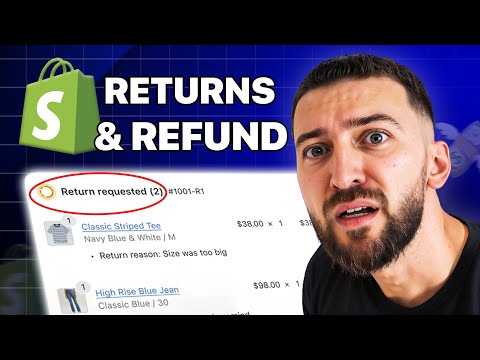
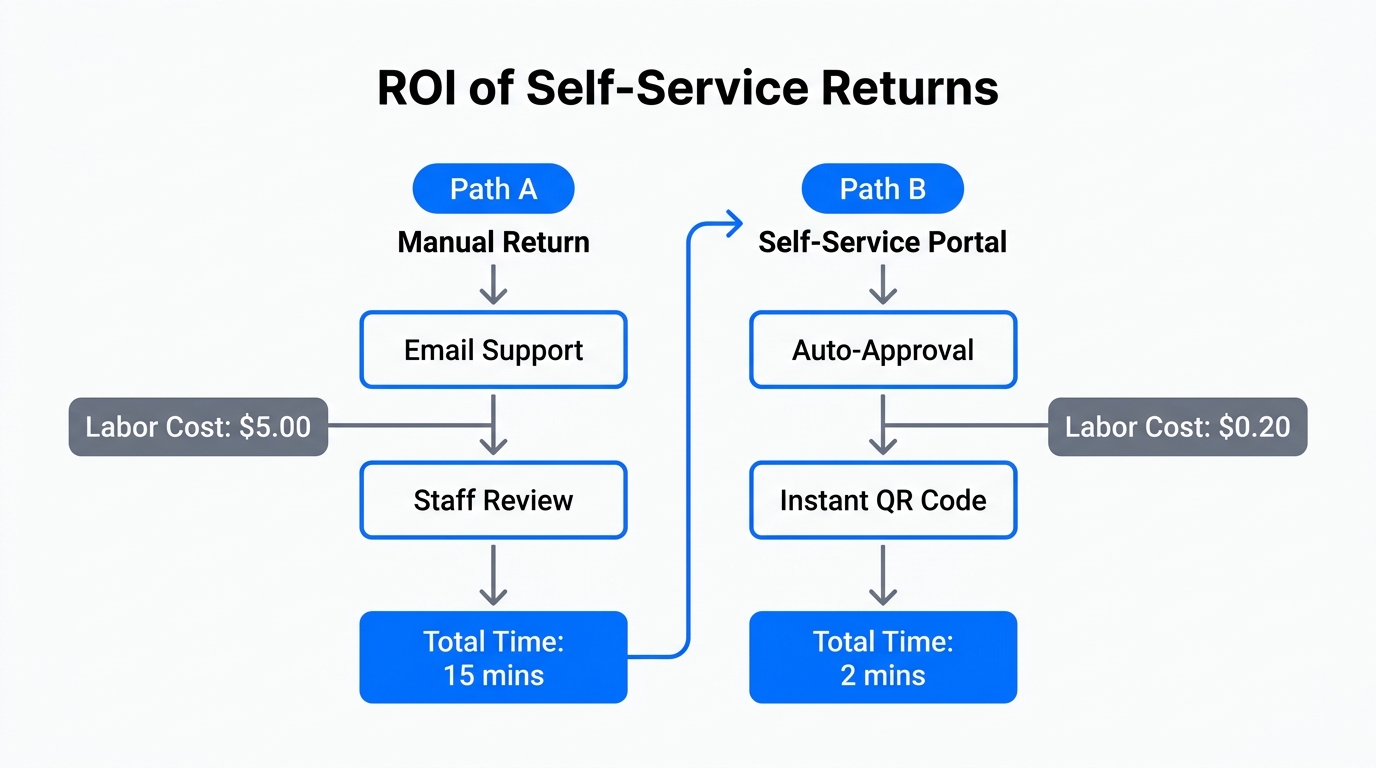
In 2026, the data is clear: customers who experience a seamless return process are 87% more likely to shop with that brand again. A self-service portal isn't just a convenience; it's a revenue retention engine. Instead of a binary "refund or nothing" choice, a portal nudges customers toward store credit or product exchanges, keeping the cash inside your business.
"The secret to ecommerce longevity in 2026 isn't just about making the first sale; it's about how you handle the moment a customer says 'this isn't right for me.'"
Step 1: Installing the Parcel Panel Returns and Exchange App
The first step in our Shopify returns portal tutorial is getting the right infrastructure in place. Parcel Panel is a top-tier choice because it balances deep functionality with a user-friendly interface that matches modern Shopify themes perfectly.
- Navigate to the Shopify App Store and search for Parcel Panel Returns and Exchange.
- Click Install and authorize the app to access your order data.
- Once installed, you will be prompted to choose your Order Lookup Method. In 2026, the standard is "Order Number + Email or Phone Number," which provides the best balance of security and ease of use.
While you focus on the UI setup, your AI teammate Stormy AI can be tasked with monitoring your old manual return threads to ensure no legacy customers are left hanging during the transition.
Step 2: Configuring Return Solutions for Revenue Retention
Explore the various return solutions available to customers, including store credit and refunds.This is where you decide how you want to handle the money. The Parcel Panel Returns and Exchange guide emphasizes offering multiple paths to keep the customer in your ecosystem. You can toggle these solutions on or off based on your business model.
| Return Solution | Business Impact | Customer Value |
|---|---|---|
| Original Payment Refund | Direct Revenue Loss | High Trust |
| Store Credit / Gift Card | Revenue Retained | Immediate Re-purchase |
| Product Exchange | Inventory Movement | Solves the Original Problem |
| Discount Code | Future Sale Incentive | High Retention |
To configure these, go to the Return Solutions tab in the dashboard. We recommend dragging "Exchange for different item" and "Refund to store gift card" to the top of the list. This visual hierarchy subtly encourages customers to choose non-cash options, helping you maintain a healthy cash flow. You can even offer Return Rewards—small incentives like an extra $5 in credit—if they choose a gift card over a cash refund.
Step 3: Setting Up Automated Return Shipping Methods
In 2026, nobody wants to print a label if they don't have to. Parcel Panel integrates directly with major carriers to offer QR code-based returns. This means a customer can simply walk into a USPS or Evri location, show a code on their phone, and the clerk handles the rest.
Implementing Prepaid Labels
Under the Return Shipping Methods settings, you can choose who pays for the shipping. If you want to automate Shopify returns fully, you should enable Prepaid Labels. You can integrate your own accounts for UPS, FedEx, or use the app's native logistics integrations.
If you prefer a leaner approach, you can select Ship on Your Own, which provides the customer with your return address but requires them to purchase their own postage. However, for 2026 standards, providing a label—even if you deduct the cost from the refund later—is the preferred brand experience.
"The 2026 consumer views the return shipping label not as a perk, but as a basic requirement of a legitimate online brand."
Step 4: Customizing the UI/UX to Match Your Brand Identity
Learn how to customize the visual appearance and layout of your returns widget.Your returns portal should not look like a third-party plugin; it should feel like a core part of your website. Parcel Panel provides a Customize Return Page editor that functions similarly to the Shopify theme editor.
- Logo & Branding: Upload your high-resolution brand logo and adjust the size.
- Color Palette: Match the button colors and fonts to your main storefront to ensure a cohesive Shopify self-service returns 2026 experience.
- Return Reasons: Customize the list of reasons (e.g., "Arrived too late," "Poor quality," "Looks different from site"). Pro-tip: Require an image upload for "damaged" or "poor quality" claims to prevent fraud.
Once your portal is styled, Stormy AI can help you update your site navigation and footer links. Simply ask Stormy to "update the Return Policy link in my Shopify footer to point to our new portal URL," and your AI teammate will handle the browser-based task for you.
Step 5: Implementing Return Rules and Restocking Fees
Automate your return approvals by setting up specific conditions and smart business rules.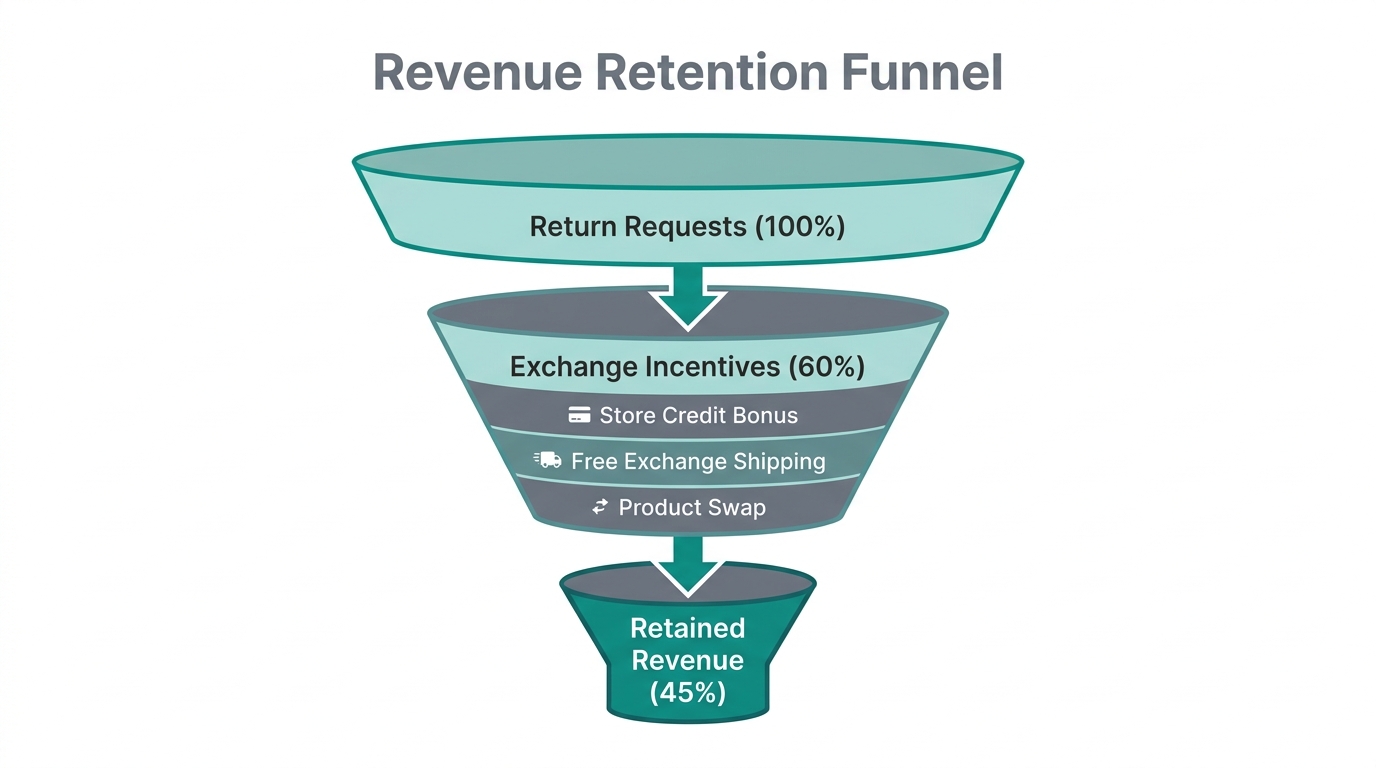
To protect your margins, you must set clear boundaries. In the Return Rules section, you can define the eligibility window—30 days from fulfillment is the 2026 industry standard for most apparel and consumer goods.
Restocking and Shipping Fees
If you offer free shipping on the outbound leg, you may want to recoup costs on the return leg. You can set a Fixed or Percentage-based Restocking Fee. For example, you might charge a $10 fee for a cash refund but waive it if the customer chooses a store credit exchange. This is a powerful way to steer behavior without being punitive.
Automation and Auto-Approval
One of the most powerful features of Parcel Panel is the Auto-Approve function. You can set templates that automatically approve returns if they meet specific criteria (e.g., within 14 days, item not on sale). This removes the bottleneck of manual review. For edge cases, Stormy AI can monitor the incoming requests that need human eyes, summarizing the reason for the return and drafting a response for your final approval.
How Stormy AI Automates the Back-Office Side of Returns
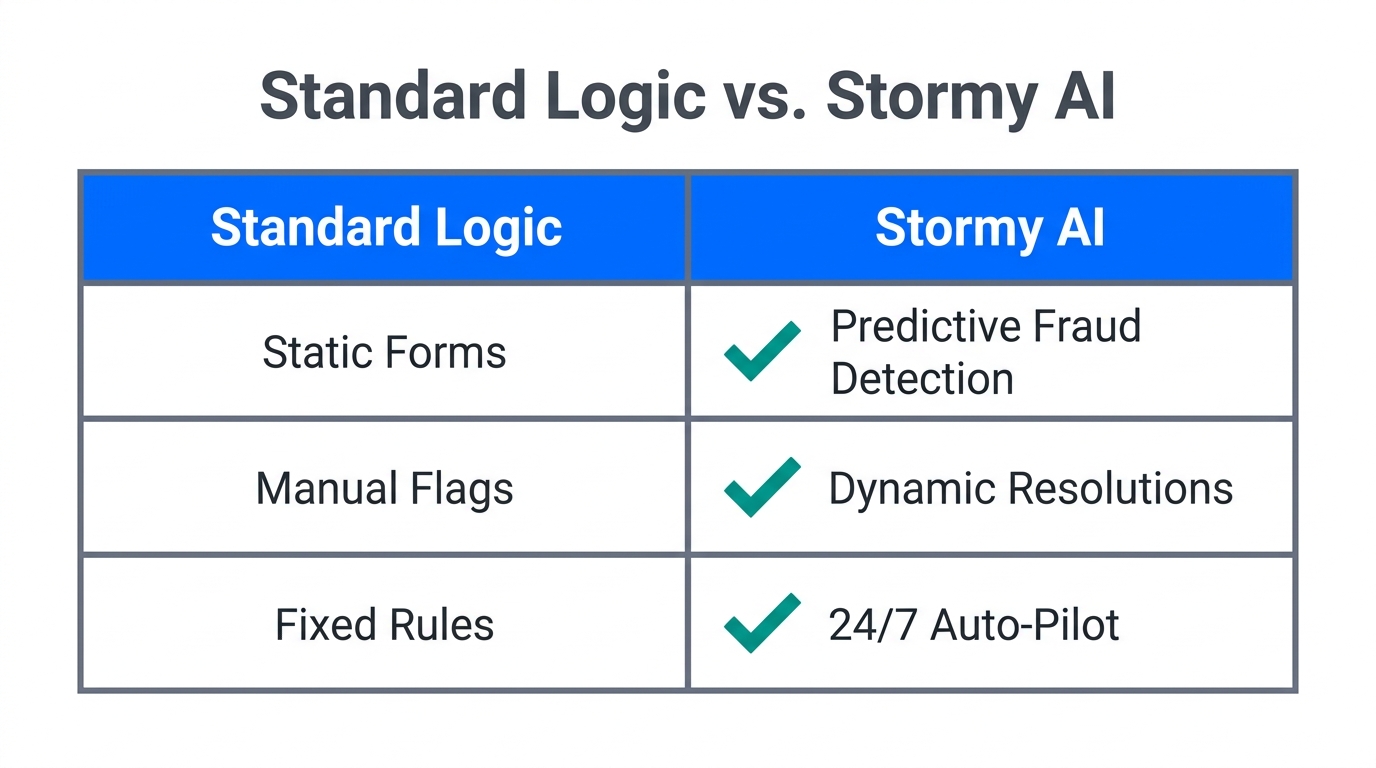
Setting up the portal is only half the battle. The other half is managing the fallout: updating inventory, following up with suppliers on defective batches, and adjusting ad spend based on high return rates. This is where Stormy AI, your AI ecommerce employee, shines.
- Inventory Sync: When a return is received at your warehouse, Stormy AI can detect the status update in Shopify and ensure the item is restocked in your inventory spreadsheet or ERP.
- Defect Tracking: If Stormy notices that a specific SKU from a supplier has a return rate 20% higher than average, it will flag this in your weekly report and even draft an email to the supplier to investigate the quality issue.
- Ad Optimization: Stormy can pull data from Meta Ads Manager and compare it against your return data. If a specific campaign is driving high sales but also high returns, Stormy will suggest budget reallocations to more profitable products.
- Customer Support Integration: For complex returns, Stormy can read the inbound thread in Gorgias or Zendesk, link it to the Parcel Panel request, and draft a personalized reply for you to send.
"The future of ecommerce isn't about having more tools; it's about having an AI teammate who knows how to use them all together."
Conclusion: Future-Proofing Your Shopify Store
Building a Shopify self-service returns 2026 infrastructure is no longer optional—it is a baseline requirement for growth. By following this Parcel Panel Returns and Exchange guide, you are not just automating a task; you are building a system that retains revenue, reduces support costs, and provides the professional experience your customers expect.
Once your portal is live at yoursite.com/apps/returns, remember that the work doesn't stop there. Continuous monitoring of your return reasons and logistics performance is key. With a tool like Parcel Panel handling the customer front-end and an AI employee like Stormy AI handling the messy back-office data, you can stop worrying about returns and start focusing on scaling your brand to new heights in 2026.