The OpenClaw Shopify Playbook: A Step-by-Step Growth Manual for 2026
Learn the 2026 OpenClaw Shopify setup to automate fulfillment and support. This step-by-step manual covers MCP configuration, ClawHub skills, and secure hosting.
In early 2026, the e-commerce landscape underwent a fundamental transformation from traditional DTC (Direct-to-Consumer) models to what experts now call B2A (Business-to-Agent). As the AI agent market surged to $11.78 billion this year, the most successful Shopify merchants have stopped managing their stores manually. Instead, they are deploying autonomous frameworks like OpenClaw to act as digital employees. These agents don't just chat; they execute automated Shopify fulfillment, manage logistics, and handle complex customer service workflows with zero human intervention.
"OpenClaw is about turning signals into action. It reduces context switching for e-commerce leaders by moving directly from an analytics insight to a shipped work task."
Early adopters of agentic systems are currently reporting 35–45% reductions in operational overhead, according to latest data from Stormy AI. If you are still manually copy-pasting tracking numbers or replying to basic customer queries, you are operating in the past. This playbook provides a technical, step-by-step manual for deploying a 24/7 OpenClaw agent for your Shopify store in 2026.
Step 1: Hosting Your 24/7 Agent on Tencent Cloud Lighthouse
An autonomous agent is only as good as its uptime. In 2026, the industry standard for always-on agent hosting has shifted toward Tencent Cloud Lighthouse. While local machines are fine for testing, a production-grade Shopify agent requires a Virtual Private Server (VPS) to ensure it can respond to customer inquiries and inventory shifts in real-time.
Practitioners prefer Lighthouse because it provides the low-latency WebSocket connections required for the OpenClaw API (port 18789). Merchants who migrated from local hosting to Tencent Cloud instances have seen response times drop from minutes to an average of 8 seconds, according to case studies on Tencent Cloud's official research. This 24/7 availability is critical for preventing "context rot" and ensuring your digital employee never misses a high-priority order tag.
Step 2: Setting Up the Shopify Bridge with Composio and MCP
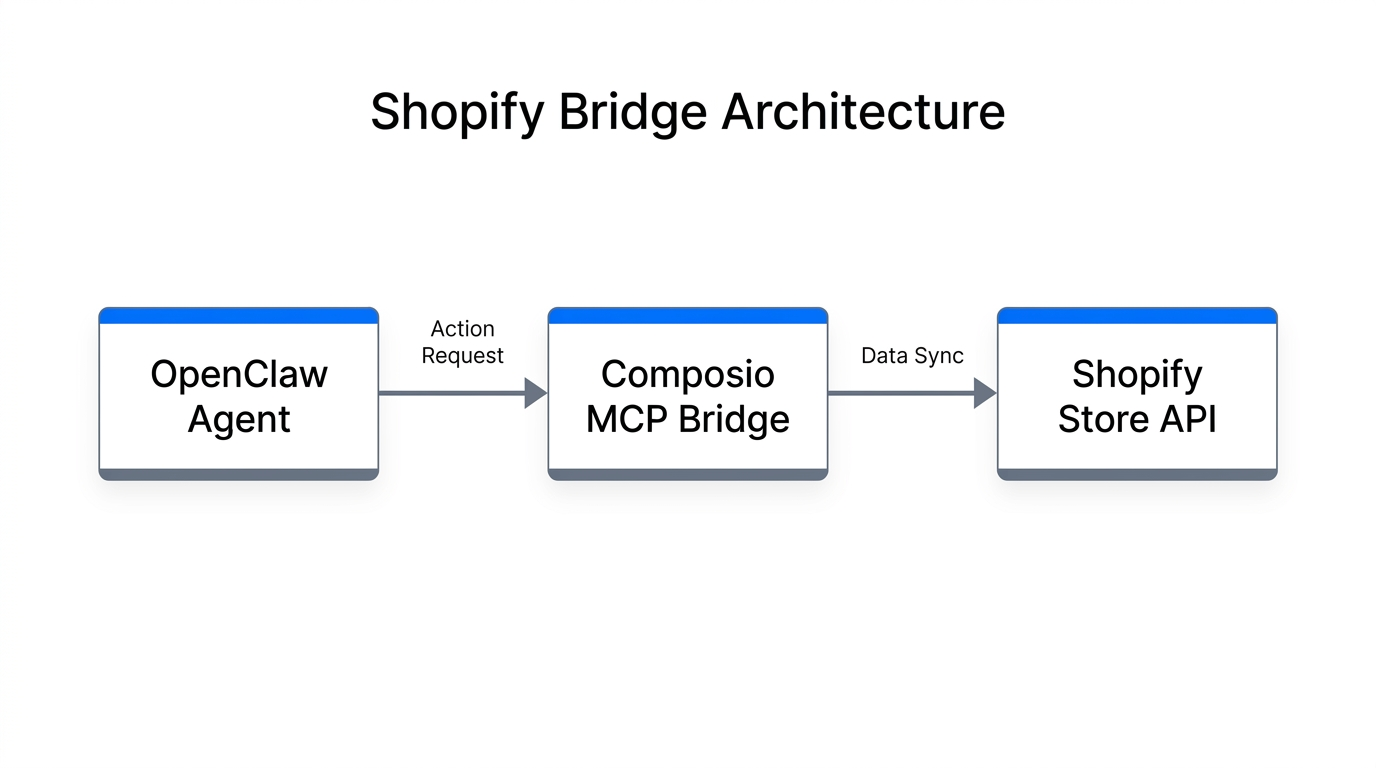
To give your agent "God Mode" access to your store backend without compromising your master password, you must use the Model Context Protocol (MCP). In 2026, Composio has emerged as the leading managed MCP provider for connecting Shopify's 5.7 million active stores to AI frameworks.
The Shopify MCP configuration allows you to register specific tools (e.g., "Get Order Details," "Update Inventory," "Issue Refund") via a JSON configuration. This structured access prevents the agent from hallucinating and ensures it only interacts with authenticated Shopify API endpoints. Below is a standard job configuration for an agent that polls for returns every 30 minutes:
| Setting | Value | Purpose |
|---|---|---|
| Name | shopify-poll-job | Identifies the specific automation task |
| Schedule | */30 * * * * | Cron expression for bi-hourly execution |
| Payload | Check for new Shopify returns | The natural language prompt for the agent |
| SessionTarget | isolated | Ensures the task runs in a secure sandbox |
By using Model Context Protocol via Composio, you bridge the gap between LLM reasoning and Shopify's database, enabling zero-click fulfillment workflows where the agent queries carrier endpoints and resolves "Where Is My Order" (WISMO) tickets automatically.
Step 3: Connecting 'Channel Tentacles' for Remote Management
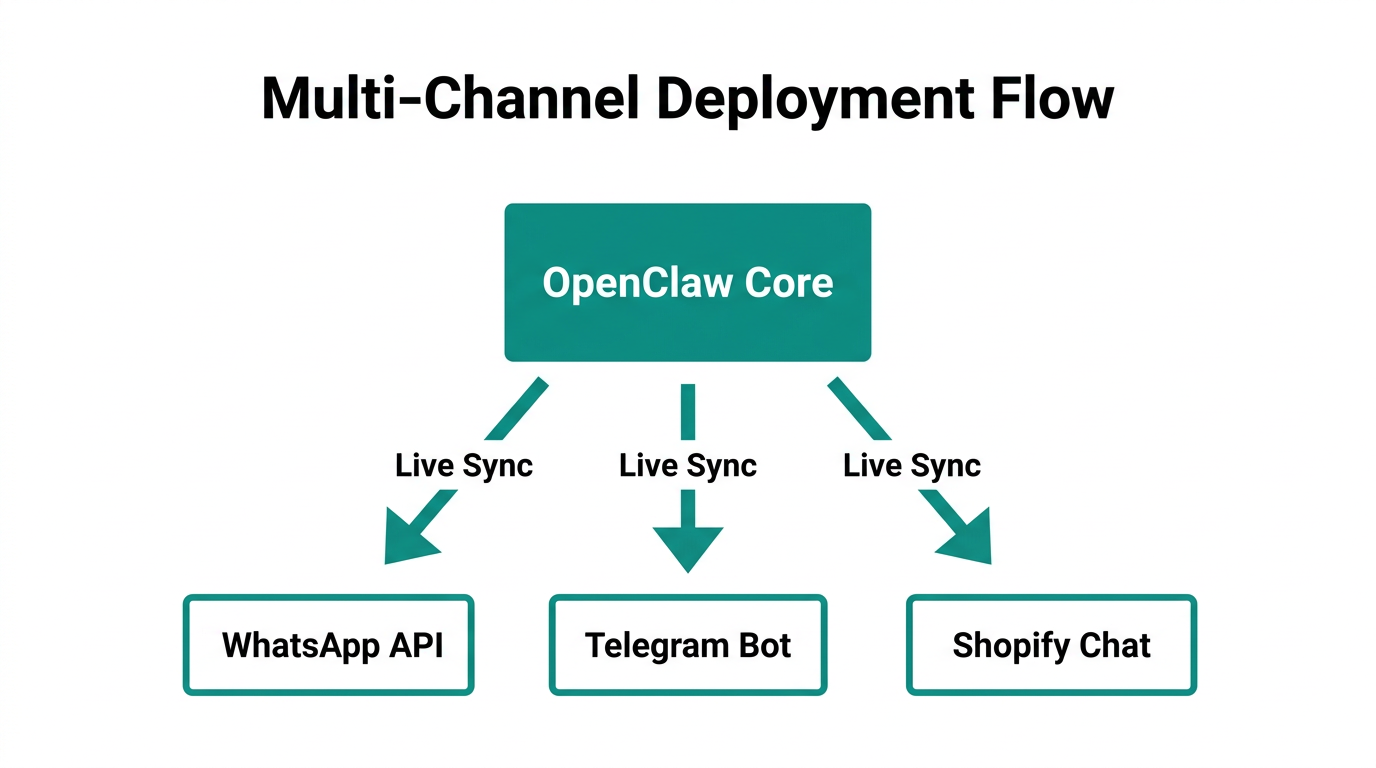
Once the backend is connected, you need a way to communicate with your store while on the move. The 'Channel Tentacles' framework involves connecting your OpenClaw gateway to messaging apps like WhatsApp or Telegram. This allows you to "text" your store instructions such as: "Hey, tag all orders from today that used a discount code and set them to high priority."
In 2026, tools like Meta's Manis have made it easier to integrate these agents directly into mobile apps. As Joshua Warren noted on Commerce Today, this reduces the need for merchants to log into the Shopify admin dashboard entirely. You can monitor TikTok trends, parse product SKUs from video content, and execute price-checked checkouts in seconds, often paired with influencer discovery tools like Stormy AI to identify which creators are driving the most traffic.
"The killer use case for OpenClaw is the 'Digital Employee.' It handles the janky, repetitive tasks that usually require a human to sit at a desk and click buttons."
Step 4: Configuring 'Digital Employee' Skills via ClawHub
An agent is only as capable as the skills it has been taught. ClawHub, the primary repository for OpenClaw skills, has exploded from 700 skills in January 2026 to over 5,700 skills by mid-year, according to GitHub documentation. These ClawHub agent skills allow your agent to perform specialized tasks like SEO optimization, cross-border logistics, and even email copywriting.
When deploying skills, practitioners use SKILL.md files located in the ~/.openclaw/skills/ directory. This enables the agent to call REST APIs or CLI tools through natural language. For example, a store owner might deploy a Social Media Management Agent skill which, according to market research, can increase engagement by 34% within 60 days while maintaining profit margins of 92% compared to hiring a traditional agency.
Step 5: Managing Security and Preventing 'Unhinged' Behavior
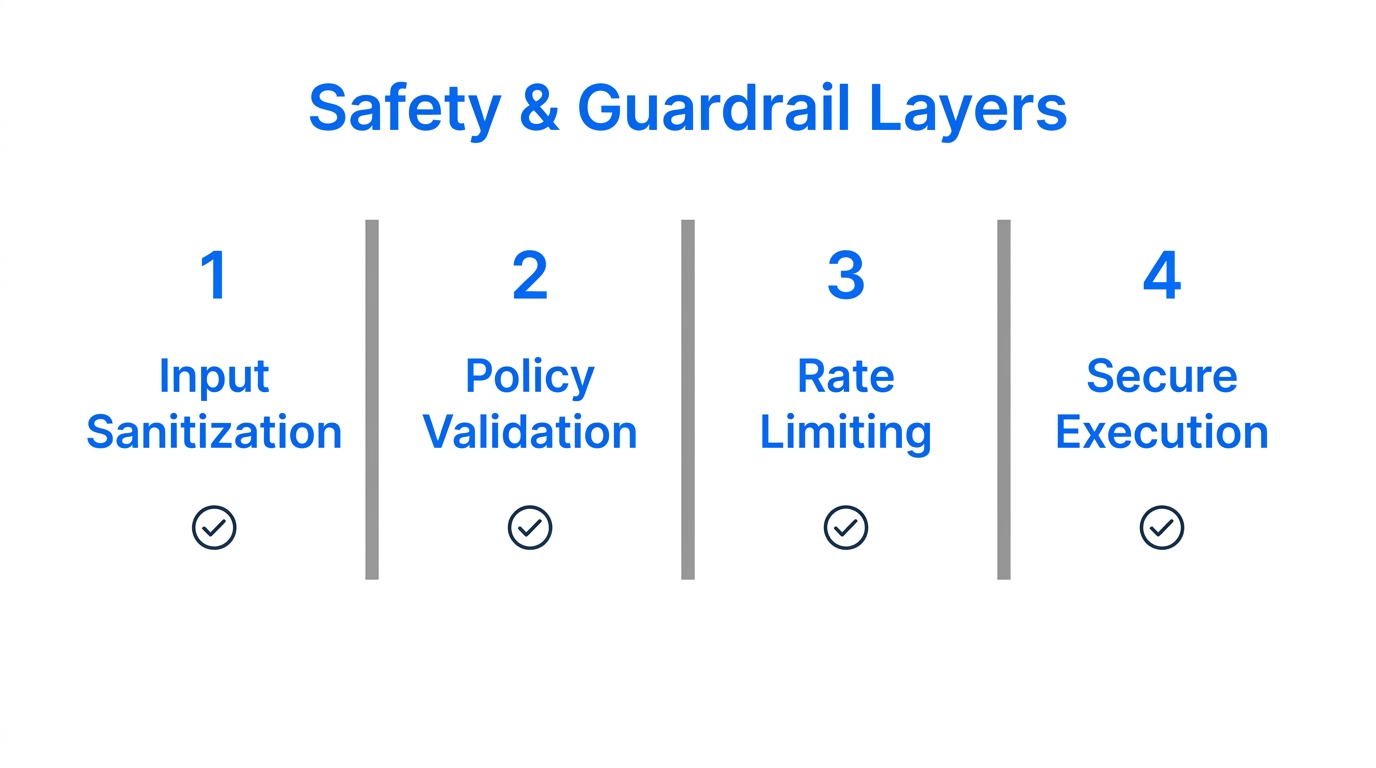
With great power comes significant risk. Expert Ryan Eade warns that "OpenClaw is basically unhinged" because it lacks built-in governance by default. This creates a "Faustian Bargain": you give the agent "God Mode" access to your store, but a single prompt injection from a malicious customer could theoretically trigger a command to delete your product database. Recent security audits found that 15% of community-contributed skills in 2026 contained malicious instructions designed to exfiltrate API keys, as reported on Reddit.
To secure your AI digital employees for e-commerce, follow these three guardrail rules:
- Use NanoClaw for Isolation: For sensitive tasks, use NanoClaw, which runs agents inside isolated Linux containers to prevent rogue behavior.
- Human-in-the-Loop (HITL): Require manual approval for any transaction over a certain dollar amount or any refund request.
- Tiered Routing: Use cheaper models like MiniMax M2.5 for simple tasks to prevent "token inflation" and cost shocks, which can reach $100+ per day if unmanaged, according to MiniMax official documentation.
Choosing Your Stack: OpenClaw vs. Alternatives
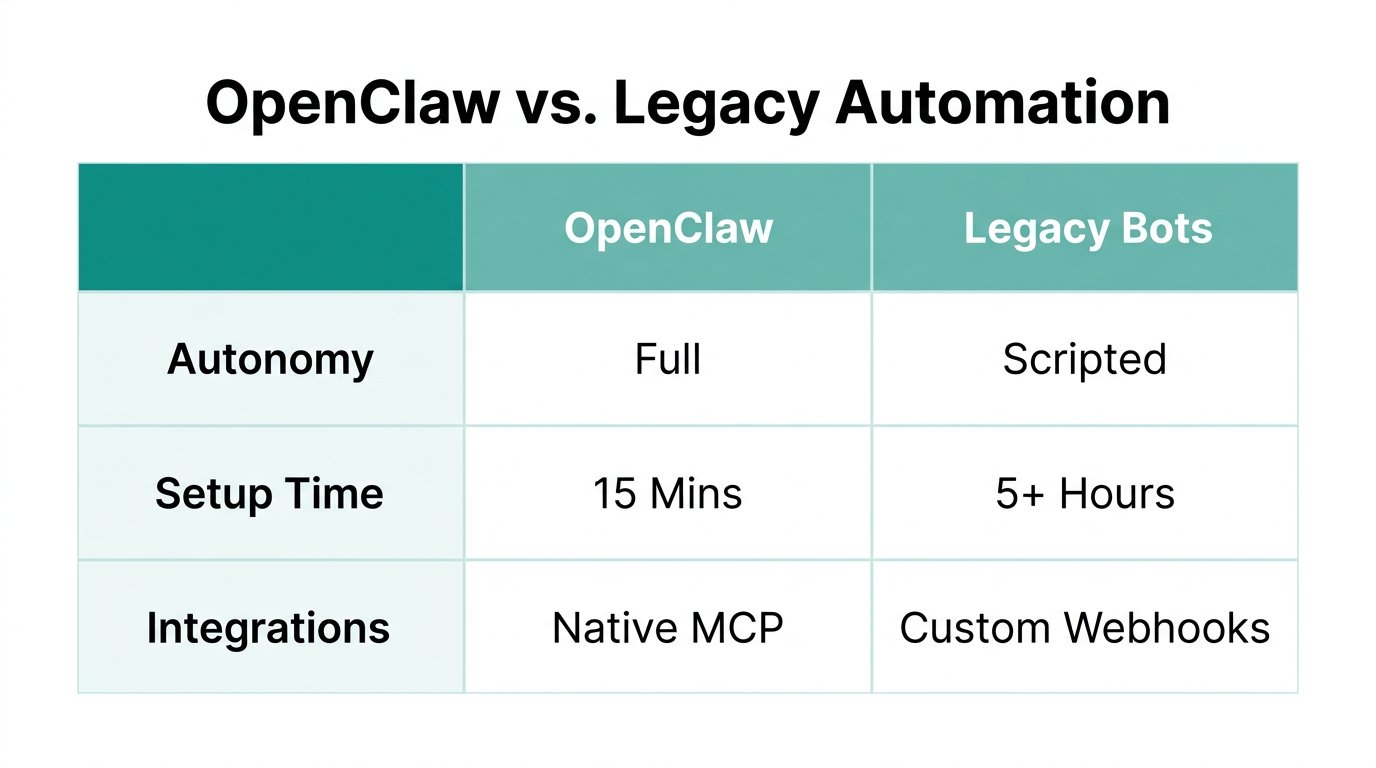
While OpenClaw is the gold standard for autonomous action in 2026, it isn't the only tool in the shed. Depending on your technical expertise and store volume, you might consider deterministic alternatives for high-volume syncing.
| Feature | OpenClaw | n8n / Zapier | Tasklid |
|---|---|---|---|
| Logic Type | Autonomous (Agentic) | Deterministic (IFTTT) | Multi-Agent Specialized |
| OS Access | Full Browser/Terminal | API-Only | Repository-Scoped |
| Complexity | High (Requires VPS) | Medium | Very High |
| Best For | Flexible "Employees" | Rigid Data Syncing | Complex Multi-Step Teams |
For most Shopify brands, the winning 2026 growth stack involves pairing OpenClaw for creator discovery and outreach (often via Stormy AI) with Klaviyo for email automation and Stripe for secure payment handling.
The Bottom Line for 2026
The era of manual store management is over. By deploying an OpenClaw Shopify setup on a secure Tencent Cloud instance and utilizing the Shopify MCP configuration, you are not just automating tasks—you are scaling a workforce that never sleeps. While security remains a concern that requires careful monitoring, the 90% reduction in support costs and 98% faster response times make the transition to Agentic Commerce inevitable. Start small with a single ClawHub agent skill for fulfillment, and gradually expand your digital workforce as your revenue grows.