How to Launch Your First Shopify Store with Shopify Tinker AI in 2026
Learn how to launch a Shopify store in 2026 using Shopify Tinker AI tools. From brand naming to automated inventory with Stormy AI, here is your 2026 ecommerce playbook.
In 2026, the barrier to entry for entrepreneurship hasn't just been lowered—it has been obliterated. Gone are the days of spending months on brand strategy, thousands on product photography, and weeks on back-office setup. Today, the journey from a flickering idea to a fully functional storefront happens in hours, powered by a new generation of generative tools. Leading this charge is Shopify Tinker, a playground where entrepreneurs can ideate, refine, and deploy businesses using cutting-edge AI. Whether you are a pottery enthusiast wanting to sell geometric trays or a pet lover looking to market custom costumes, the path to starting an online business with AI has never been more accessible.
Navigating the Shopify Tinker Playground for 2026 Ecommerce
Explore the centralized feed where all Shopify Tinker tools are accessible in one place.
Shopify Tinker is built on a simple yet powerful premise: entrepreneurship should be about play. As Russo, a product lead at Shopify, explains, Tinker is designed to help you move from inspiration to execution in milliseconds. The platform is structured around four core pillars, but for the new founder in 2026, the consolidation pillar is the most critical. Instead of juggling a dozen different AI subscriptions, Tinker brings every tool you need—from text generation to 3D modeling with tools like Blender—into a single, unified feed.
When you first enter the Tinker playground, you are greeted with a curated feed of "artifacts." These are the building blocks of your future brand. You can scroll through apps that generate social media videos with CapCut, edit product photos, or even create 3D models of your inventory. For those looking to launch a Shopify store in 2026, this consolidation means you can spend your morning playing with niche-specific AI tools and your afternoon processing your first sales. It’s no longer about mastering complex software; it’s about having the creative energy to explore what’s possible.
"From inspiration and creativity to execution should be milliseconds. That is the goal of the 2026 AI-powered entrepreneur."
Using the Product Name Generator for Premium Brand Reports
Learn how to use the product name generator to establish your unique brand identity.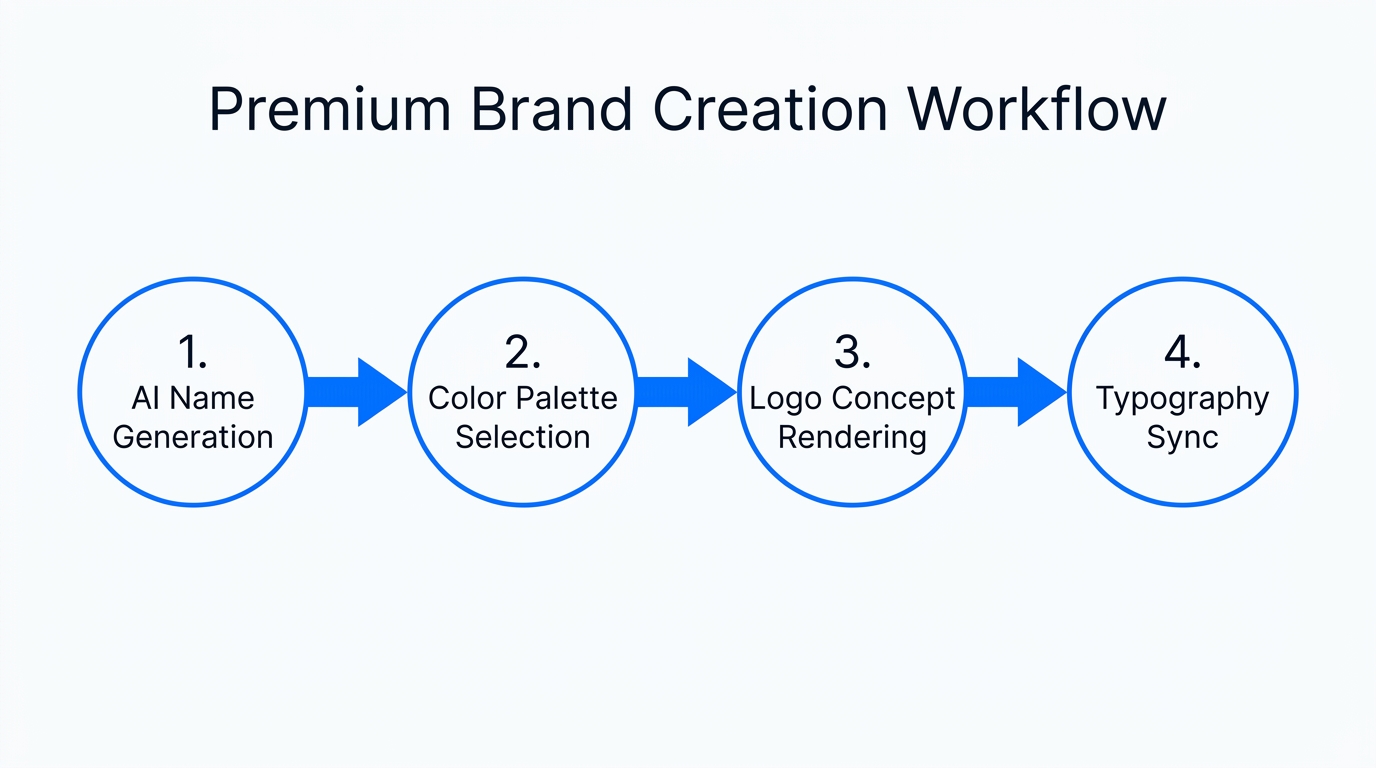
One of the hardest parts of starting any business is naming it. In 2026, the name is more than just a label; it’s a lifestyle promise. Tinker’s Product Name Generator isn't your typical random word flinger. Instead, it generates premium brand reports that provide a holistic identity for your business. When you input a basic concept—like a geometric ceramic tray—the AI doesn't just give you a list; it presents a visual identity package, often leveraging design frameworks from Canva or Adobe.
Take the example of Soft Lux Studios. The founder started with a simple hobbyist product but used Tinker to find its soul. The AI suggested names like Avora, Jasmine Cass, and Driftline. Each name came with a "vibe report," helping the founder understand how each option would resonate with different customer demographics on platforms like TikTok Shop or Amazon. This ecommerce branding automation allows you to skip the expensive brand agency and go straight to a name that feels premium and established.
| Feature | Traditional Branding (2024) | AI-Powered Branding (2026) |
|---|---|---|
| Naming Process | Weeks of brainstorming/consultants | Seconds via Tinker Reports |
| Visual Assets | Expensive studio photography | Generative Image Editing |
| Market Research | Manual competitor analysis | AI-driven niche discovery |
| Cost | $2,000 - $10,000+ | Included in Shopify ecosystem |
Transforming Hobbyist Photos into Professional Inventory Assets
See how basic photos transform into professional visual content using advanced viewer tools.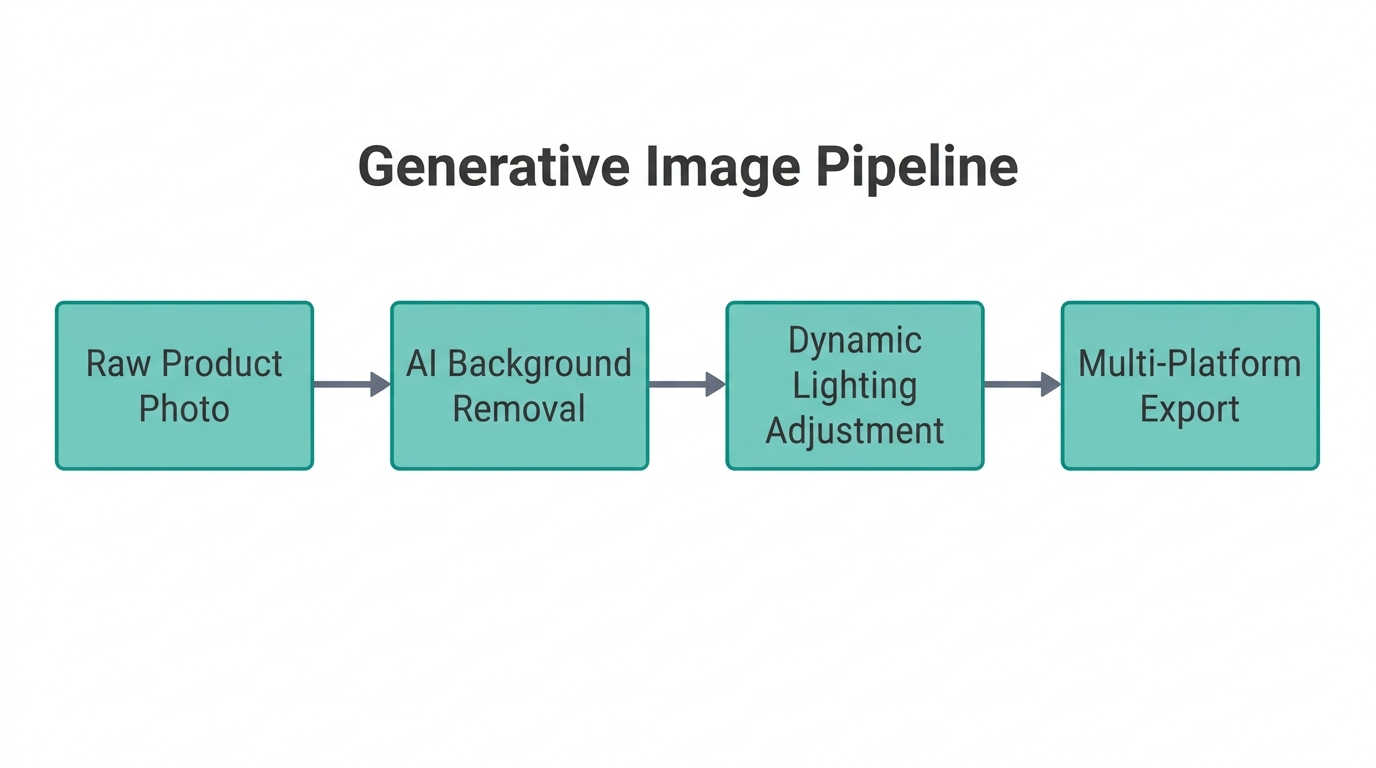
You no longer need a DSLR or a lighting rig to compete with major brands. Tinker’s Generative Image Editor allows you to take a basic smartphone photo from your iPhone and transform it into a high-end marketing asset. For example, if you have a photo of a puppy in a chicken costume, you can use natural language to change the costume to corn on the cob—or anything else that fits your brand's aesthetic. You simply upload the photo, type the change, and slide to generate.
For more sophisticated products like home decor or jewelry, Tinker offers a 360 Viewer app. By uploading a single photo of a product—like a ceramic tray—the AI can create a 360-degree video of that product sitting in a luxurious apartment. This is critical for building trust on product pages. According to recent conversion optimization studies, high-definition video of your product in a realistic environment can cause conversion rates to skyrocket. You can even ask the AI to "add jewelry to the tray" or "place a candle next to it" to create lifestyle shots that would normally require a full production crew.
"Visual storytelling in 2026 is no longer a budget problem; it is an imagination problem."
Moving from Tinker 'Project' to a Live Store in Under an Hour
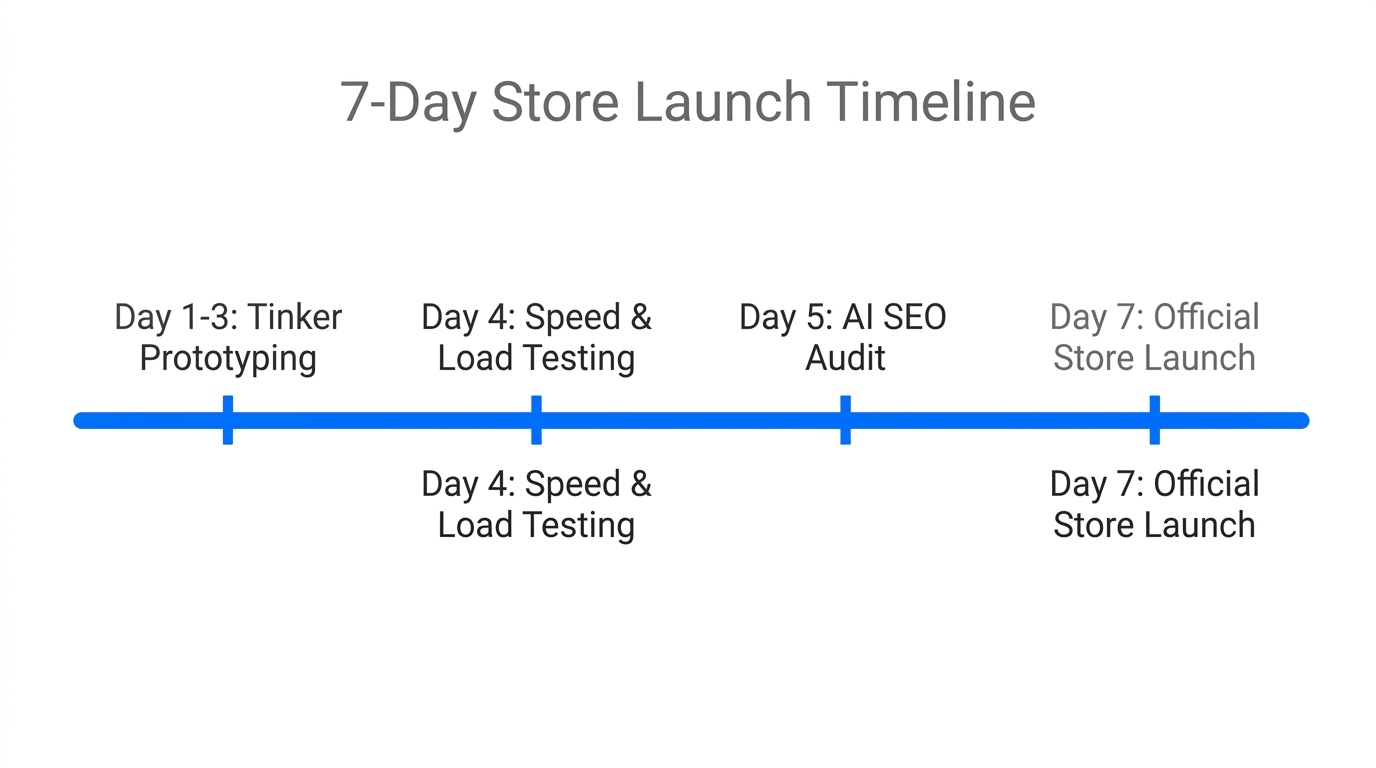
The magic of Shopify Tinker lies in the "Project" feature. As you play with different AI artifacts—your brand name, your 360-degree videos, your social media montages—you collect the ones you love into a specific project folder. This project folder becomes the DNA of your store. Once you are satisfied with the collection of assets, the deployment process is seamless.
- Finalize Your Artifacts: Ensure your project includes a brand name, at least three high-quality product images, and one social montage video.
- One-Click Deployment: Click the "Create Shopify Store" button within the Tinker project view.
- Auto-Populate Inventory: Tinker automatically maps your AI-generated images and names to product listings in your new Shopify dashboard.
- Launch: Choose a theme and go live. The video you created in Tinker can serve as your hero banner, instantly giving your store a professional look, as outlined in Shopify's theme documentation.
By the time your store is live, you have a fully branded experience that looks like it was built by a team of ten, even if you are a solo founder. But the real challenge begins after the first sale. This is where the "messy back office" of ecommerce usually overwhelms new owners. Fortunately, in 2026, you don't have to manage it alone.
Automating the Back Office with Stormy AI
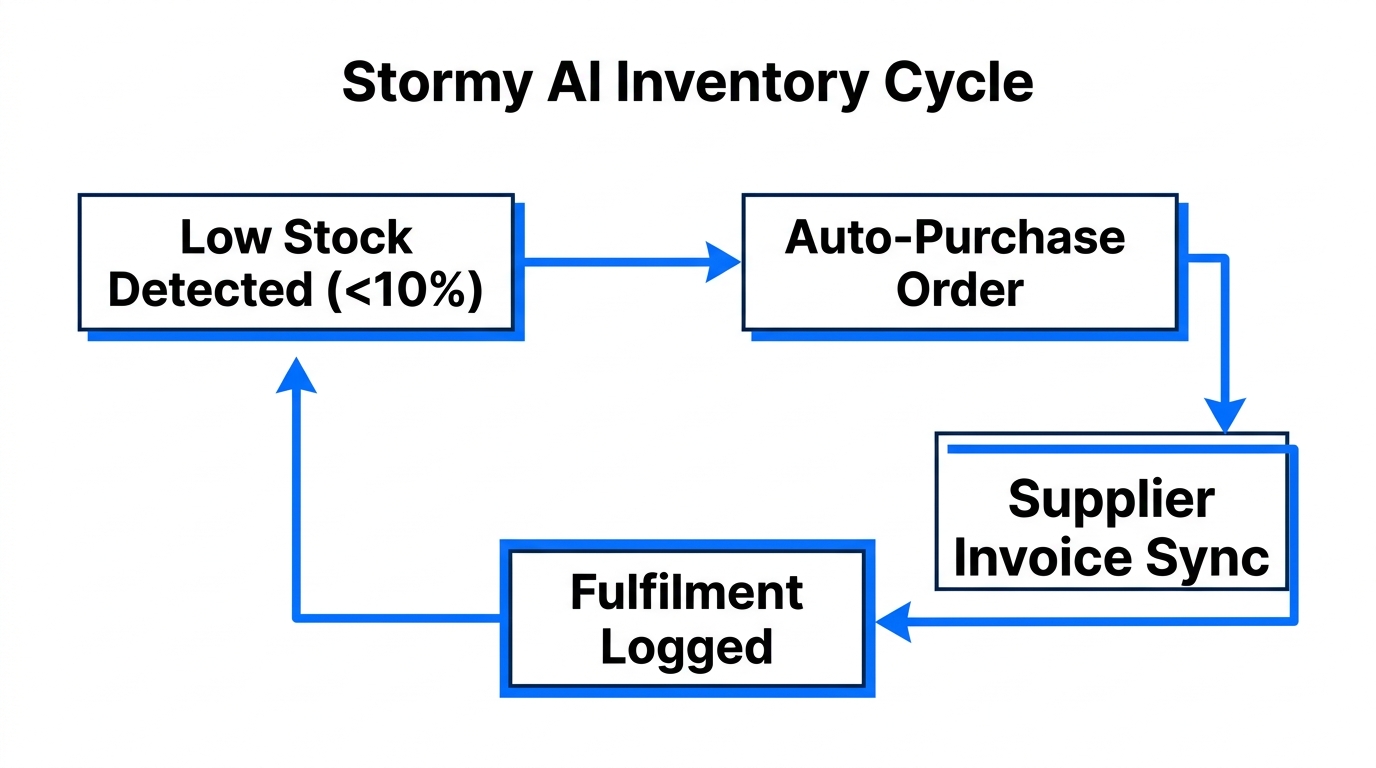
While Shopify Tinker handles the creative launch, Stormy AI handles the operational marathon. Stormy AI is an AI ecommerce employee that lives in your back office, managing the tasks that usually lead to burnout. Once your store is live, you can ask Stormy AI to monitor your inventory levels across Shopify and TikTok Shop, flagging stockout risks before they cost you revenue.
Stormy AI acts as your teammate, using tools like a browser, spreadsheet, and email inbox to keep things running. For example, if you are sourcing your products from a supplier, Stormy AI can track shipment deadlines in a living spreadsheet. If a shipment is late, Stormy doesn't just alert you—it drafts and sends a polite follow-up email to the supplier automatically. This level of ecommerce automation means you can focus on growing your brand while your AI employee handles the logistics.
Furthermore, Stormy AI can pull campaign performance from Meta Ads Manager and Google Ads every morning. It compares your spend vs. revenue and highlights underperforming campaigns in a shared workbook. Instead of spending hours in data tables, you wake up to a clean weekly report that tells you exactly where your growth is coming from.
"The future of ecommerce is a one-person brand powered by an army of AI agents doing the heavy lifting."
Conclusion: The 2026 Entrepreneur Playbook
Launching a business in 2026 is no longer about technical expertise; it’s about creative curation. By leveraging Shopify Tinker, you can transform a hobby into a premium brand identity with professional visual assets in a single afternoon. You can experiment with names like Avora, create 360-degree product videos, and build a social media presence without ever picking up a camera or hiring a consultant.
However, the key to long-term success is not just a great launch, but a sustainable operation. By bringing on an AI ecommerce employee like Stormy AI, you ensure that your inventory is always tracked, your suppliers are followed up with, and your customer support is handled on-brand. The combination of Shopify’s creative tools and Stormy’s operational intelligence is the ultimate playbook for the modern founder. Stop overthinking your idea and start playing in the Tinker playground today—your future store is only a few slides and clicks away.