How to Launch 1,000+ SEO Pages in 52 Minutes with Claude Code and Cursor (2026 Guide)
Master programmatic SEO 2026 using Claude Code and Cursor. Build 1,000+ high-ranking pages, interactive tools, and community-led content in under an hour.
In 2026, the barrier between "marketer" and "developer" has officially dissolved. We have entered the era of vibe coding—a workflow where natural language is the primary syntax and execution happens at the speed of thought. If you are still manually writing blog posts or waiting three weeks for an engineering sprint to deploy a landing page, you are operating in the stone age. Today, growth is about speed, scale, and algorithmic relevance. Using the combination of Cursor and Claude Code, non-technical founders are now launching 1,000+ SEO-optimized pages in under an hour, capturing millions of visits with precision-targeted content.
"The magic isn't just in generating text; it's in the ability to build a fully functional, interactive SEO engine that ranks because it provides genuine utility, not just keywords."
The 2026 SEO Stack: Why Vibe Coding is Winning
Explore the powerful combination of Cursor and Claude for modern SEO development.
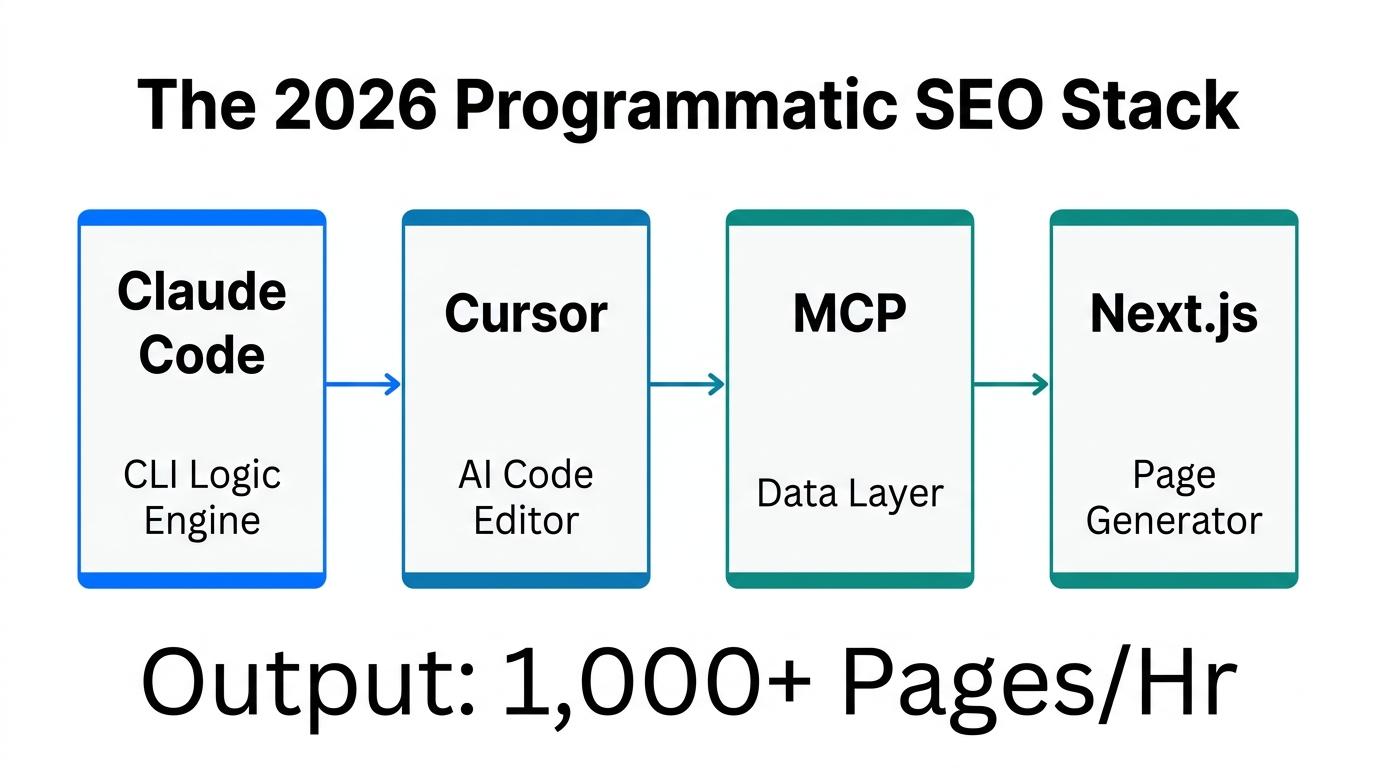
The legacy SEO playbook of 2024 is dead. Search engines and AI-answer engines like Perplexity now prioritize depth, interactive utility, and "vibe"—a combination of user-generated signals and real-world testing data. To compete, you need a programmatic SEO 2026 strategy that moves beyond flat text. This requires a terminal-based setup that sounds daunting but is actually simpler than managing a complex n8n workflow.
By leveraging Cursor AI SEO automation, you can bypass the "vibe loop"—that frustrating cycle where AI gives you broken code snippets that you don't know how to fix. Instead, you act as the senior architect, while Claude Code acts as the elite engineer executing the build.
Step 1: Setting Up the Non-Technical Marketing Terminal
A walkthrough for authenticating Claude Code and initializing your terminal workspace.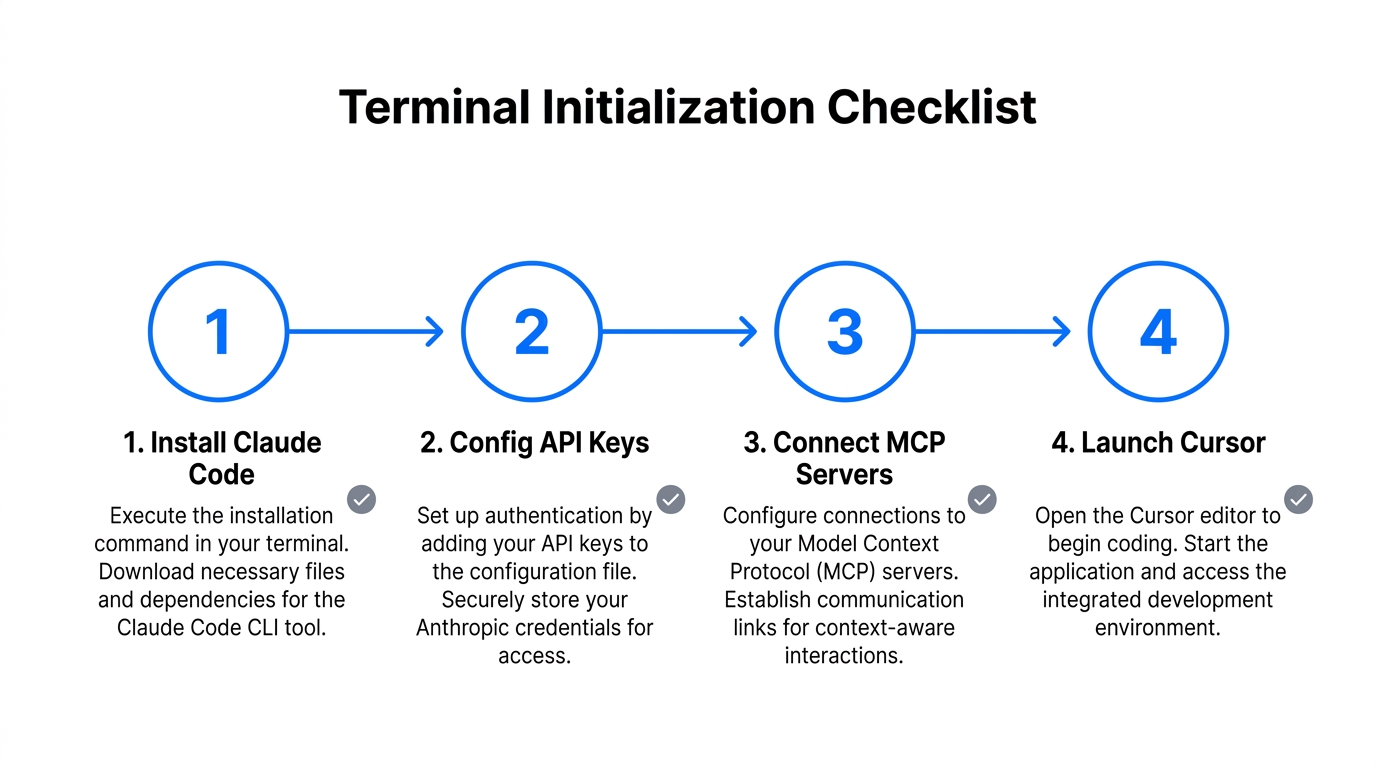
The most significant hurdle for most marketers is the terminal. In 2026, the terminal is no longer a scary black box for hackers; it is your growth cockpit. (Much like how Stormy AI serves as the central cockpit for high-velocity influencer marketing campaigns.) To get started, download Cursor, the AI-native code editor. Once inside, you will find a terminal window at the bottom of your screen. This is where you will summon Claude Code.
- Install Claude Code: Open your terminal in Cursor and ask a tool like ChatGPT or Claude for the one-line installation command. Typically, it involves a simple NPM install.
- Authenticate: Follow the link provided in the terminal to Anthropic, enter your credentials, and boom—you have a world-class engineer living in your command line.
- Initialize Your Project: Create a folder for your website and type
claudeto start the session. Claude will now index your files and prepare for the programmatic build.
As noted by The Vibe Marketer, the beauty of this setup is that you don't need to look at the source files. You stay in the chat interface, and Claude handles the file structure, routing, and logic.
Step 2: The Research Phase with MCPs
Deep dive into using Perplexity and Firecrawl MCPs for programmatic keyword research.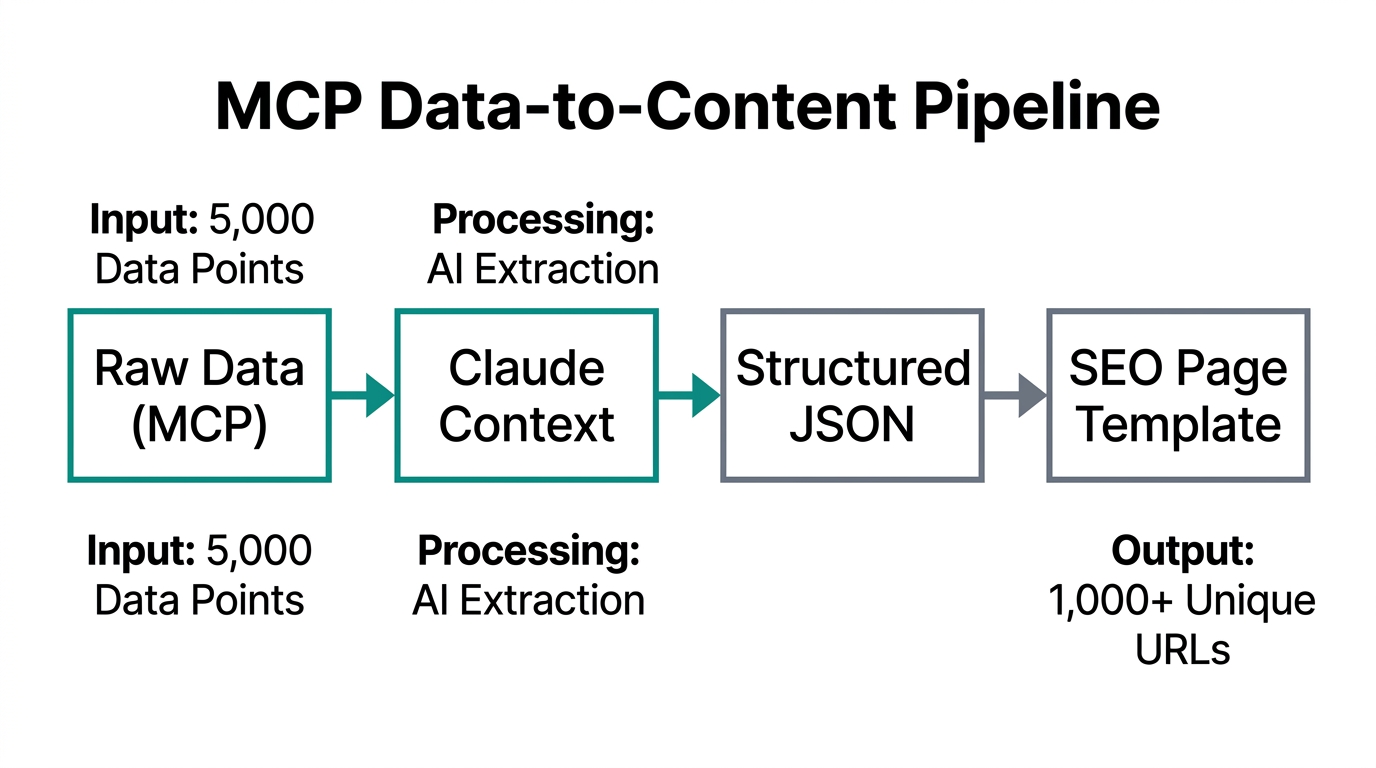
You cannot launch a 1,000-page campaign without high-intent data. In 2026, we use Model Context Protocol (MCP) tools to pull live web data directly into our dev environment. This is how you scale organic traffic with AI by finding the exact