As we navigate the retail landscape of 2026, the traditional concept of a "product feed" has been retired. Google’s ad ecosystem is projected to reach $318 billion in revenue this year, according to Insider Intelligence, and the vast majority of that growth is driven by automated, high-intent shopping units. In fact, Shopping ads now account for 76.4% of all retail search ad spend in the US, based on recent Statista retail reports.
For Shopify founders, the game has shifted from simple keyword optimization to building data infrastructure that powers AI Overviews, Shoppable CTV, and Agentic Commerce. If you are still relying on legacy Content API methods, you are already behind. This guide breaks down the exact playbook for a modern google shopping ads setup 2026, ensuring your store remains competitive in an era where the search query is no longer the command, but merely one of thousands of signals.
Step 1: Migrating to Google Merchant Center Next & the New Merchant API
The first and most critical move in your 2026 setup is finalizing the transition to Google Merchant Center Next. Google has officially announced the permanent sunset of the legacy Content API for Shopping on August 18, 2026. It is being replaced by the modular Google Merchant API, which eliminates batch processing delays in favor of real-time inventory syncing.
To complete this migration within Shopify, you must ensure your backend is communicating with the new modular endpoints (Accounts, Inventories, Products). This shift allows for the inclusion of the video_link attribute, which is now essential for serving product-specific content within YouTube Shorts and TikTok-style placements on the Google Search app.
During this setup phase, an AI ecommerce employee like Stormy AI can be invaluable. Stormy can monitor your Merchant Center health daily, flagging any product disapprovals or API sync errors before they result in a total campaign shutdown. Instead of a human teammate checking the "Diagnostics" tab every morning, Stormy AI handles the monitoring in the background and alerts you only when a fix is needed.
Step 2: Implementing Universal Commerce Protocol (UCP) with Shopify
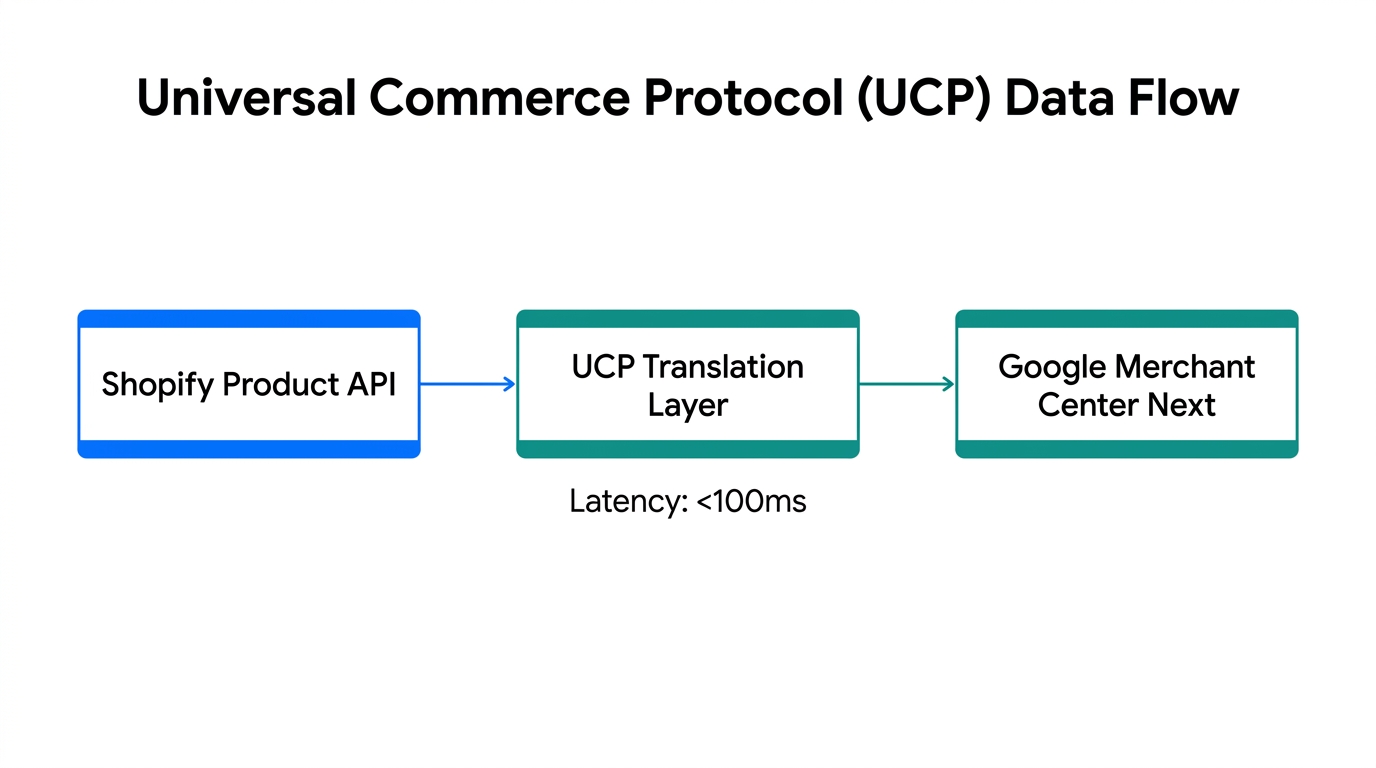
The universal commerce protocol shopify integration is the single biggest technical shift of the year. Developed as a shared standard between Google, Shopify, and Walmart, UCP allows Google’s AI to index "raw facts" about your products rather than just reading titles and descriptions. This means the algorithm understands fabric_weight, sustainability_standard, and real-time_stock_near_me as native data points.
To implement UCP correctly in 2026, you must enrich your Shopify Metafields to include:
- Sustainability Certifications: Use the
sustainability_standardattribute to trigger high-intent badges for eco-conscious shoppers. - Handling Cutoff Times: Provide
handling_cutoff_timeto compete for "Fast & Free" delivery badges, which have been shown to increase CTR by up to 20% according to current retail benchmarks. - Loyalty Labels: If you use a loyalty app like Yotpo, sync member pricing directly to the feed to show lower prices to logged-in Google users.
"Product data is no longer just a feed; it is the fundamental infrastructure that powers CTV, AI Overviews, and Agentic Checkout simultaneously."
Step 3: Configuring Agentic Commerce and Business Agents
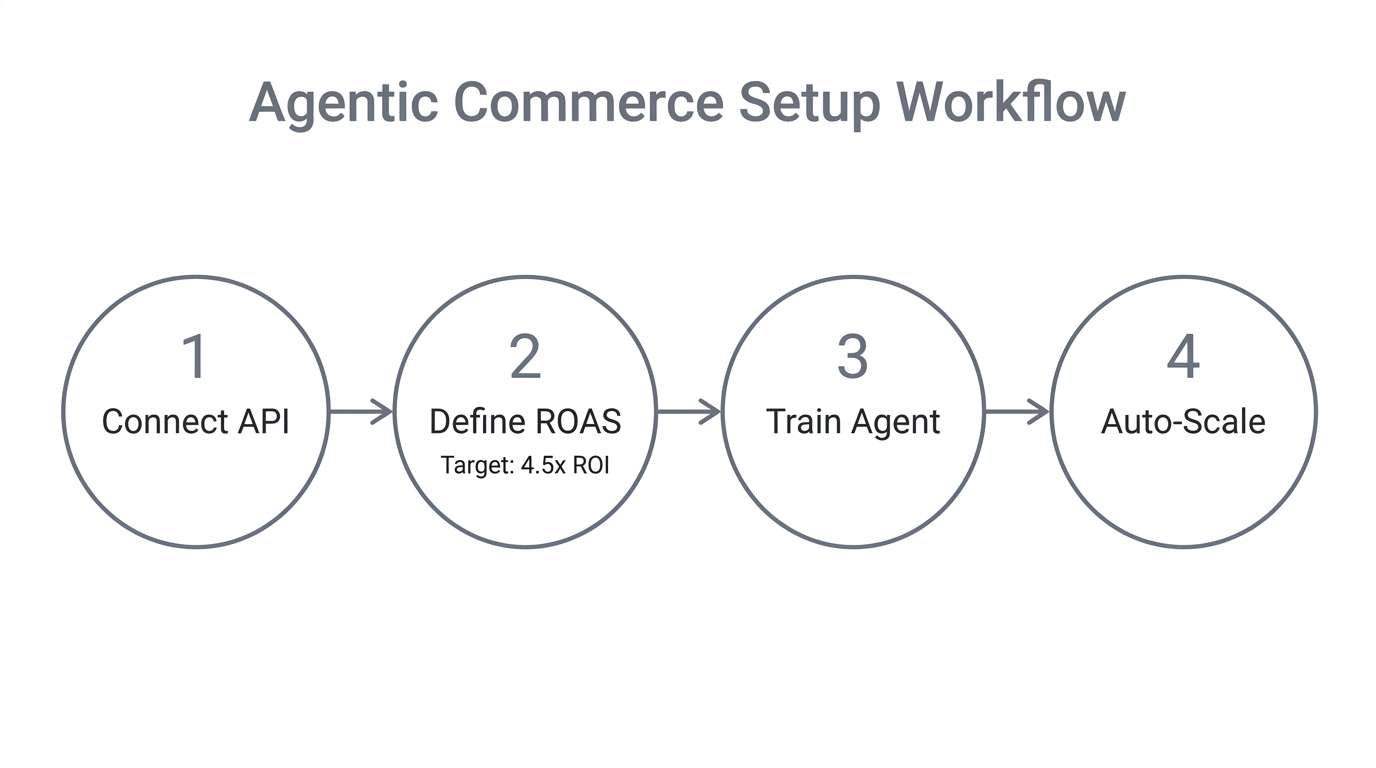
Welcome to the era of agentic commerce. In 2026, the Google Shopping tab is no longer just a list of links; it’s a conversational interface. Through the agentic commerce guide framework, brands like Reebok and Poshmark have pioneered the use of "Business Agents"—AI entities that live inside your Shopping units and handle customer Q&A in real-time.
To enable this, you must navigate to the "Shopping Experience" settings in Merchant Center Next and set your checkout_experience to google_hosted. This allows the AI to answer specific questions like, "Does this fabric stretch after three washes?" using your site’s historical data and reviews as the knowledge base. If the user is satisfied, they can buy directly within the chat interface without ever leaving Google.
Setting this up requires clean "Text Guidelines" in your Performance Max asset groups to ensure the AI speaks in your brand voice. Stormy AI can assist here by analyzing your past customer support tickets in Gorgias or Zendesk to draft the most common product-specific responses for your Business Agent to learn from.
Step 4: The Google AI Max Strategy and Journey Aware Bidding
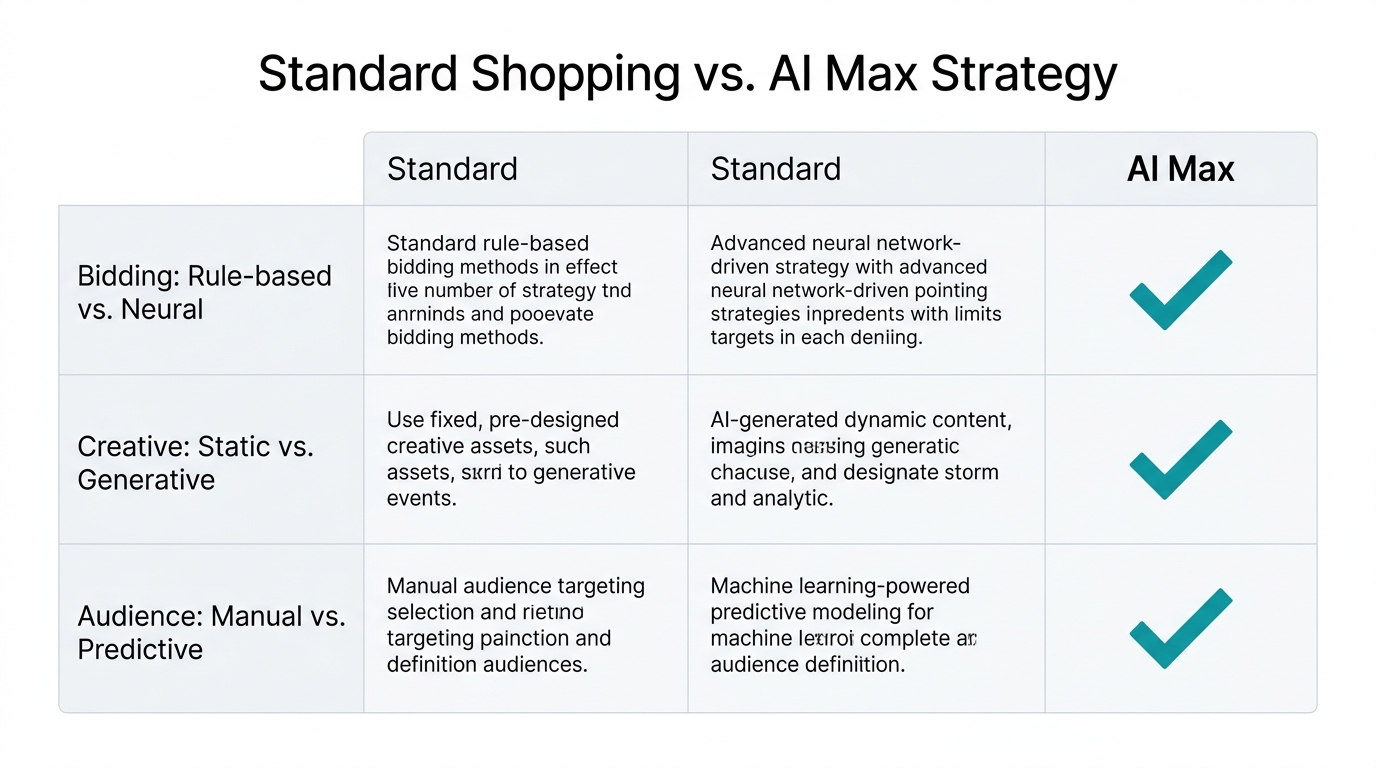
In 2026, standard Performance Max has evolved into AI Max for Search. This version of the tool leverages "keywordless targeting" and Journey Aware Bidding (JAB). Instead of bidding strictly on a specific search term, JAB analyzes the user’s entire historical journey across YouTube, Google Maps, and Chrome to determine their "intent depth."
According to pilot data from Alphabet's latest reports, campaigns using AI Max saw an average 18% increase in unique search query categories. However, the risk of a "black box" remains high. You must use robust segmentation to keep the algorithm focused on profitability.
| Platform (2026) | Primary Strength | Avg. CPC | Conversion Rate |
|---|
To win with an google ai max strategy, you should segment your campaigns by margin rather than just product category. Use Shopify’s custom labels to tag items as "High Margin," "Medium," or "Liquidation." You can then ask Stormy AI to pull your ad spend from Google Ads and cross-reference it with the COGS in your 2026 margin spreadsheet to flag any "Zombie SKUs"—products that drive high revenue but zero profit.
Step 5: Validation Checklist for Merchant Center Policy Mirroring
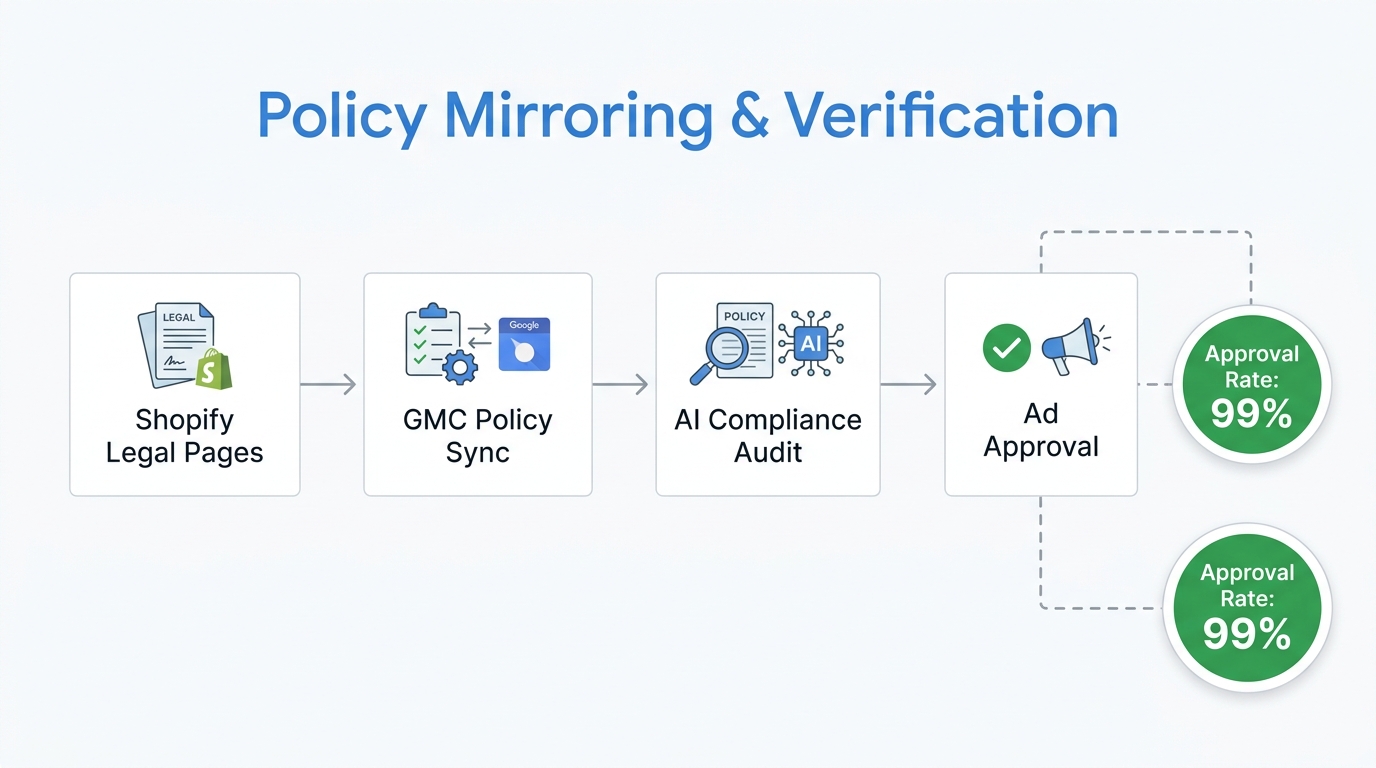
The #1 cause of suspensions in 2026 is policy mismatch. Google’s automated compliance bots now crawl your site hourly to ensure your Shipping and Return policies perfectly mirror what is listed in your feed. Even a $0.01 difference in a shipping threshold can trigger an automated account suspension.
The 2026 Compliance Checklist:
- Business Name & Address: These must perfectly match your website's footer and your official registration documents.
- Minimum Order Value: If you have a minimum order requirement for free shipping, it must be explicitly defined in the
minimum_order_valueattribute. - Generative VTO (Virtual Try-On): If you use Google's Virtual Try-On model for garments, ensure your images meet the 1024px requirement for high-fidelity rendering.
- Negative Keyword Strategy: Despite the push for "Broad Match," you must maintain a shared negative keyword list to prevent AI Max from wasting budget on non-converting audience segments.
"The automation paradox: While Google pushes Broad Match as the 2026 standard, the winners are those with the strongest Negative Keyword guardrails."
The Bottom Line: Winning the 2026 Google Shopping War
Setting up your google shopping ads setup 2026 is no longer a set-it-and-forget-it task. It requires a deep technical integration between your Shopify store and the Google Merchant Center policies. By implementing the Universal Commerce Protocol and enabling Agentic Commerce, you allow Google's AI to act as a high-performing salesperson for your brand.
To manage this complexity without hiring a massive agency, many founders are turning to an AI ecommerce employee. Stormy AI can handle the messy back-office tasks of 2026: updating your spreadsheet with real-time ROAS, following up with suppliers when inventory levels drop below your Google Ads thresholds, and alerting you to listing suppressions before they impact your weekend revenue. The future of commerce is agentic, and the tools you choose today will determine your profitability tomorrow.