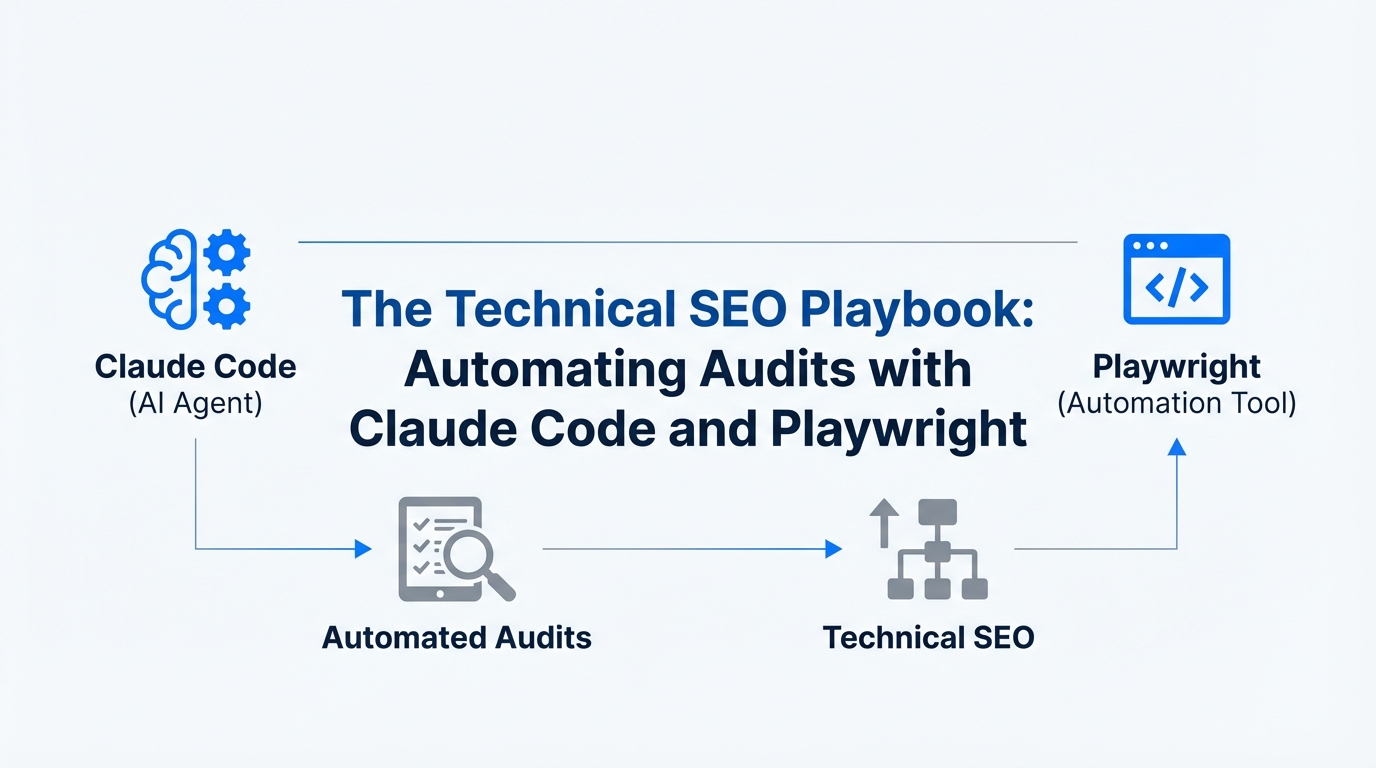
For years, the technical SEO audit has been a rite of passage for growth marketers and SEO specialists—a grueling, multi-hour process of manual crawling, spreadsheet wrangling, and context-switching between tools. We have moved beyond the era of static checklists; today, the bottleneck isn't just identifying errors, but the speed of execution. As we enter the age of Agentic Growth Engineering, the most successful marketing teams are ditching the "Chat AI" interface for "Action AI" environments. This transition allows for technical SEO automation that doesn't just suggest fixes but builds the tools to find them.
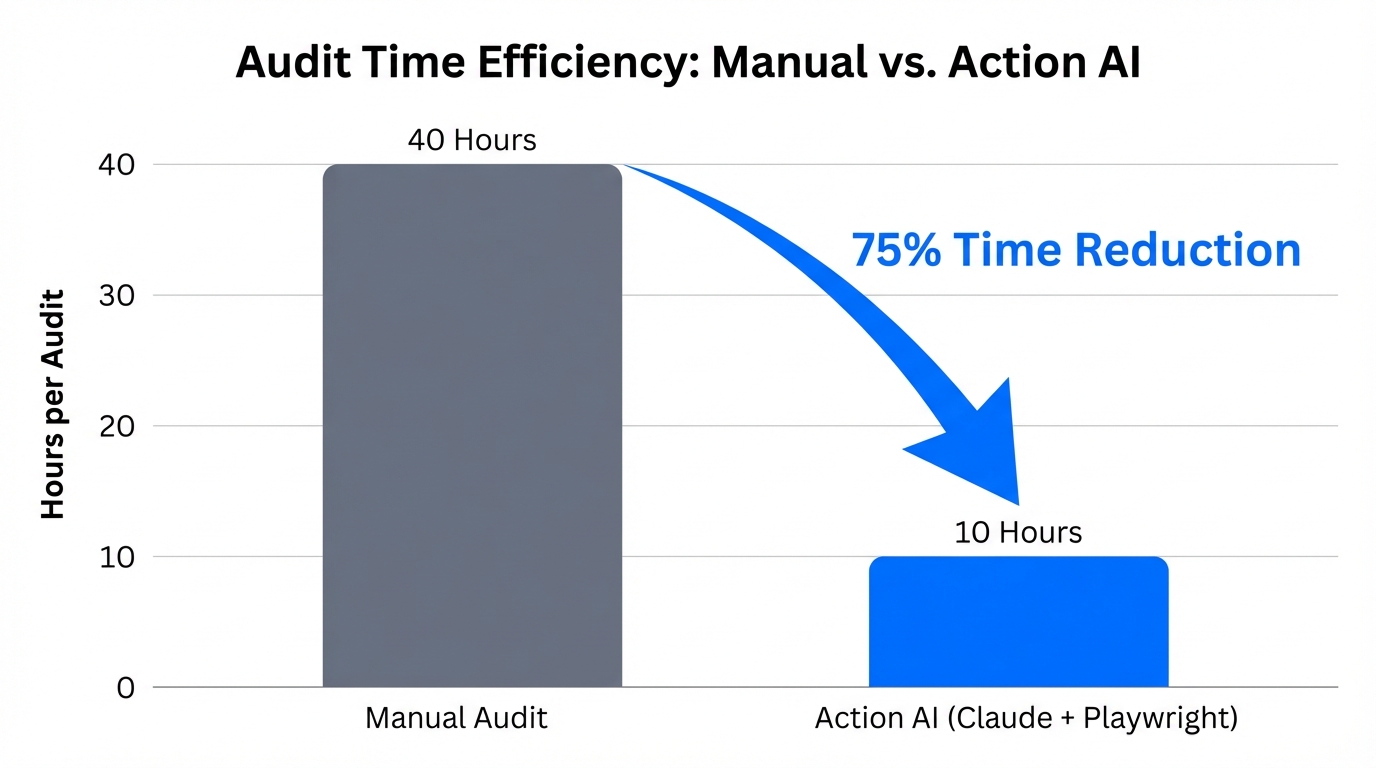
By leveraging Claude Code—Anthropic’s command-line interface (CLI) agent—in tandem with headless browser automation like Playwright, teams are seeing a massive shift in productivity. In fact, organizations adopting these automated site audit playbooks report an average 75% time saving [source: Nielsen Norman Group], effectively turning an 8-hour manual crawl into a 2-hour automated workflow. This guide serves as your roadmap to building a persistent, terminal-based SEO audit engine that resides within your local development environment.
The Shift from Chat AI to Action AI in SEO
Most marketers are stuck in the "Context Death Spiral." They copy-paste data from a crawler into a web-based LLM, lose the thread halfway through, and end up with generic advice. Claude Code solves this by living in your terminal, reading your local files, and executing real commands. This isn't just a chatbot; it's a junior developer sitting in your machine.
With Claude Code, you can utilize the Model Context Protocol (MCP) to connect your SEO terminal directly to external data sources or local databases. This ensures that your AI for technical SEO strategy is grounded in actual site data rather than hallucinations. As Claude currently holds approximately 32% of the enterprise AI application market share, its superior reasoning on complex, multi-step tasks makes it the ideal engine for deep technical auditing.
"The bottleneck is no longer building features; it's the speed of marketing execution. Marketers who treat AI as a 'junior colleague' rather than a 'vending machine' see the highest ROI."Setting Up Your Technical SEO Automation Stack
Before you can automate your audits, you need a robust stack that allows the AI to "see" the web. We recommend using Playwright over Puppeteer for its superior support of modern web frameworks and its ability to handle multiple browser engines (Chromium, Firefox, and WebKit) with ease.
Step 1: Install the CLI Environment
First, ensure you have Node.js installed. Open your terminal and initialize a new project directory. Install the necessary dependencies to give Claude the "eyes" it needs to crawl your site:
- Install Claude Code via the official Anthropic documentation.
- Initialize Playwright:
npm init playwright@latest - Connect Claude to your project folder so it has full context of your audit scripts.
Step 2: Configuring Claude for SEO Tasks
Unlike standard GPT models, Claude Code understands local file structures. Create a MARKETING.md file in your root directory. This serves as a "Memory System" where Claude can record past audit failures and site architecture quirks. This prevents the AI from making the same mistakes twice and helps maintain consistent SEO monitoring across different sessions.
| Audit Component | Manual Method | Claude Code + Playwright |
|---|---|---|
| H1 & Meta Analysis | Manual inspect or Screaming Frog | Automated headless crawl |
| Schema Validation | Google Rich Results Test (manual) | Scripted JSON-LD extraction |
| Mobile Responsiveness | Manual device toggling | Multi-viewport snapshot testing |
| Reporting | Excel export & manual formatting | Instant Markdown/PDF generation |
The Automated Audit Playbook: A Step-by-Step Guide
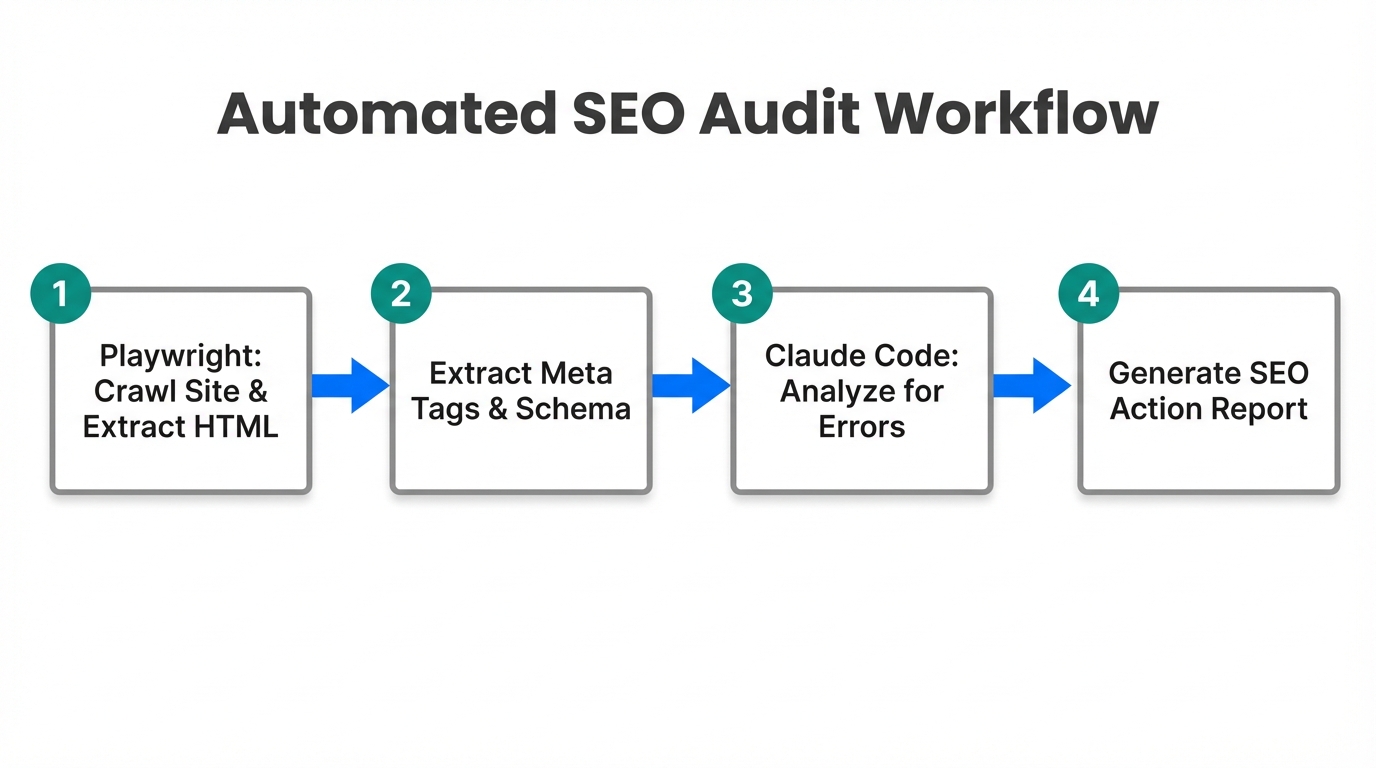
Once your environment is set up, you can execute complex commands that would normally take a human hours to perform. Here is how to structure your Claude Code SEO audit workflow for maximum efficiency.
Step 1: The Multi-Page Crawl Command
Instead of clicking through pages, you can prompt Claude to write and execute a script: "Crawl the top 10 ranking pages of my site using Playwright. Check for missing H1 tags, broken Schema.org markup, and verify if the main CTA is visible on a 375px viewport."
Claude will generate a script using Playwright, run it in a headless browser, and capture any technical debt. This is the essence of programmatic SEO workflows—turning a repetitive task into a repeatable script.
Step 2: Detecting Technical Debt
Technical debt often hides in the shadows of JavaScript-heavy sites. By using Action AI, you can specifically look for elements that only render after certain user interactions. Claude can simulate clicks, scrolls, and form fills to ensure that your technical SEO remains intact across all user states. If you're working with larger files or massive analytics exports, agencies like Animalz have already pioneered using "Content Intelligence" databases to process data that exceeds standard chat limits.
"Organizations using AI-agentic frameworks like Claude Code have reduced the time to produce marketing variations and audits from 30 minutes to 30 seconds."Step 3: Generating Automated Markdown Reports
After the crawl, tell Claude: "Summarize the findings into a Markdown report. Categorize issues by 'Critical,' 'Warning,' and 'Optimization.'" Because Claude has access to your local file system, it will create a technical-audit-report.md file instantly. This report can then be synced to Notion or GitHub for your engineering team to review.
Integrating SEO Audits into a CI/CD Pipeline
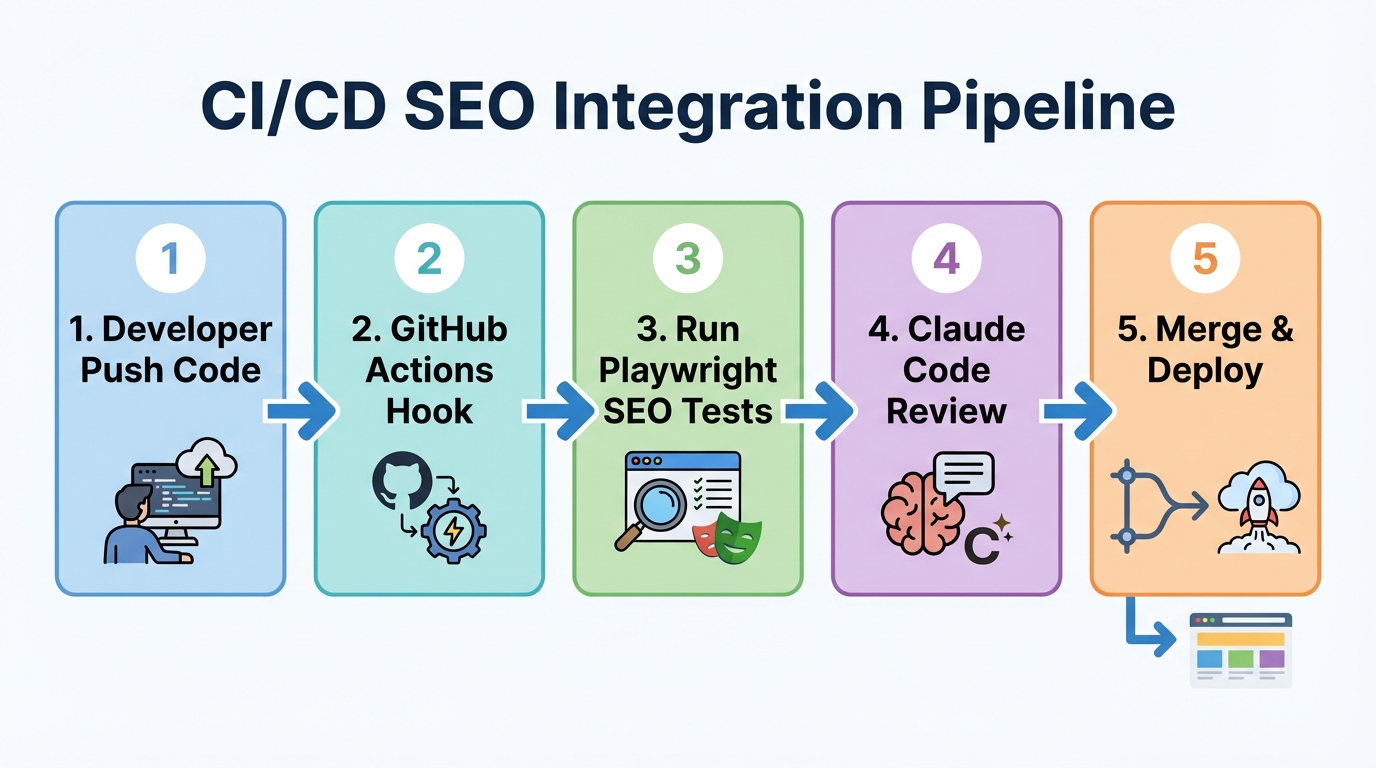
The ultimate goal of technical SEO automation is to move from reactive auditing to proactive monitoring. By integrating your Playwright scripts into GitHub Actions, you can run a technical SEO check every time a developer pushes new code.
If a code change accidentally removes an H1 tag or breaks the JSON-LD schema on your homepage, the CI/CD pipeline will fail, alerting the team before the error ever reaches production. This engineering-led marketing approach is what allows high-growth companies like CRED to maintain 2x developer velocity while ensuring their marketing infrastructure remains stable.
When scaling these efforts, managing the creators and contributors who fuel your content becomes a secondary bottleneck. Platforms like Stormy AI can help source and manage UGC creators at scale, ensuring that while your technical foundation is automated, your creative pipeline remains full of high-quality, human-led content. This balance is critical; while 84% of developers use AI assistants, the most productive teams use them to handle the redundant technical tasks so humans can focus on brand strategy.
Common Mistakes to Avoid in SEO Automation
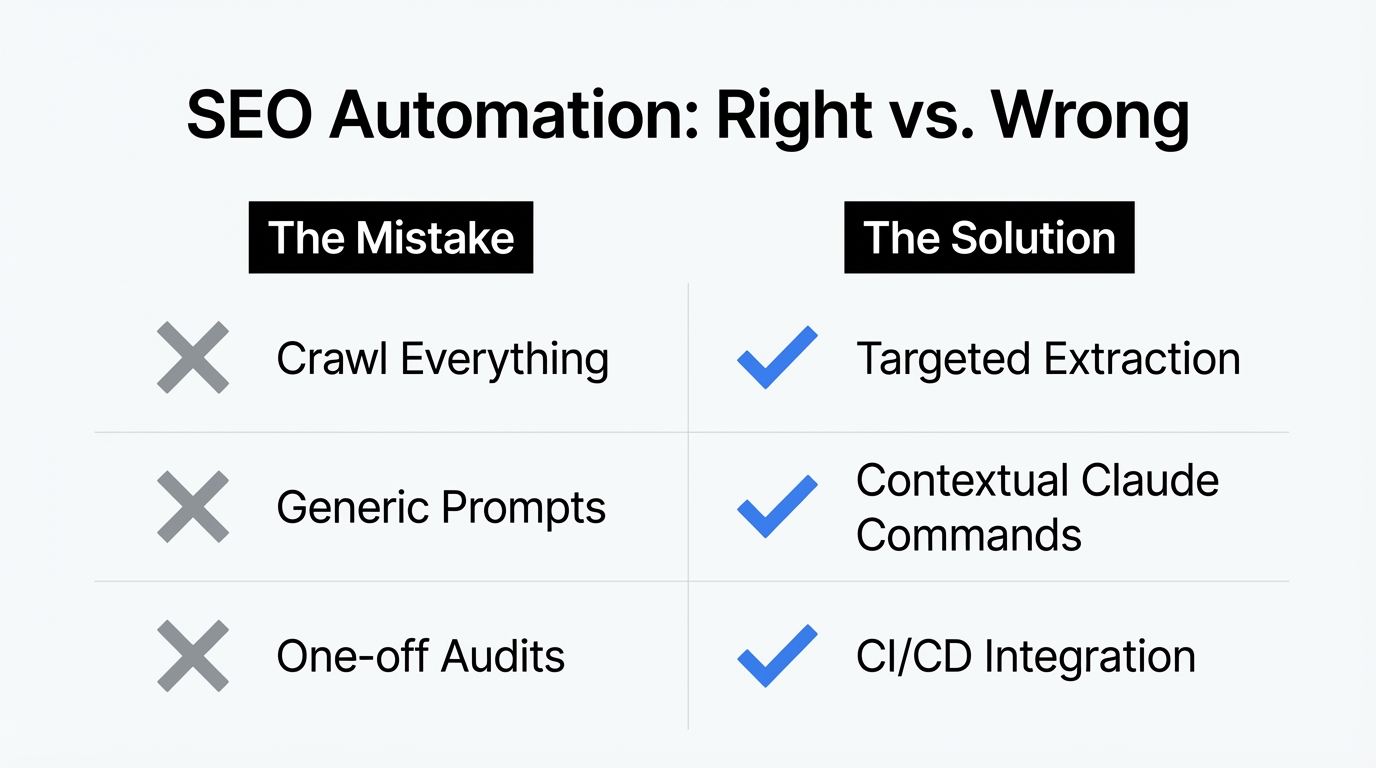
As you build your automated site audit playbook, beware of the pitfalls that can lead to "AI Slop" or technical failure. Over-reliance on raw output without human-in-the-loop (HITL) review can result in scripts that are technically correct but strategically misaligned.
- Skipping Human Review: Always review the code Claude generates. AI-generated code often lacks the nuance of your specific site architecture.
- Data Security: When using AI in the terminal, ensure you aren't passing sensitive customer data. Utilize enterprise-grade settings through platforms like AWS Bedrock or Google Vertex AI if you are handling proprietary datasets.
- Ignoring the Context: Don't treat Claude like a "vending machine." Feed it your brand guidelines and historical SEO data so its recommendations are tailored to your business goals.
For growth marketers managing complex campaigns, integrating these audits with a Creator CRM is essential. Tools like Stormy AI allow you to track every interaction and collaboration, making it easier to see how technical improvements correlate with influencer and UGC performance across platforms like TikTok and Instagram.
Conclusion: Building a Future-Proof SEO Engine
The transition to AI-powered technical SEO is not just about saving time; it's about increasing the frequency and depth of your audits. By combining the reasoning power of Claude Code with the browser automation of Playwright, you are no longer limited by manual bandwidth. You are building an autonomous system that monitors, reports, and suggests fixes for technical debt in real-time.
Start small: automate your H1 and meta-tag audits first. Then, move to schema validation and mobile responsiveness. By the time you integrate these into your CI/CD pipeline, you'll have transformed your marketing team into a high-velocity engineering unit. For further insights on how to combine these technical workflows with influencer discovery and outreach, explore the latest AI agent frameworks and continue refining your programmatic SEO journey.