In the landscape of 2026 ecommerce, your store's navigation is no longer just about helping a human click a button. It is a critical data signal. When Google crawls your store or an AI system like ChatGPT or Gemini attempts to provide a product recommendation, they are looking for a clear map of your catalog structure. Without a visible, hierarchical path, these systems—and your customers—can easily get lost in the weeds of a deep SKU count. If you are running a complex store on Shopify, the standard "Home > Collection > Product" breadcrumb is likely failing you. It’s time to move toward explicit, multi-level navigation that anchors your user experience and boosts your search visibility.
The UX Case for Hierarchical Breadcrumbs in 2026
 0:31
0:31Breadcrumbs are often overlooked as a minor design element, but they are the secondary navigation system that catches customers when they fall. Imagine a user landing on a specific product page via a long-tail search on Google Ads. They might like the item, but it’s not quite the right fit. Without a clear breadcrumb trail, their only option is to hit the 'back' button or the 'Home' link. Both lead away from a sale. Hierarchical breadcrumbs provide an immediate exit ramp to a parent category, keeping the user in your ecosystem.
The problem is that Shopify’s default breadcrumb system is inherently limited. It typically generates a path based on how the visitor arrived at the page. If they came from Collection A, the breadcrumb shows Collection A. If they came from a direct link, it might show a fallback collection or nothing at all. In 2026, consistency is king. You need explicit breadcrumb paths that remain identical regardless of the referral source. This ensures that your internal linking structure remains robust and that your schema markup is always valid.
"The most successful ecommerce brands don't just sell products; they organize information in a way that makes discovery feel effortless for both humans and AI."
The Real-World Limitations of Shopify's Default Navigation
1:01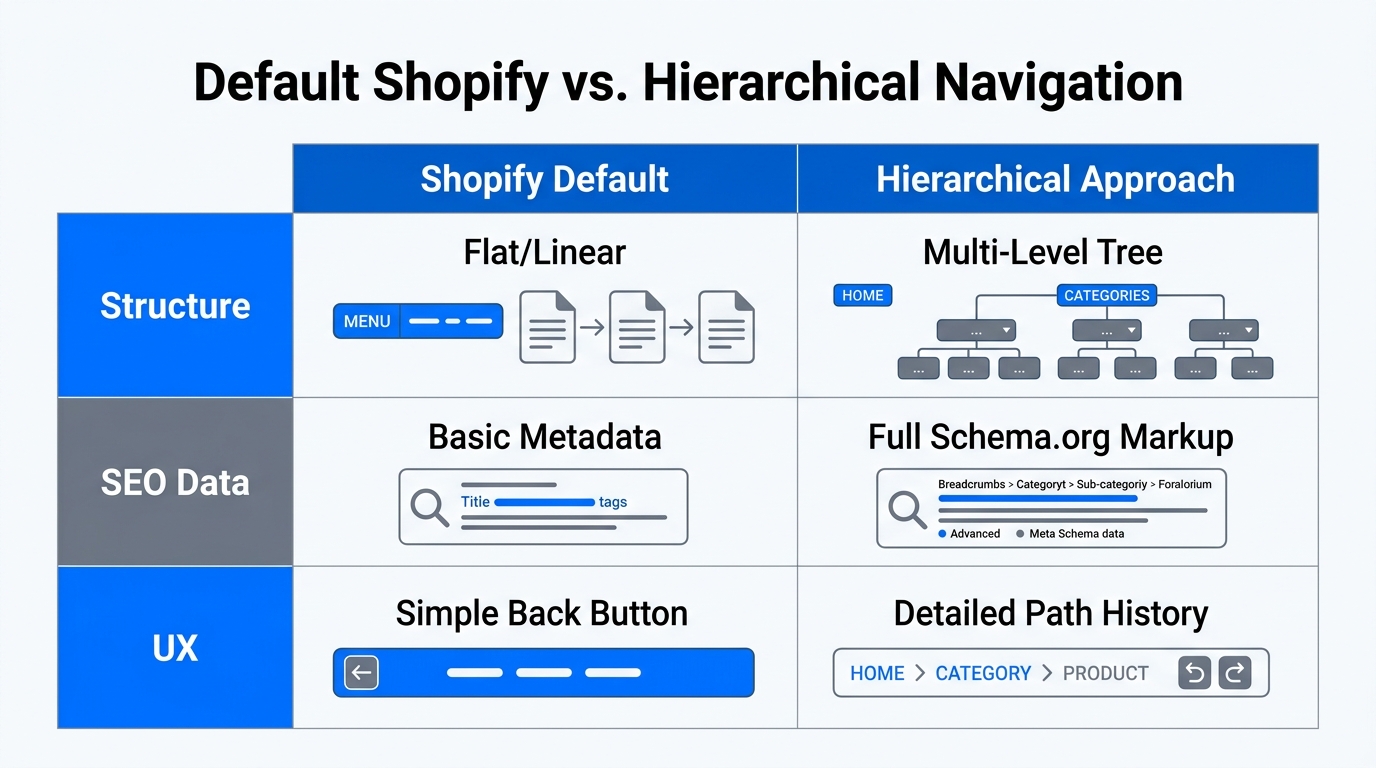
Most growing brands eventually hit a wall with standard Shopify collection structures. While Shopify is excellent for flat hierarchies, it struggles when you have three, four, or five levels of organization. For instance, a home improvement store like bad.no cannot survive on a flat structure. They need to categorize items under "Bath," then "Bathroom Interior," and finally "Vanity Cabinets."
| Feature | Shopify Default Breadcrumbs | Hierarchical Breadcrumbs (Risefly) |
|---|---|---|
| Structure | Flat (Home > Collection > Product) | Multi-level (Home > Parent > Child > Product) |
| Consistency | Changes based on referral path | Static and explicit for every URL |
| Schema Markup | Basic or non-existent | Automatic BreadcrumbList JSON-LD |
| AI Readability | Low (Confusing for LLMs) | High (Clear taxonomy signal) |
As your catalog grows, managing these paths manually becomes a nightmare. This is where an AI ecommerce employee like Stormy AI becomes invaluable. While you focus on strategy, Stormy AI can monitor your product listings in the background, flagging suppressed items or broken variants that might disrupt your navigation flow. If a sub-collection link breaks, Stormy can alert you before it impacts your conversion rate.
Mapping Your Shopify Store's Collection Structure
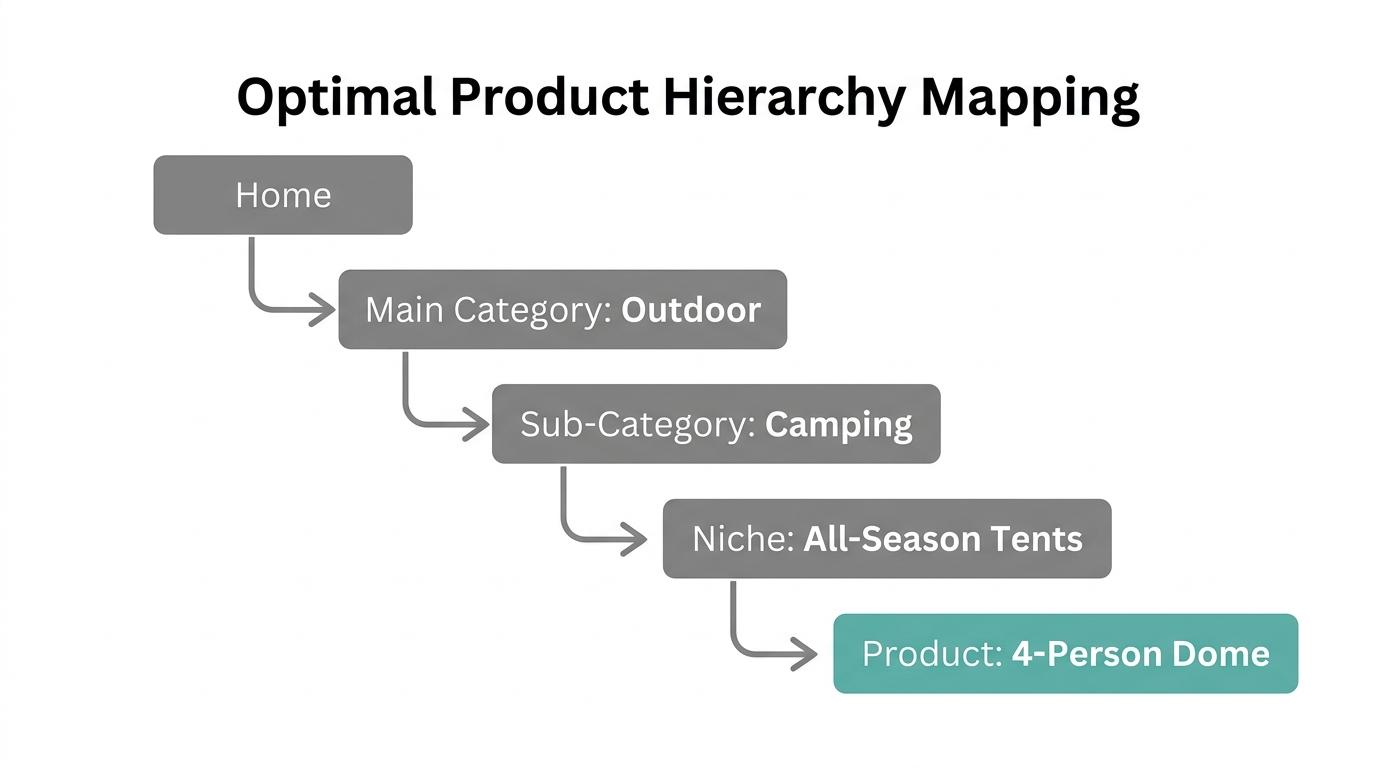
Before you touch any code or apps, you must map your product hierarchy on paper (or a spreadsheet tool like Google Sheets). For large SKU counts, we recommend a 3-4 level organization. A great example of this is the Norwegian store bad.no, which has mastered deep navigation hierarchies. Their structure looks like this:
- Level 1 (Parent): Bath
- Level 2 (Sub-category): Bathroom Interior
- Level 3 (Product Type): Vanity Cabinets / Mirror Cabinets
- Level 4: Individual Product SKU
To implement this in Shopify, you create separate collections for each level. However, Shopify does not natively "nest" these collections. You have to tell the system that "Vanity Cabinets" belongs under "Bathroom Interior." This is where the user experience optimization begins. By defining these relationships, you create a logical path that helps customers filter down to exactly what they need.
Step-by-Step Tutorial: Building Explicit Paths with Risefly
2:07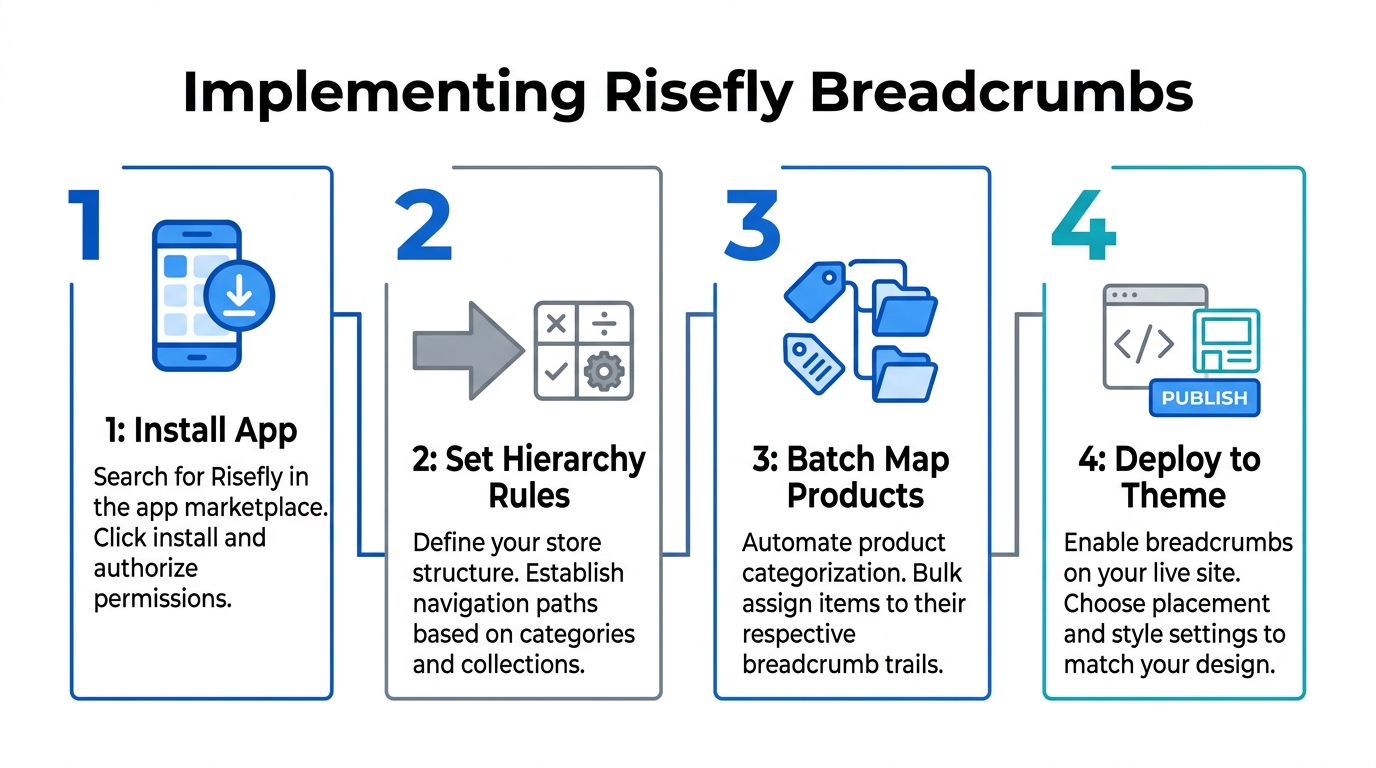
Since Shopify doesn't support multi-level hierarchies out of the box, we recommend using Risefly to build reliable, SEO-friendly breadcrumbs. Risefly allows you to define the exact path you want, ensuring it never changes regardless of how the user reaches the page.
Step 1: Install and Access Risefly Navigation
In your Shopify admin, navigate to Apps and select Risefly. From the dashboard, click on the Navigation tab. This is your command center for configuring both collection and product-level breadcrumbs.
Step 2: Define Your Collection Paths
Choose a collection you want to organize—for example, your "Cars" or "Home Decor" collection. Click the three dots next to the collection name and select Edit Breadcrumb. Remove any default items to start with a clean slate. Use the search field to find the specific collections that should make up the path. Ensure the order is correct: Home > Category > Subcategory. You can drag and drop the items to reorder them.
Step 3: Preview and Save
Check the preview section at the bottom of the interface. It should look like a clickable trail. Once satisfied, hit Save. You should repeat this process for all your primary collections. Consistency across the entire catalog is the secret to a professional-feeling store.
"Risefly solves the 'referral path problem' by making breadcrumbs static. This ensures that Google always sees the same internal link structure, which is a massive win for SEO."
Once your paths are set, Stormy AI can take over the monitoring. Stormy can pull weekly performance reports from Meta Ads Manager or TikTok Ads Manager to see which categories are driving the most traffic, helping you decide which navigation paths need the most attention or optimization.
Verifying Your Schema for Google Search
4:15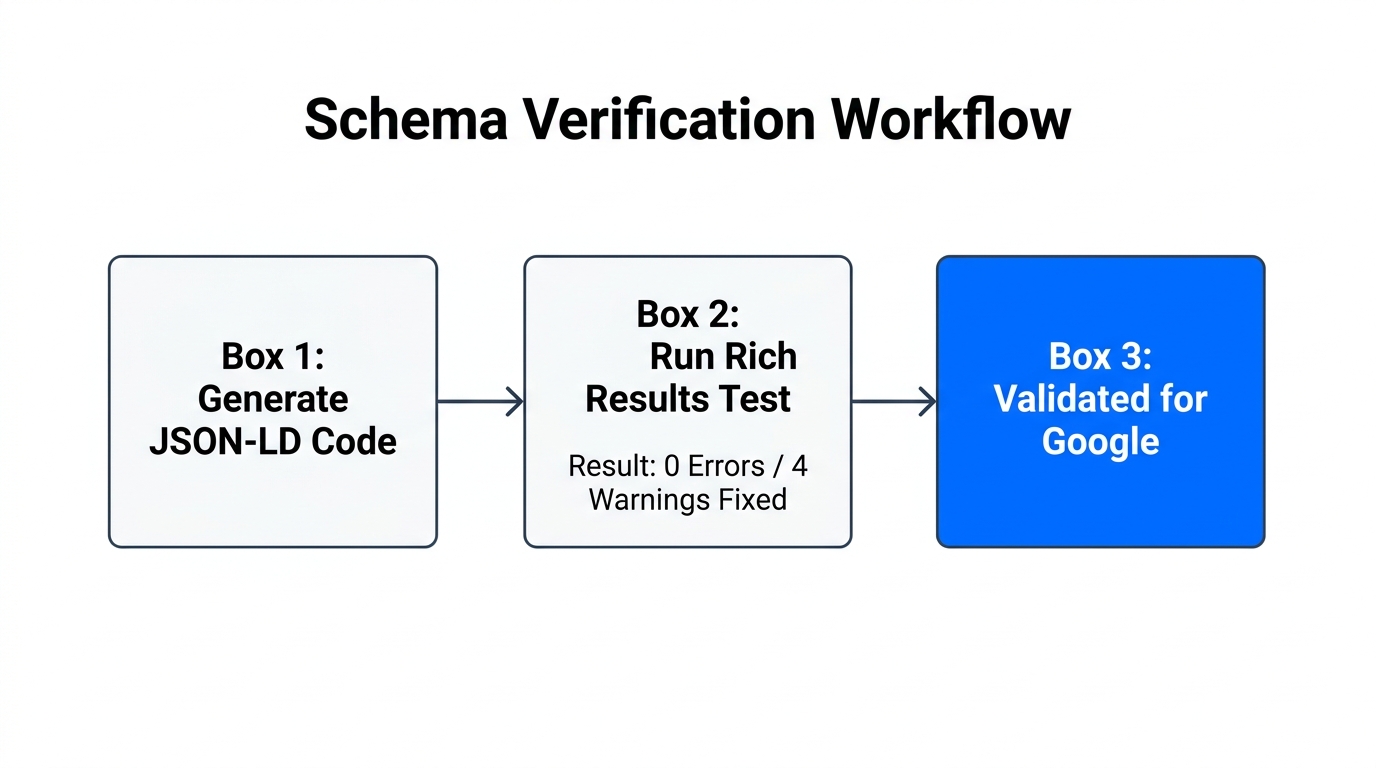
Building a pretty breadcrumb for users is only half the battle. You also need to ensure that search engines can read the data. Risefly automatically generates the BreadcrumbList schema markup based on the paths you define. This schema is what allows your search results to look like example.com > Category > Subcategory instead of just a raw URL.
To verify this, use the Google Rich Results Test. Paste a product URL from your store and run the analysis. You are looking for a green checkmark next to "Breadcrumbs." If you expand the results, you should see each "Position" in the hierarchy clearly defined. For example, in the bad.no case study, position 1 is Home, position 2 is the main collection, and position 3 is the sub-collection. This matches exactly what the user sees on the screen.
| Verification Step | Tool Used | What to Look For |
|---|---|---|
| Visual Check | Browser | Clickable links above the product title |
| Schema Validation | Google Rich Results Test | Green checkmark for BreadcrumbList |
| Index Monitoring | Google Search Console | Valid breadcrumb enhancements in reports |
Integrating Breadcrumbs with Mobile Navigation
On mobile devices, screen real estate is at a premium. Some founders choose to hide breadcrumbs on mobile, but this is a mistake for large catalogs. Instead, implement a horizontally scrolling breadcrumb trail or a simplified "Back to [Parent Category]" link. This ensures that mobile users—who represent over 70% of ecommerce traffic in 2026—have the same navigational ease as desktop users.
Your breadcrumbs should also mirror your main menu structure. If your main menu lists "Kitchen > Appliances > Toasters," your breadcrumb should follow that exact same hierarchy. Discrepancies between the menu and the breadcrumbs create cognitive dissonance for the user and can lead to higher bounce rates. Ask Stormy AI to check your site weekly for any "suppressed listings" or products that have lost their collection assignments, ensuring your mobile navigation stays clean.
Conclusion: The One-Person Brand Playbook
Running a large Shopify catalog doesn't require a large team if you use the right tools. By setting up explicit breadcrumb hierarchies, you are building a store that is built for 2026 search behavior. You are providing clarity to your customers and clear signals to the AI agents that will drive future traffic. Use Risefly to handle the technical structure, and let an AI ecommerce employee like Stormy AI manage the day-to-day back-office monitoring. This combination allows you to maintain a complex, high-converting store structure with minimal manual overhead.
Start by mapping your top three categories today. Once the foundation is solid, your SEO and user experience will follow suit, turning your messy back-office catalog into a streamlined conversion machine.