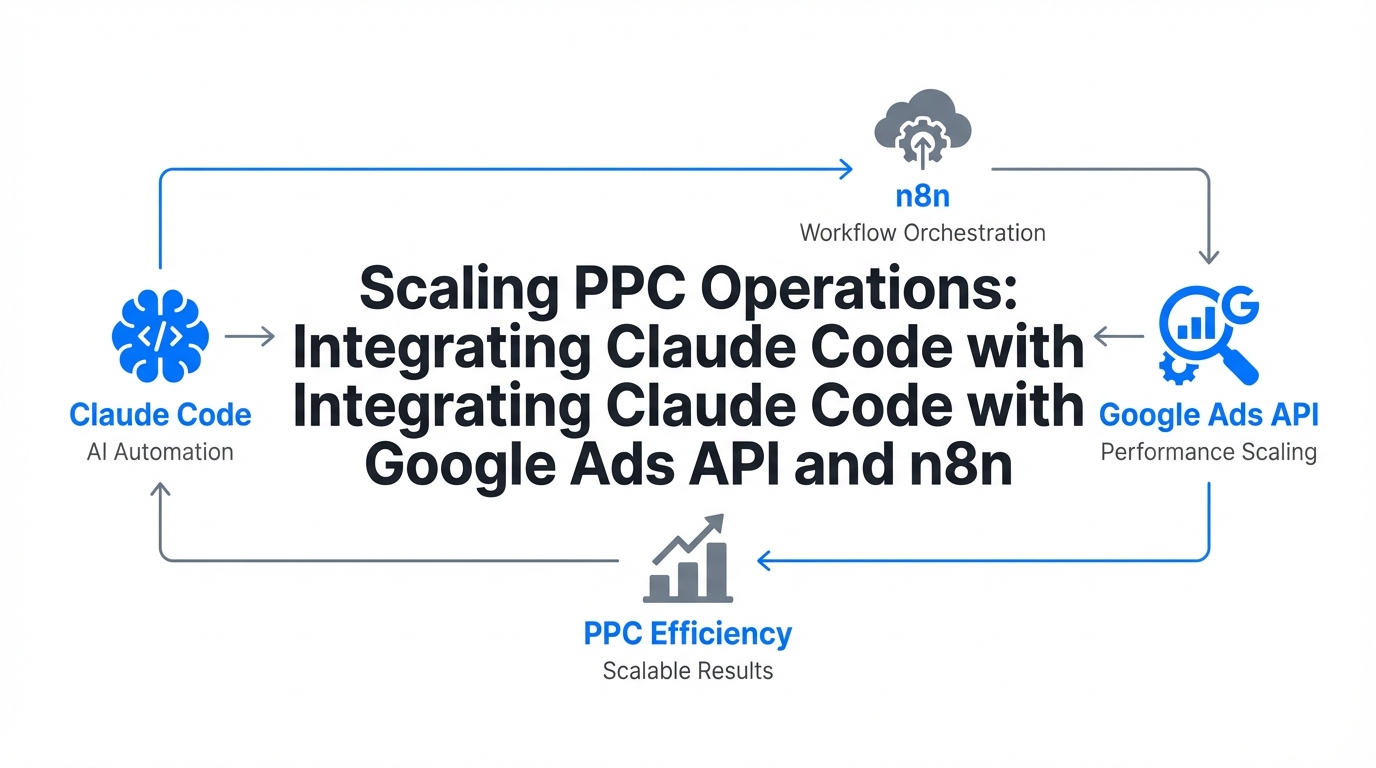
The era of the manual PPC manager, clicking through tabs and spreadsheets to adjust bids, is coming to an abrupt end. Today, high-performance growth teams are treating their ad accounts not as a set of toggles, but as a dynamic codebase. This shift toward agentic marketing allows brands to manage complexity that was previously impossible, transforming the role of the marketer into a "Growth Architect." By integrating Claude Code with the Google Ads API and automation platforms like n8n, teams can now build autonomous systems that audit, debug, and optimize campaigns in real-time, 24/7.
The Cost of Human Latency: Why Automation is Non-Negotiable
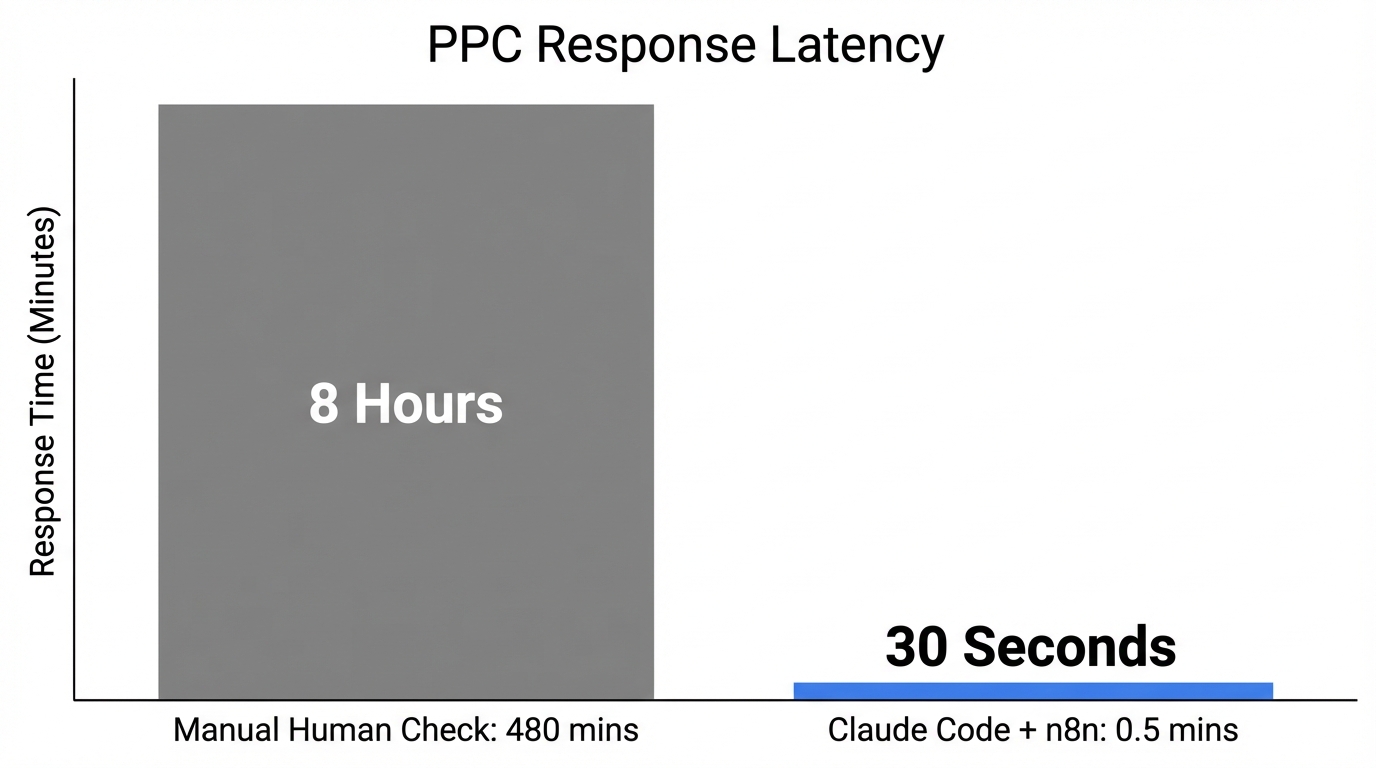
Research into modern advertising efficiency reveals a staggering reality: the average Google Ads account wastes 34% of its budget on fixable issues. According to data from W3 Solved, this equates to roughly $17,000 in monthly waste for a brand spending $50,000. This leakage isn't just due to bad strategy; it is the result of human latency—the gap between a performance issue appearing and a manager noticing it.
In 2024, approximately 5.1% of all ad clicks were identified as fraudulent, leading to nearly $38 billion in global losses, as reported by North Country Growth. When you combine this with the fact that 3P Digital found CPCs increased by 10% across 86% of industries last year, the margin for error has vanished. To survive, growth teams must deploy google ads api automation that acts faster than the auction itself.
"The 34% waste benchmark isn't a suggestion; it's a call to action for every marketer still relying on manual weekly audits to protect their margins."
What is Claude Code and How Does it Change PPC?
Unlike standard browser-based AI chatbots, Claude Code is a terminal-based AI coding agent. It doesn't just "talk" about your data; it interacts with your environment. It can read local campaign exports, write and execute google ads automation scripts, and use the Model Context Protocol (MCP) to connect directly to the Google Ads API. This allows for a level of depth that traditional platforms cannot match.
| Feature | Traditional PPC Tools | Claude Code Agentic Workflows |
|---|---|---|
| Audit Depth | Fixed rulesets | Generative intent-based analysis |
| Deployment | Manual upload | Direct terminal-to-API execution |
| Debugging | Developer needed | AI-driven script troubleshooting |
| Adaptability | Rigid dashboards | Customizable via .claude/rules |
One of the most powerful aspects of this setup is the use of the MCP Market skills repository. By importing specialized marketing skills, Claude can act as a dedicated automation engineer, specifically trained to identify "silent killers" like conversion double-counting—which JumpFly identifies as the top reason AI-driven bidding strategies overspend on low-value traffic.
Playbook: Setting up a CPA Spike Alert Workflow
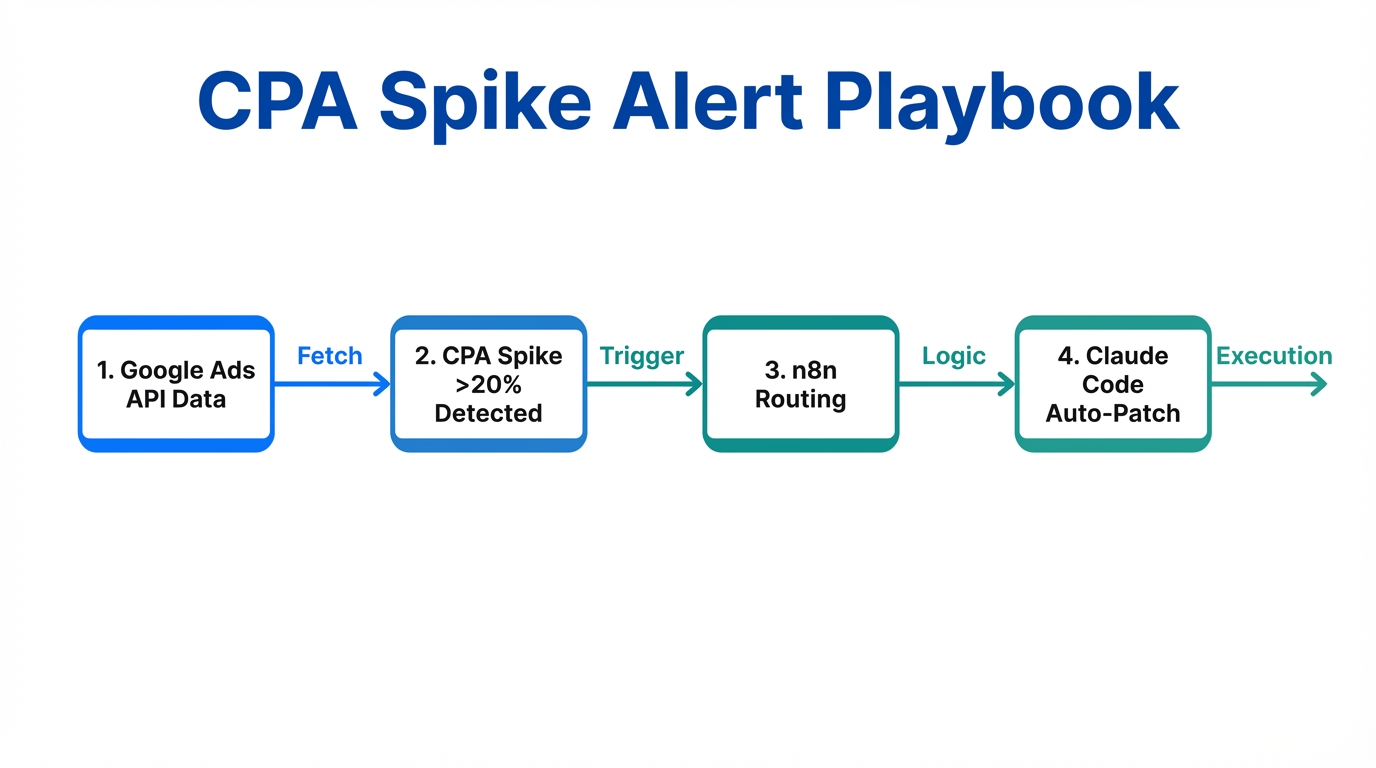
One of the most effective ppc automation workflows you can build is a real-time monitor that triggers an AI audit when costs exceed a set threshold. Here is how to build it using n8n and Claude Code.
Step 1: The Monitoring Trigger
Set up an n8n workflow that polls the Google Ads API every hour. Use a simple conditional node: if the CPA (Cost Per Acquisition) for any campaign exceeds its 7-day rolling average by more than 20%, move to the next step. This ensures you aren't alerted by noise, only by statistically significant anomalies.
Step 2: Payload Generation
When the threshold is hit, n8n packages the campaign ID, the specific keywords that spiked, and recent search term data into a JSON payload. This payload is then sent to a local server where Claude Code is active.
Step 3: The Claude Audit
Claude receives the alert and initiates a `/audit-spike` command. It cross-references the spiking keywords with your landing page relevance using a tool like the Puppeteer MCP Server. Claude visits the URL, analyzes the content, and checks for "Message Mismatch"—a leading cause of low Quality Scores and high CPCs.
"Real-time ad monitoring isn't about getting an email; it's about having an AI agent already writing the fix before you even open your inbox."
Step 4: Automated Resolution
Claude suggests a fix: it might be adding a set of negative keywords, adjusting a bid modifier for a specific device, or pausing a keyword that has high spend but zero conversion intent. Once the Growth Architect reviews the suggestion, Claude deploys the script update via the terminal.
Automating the "Negative Keyword" Audit
Manual review of search terms is a notorious time-sink, often taking 5–10 hours per week for large accounts. Using Claude Code, you can automate this via a stateless workflow. By running a script that pulls the Search Terms Report and feeding it into Claude, you can categorize thousands of terms by intent and relevance in seconds.
As noted by Stormy AI, users are now creating custom terminal commands like `/audit-negatives` to identify high-spend, zero-conversion terms. This process is far superior to standard rule-based systems because Claude understands contextual intent. For example, it can distinguish between a user looking for a "free template" (bad for high-ticket SaaS) versus "enterprise template" (good), even if both contain the keyword "template."
When scaling these operations, the bottleneck often shifts from bid management to the creative side of the house. For teams managing massive creative volume for UGC (User Generated Content) campaigns, using a creator CRM is essential. Platforms like Stormy AI help source and manage UGC creators at scale, providing the "creative fuel" that these automated PPC engines need to thrive. By pairing Stormy’s creator sourcing with Claude’s technical audits, you close the loop between creative production and performance efficiency.
Stateless Workflows vs. Rule-Based Audits
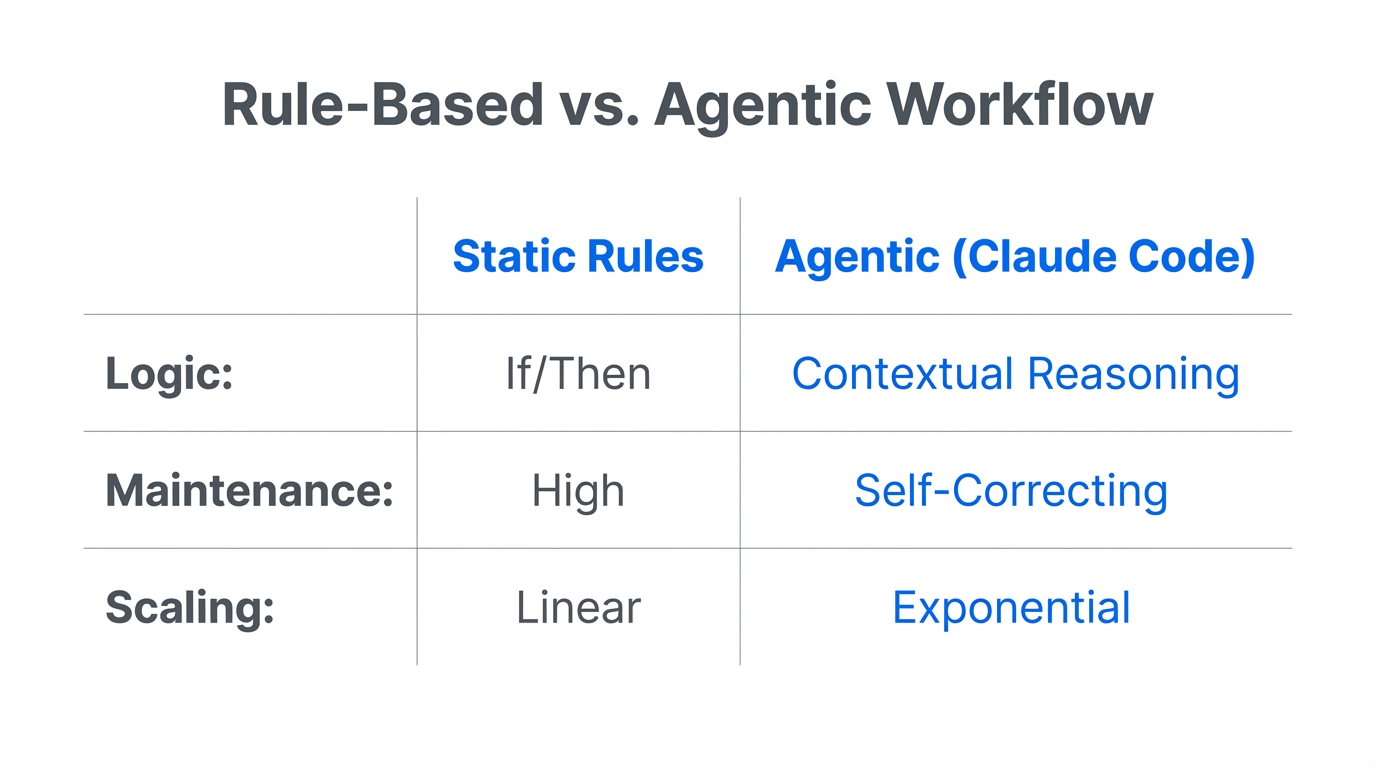
The biggest mistake growth teams make when moving to agentic marketing is treating AI like a set of old-school "If-This-Then-That" rules. Modern automation should be stateless—meaning the agent evaluates the entire context of the account every time, rather than following a rigid flow.
To ensure consistency across multi-account management, you should establish a `.claude/rules` file. This file acts as your brand’s