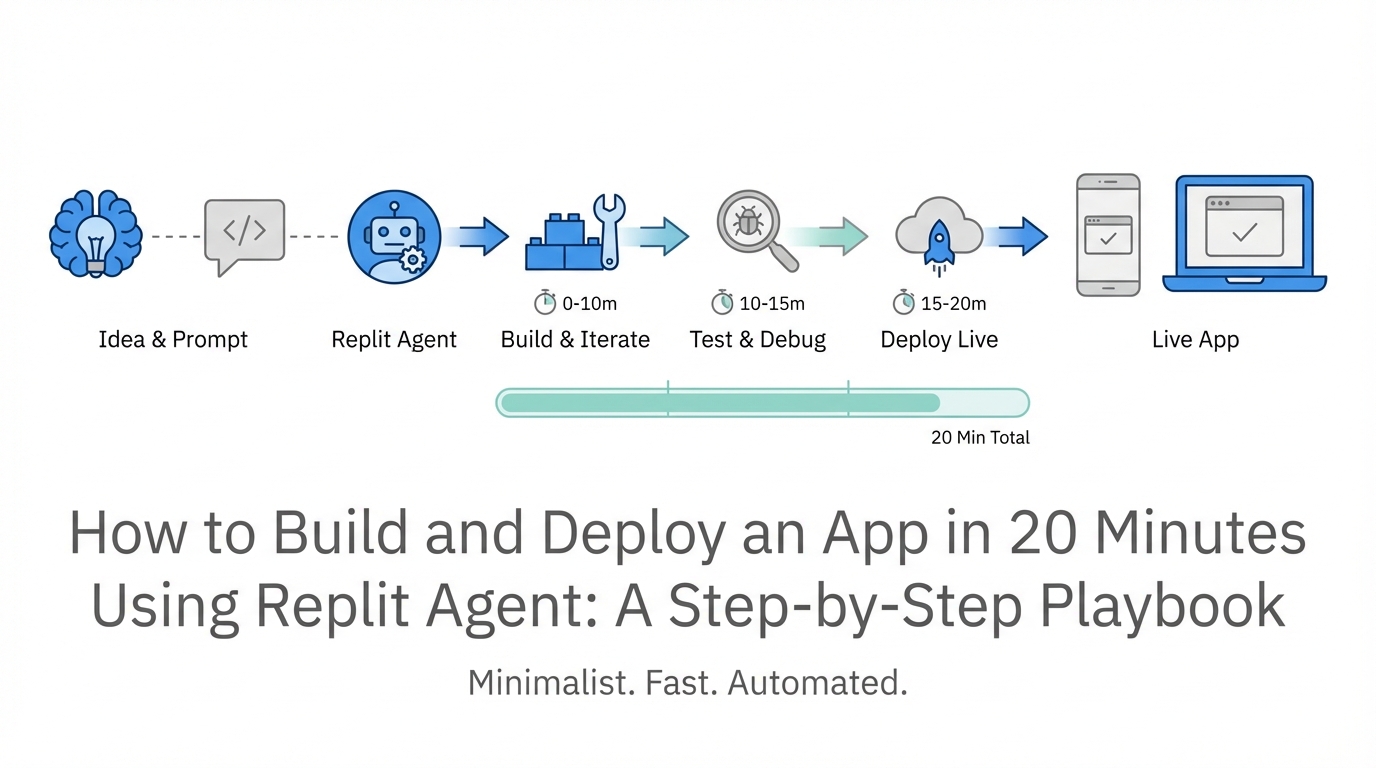
For decades, the biggest barrier to bringing a software idea to life wasn’t the quality of the idea itself, but the steep technical wall of execution. Coding, environment configuration, database management, and production deployment were hurdles that required months of study or thousands of dollars in engineering fees. That paradigm has officially shifted. With the emergence of AI software development tools, specifically the Replit Agent, the distance between a concept and a live, scalable application has shrunk to less than half an hour. This playbook will guide you through the transition from natural language prompts to a fully deployed production application, mirroring the iterative workflow used by top Silicon Valley founders.
Beyond Autocomplete: The Evolution of Coding
Before diving into the technical steps, it is essential to understand why the Replit Agent represents a generational shift in how we build. Traditional AI coding assistants functioned primarily as sophisticated autocomplete tools. You would write a line, and they would suggest the next. However, as Amjad Masad, CEO of Replit, explains, the goal of modern AI is to move from text completion to autonomous action.
An "agent" is fundamentally different because it doesn't just write code; it interacts with the environment. It can install packages, configure a Linux shell, set up a Google Cloud back-end, and even self-correct when it encounters an error. This level of automated app deployment means that the user acts more like a product manager or an architect than a manual laborer. You provide the vision; the agent handles the plumbing.
Step 1: The Prompting Phase — Less is Often More
The first step in any replit agent tutorial is the initial prompt. One of the most common mistakes new builders make is over-engineering their first instruction. They try to describe every single button, color, and database schema in a 500-word essay. In reality, the most effective way to build an app with AI is through iteration.
Start with a simple, high-level concept. For instance, in a recent live demonstration, the prompt was as simple as: "A map of scenic drives in the Bay Area." This allows the agent to propose a stack and a basic structure without getting bogged down in conflicting requirements. By keeping the initial prompt short, you allow the AI to "reflect" and provide a plan that you can then refine. As you watch the agent work, you’ll see it selecting frameworks like Streamlit or Flask and beginning to draft the initial data structures.
Step 2: Monitoring the Automated Environment Setup
Once you hit "Start Building," the Replit Agent begins the heavy lifting that usually frustrates beginner developers. In a traditional setup, you would need to open a terminal, manage Python versions, and manually run pip install for dozens of dependencies. Replit automates this entire lifecycle.
During this phase, you will see the agent:
- Detecting Packages: It identifies every library needed (e.g., Folium for maps, Pandas for data processing).
- Configuring the Shell: It sets up the virtual environment and installs dependencies automatically.
- Establishing the Baseline: It creates the core files like
main.pyand populates them with the initial logic.
The beauty of this ai software development workflow is that if a package installation fails, the agent reads the error log, realizes what went wrong, and tries an alternative command. This "self-healing" capability is what differentiates a true agent from a simple chatbot.
Step 3: The 'Co-worker' Feedback Loop and Debugging
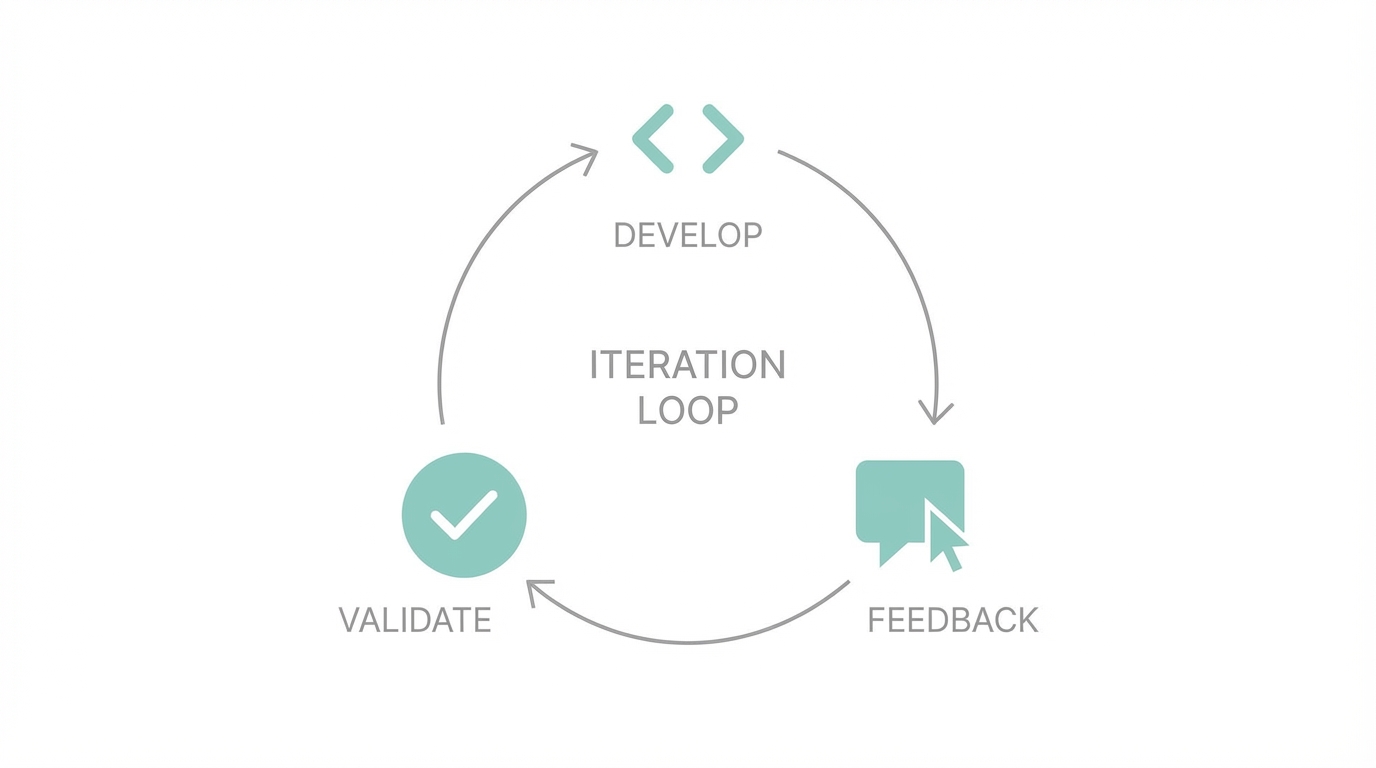

Think of the Replit Agent not as a magic wand, but as a highly capable junior developer. It will make mistakes. It might try to render a broken image link or miss a specific UI preference. This is where how to use replit agent effectively becomes about the feedback loop.
When the agent asks, "Is the app working correctly?" you should be specific. If an image isn't rendering, tell it. If a map marker is too small, ask for a change. For example, during the creation of a scenic drive app, the agent might struggle with specific car icons. Instead of getting frustrated, a simple instruction like "just remove the car image and use standard map markers" can resolve the bottleneck in seconds. This conversational iteration is much faster than manually hunting through lines of code to find a CSS bug.
If you find the agent hitting a wall with a complex feature, you can also pivot to using Replit AI (the chat-based assistant) to explain specific sections of the code. This allows you to learn the "why" behind the code while the agent handles the "how." For those building apps that require specialized talent, such as a creator marketplace or a social platform, tools like Stormy AI can help source and manage UGC creators at scale once your technical prototype is functional.
Step 4: Transitioning to Production Deployment

One of the most intimidating parts of web development is moving from a local machine to a live URL. Traditionally, this involved navigating the AWS console or legacy dashboards like Captiv8 for enterprise projects, setting up SSH keys, and dealing with Secure Copy Protocol (SCP).
Replit simplifies automated app deployment into a single click. When you are ready to go live:
- Click the Deploy button in the top right corner.
- Choose your machine configuration (for most MVPs, the smallest, most affordable tier is sufficient).
- The agent packages your code into a container and ships it to a secure production environment.
This generates a production-ready .app URL that stays live even when your editor is closed. Unlike the .dev environment, which is meant for testing, the production deployment is optimized for performance and security. If you intend to run Google Ads to drive traffic to your new application, having this stable, high-performance URL is non-negotiable.
Step 5: Scaling the Backend with Postgres
A simple prototype often starts with a static file like a CSV to store data. However, to build a real business, you need a robust database. Replit integrates Postgres databases directly into the workflow. You don't need to write manual SQL setup scripts or manage connection strings.
You can simply tell the agent: "I want to use a Postgres DB instead of the CSV so I can add new entries through the UI." The agent will then:
- Provision a new Postgres instance.
- Migrate your existing data from the CSV to the database tables.
- Update the application logic to handle database queries.
- Manage "Secrets" (API keys and database credentials) so they aren't exposed in your code.
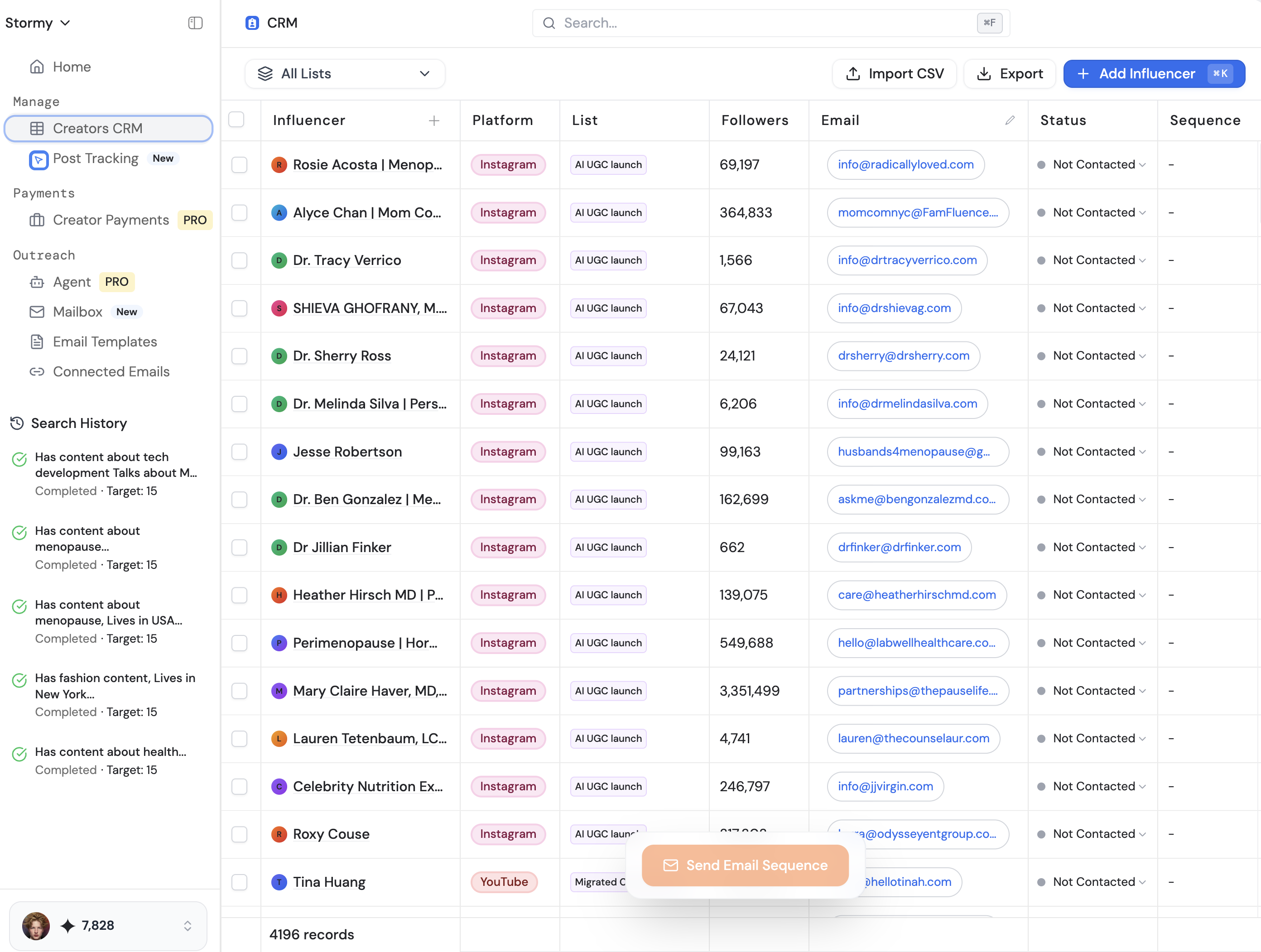
For founders looking to build apps that involve high-volume data, such as influencer tracking or social analytics, this seamless database integration is a game-changer. For example, if you were building an app to track social media trends, you might use Replit to build the core infrastructure while utilizing an AI-powered influencer discovery engine like Stormy AI to populate your database with high-quality creator leads and vetting data.
Limitations and Best Practices for AI Agents
While the Replit Agent is powerful, it is currently in early access and has limitations. Understanding these will help you avoid the "treadmill of frustration" often seen in ai software development.
Current Large Language Models (LLMs) are primarily trained to complete text, not necessarily to perform long chains of actions perfectly. This is why the agent uses "reflection"—thinking before it acts—similar to the OpenAI o1 model. However, after about 10 to 15 major feature additions, the agent can sometimes "confuse itself" due to the sheer volume of context.
Best practices to keep your agent on track:
- Use Checkpoints: Replit creates automatic checkpoints. If the agent takes the code in a direction you don't like, roll back immediately rather than trying to "fix" it through more prompts.
- Push to GitHub: For long-term storage and collaboration, use the built-in GitHub integration. This allows you to maintain a clean version history and let others contribute to your project.
- Keep it Modular: If your app is getting too complex, consider breaking it into smaller, manageable tasks for the agent.
Conclusion: From Idea to Reality
The success story of entrepreneurs like Adil Khan, who built the multi-million dollar platform Magic School starting on Replit, proves that the barrier to entry has never been lower. Whether you are a teacher, a designer, or a marketer, the ability to build an app with AI is now a core literacy.
By following this replit agent tutorial, you can move from a spark of an idea to a live, database-backed application in the time it takes to grab a coffee. The most important step is simply to start. Don’t wait for a perfect plan; open a prompt, talk to the agent, and see what you can create. As the technology evolves from legacy systems like AWS to modern, agentic platforms, the only real limit is your own creativity. If you’re ready to scale your growth further through SEO and organic discovery, experts at Boring Marketing can help ensure your new app gets the visibility it deserves in a crowded market.