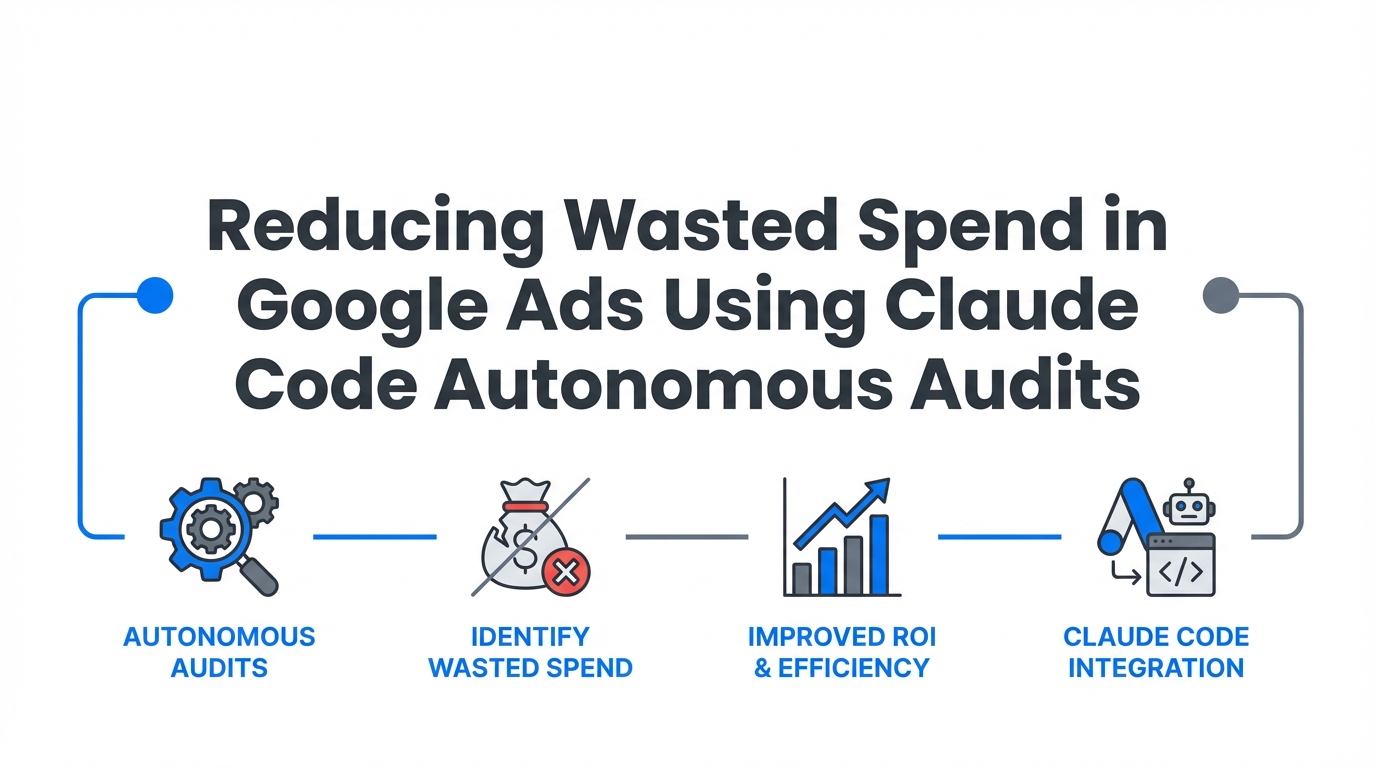
The era of manual PPC optimization is hitting a breaking point. As of early 2025, over 80% of Google Ads advertisers have pivoted to automated bidding [source], and with Google’s final deprecation of Enhanced CPC (ECPC) in March 2025, the shift toward full Smart Bidding is no longer optional. But here is the paradox: as Google’s black-box automation takes over, the risk of budget leakage increases. Without a proactive Google Ads audit automation strategy, advertisers often find themselves footing the bill for irrelevant clicks and runaway CPAs before they even realize a campaign has veered off track.
Enter Claude Code. Unlike the standard chat interface we have all used, Claude Code is an autonomous agentic CLI (Command Line Interface) tool that can interact directly with your marketing stack. By using the Model Context Protocol (MCP), Claude Code moves beyond simple advice; it can query live data, execute scripts, and identify budget leaks in seconds. This guide provides a technical playbook for using Claude Code to reduce Google Ads CPC and stop wasted spend through autonomous auditing.
The Agentic Shift: Moving Beyond the Chatbot
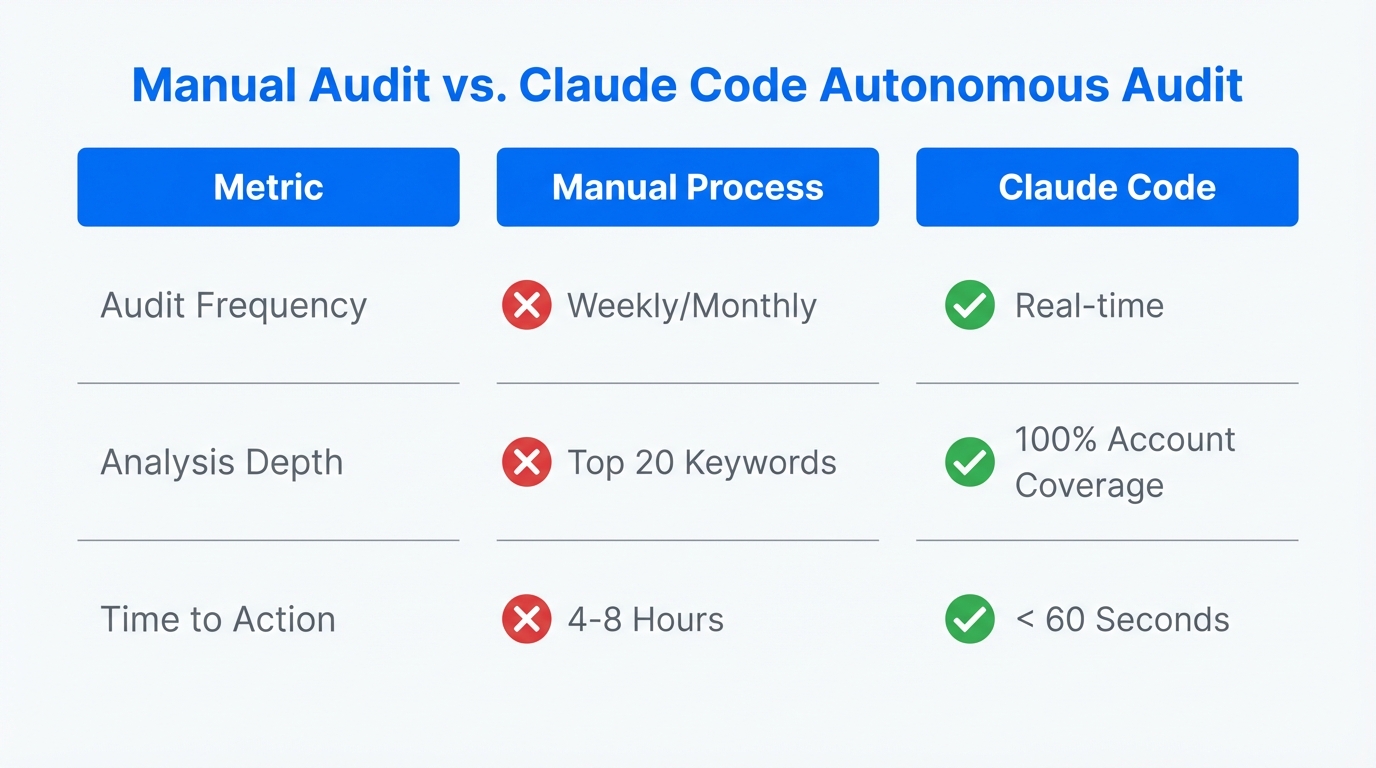
Most marketers use AI as an accelerator—to write an ad headline or summarize a report. However, the industry is moving toward the "Delegator" model. Gartner predicts that by 2026, 40% of enterprise applications will embed autonomous AI agents. For a performance marketer, this means delegating the tedious manual labor of negative keyword pruning and budget pacing to an agent that never sleeps.
When you integrate Claude Code into your workflow, you aren't just asking for a Claude Code marketing audit; you are setting up a system that monitors your Meta Ads and Google Ads performance metrics with programmatic precision. Advertisers using AI-driven optimization already report an average 25% increase in conversions while saving roughly 10 hours per week on manual monitoring, according to recent industry performance data.
Step-by-Step: Setting Up Claude Code for Ads
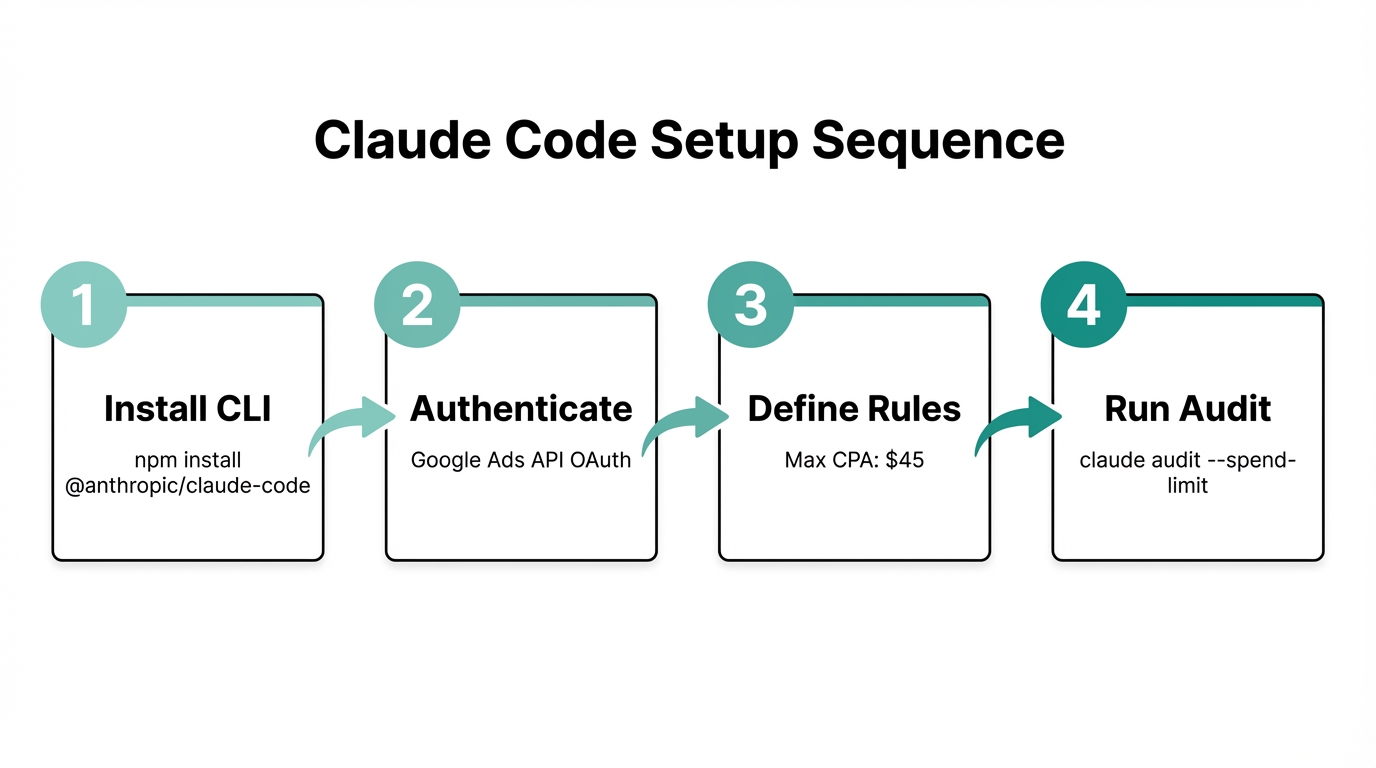
To begin your Google Ads audit automation, you need to move out of the browser and into the terminal. Claude Code requires a technical foundation to "see" your account.
Step 1: Install the CLI
First, ensure you have Node.js (v18 or higher) installed on your system. Run the following command in your terminal using the NPM registry:
npm install -g @anthropic-ai/claude-codeclaude auth login
Step 2: Connect the Google Ads MCP
Claude cannot access your data without a bridge. You must configure an MCP server using your Google Ads Developer Token, Client ID, and Client Secret from the Google Cloud Console. Many developers utilize open-source connectors like Claude Ads to facilitate this connection.
Step 3: Define Your CLAUDE.md File
This is the most critical step for avoiding the "Context Death Spiral." Create a CLAUDE.md file in your project root. This acts as the agent’s memory, containing:
- Brand Voice Guidelines: What tone should your ads take?
- CPA Thresholds: At what cost-per-acquisition should the agent flag an alert?
- Negative Keyword Pillars: Standard terms you never want to bid on (e.g., "free," "jobs," "cheap").
"The secret to AI automation isn't the prompt; it's the context. A well-defined CLAUDE.md file turns a generic AI into a specialist who understands your specific business constraints."The 'AI Analyst' Workflow: How to Stop Wasted Spend
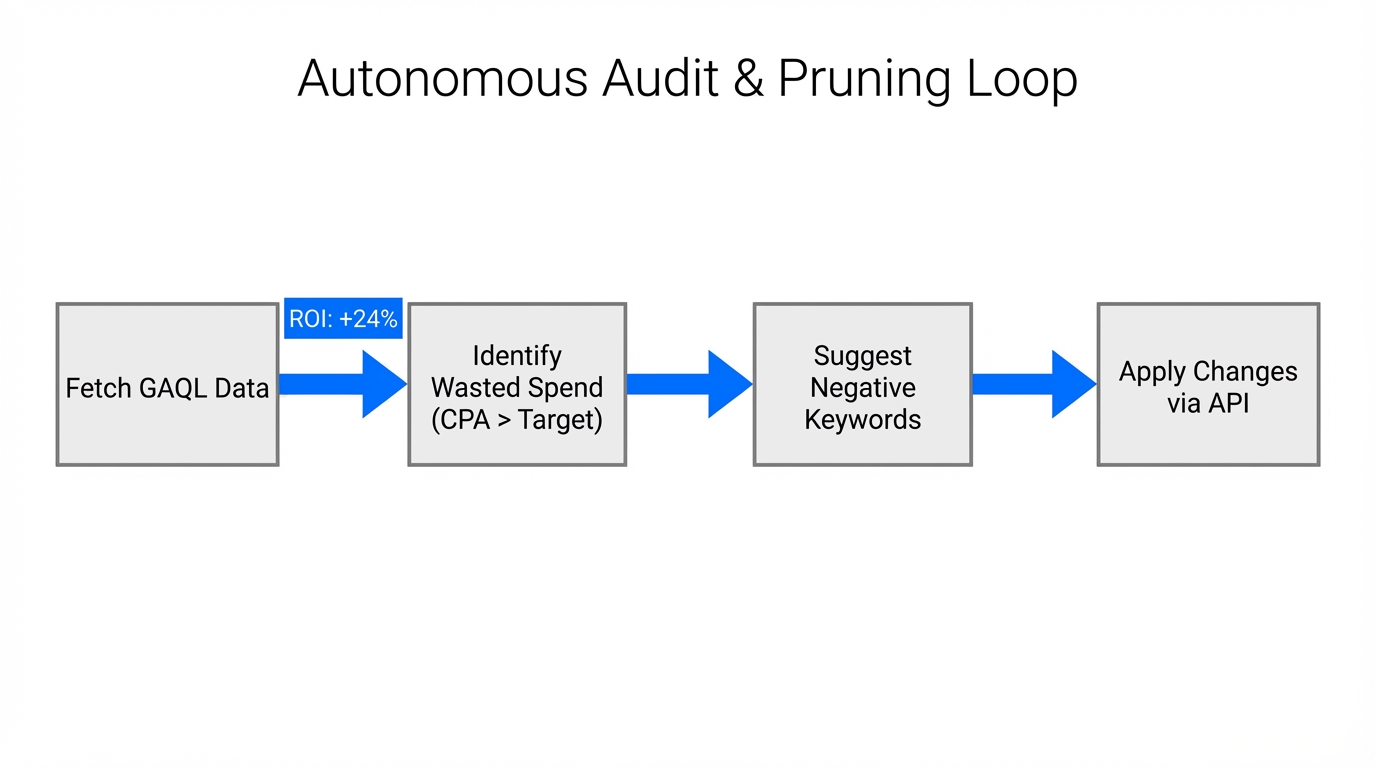
Once the technical plumbing is in place, you can execute an "Analysis Sprint." This is where you identify negative keyword tool AI opportunities and stop wasted spend Google Ads outliers before they drain your monthly budget.
| Audit Type | Traditional Method | Claude Code Autonomous Method |
|---|---|---|
| Budget Pacing | Daily manual spreadsheet checks. | Real-time GAQL queries via CLI scripts. |
| Negative Keywords | Scanning search term reports weekly. | Automatic intent analysis and list pruning. |
| CPA Anomalies | Setting up manual Google Ads alerts. | Proactive flagging based on historical variance. |
A real-world example of this in action occurred with a healthcare account management team. By running a Claude-assisted audit using Google Ads Scripts, the team monitored budget pacing across 50 accounts simultaneously. The agent flagged a 400% CPA spike in a specific healthcare campaign within just 2 hours of the anomaly occurring. This rapid detection saved the client approximately $4,000 in potentially wasted spend that would have otherwise gone unnoticed until the end-of-week review.
For growth teams looking to scale this even further, platforms like Stormy AI can help source and manage UGC creators at scale, providing the high-quality creative assets that these automated campaigns need to thrive. While Claude manages the backend efficiency, your creative engine must keep pace.
Using GAQL Tokens for Live Data Injection
The standard ChatGPT interface is limited by its training data cutoff. Claude Code bypasses this by using Google Ads Query Language (GAQL). You can use tools like gaql.app to generate the necessary tokens that Claude uses to fetch your live campaign data.
Instead of manual exports, you can simply command Claude:
"Analyze the last 14 days of performance using the GAQL connector. Which three campaigns have the highest wasted spend relative to conversion value?"
Claude will then perform the following steps:
- Query the Google Ads API for the requested date range.
- Compare CPA against the targets defined in your
CLAUDE.md. - Identify search terms with high impressions but zero conversions.
- Suggest a list of negative keywords to add immediately.
"Don't just ask AI to write an ad; assign it a system. 'Manage my negative keyword pruning every Friday' is a much more powerful command than 'Give me five keywords'."Avoiding the 'Magic Prompt' Fallacy
One of the biggest mistakes marketers make is expecting a single "magic prompt" to manage a million-dollar account. This leads to hallucinations and strategic errors. To reduce Google Ads CPC effectively, you must use Plan Mode.
In the Claude Code environment, Plan Mode allows you to review the agent's proposed strategy before it executes any changes. This "Human-in-the-Loop" (HITL) approach ensures that you remain the pilot while the AI acts as the navigator. If the agent suggests pausing a campaign that is actually a brand-awareness play with long attribution cycles, you can veto that move in Plan Mode.
Furthermore, ensure you are syncing your Google Analytics 4 data with the flow. If your automation is only optimizing for clicks rather than high-LTV (Life-Time Value) conversions, you are simply accelerating the rate at which you waste money.
Integrating Creative and Analysis
While Claude Code handles the analytical heavy lifting, the ultimate performance of your ads depends on creative resonance. High-performing campaigns in 2025 rely heavily on User-Generated Content (UGC) and "vibe marketing"—content that feels native to platforms like TikTok.
You can use Claude Code to scrape your latest landing pages using the Puppeteer MCP, then cross-reference those insights with your competitor's ads. For sourcing the actual creators to film this content in tools like CapCut, platforms like Stormy AI provide an AI search engine that finds influencers based on natural language prompts, making it the perfect companion for an automated ad stack.
Conclusion: The Future of the AI Analyst
Reducing wasted spend in Google Ads is no longer about having the best spreadsheets; it is about having the best autonomous workflows. By deploying Claude Code as an persistent auditor, you can catch CPA spikes in real-time, prune negative keywords programmatically, and ensure your budget is always flowing toward high-intent searches.
Start small: install the CLI, connect your account via an MCP, and run a weekly performance audit. As you build trust in the agent’s recommendations, move toward more complex tasks like programmatic ad group generation and creative refresh cycles. The goal is to stop wasted spend Google Ads from being a manual chore and turn it into a competitive advantage.