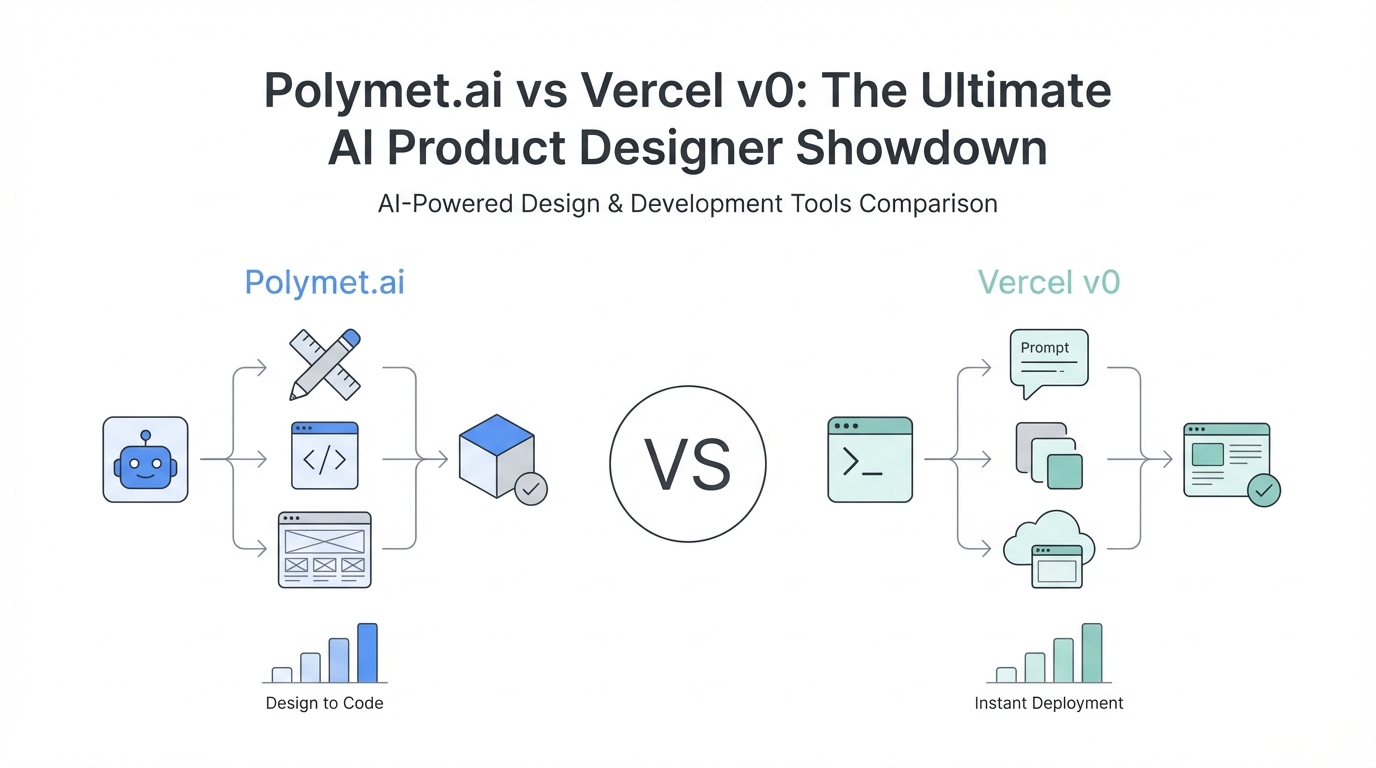
The era of "vibe coding" has officially arrived, and with it, a new generation of AI product designer tools that promise to bridge the gap between a rough idea and production-ready code. For years, developers and founders have struggled with the "blank canvas" problem, often spending days oscillating between Figma and React components. Today, the conversation is shifting toward generative UI—the ability to describe a functional interface in natural language and watch it manifest instantly. Two platforms are currently dominating this space: the industry stalwart Vercel v0 and the hungry newcomer, Polymet.ai, a Y-Combinator backed startup that has social media buzzing. In this head-to-head comparison, we put both tools to the test to see which one truly delivers on the promise of an autonomous design partner.
First Impressions: Polymet.ai as the YC Challenger
Entering the world of Polymet.ai feels like stepping into a dedicated design studio. Unlike general-purpose AI chat interfaces, Polymet positions itself strictly as an AI product designer. The onboarding is frictionless, automatically creating a project for you and presenting a clean, focused prompt bar. One of the most immediate advantages noticed in a Polymet.ai review is the integration of multimodal inputs. You aren't limited to text; you can upload a napkin sketch or a screenshot of an existing site to use as a structural foundation. This is a significant play for non-designers who might struggle to articulate technical layout requirements but can easily draw a box on a piece of paper.
However, the experience of waiting for a generation on Polymet can be a bit of a "black box." In initial testing, the platform uses high-end models like Claude 3.7 Sonnet, which provides incredible depth but can lead to longer wait times. Unlike some tools that provide a live stream of code or a progress bar, Polymet leaves the user in suspense for a minute or two. While the wait is often justified by the complexity of the output, the lack of immediate feedback can be jarring in a fast-paced development workflow. For those looking to accelerate their journey from idea to execution, memberships like Startup Empire often emphasize the need for tools that provide rapid iteration cycles to maintain momentum.
The Interface Battle: Black Box vs. Conversational Reasoning
The most stark difference between these two platforms lies in how they communicate with the user. Vercel v0 has mastered the "feedback loop" by providing a transparent reasoning window. When you give v0 a prompt, it doesn't just start coding; it tells you exactly how it plans to approach the design. For example, it might say, "I'll design a glassy minimalist interface with colorful calls to action," giving the user an immediate chance to course-correct if the AI has misinterpreted the intent. This conversational reasoning makes the process feel collaborative rather than automated.
In contrast, Polymet operates with a more traditional "prompt and results" model. You submit your request and wait for the final reveal. While the results from Polymet.ai are often visually stunning, the lack of a dialogue during the generation phase can lead to "shouting into a dark hole" syndrome. If the result isn't perfect, you must re-prompt and wait again. However, Polymet counters this with a robust versioning system on the right-hand side of the dashboard, allowing you to easily rollback to previous iterations—a feature that feels more like a professional design tool than a simple chatbot. Both tools use credit systems rather than flat fees, which is a common trend among AI-first companies, turning design tasks into a currency-based workflow.
Performance Test: Building the "TubePredict" Dashboard

To truly compare Vercel v0 vs Polymet, we used a real-world startup idea: TubePredict. Inspired by a viral concept from developer Eddie, who built a simulator for X (Twitter) virality, TubePredict is a SaaS designed for YouTubers to AB test titles and thumbnails before they publish. The goal was to create a dashboard that displayed cumulative engagement charts, statistical confidence levels, and AI-driven performance predictions. This required the AI to understand not just layout, but complex data visualization and niche-specific UX patterns.
Polymet's initial output for TubePredict was a clean, professional landing page. While the copy was surprisingly accurate, the actual "product" was initially missing. It required a second, more assertive prompt to get Polymet to generate the internal dashboard. When it did, the results were impressive. It built a comprehensive analytics view with interactive hover states on charts—a level of detail that often requires manual coding. On the other hand, Vercel v0 immediately grasped the product requirement. It didn't just build a landing page; it built the actual comparison tool where a user could upload Version A and Version B of a thumbnail side-by-side. The speed of v0 was notably faster, and the "reasoning" it displayed allowed it to mimic the reference images with startling accuracy.
Visual Taste: Achieving the "Glassmorphic" Aesthetic

In the world of AI UI design tools, "taste" is the hardest variable to quantify. During the TubePredict test, we specifically requested a "glassmorphic" look—a trend characterized by frosted glass effects, subtle blurs, and vibrant accents. To find the correct terminology, one might use a research tool like Perplexity AI, as the quality of generative UI is heavily dependent on the quality of the prompt. If you don't know the term "glassmorphism," you might struggle to get the AI to move away from generic, flat designs.
Polymet struggled slightly with the glassmorphic request initially, delivering a clean but somewhat standard interface. However, once pushed, it produced a very high-fidelity dashboard that felt like a premium SaaS product. Vercel v0, when asked to "enhance" the glassmorphism, provided a detailed explanation of how it would use frosted glass aesthetics, light borders, and depth to achieve the look. This ability to discuss design theory makes v0 feel more like a senior designer. Just as tools like Stormy AI can help source and manage UGC creators at scale by understanding the nuances of a brand's "vibe," these UI tools are becoming increasingly capable of interpreting aesthetic trends through high-level descriptive language.
Production Readiness: React, Tailwind, and Integration

For a tool to be considered a true AI product designer, the code it produces must be usable. Both Polymet and v0 prioritize the modern tech stack: React, Tailwind CSS, and Lucide icons. Polymet offers a unique advantage by claiming to connect directly to your existing codebase and Figma. The idea that you can use your own pre-existing components within the AI's generations is a game-changer for established teams. This reduces the "disposable code" problem that many AI tools suffer from, where every generation is a fresh start that ignores previous design systems.
Vercel v0, being deeply integrated into the Vercel ecosystem, offers a "copy and paste" experience that is hard to beat for developers using Next.js. The code is modular, clean, and follows modern best practices. During the performance test, the code for the TubePredict chart in Polymet was particularly impressive, featuring functional hover states that provided a "real" app feel. While v0's output was visually superior in its first pass, Polymet's interactive elements felt slightly more "baked in." For those managing creator-led businesses or app development agencies, tools like Stormy AI can handle the influencer discovery and outreach, while these design tools handle the rapid prototyping of landing pages for those very same campaigns.
The Verdict: Which Tool Wins for Speed, Taste, and Function?
Choosing between Polymet.ai vs Vercel v0 ultimately depends on your specific workflow. If you value collaboration and transparency, Vercel v0 is currently the superior choice. Its "reasoning" engine and conversational interface make it much easier to refine a design until it perfectly matches your vision. It feels faster, more intuitive, and the visual "taste" is consistently high. V0 is the benchmark for AI UI design tools for a reason—it is reliable and deeply integrated into the developer workflow.
However, Polymet.ai is a formidable challenger, especially for those who want a tool that feels more like a dedicated design environment. Its ability to handle image-to-code transformations and its planned integrations with Figma make it a tool to watch. Polymet might be better for high-fidelity dashboards where interactive data visualization is the priority. As we see with LLMs like Claude or ChatGPT, the best strategy is often not to choose one, but to use them in tandem. You might use v0 to quickly ideate a layout and then bring those ideas into Polymet to refine the components. The future of product design is not about choosing the right software, but about mastering the art of the AI-driven workflow. Start building, start "vibe coding," and let these tools handle the heavy lifting of the UI layer.
Step-by-Step Playbook for AI-Driven Design
Step 1: Define Your Design Vocabulary
Before prompting, use a tool like Perplexity to find specific design terms. Don't just say "modern"; say "glassmorphic," "bento-grid," or "neubrutalist." Precision in language leads to precision in UI.
Step 2: Start with a Structural Reference
If you have a layout in mind, draw it on a napkin and upload it to Polymet.ai. Starting with a visual anchor prevents the AI from hallucinating weird navigation patterns.
Step 3: Iterate with Reasoning
Use Vercel v0 to refine the "logic" of your application. Read its reasoning window to ensure it understands the UX flow (e.g., "When the user clicks here, the modal should appear"). Always review the reasoning before the code.
Step 4: Export and Integrate
Once the UI is 80% there, export the Tailwind/React code. Don't aim for 100% perfection in the AI; use it to handle the tedious 80% so you can focus on the 20% of custom business logic that makes your product unique.