The year is 2026, and the era of the manual dropshipping hustle is officially over. If you are still sitting at a desk for eight hours a day manually scrolling through AliExpress or TikTok to find products, you are operating in the Stone Age. Today, the most successful brands are run by autonomous agents—AI teammates that don't just chat, but actually execute tasks like product research, store building, and ad management while the founder is at the gym or out for a walk. The tool leading this revolution is Open-claw, and in this guide, I will show you exactly how to set it up as your personal AI ecommerce employee.
The Agentic Shift: Why 2026 is Different for Ecommerce
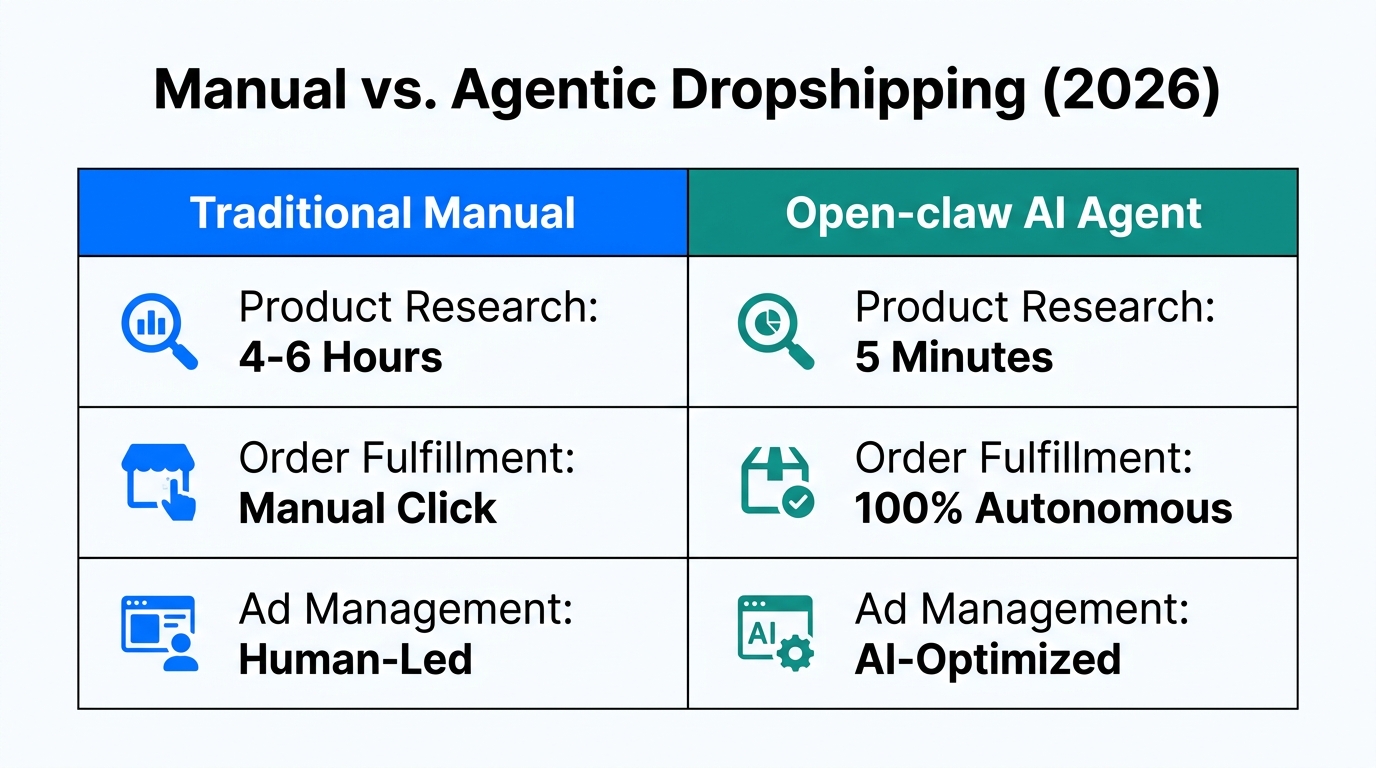
In previous years, we relied on LLMs like ChatGPT or Gemini as simple chatbots. They could give you advice, but they couldn't do anything. In 2026, the rise of the Model Context Protocol (MCP) and agentic frameworks has changed everything. An AI agent like Open-claw can now use a browser, manage an inbox, and connect to your Shopify store to perform high-level operations autonomously.
"The days of being chained to a computer to find a winning product are gone. In 2026, you don't run the store; you manage the agent that runs the store."
While Open-claw focuses on the initial research and build phase, many founders are pairing it with Stormy AI, an AI ecommerce employee that specializes in the messy back-office work. While your Open-claw agent finds new products, an autonomous teammate like Stormy can handle the long-term supplier follow-ups, inventory monitoring, and daily ad audits across Meta and Google Ads. Together, they create a fully autonomous enterprise.
| Feature | 2024 Chatbots | 2026 Autonomous Agents (Open-claw) |
|---|---|---|
| Actionability | Text-only advice | Executes tasks via browser & tools |
| Memory | Short-term / Session-based | Long-term persistent memory |
| Connectivity | No external tool access | Connects to Shopify, Telegram, & MCPs |
| Management | Manual prompting required | Autonomous scheduling & reminders |
Step 1: Deploying Open-claw on a Hostinger VPS
 5:37
5:37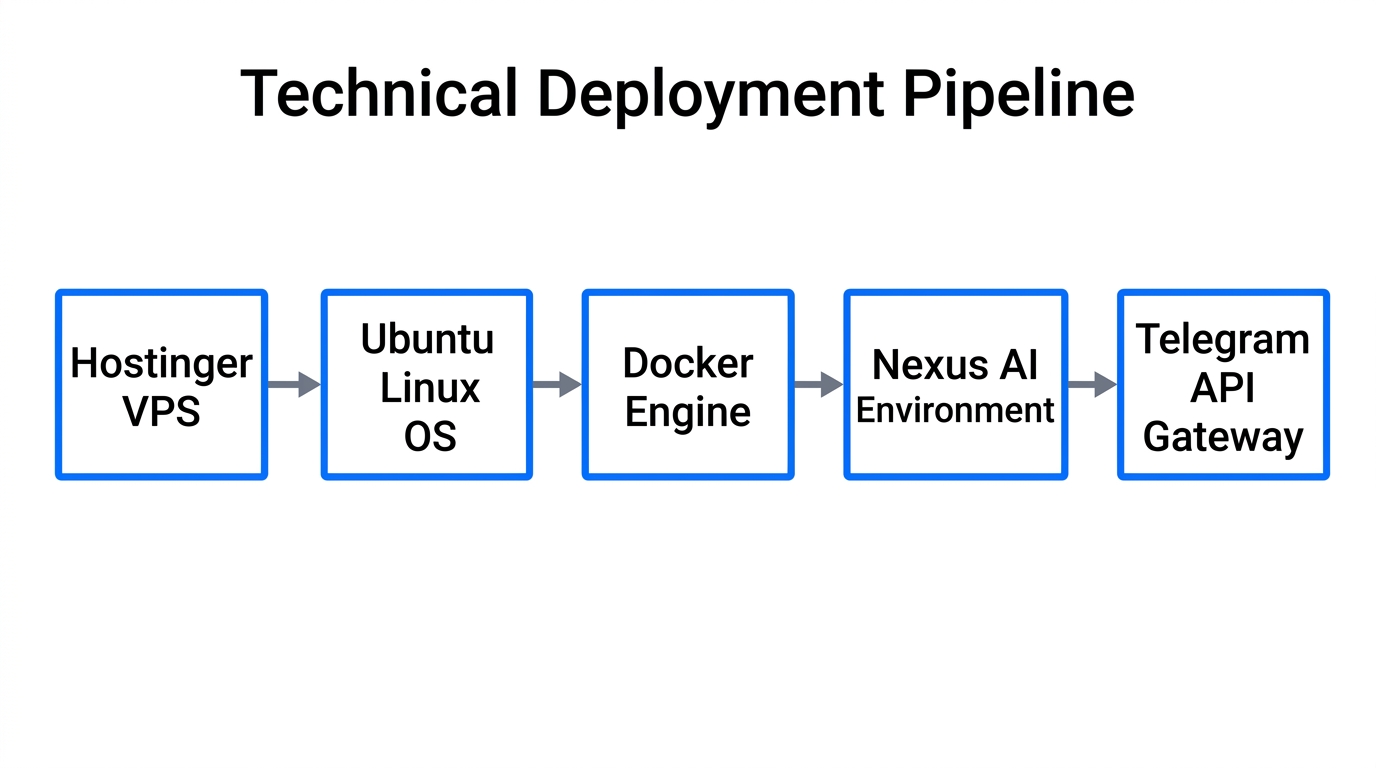
To run a 24/7 AI agent, you cannot rely on your local laptop. Not only is it slow, but running an agent like Open-claw on a local machine creates massive security risks where sensitive data could be leaked if your hardware is compromised. For 2026, the industry standard is using a Virtual Private Server (VPS).
I recommend using Hostinger for their specialized Managed Open-claw plans. This ensures your agent is always on, private, and secure without you needing to know a single line of code.
- Head to Hostinger and navigate to the Open-claw section.
- Claim the deal for Managed Open-claw (usually around $5.49/mo).
- Choose a 12-month or 24-month plan to lock in the best rate. Avoid the monthly plan as it's significantly more expensive ($20/mo).
- Enable the Ready-to-use AI and Instant Web Search add-ons. This is critical—it allows your agent to use Nexus AI and browse the web for product trends without you having to manually configure complex API keys.
Step 2: Configuring Nexus AI and First Launch
Once your Hostinger VPS is live, you will find the Open-claw Early Access tab in your dashboard. Because we chose the beginner-friendly plan, the setup is nearly instant. Hostinger uses Nexus AI, which pools credits for models like ChatGPT-4o and Claude 3.5 Sonnet so you don't have to manage multiple billing accounts.
Click on Setup, and you will see your API key already populated. You don't need to touch the OpenAI or Anthropic settings unless you want to use your own custom keys. Simply click Next and let the installation finish. After a few minutes, you will receive an Access Key. Copy this immediately and save it in a secure place; this is the master password for your agent.
Step 3: Connecting Your Agent to Telegram
15:06The true power of an autonomous dropshipping store in 2026 is managing it from your phone. By connecting Open-claw to Telegram, you can ask for product research reports while you're at lunch or have the agent send you store performance updates directly to your chat.
How to Create Your Telegram Bot:
- Open Telegram and search for @BotFather.
- Type
/newbotand give your agent a name (e.g., "ClawDropshipBot"). - Assign a username that ends in "bot" (e.g.,
OpenClawMS99bot). - BotFather will provide an HTTP API Access Token. Copy this.
- Go back to your Open-claw dashboard, select the Telegram Channel, and paste the token.
Now, message your new bot. It will ask for your nickname and time zone. Once set, your agent has a persistent memory. It will never forget your preferences, your niche, or your previous winning products. It is essentially a digital employee that lives in your pocket.
"Autonomous agents like Open-claw don't just follow instructions; they learn your 'winning product' DNA over time, making every search more accurate than the last."
Step 4: Training Your Agent with Knowledge Files
An agent is only as good as the data you give it. To ensure your Open-claw agent actually finds winning products, you must upload a Master Knowledge File in Markdown format. This file should define your criteria for a winner.
In your Open-claw chat, upload your training file and give it the following context: "You are an expert dropshipping agent. Use this document to understand my criteria for winning products, including profit margins, shipping times from AliExpress, and market gaps in the USA."
Step 5: Executing Autonomous Product Research
19:06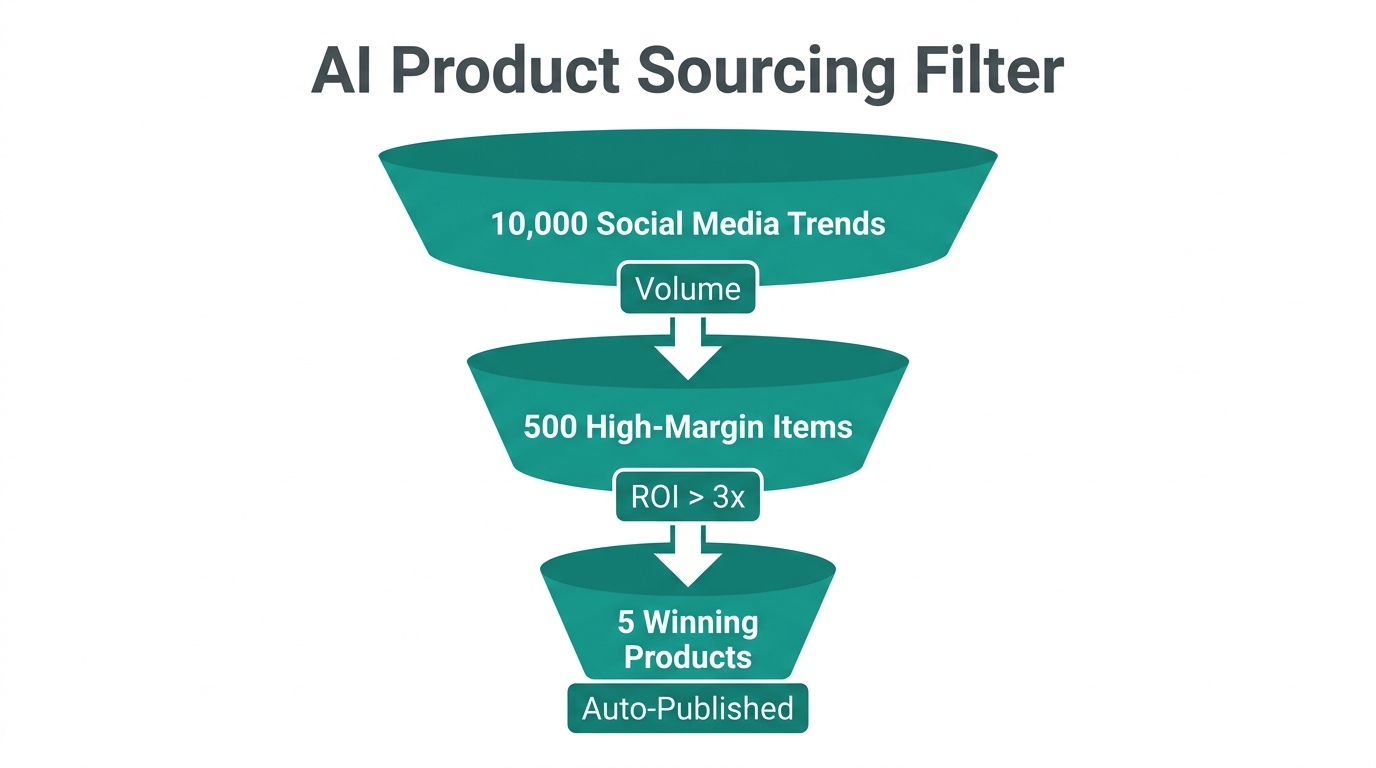
Now that the agent is trained, you can give it complex tasks. Instead of asking for a simple list, ask for a Full Web Scrape. For example: "Find me 5 winning products in the beauty niche for the USA market. They must have a retail price of $50+, a 3x markup potential, and low competition on TikTok."
Open-claw will now use its Browser Tool to navigate live sites. It will take 20-30 minutes to perform an intense search, checking logistics and market gaps. While it works, you can close your laptop. When it's done, it will send the full report—including AliExpress links and logistics data—directly to your Telegram.
Scaling with Skills and MCP (Model Context Protocol)
30:09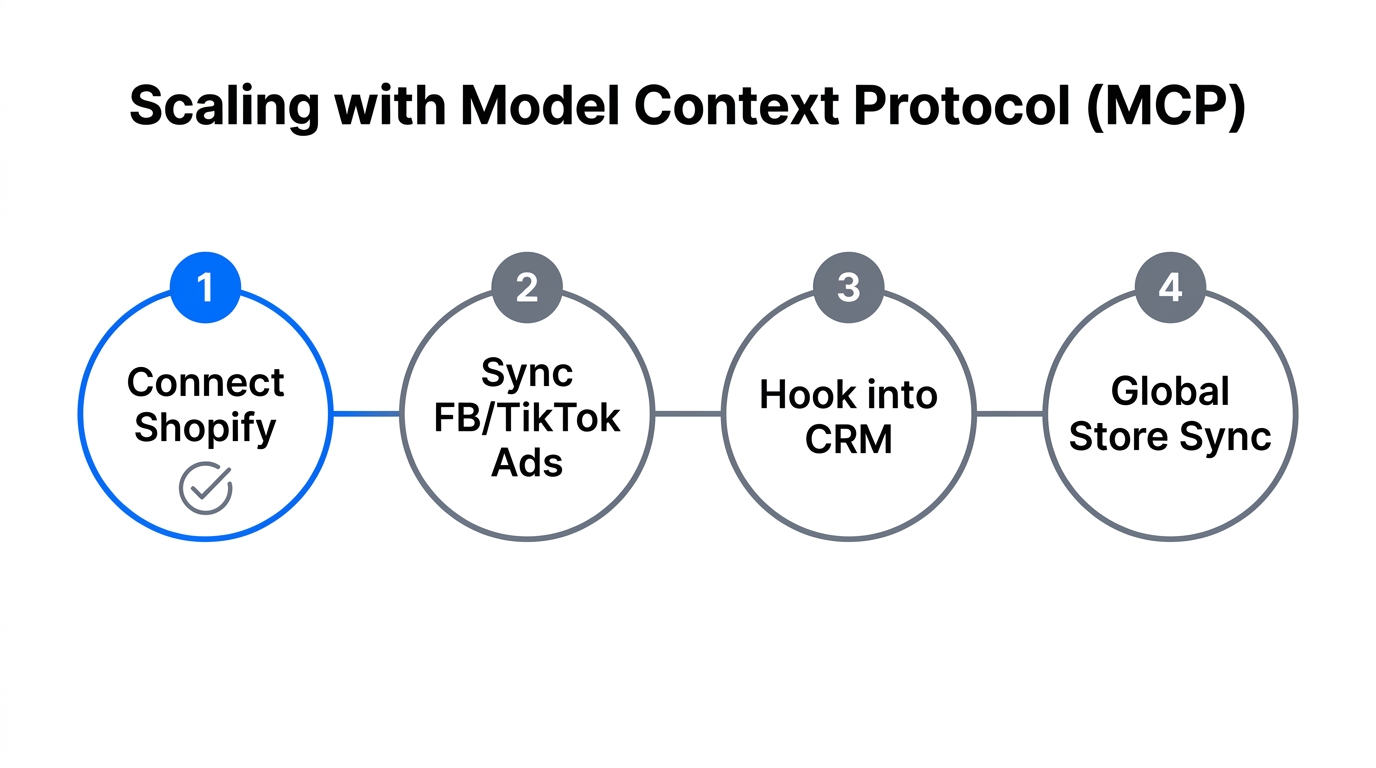
To take your agent to the elite level, you must use Skills and MCPs. In the Open-claw dashboard, the Skills Store allows you to add third-party capabilities like AI image generation. This allows the agent to not just find the product, but actually create the image ads for it using tools like Canva or Midjourney.
Furthermore, you can connect MCP Servers to integrate your agent with your entire tech stack:
- Slack MCP: Have the agent report winning products to a Slack team channel.
- Notion MCP: Automatically build a database of every product the agent researches in Notion.
- Shopify MCP: Allow the agent to draft product listings directly in your Shopify admin.
If you want to automate the rest of your business, this is where Stormy AI becomes invaluable. While Open-claw is the "Researcher," Stormy AI is the "Operations Manager." It can connect to Meta Ads Manager and Google Ads to pull performance data, compare ROAS, and suggest budget moves in a shared Google Sheet every morning.
Conclusion: The Future of Lean Ecommerce
Setting up an Open-claw AI agent on a Hostinger VPS is the single best investment you can make for your Shopify dropshipping business in 2026. By offloading the grunt work of research and monitoring to autonomous agents, you free yourself to focus on high-level strategy and brand building.
Remember: start by training your agent thoroughly, ensure your tools are enabled (red icons), and leverage mobile management via Telegram. If you're ready to truly scale without adding headcount, consider hiring an AI ecommerce employee like Stormy AI to run your back office, manage your spreadsheets, and keep your suppliers in check while you sleep. The tools are here—it's time to build your autonomous empire.