Picture this: It’s Friday night, and you just launched a high-budget campaign for a new product line. By Monday morning, you realize the landing page went down Saturday afternoon due to a server glitch. You’ve spent thousands of dollars sending traffic to a 404 error page. This is the nightmare of every performance marketer, yet it happens more often than we care to admit. In an era where over 80% of Google Ads advertisers now use automated bidding strategies, the risk isn't just human error—it’s the lack of an automated safety net to catch technical failures.
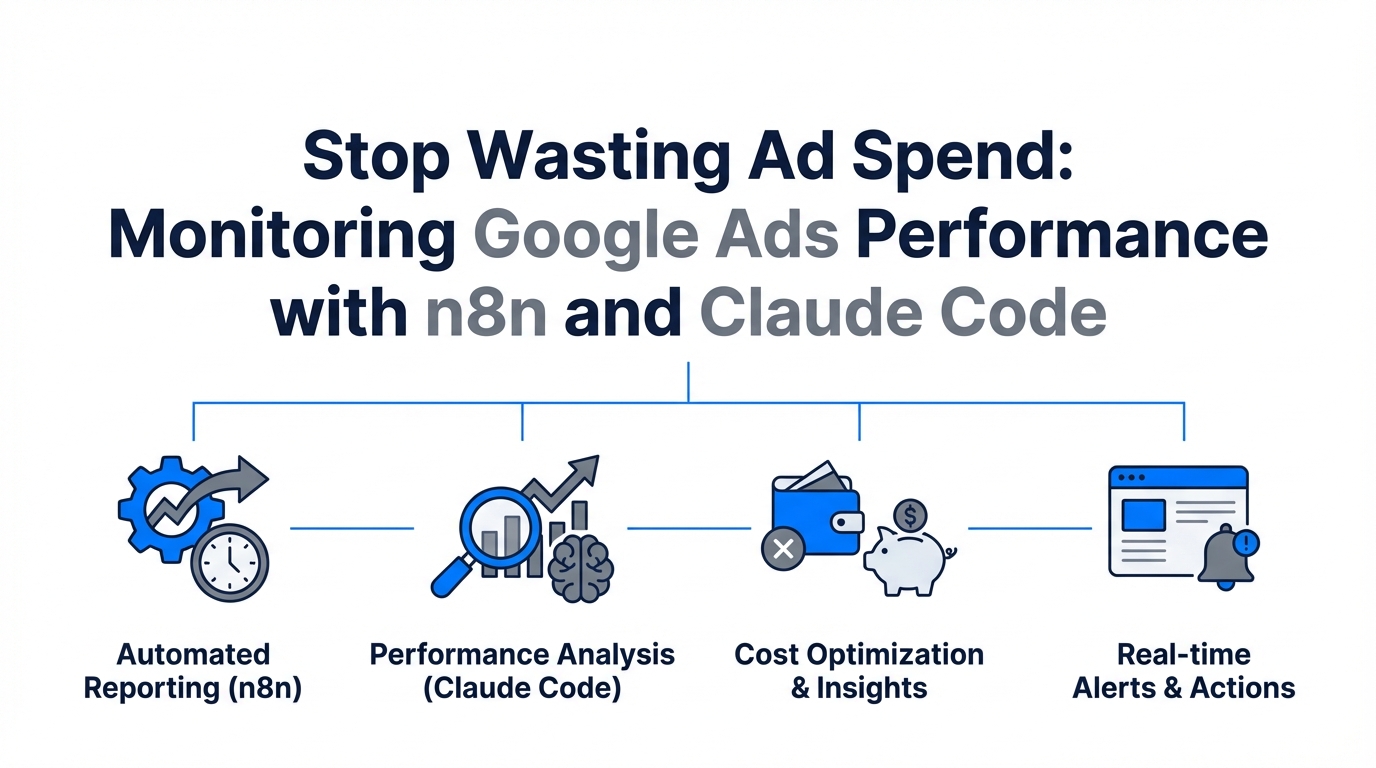
The industry is rapidly shifting from "Chat AI" to "Action AI." We are moving beyond using LLMs to write catchy headlines and toward a world of "Funnel-as-Code," where marketing ops teams treat their ad accounts like software repositories. By combining the workflow orchestration power of n8n with the terminal-based agentic capabilities of Claude Code, you can build a fully automated performance marketing ops engine that monitors your accounts 24/7. This guide will show you how to stop wasted ad spend and implement professional-grade google ads monitoring.
The New Stack: Performance Marketing Ops as Code
Traditional PPC management involves logging into the dashboard, clicking through tabs, and manually checking for anomalies. The modern approach uses an "Agentic Workflow." According to research on AI agent performance, advertisers using AI-driven optimization report an average 25% increase in conversions. This isn't just about better bidding; it’s about better infrastructure.
To build this, you need a specific tech stack that allows your AI to "talk" to Google Ads. This involves the Model Context Protocol (MCP), which acts as a universal adapter. By using an MCP server, you give Claude the ability to read and write to your campaigns directly from your terminal. When paired with n8n's visual automation, you create a system that is both intelligent (Claude) and deterministic (n8n).
Building the Uptime Safety Net: Hourly URL Monitoring
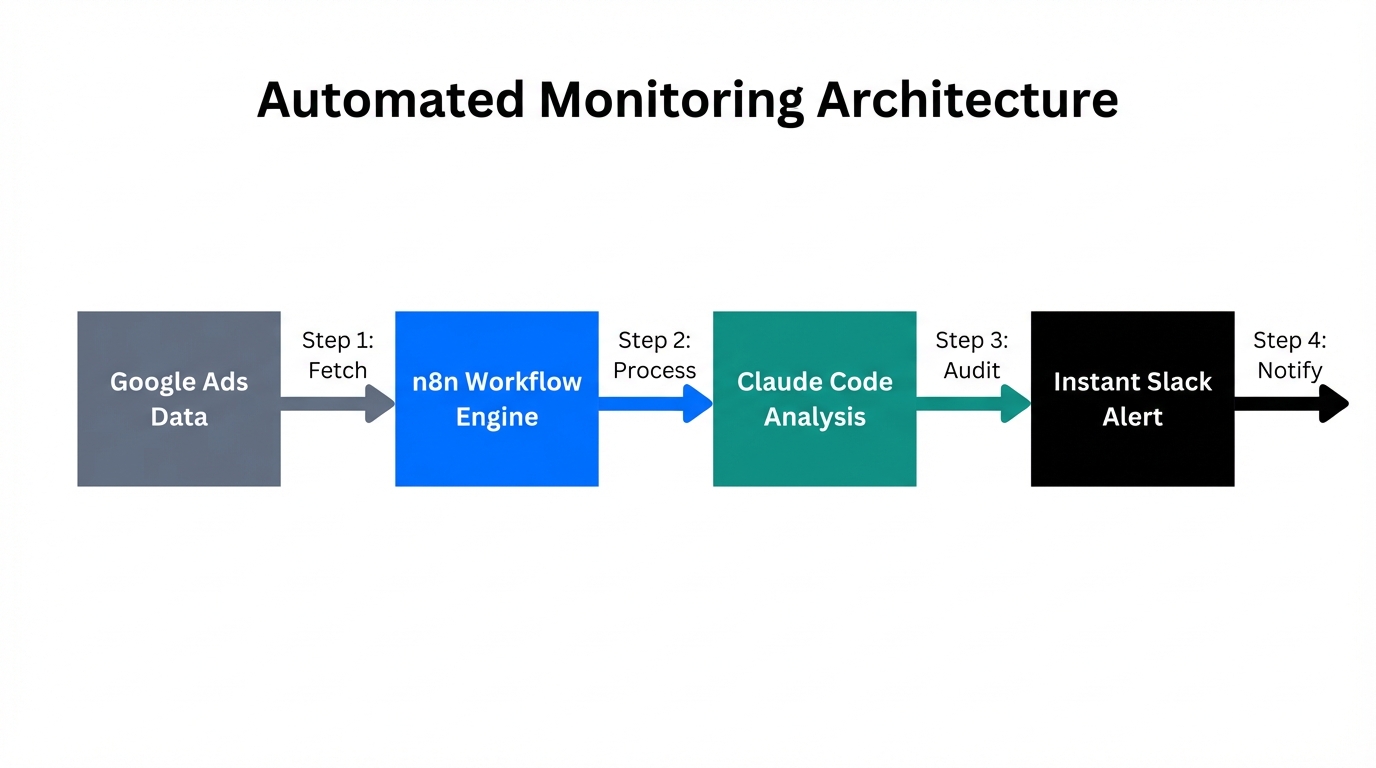
The first and most critical workflow for n8n ecommerce automation is the Landing Page Health Check. If a page loads slowly or breaks, your Quality Score drops, and your CPA skyrockets. You shouldn't wait for a manual weekly report to find this out.
"The goal isn't just to automate tasks; it's to build a system that fails gracefully and alerts you before the budget is gone."
Step-by-Step Playbook: The Health Monitor
- The Trigger: Set an n8n Cron node to run every hour.
- The Discovery: Use the Google Ads Node in n8n to query all active Landing Page URLs. This ensures that as you add new ads, they are automatically included in the monitoring.
- The Status Check: Send an HTTP Request to each URL. We are looking for a 200 OK status code.
- The Performance Check: For high-spend URLs, pass the link to the PageSpeed Insights API. If the mobile performance score drops below a certain threshold (e.g., 40), it triggers an alert.
- The Alerting: If any check fails, n8n sends a message to a dedicated Slack or Microsoft Teams channel with the Campaign Name, Ad Group, and the specific error found.
This simple google ads monitoring loop can save thousands in accidental spend. By treating your URLs as dynamic assets that need constant validation, you move closer to a zero-waste advertising model.
Automated PPC Audits with Claude Code
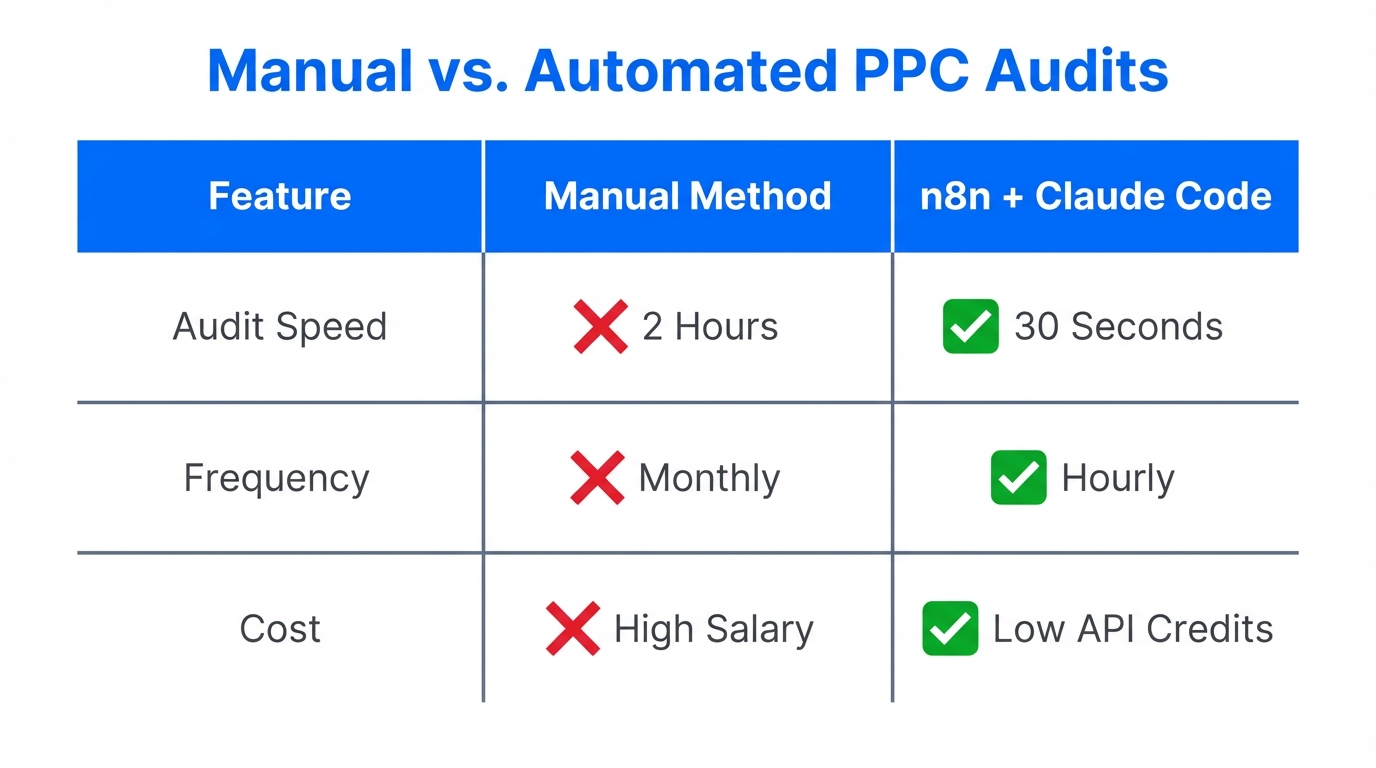
While n8n is great for the "if this, then that" logic of monitoring, Claude Code is superior for probabilistic analysis—making sense of messy data. Instead of spending hours in Excel, you can use Claude to run a "190-point audit" instantly.
Using the GAQL.app tool, you can generate Google Ads Query Language tokens that Claude can use to fetch performance data. You can then issue commands like: "Identify campaigns where the CTR is 50% below the account average but spend is in the top decile. Suggest three negative keyword themes to improve efficiency."
| Feature | Manual Audit | AI-Agentic Audit (Claude + n8n) |
|---|---|---|
| Frequency | Weekly/Monthly | Real-time / Hourly |
| Data Depth | Surface-level KPIs | Deep pattern recognition |
| Actionability | Manual adjustments | Automated script execution |
| Cost | High (Human hours) | Low (API & Token costs) |
Privacy-First Marketing: Syncing First-Party Data
With the decline of third-party cookies, conversion tracking automation has become a necessity rather than a luxury. Google’s algorithms are only as good as the data they receive. If you are only tracking "button clicks" on a website, you are missing the full picture of customer lifetime value (LTV).
Smart teams are now using n8n to sync first-party data from their CRM (like HubSpot or Pipedrive) directly into Google Ads Enhanced Conversions. This allows the ad platform to see which specific clicks turned into high-value sales, not just leads. Tools like Stormy AI can also assist in this ecosystem by helping you identify and vet the right influencers or UGC creators to drive that initial high-quality traffic, ensuring the data you're syncing back is coming from the right audience segments.
"In a cookieless world, the winner is the one with the cleanest first-party data pipeline."
Managing API Quotas and Rate Limits
A common mistake in performance marketing ops is "Automating Chaos." If you have an account with thousands of keywords and ads, running hourly checks can quickly hit Google Ads API rate limits. To prevent your automation from breaking itself, you must implement request throttling.
In n8n, use the Batch Node to break large datasets into smaller chunks. For example, if you are auditing 5,000 keywords, batch them into groups of 100 with a 30-second delay between each batch. This ensures you stay within Google's developer limits while still maintaining high-frequency monitoring. Additionally, always use "Plan Mode" in Claude Code before allowing the agent to make bulk changes to your account. This "Human-in-the-Loop" (HITL) approach ensures that AI acts as a delegator while you remain the architect.
Advanced Strategy: Inventory-Aware Budget Shifting
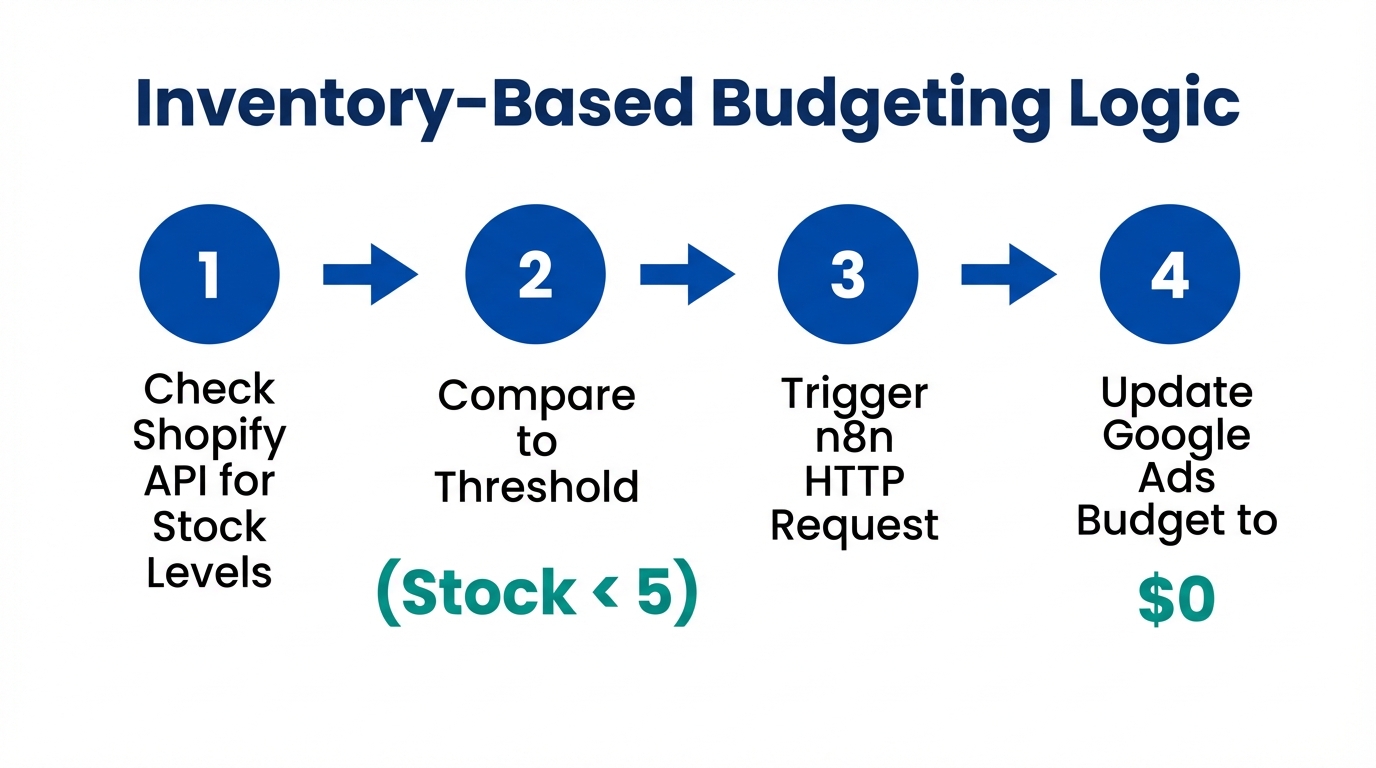
For e-commerce brands, stop wasted ad spend means more than just avoiding 404 pages; it means not advertising products that are out of stock or have low margins. You can build an "Atlas" agent using n8n that connects your Shopify or inventory management system to Google Ads.
By merging your inventory data with Google Ads spend, you can calculate real-time ROAS at the SKU level. This allows you to automatically shift budget toward products with the highest inventory margins, ensuring every dollar spent contributes to the bottom line, not just top-line revenue. This level of n8n ecommerce automation is what separates elite agencies from the rest. While managing these complex flows, using Stormy AI for creator discovery and outreach can help you maintain a steady stream of fresh UGC assets to fuel these high-performing campaigns.
Common Mistakes to Avoid in Automation
- Lack of Validation: Never let an AI agent edit ad scripts or change budgets without a human review stage, especially in the first 30 days of implementation.
- Insufficient Data: AI-automated bid adjustments on campaigns with less than 30 conversions per month often lead to erratic performance and wasted spend, as noted in the Google Ads Smart Bidding guide.
- Ignoring Latency: Real-time doesn't always mean instant. Ensure your n8n workflows account for the 24-48 hour attribution lag in Google Ads reporting before making drastic budget shifts.
Conclusion: Building Your Safety Net
The future of google ads monitoring is not found in a dashboard, but in a well-orchestrated pipeline of automated checks and balances. By implementing an n8n-powered uptime monitor, syncing first-party CRM data, and using Claude Code for deep-dive audits, you create a performance marketing ops framework that protects your budget while you sleep.
Start small. Build the uptime monitor first. Then, move to automated audits. As your system matures, you'll find that the time saved—estimated at a 75% reduction in repetitive tasks for teams using agentic workflows—allows you to focus on what actually moves the needle: strategy, creative, and customer experience. Don't wait for your next 404 error to start building your safety net. Automate today, or pay for it tomorrow.