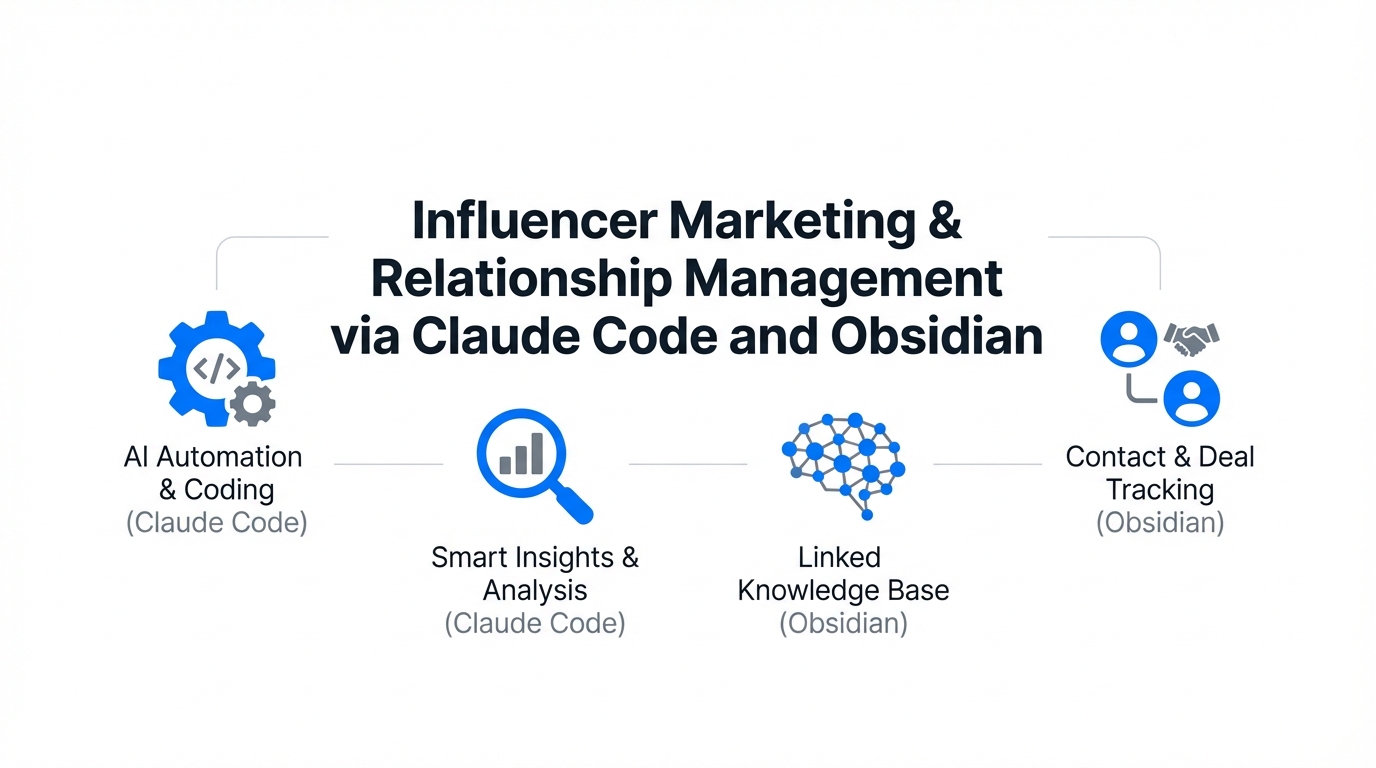
In the world of high-stakes influencer marketing strategy, the greatest bottleneck isn't discovery—it's memory. As campaigns scale from five creators to five hundred, the nuance that makes a partnership successful often evaporates. You forget that a specific creator prefers asynchronous voice notes, or that their audience responded 3x better to a specific product use-case mentioned six months ago. Most brands attempt to solve this with rigid, enterprise CRMs that creators never touch and marketers hate updating. But a new workflow is emerging for those who treat creator relationships like high-value assets: the combination of Obsidian and Claude Code.
By treating influencer management as a decentralized graph of knowledge rather than a flat spreadsheet, brands can use AI to surface deep insights, predict partnership performance, and solve the "Context Problem" that plagues influencer outreach automation. This isn't just about better notes; it's about building a partnership management engine that thinks alongside you.
The Context Problem: Why Traditional CRMs Fail Partnerships
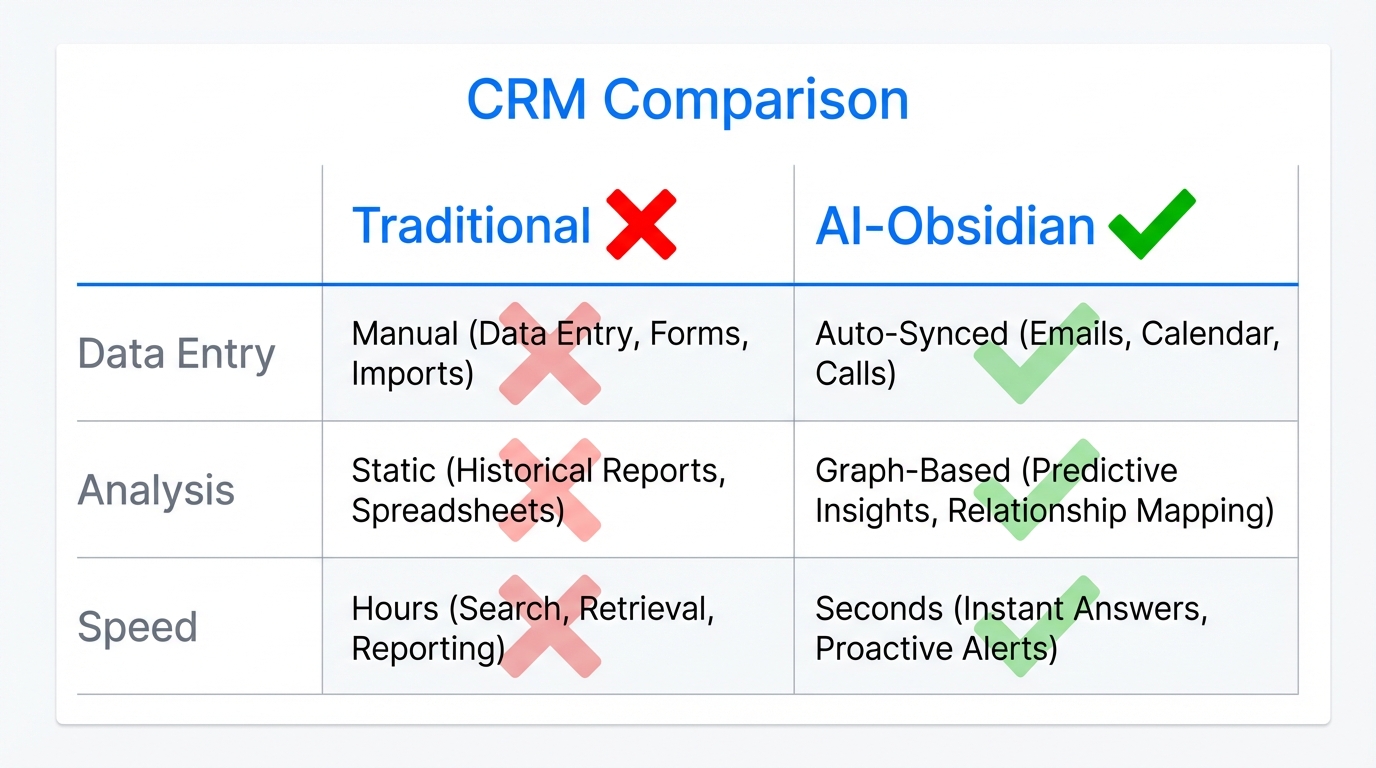
The fundamental issue in partnership management is that agents (AI or human) are only as effective as the information they can access. Most marketing teams store data in silos: Slack threads, email history, contract PDFs, and Google Sheets. When it's time to reach out for a new campaign, the context is scattered. You end up sending generic emails that creators ignore because they feel like they're being talked to by a robot.
As highlighted in recent discussions on AI workflows, the "whole game is feeding the beast good context." If you have to explain your brand's voice, your past interactions with a creator, and your campaign goals every single time you open a new chat window, you aren't actually delegating; you're just micro-managing a different interface. Claude Code solves this by operating directly on your local files, allowing you to pass complex relationship histories to the AI in milliseconds.
The Obsidian Foundation: Building Your Creator Vault
Obsidian is more than a note-taking app; it is a Second Brain built on a folder of local markdown files. For an influencer marketing team, this folder (or "Vault") becomes the source of truth. Unlike traditional tools, Obsidian allows for bi-directional linking. You can link a creator's profile to a specific niche, a historical campaign, a performance tier, or even a personal interest they mentioned in passing.
Structuring Influencer Profiles
To leverage AI effectively, your creator profiles should follow a standardized markdown format. This allows tools to integrate with your deeper relationship management. A typical profile might include:
- Metadata: Platform handles, current follower counts, and engagement rates.
- Interaction Log: Dates and summaries of every touchpoint.
- Performance Data: CPMs, conversion rates, and ROAS from previous collaborations.
- Qualitative Insights: Personality notes, content style preferences, and "brand fit" scores.
When these profiles are interconnected, the graph view in Obsidian reveals patterns you might miss. You might notice that all your top-performing creators for a specific mobile app install campaign are linked to a specific sub-culture or aesthetic that you hadn't explicitly targeted.
"Markdown files are the memories of your business. In a world where LLMs use markdown as oxygen, your ability to document reflections determines your AI's intelligence."Claude Code: The Terminal-Based Partnership Agent
While Obsidian is where you store the information, Claude Code is how you act on it. Claude Code is a command-line interface (CLI) agent that can read, write, and analyze the files in your vault through natural language. Instead of clicking through a UI, you use terminal commands to manage your partnership management pipeline.
The Power of the Obsidian CLI
By pairing Claude Code with the Obsidian CLI, the AI doesn't just see individual files; it sees the interrelationships. It understands that Creator A is connected to Campaign B and that Campaign B had a specific set of brand guidelines. This allows for what experts call "Thinking Partner" sessions, where the AI surfaces patterns about your influencers that you haven't noticed yourself.
| Feature | Traditional Influencer CRM | Obsidian + Claude Code |
|---|---|---|
| Data Format | Proprietary Database | Open Markdown Files |
| AI Context | Limited to platform memory | Full local vault access |
| Relationship Mapping | Manual tagging | Automated Graph Analysis |
| Automation | Pre-set workflows | Custom Terminal Commands |
| Privacy | Cloud-stored | Local-first / Private |
The Partnership Playbook: 5 Commands to Scale Relationships
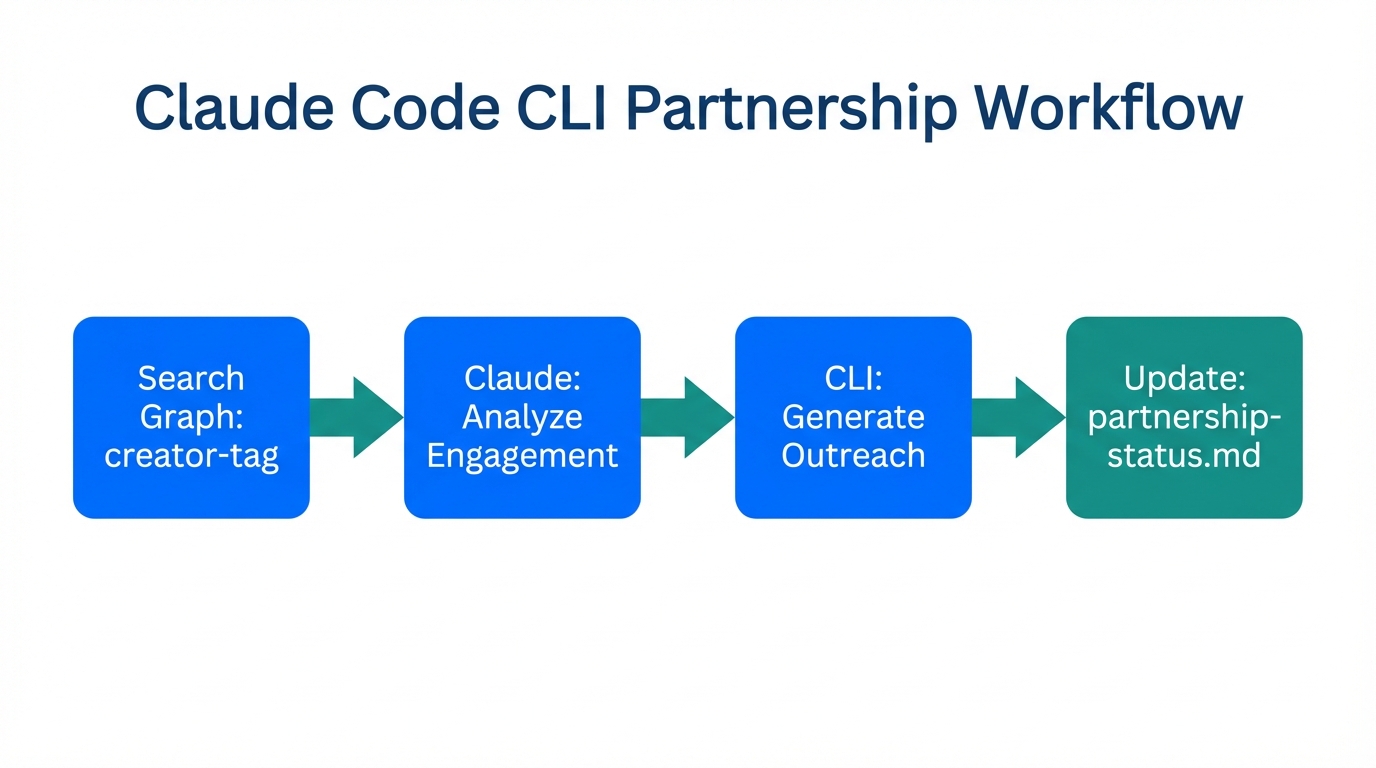
To turn your vault into a functional AI CRM for creators, you can create custom commands within Claude Code. These allow you to automate the most tedious parts of influencer outreach automation while maintaining 100% personalization.
1. The `/trace` Command for Partnership Evolution
In high-value partnerships, the relationship changes over time. The /trace command tracks how a creator's relationship with your brand has evolved across the vault. It might scan 18 months of daily notes and surface that the creator started as a skeptic, became a top performer, and is now seeing a plateau in engagement. This allows you to approach them with a data-backed strategy for "refreshing" the partnership rather than a generic re-up email.
2. The `/prep` Command for Influencer Meetings
Before jumping on a call with a talent manager or a creator, run a /prep command. This instructs Claude Code to pull the last 6 months of interaction history, performance stats, and any personal notes (e.g., "just moved to LA"). It generates a one-page summary in the terminal, ensuring you walk into the meeting with perfect recall.
3. The `/emerge` Command for Discovery
The /emerge command is used to surface "latent ideas." You might ask: "Based on my notes from the last three UGC campaigns, what patterns are emerging in the creators who have the highest Day-7 retention for our app?" Claude can then cross-reference disparate notes to find unnamed patterns in content style or audience demographics.
4. The `/predictive-outreach` Command
Using historical performance data stored in your markdown files, you can ask Claude to suggest which partners to contact for an upcoming launch. It doesn't just look at follower count; it looks at contextual performance. For example: "Suggest 10 creators from my vault who have previously over-performed on educational content and haven't been contacted in the last 60 days."
5. The `/draft` Command for Hyper-Personalization
This solves the "Context Problem." By passing specific influencer profile files directly to the agent, you can generate outreach drafts that reference specific past successes. Instead of "We love your content," the AI can write: "I was looking back at the results from our October collab—the way you integrated the UI walkthrough led to a 15% higher conversion than our average. I'd love to try something similar for our new feature launch."
"The alpha in leading a more productive, money-making career is using a centralized note-taking tool where LLMs use your personal reflections as their primary source of truth."Scaling Discovery and Management with Stormy AI
While the Obsidian + Claude Code stack is unrivaled for deep relationship management, you still need a pipeline of new creators to enter the vault. This is where modern AI discovery tools come into play. Platforms like Stormy AI allow you to search for creators using natural language across TikTok, YouTube, and Instagram.
The ideal workflow involves using Stormy AI to discover and vet creators for fraud and audience quality, then "graduating" those creators into your Obsidian vault once they become active partners. By combining Stormy's AI discovery with your Obsidian relationship graph, you create a closed-loop system where every new discovery is informed by your historical data.
Step-by-Step: Setting Up Your AI-Augmented CRM
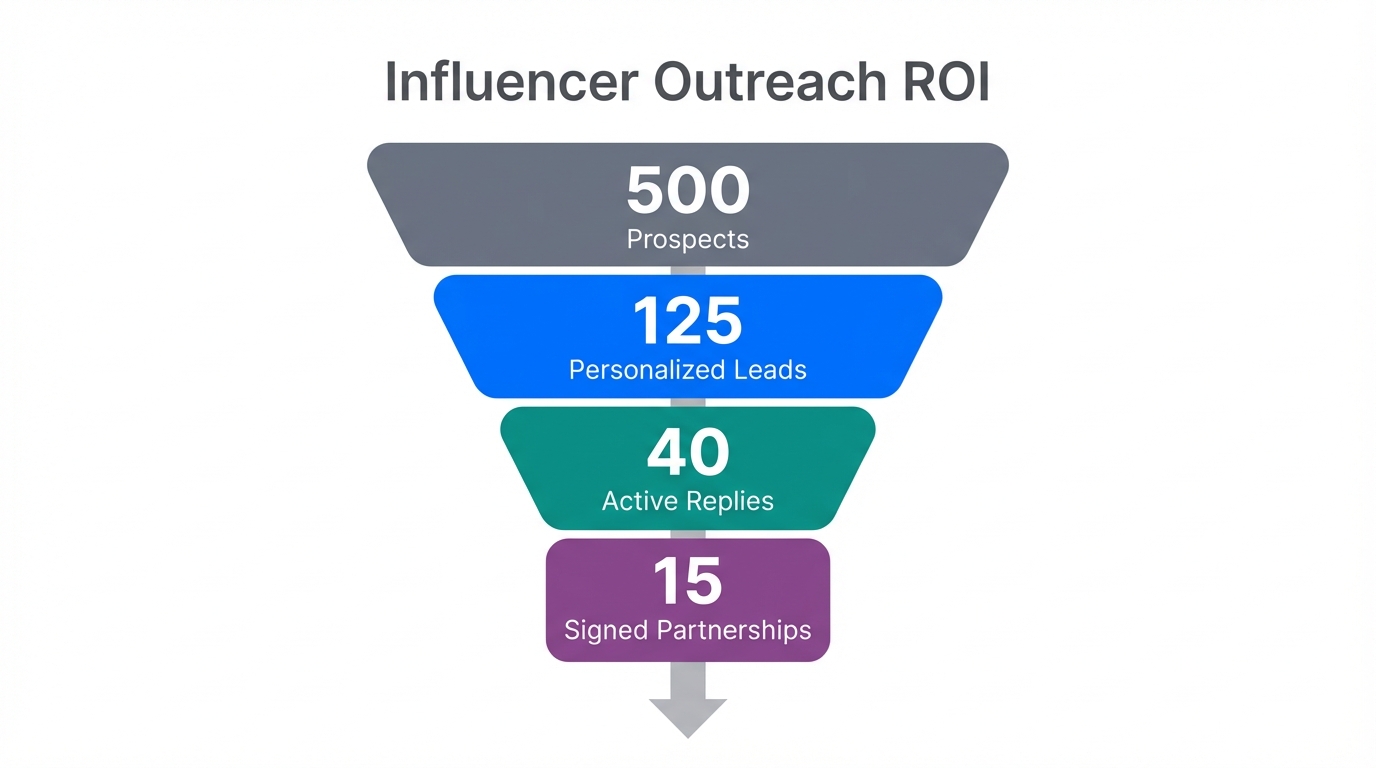
Ready to move your influencer marketing strategy into the terminal? Follow this sequential playbook to set up your decentralized partnership engine.
Step 1: Initialize Your Vault
Download Obsidian and create a new vault. Structure your folders by /Creators, /Campaigns, and /Reflections. Ensure every creator has a dedicated markdown file. Use Properties (YAML) at the top of each file to track quantifiable data like engagement rates and niche.
Step 2: Install Claude Code
Set up Claude Code on your machine. This requires an API key from Anthropic and a terminal environment like iTerm2 or the built-in VS Code terminal. Ensure you give Claude permission to read your Obsidian vault folder.
Step 3: Define Your Context Files
Create "Master Context" files for your brand. These should define your brand voice, your campaign goals, and your Ideal Creator Profile (ICP). When you start a session with Claude Code, use a command like context-load to feed these files to the agent so it never forgets your fundamental values.
Step 4: Integrate Performance Data
Use tools like AppsFlyer or Google Analytics to export campaign results. Instead of leaving them in a CSV, ask Claude to "distribute these performance metrics into the individual creator files in my vault." This ensures your "memories" are always data-backed.
Step 5: Execute and Reflect
After every interaction, spend 30 seconds writing a "Daily Note" in Obsidian. Document the friction, the successes, and the unexpected shifts in the creator landscape. Over time, these reflections become the proprietary data that makes your AI outreach smarter than your competitors.
The Future of Human-Computer Relationships in Marketing
We are witnessing a fundamental shift in how marketers interact with their data. The era of the "spreadsheet monkey" is ending, replaced by the era of the Context Architect. By using Obsidian as your second brain and Claude Code as your hands, you aren't just managing influencers; you are building an intelligence system that compounds in value every day.
As you scale, remember that tools like Stormy AI are your eyes on the market, while your vault is your brand's memory. When you combine the two, you solve the context problem once and for all, leading to partnerships that are more human, more personalized, and significantly more profitable.