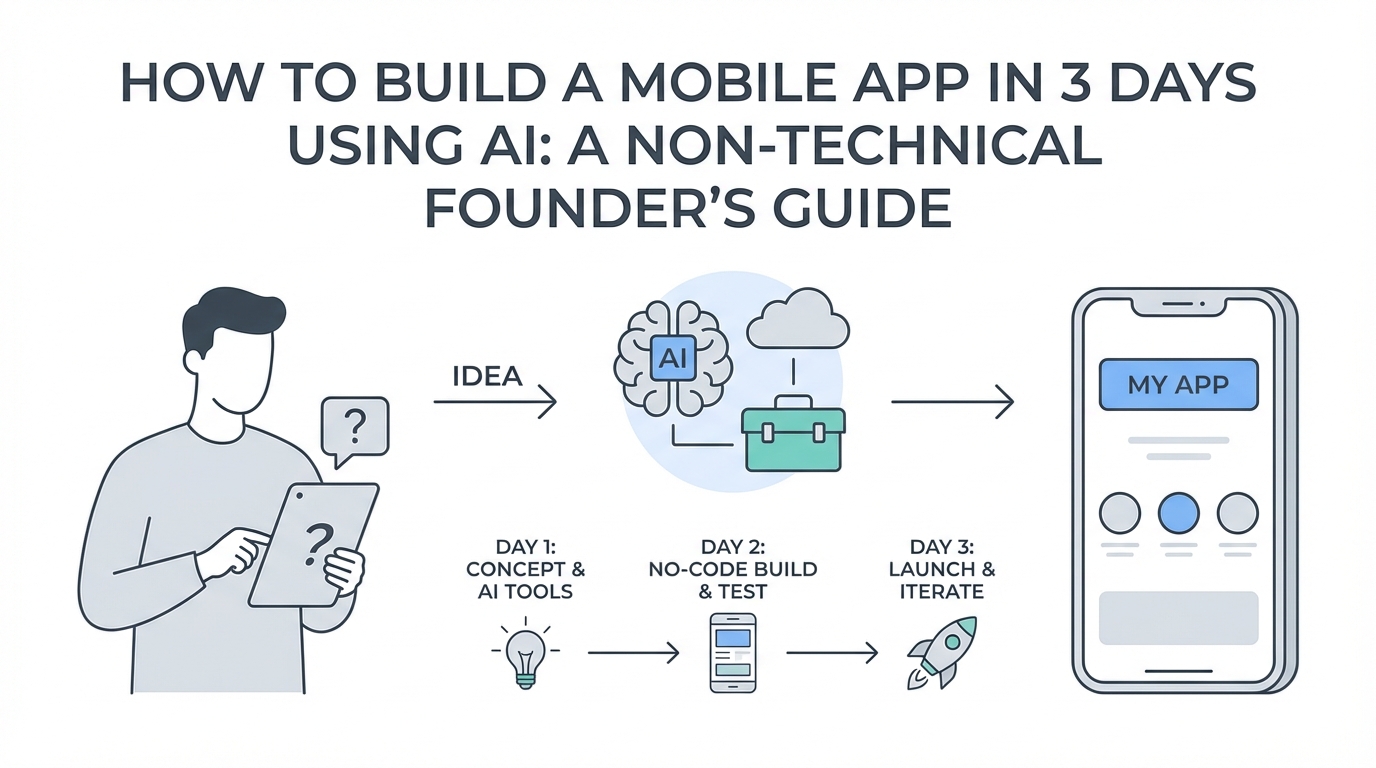
The barrier to entry for software development has officially collapsed. Just a few years ago, a non-technical founder with a vision for a mobile application would face a choice: spend six months learning to code, or spend $30,000 on an agency. Today, that timeline has been compressed into a single weekend. Founders are now leveraging a new breed of AI-powered coding tools to go from ideation to a functional, revenue-generating product in as little as 72 hours. This isn't a hypothetical shift; it is the exact methodology used by entrepreneurs like Mal Baron, who built the Prayer Lock app in three days—a product that now generates over $20,000 in monthly revenue with a staggering 43% conversion rate. In this guide, we will break down the precise playbook for how to build an app with AI using the modern toolstack of 2026.
The AI Toolstack: Your Virtual Development Team
To build an app fast, you must move beyond traditional IDEs and embrace an AI-first environment. The foundation of this strategy is Cursor, an AI code editor that has quickly become the gold standard for non-technical builders. Unlike standard editors that require manual syntax knowledge, Cursor allows you to interact with your entire codebase through natural language. Most successful founders today utilize Claude 3.5 Sonnet as their primary model within Cursor because of its superior reasoning and ability to understand complex architectural dependencies. While Cursor acts as your daily driver for writing the bulk of the code, you should supplement it with ChatGPT for higher-level troubleshooting and general architectural questions. By using the ChatGPT Mac desktop app alongside Cursor, you can quickly verify logic and apply small code changes without cluttering your main project environment. This combination of tools ensures that you are never staring at a blank screen or an unfixable error.
Modular Building: Why You Should Never One-Shot an App

One of the most common mistakes in no code app development and AI-assisted coding is the attempt to 'one-shot' a project. Founders often prompt the AI with a massive request like, 'Build me a full social media app for fitness.' This inevitably leads to hallucinations, broken logic, and messy code that is impossible to debug. Instead, the secret to rapid success is modular building. You must break your application down into small, functional 'blocks' or features. For example, your first block should be the basic navigation structure. Once that is functional, move to the next block, such as the user onboarding screen. Only once that screen is perfect do you move to the core utility of the app. By building feature-by-feature, you ensure that the AI has a clear, manageable context window, which significantly reduces errors. This approach allows you to build app with ai components that are stable and scalable from the very first day.
Avoiding the Mockup Trap: Design Speed Secrets
Traditional app development dictates that you start with weeks of UI/UX design in Figma. However, if your goal is to launch in three days, this is a 'mockup trap' that kills momentum. Instead of custom designing every pixel from scratch, the most efficient founders study existing successful apps in their niche. Tools like Canva are surprisingly effective for this. You can create a document, take screenshots of the best onboarding and utility screens from your competitors, and lay them out to see the flow. By mimicking proven patterns—such as the high-converting onboarding flows found in top-tier apps—you bypass the need for a professional designer. You can then feed these visual descriptions directly into your cursor ai tutorial workflow, asking the AI to replicate the layout and styling of successful competitors. This ensures your app looks professional and functions intuitively without the two-week design detour.
Frictionless Architecture: Skipping Auth and Databases
Technical complexity is the enemy of speed. Many founders get bogged down in setting up complex authentication systems and cloud databases before they even have their first user. For a true MVP, consider a frictionless architecture. As demonstrated by the Prayer Lock success story, you can often skip authentication and traditional databases entirely. By saving user data locally on the device, you eliminate the friction of a sign-up screen, which can significantly boost your onboarding conversion rates. This strategy also keeps your infrastructure costs at a minimum. Using AWS for basic hosting and web services is affordable, but keeping the core data local means you don't need a heavy backend on day one. Remember, most users don't care about cross-device syncing until they are already deeply invested in the product; prioritize getting them into the experience as fast as possible.
Token Management and API Cost Optimization
Building with AI isn't free, and 'token' costs can add up if you aren't careful. To keep your development costs low, you should diversify your tool usage. Use Cursor for the heavy lifting of code generation, but pivot to free or lower-cost versions of models like Google Gemini Flash for repetitive tasks or simple code explanations. Monitoring your token expenditure is vital for maintaining a low-cost operation during the early stages. For in-app AI features, such as generating personalized content for users, look for lightweight models that offer a balance of performance and price. Modern founders often use tools like PostHog to track how users interact with these AI features, allowing them to optimize the prompts and backend calls to ensure the app remains profitable even as it scales toward $20,000 in monthly revenue.
Marketing Your App: The UGC and Distribution Playbook

Building the app is only 20% of the battle; the remaining 80% is distribution. For mobile apps, UGC (User-Generated Content) is the most effective lever for growth. The strategy that scaled Prayer Lock involved posting high volumes of content—up to 40 times a day—across multiple accounts on TikTok and Instagram. The most effective format is often the 'reaction video,' where a creator demonstrates the app's value in a relatable way. For founders who don't have a background in content creation, platforms like Stormy AI are invaluable for finding the right talent. Stormy AI is an all-in-one AI-powered influencer marketing platform for creator discovery, especially for mobile app marketing and UGC campaigns. Rather than guessing which creators will resonate with your audience, you can use Stormy AI to discover UGC creators who specialize in mobile app marketing and have a track record of driving downloads. Once you find a video format that works organically, you can scale it using TikTok Spark Ads, which can lower your cost per trial started to as low as $1.88, making a $50 yearly subscription highly profitable.
The 6-Step Playbook for Mobile App Success

- Identify High-Potential Niches: Use Sensor Tower to find niches where existing apps are making at least $50,000 per month but have outdated designs or poor user experiences.
- Substantial Improvement: Choose one of these apps and identify three key ways to make it better, whether through faster performance, better UI, or integrated AI features.
- The 14-Day Code Sprint: Set a hard limit. Use Cursor and Claude to build your functional MVP in less than two weeks. This prevents the 'perfectionist trap' that stops most projects.
- Distribution Obsession: Once the app is live, stop coding. Spend 100% of your time on distribution. Copy working video formats in your niche and post relentlessly. To automate this, you can set up an autonomous Stormy AI agent that discovers and outreaches to creators on a daily schedule while you sleep.
- Onboarding Iteration: Use Superwall to test different paywall designs and onboarding lengths. Mal Baron found that increasing onboarding length actually tripled his conversion rate because it allowed for better storytelling.
- Scale with Paid Ads: Once you have a 10% download-to-trial conversion rate, start spending on paid ads. Use Stormy AI to track all your creator posts and monitor engagement and views across all platforms to ensure your ROI remains high. You can also use an MMP like Singular to track your ROI accurately across platforms.
Conclusion: From Idea to Revenue
Building a successful mobile app in 2026 is less about your ability to write syntax and more about your ability to manage AI agents and distribution channels. By leveraging Cursor AI for rapid development, skipping unnecessary technical hurdles like back-end databases, and obsessing over UGC-led distribution, any founder can launch a product that competes with established incumbents. The key is to start small, build in blocks, and focus on providing immediate value to the user. Whether you are building a tool for faith, fitness, or finance, the tools to succeed are already at your fingertips. Now is the time to stop planning and start building.