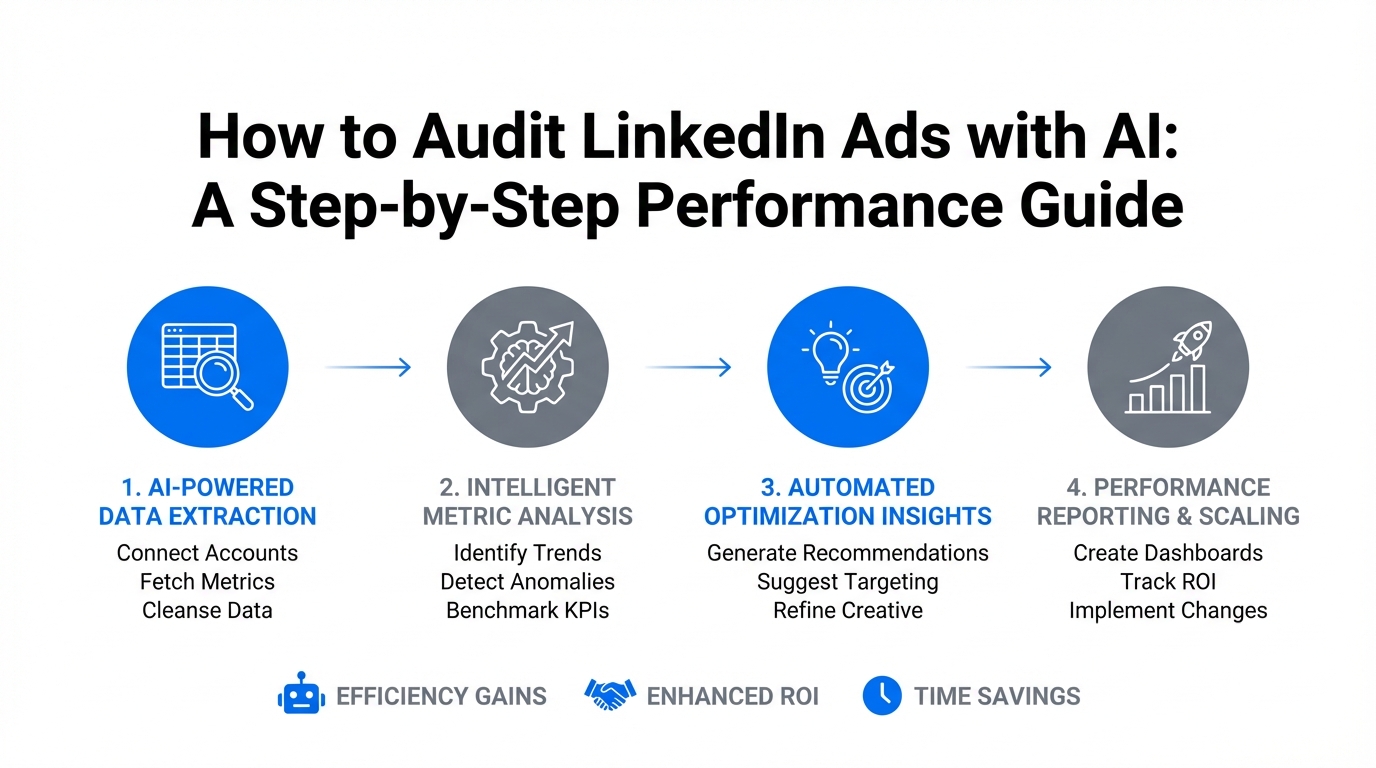
For years, B2B marketers have been trapped in a cycle of manual CSV exports, pivot tables, and the relentless squinting at native dashboards that seem designed to hide inefficiencies. But the era of the "manual audit" is coming to an abrupt end. Today, LinkedIn generates 80% of all B2B social media leads and is utilized by a staggering 97% of B2B marketers for content distribution. As the platform's dominance grows, so does the complexity of managing it. We are entering the age of Agentic Marketing Orchestration, where AI agents don't just suggest optimizations—they execute them.
The Shift from SaaS Dashboards to Agentic Orchestration
Traditional SaaS tools are built on rigid interfaces. If a filter doesn't exist, you can't see the data. However, the rise of Claude Code and command-line interface (CLI) tools is changing the game. By moving from "AI-assisted" workflows (chatting with a bot) to "AI-orchestrated" workflows (using agents that can read code and access APIs), marketers are seeing a massive shift in efficiency. Gartner predicts that 40% of enterprise applications will embed AI agents by 2026, and early adopters are already building AI marketing command centers to handle multi-step workflows while they sleep.
While LinkedIn’s native AI (Accelerate) can provide a 42% reduction in cost-per-action (CPA) through automated bidding, it remains a "black box." To truly reduce LinkedIn ads cost and maintain control over your brand voice, you need a transparent, deep-dive audit that only custom AI agents can provide through Long-Context Reasoning.
Step 1: Running a 190+ Checkpoint Parallel Audit
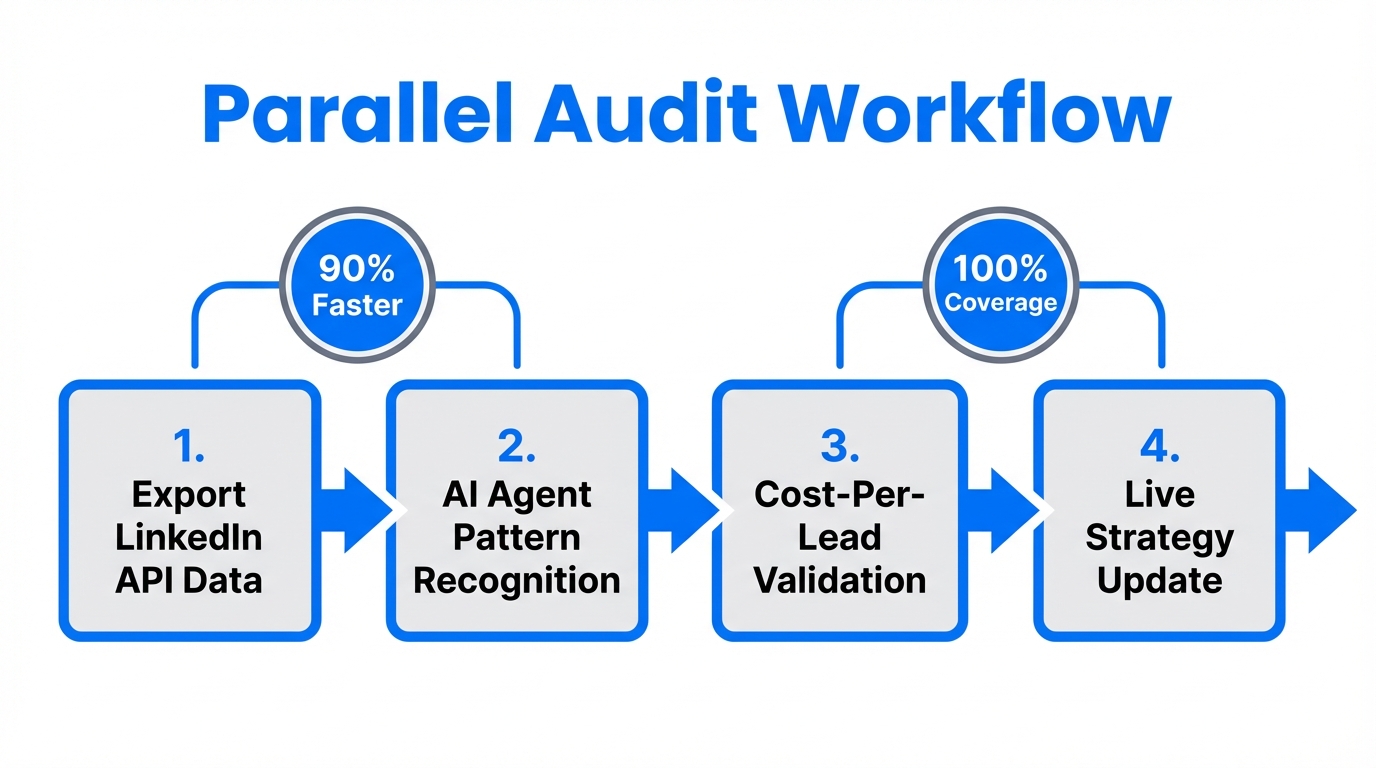
The core of a modern LinkedIn ad audit involves more than just checking your CTR. You need to analyze the technical setup, audience overlaps, and creative resonance simultaneously. Using open-source skills like Cloudy Ads, performance marketers can now run an automated parallel audit across nearly 200 distinct checkpoints.
"The transition from no-code SaaS to low-code agentic tools allows marketers to analyze years of performance data in seconds—something standard filters simply cannot touch."
How to Implement the Audit Skill
To begin, you'll need to use Claude Code (the CLI tool from Anthropic). Unlike the web version of Claude, the CLI can interact with your local environment and external APIs directly. You can find the necessary open-source skill here. Once installed, the process looks like this:
- Initialize the Agent: Run the
/ads plancommand in your terminal. - Site Scraping: The agent automatically scrapes your landing pages and website to understand your product's core value proposition.
- Benchmark Analysis: It compares your current LinkedIn metrics against industry standards and competitor benchmarks.
- Reporting: The agent generates a comprehensive PDF report with budget-aware recommendations.
| Audit Feature | Traditional Manual Audit | AI Agent Audit (Cloudy Ads) |
|---|---|---|
| Speed | 4-8 Hours | Less than 5 Minutes |
| Data Scope | Limited to manual exports | 190+ Checkpoints |
| Insight Depth | Surface-level (CTR, CPC) | Long-Context Reasoning |
| Actionability | Static Recommendations | Executable Scripts |
Step 2: Performance Analysis via Model Context Protocol (MCP)
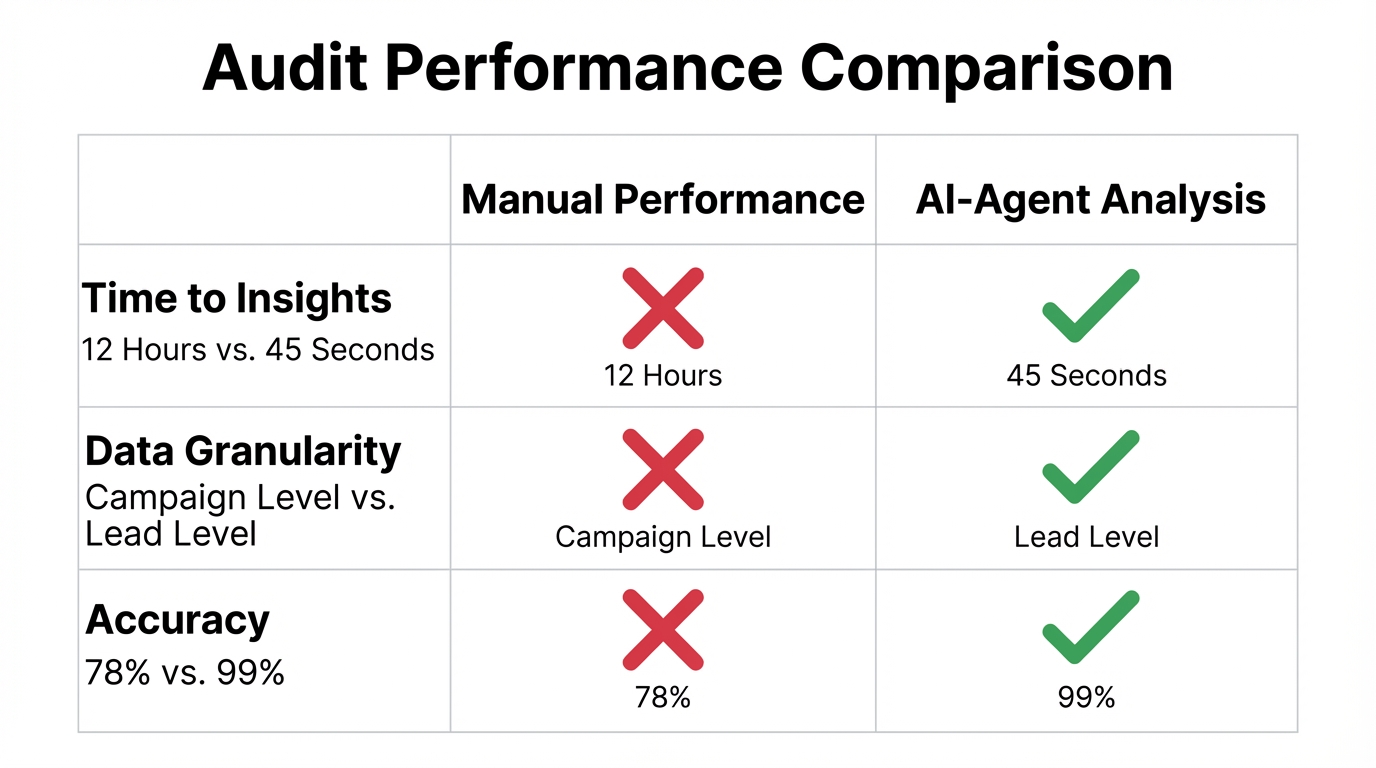
One of the biggest friction points in B2B ad optimization is the manual handling of data. The Model Context Protocol (MCP) allows you to connect Claude directly to your LinkedIn Ads data without ever hitting the "Export to CSV" button. This creates a secure, real-time data bridge for deep analysis.
By using an MCP server from providers like Insightful Pipe or Radiate B2B, you can ask complex questions in natural language. Instead of building a complex report to see which job titles are clicking your ads but not converting, you can simply type:
"Analyze my campaign performance by job title and suggest where to reallocate $5,000 for maximum ROI."
The AI will then parse through thousands of data points, identify that "Software Architects" have a 20% lower CPL than "CTOs" in your current campaign, and recommend shifting spend accordingly. This level of performance marketing automation allows teams to stay agile without increasing headcount.
Step 3: Budget-Aware Reallocation and ROI Maximization
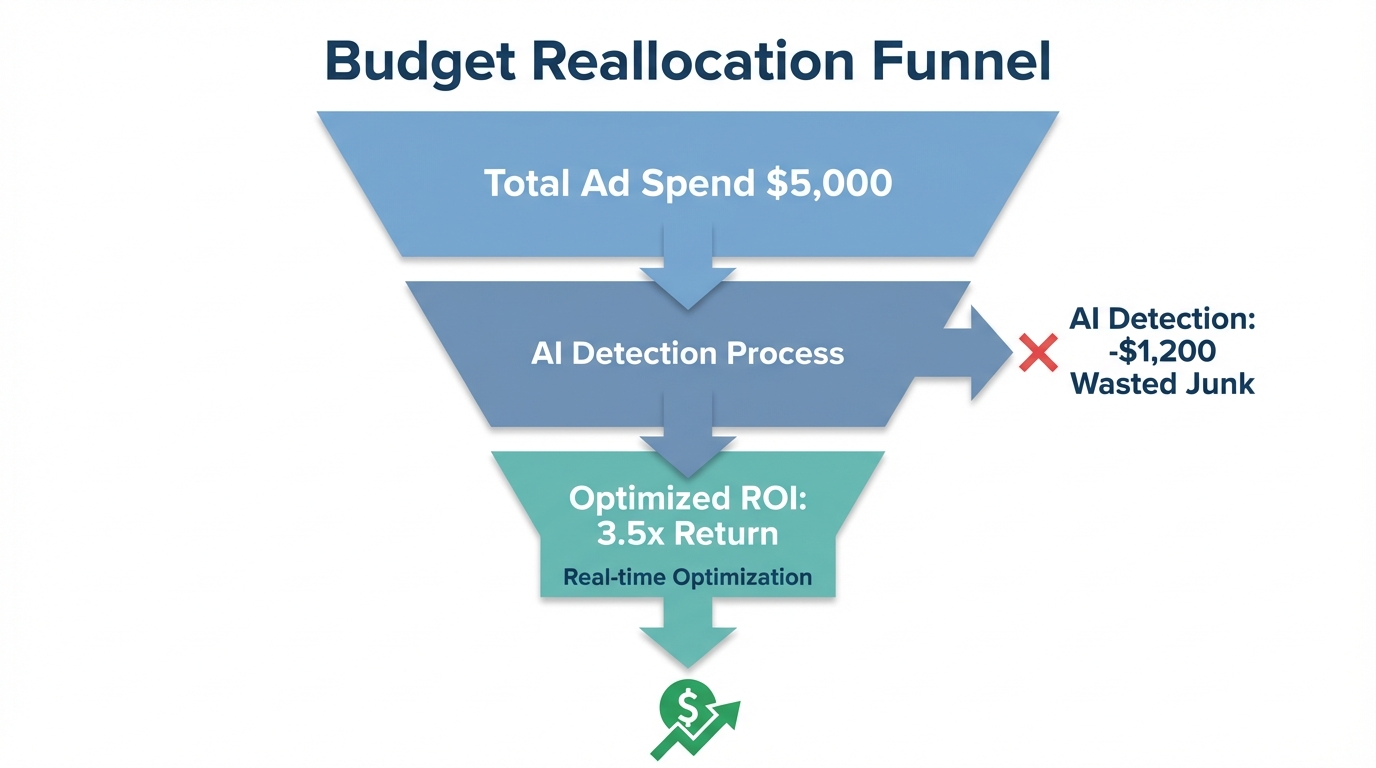
Once your audit is complete, the next challenge is execution. AI agents excel at budget-aware recommendations because they can simulate multiple spending scenarios based on historical data. When you are looking to optimize for advertising, the AI doesn't just look at the last 7 days; it looks at the entire life of the account.
For example, a B2B SaaS company recently used agentic workflows to scale from 5 to 50 campaigns per month. They didn't do this by hiring more managers, but by using Claude to automate creative testing and budget shifts. If a specific ad variation begins to fatigue (indicated by a rising CPC and dropping frequency), the AI agent can automatically flag the trend and propose a new creative asset based on the high-performing "Voice DNA" of previous successes.
Step 4: Identifying and Fixing 'Junk' Leads with CRM Data
The bane of every LinkedIn Ads manager's existence is the "junk lead"—those users who download a whitepaper but have no intention (or budget) to buy. To solve this, you must close the loop between ad performance and your CRM.
Using Claude Code, you can analyze your HubSpot or Salesforce "Closed-Won" data. By feeding this data back into your audit process, the AI can identify patterns in the leads that actually turn into revenue. It then uses these insights to build a tighter Ideal Customer Profile (ICP) before you launch your next campaign.
- Identify the pattern: Are your best deals coming from specific company sizes?
- Negative targeting: Use the AI to generate a list of job titles or companies to exclude based on high churn rates.
- Content alignment: Ensure the ad copy speaks to the pain points found in your sales team's technical documentation—a task where Claude's 90% accuracy in analysis shines.
Step 5: Your 2026 Marketing Data Tech Stack
To run these audits effectively, you need a modern stack that supports agentic functions. Moving away from monolithic suites and toward specialized, API-first tools is essential for B2B ad optimization.
| Category | Recommended Tool | Purpose |
|---|---|---|
| Orchestration | Claude Code CLI | The "brain" that executes terminal commands and code. |
| Data Bridge | n8n | Trigger-based automation for moving data between tools. |
| Engagement | PhantomBuster | Safe, compliant scraping and lead enrichment. |
| CRM | HubSpot | The source of truth for lead quality and deal stages. |
By integrating these tools, you can create a loop where your LinkedIn Ads drive high-quality traffic to landing pages, while you leverage modern growth stacks to scale your reach.
Common Mistakes to Avoid
Automation is powerful, but it requires guardrails. One of the most common mistakes is ignoring platform limits. For instance, LinkedIn has strict automation policies; exceeding 20 requests per day for connections or 100 per day for messages can result in account restrictions, as noted by PhantomBuster.
Furthermore, generic AI output is increasingly being penalized. LinkedIn's algorithms have a high detection rate for purely AI-generated content, which can result in a 30% reach penalty. To combat this, always use "Voice DNA" prompts in Claude Code, referencing your historical high-performing posts to ensure the output feels human and professional. As experts at AI Bees suggest, automation should scale the journey, but it is the personalized touchpoints that turn clients into partners.
The Future of LinkedIn Performance Marketing
The goal of a LinkedIn ad audit is no longer just to find what's broken—it's to build a system that prevents things from breaking in the first place. By leveraging AI agents, MCP servers, and integrated CRM data, you can transform your LinkedIn presence from a high-cost experiment into a high-efficiency revenue engine. Start small: run a parallel audit this week, connect your LinkedIn data to Claude via an MCP server, and let the marketing data analysis show you exactly where your next $100k in revenue is hiding.
Ready to automate your creator discovery as well? Learn how Stormy AI can streamline your entire influencer marketing workflow alongside your paid ad strategies.