In the hyper-saturated social media landscape of 2026, the barrier to entry for content creation has vanished, but the barrier to attention has never been higher. As platforms like Instagram and TikTok evolve, their recommendation engines have shifted to favor "high-fidelity aesthetics"—content that doesn't just deliver information, but provides a visceral, cinematic experience. To survive as a growth marketer this year, you must move beyond basic cuts. You need to master the art of visual differentiation using AI-assisted editing workflows that stop the scroll and force the algorithm to take notice.
High-retention video growth is no longer about just 'good lighting' and 'fast cuts.' According to recent Statista marketing reports, it is about creating 'impossible' moments that trigger the viewer's curiosity within the first 1.5 seconds. By leveraging tools like Adobe Premiere Pro and FreePik, creators like Kova are generating millions of views by blending real-world footage with AI-generated masks. This guide will break down the exact technical workflow used by elite creators to dominate the 2026 social feeds.
The Business Case for High-Fidelity Aesthetics: Triggering the Recommendation Engine
Why does visual quality matter so much in 2026? Because the algorithm uses visual novelty as a proxy for content quality. When a user scrolls past a video that looks like every other "talking head" clip, their brain filters it out. However, when they see a video where retro tech devices orbit a creator's head or a bedroom transforms into a high-tech hacker den via AI masking, the brain pauses. That pause—a micro-metric of engagement—signals to the platform that your content is high-value.
Visual differentiation is the key to lowering your bounce rates. If you are struggling to find creators who already execute this well, using an AI-powered discovery tool like Stormy AI can help you source influencers who are already mastering these aesthetics. By analyzing the top 1% of creators, we see a recurring theme: they don't just film; they architect their frames. They use AI to add layers of depth that weren't there in the original shot, making the viewer wonder, "How did they film that?"
"The creators of the future need to think about differentiation. My differentiating factor is the artistry that comes with my content, and AI helps me achieve that at scale."By investing in high-fidelity visuals, you aren't just making "pretty" videos; you are building a defensible brand identity. When your visual style is so distinct that it can't be easily replicated with a basic mobile app, you insulate yourself from the sea of generic AI-generated content. You become a "vibe" that people want to follow, not just another source of information.
Deconstructing Viral Styles with AI Agents
Learn how to analyze and replicate viral storytelling styles using AI-driven prompts.
Before you open Premiere, you need a blueprint. One of the most powerful workflows in 2026 involves using agentic AI to "reverse engineer" successful content. Tools like Manus AI can now watch a video, transcribe it, and provide a granular breakdown of the visual language being used.
The 5-Act Build Structure
Research into viral short-form content shows that the most successful "build-logs" or "dev-logs" follow a strict 5-act structure that keeps retention high, similar to frameworks found on Think with Google:
- The Hook (0-3s): Visual first, verbal second. Show the finished product immediately.
- Conflict & Stakes: Introduce a personal challenge or technical hurdle to create relatability.
- The Build: Three clear steps punctuated by high-fidelity B-roll and macro shots.
- Problem & Resolution: A classic three-beat dramatic arc (too slow, too fast, just right).
- CTA & Tease: Seed what happens in the next episode to encourage the follow.
By putting the "burden of proof" on AI agents, you can generate a full replication plan including aesthetic keywords like "Dark Academia Maker," "Cozy Hacker Den," or "Kawaii Nostalgia." This allows you to plan your lighting, typography, and props in Figma or Canva before you even hit record.
| Element | Traditional Approach | AI-Enhanced 2026 Approach |
|---|---|---|
| Scripting | Manual brainstorming | AI agents like Manus deconstructing viral hooks |
| Set Design | Physical props & expensive lighting | Static shots + AI masking for virtual set extension |
| B-Roll | Stock footage sites | Custom FreePik AI video generations |
| Transitions | Simple wipes and cuts | AI-generated "Impossible" 3-second transitions |
Step-by-Step Guide: Mastering AI Masks in Adobe Premiere
See how AI masks transform simple backgrounds into cinematic, high-retention visual experiences.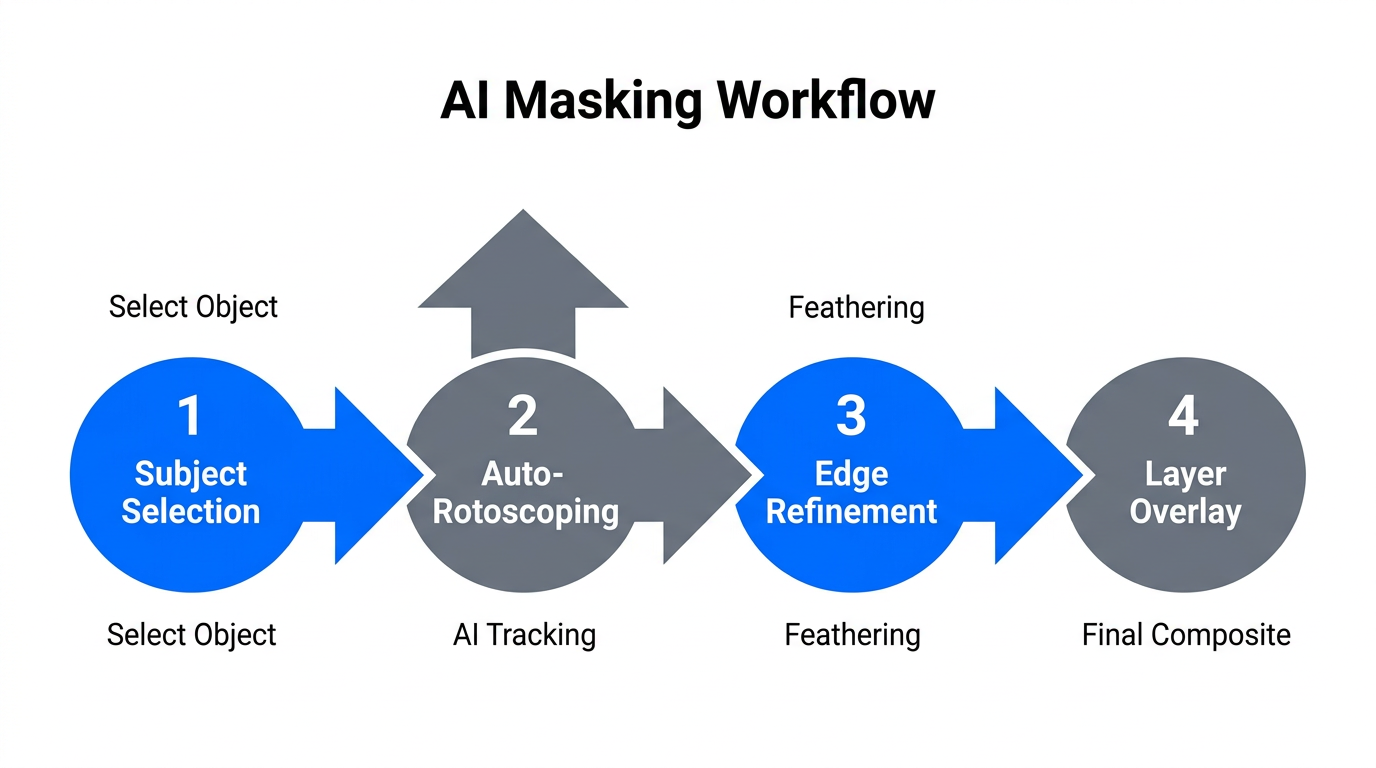
The core technique for creating "impossible" visuals in 2026 is the AI Masking Workflow. This involves taking a static frame from your video, using an AI image generator to add or modify elements, and then masking those elements back into your original footage in Adobe Premiere Pro.
Step 1: Extract and Enhance
Take a single frame of your talking head shot and bring it into FreePik's Image Editor. Use a model like Anabaana Pro to annotate the image. Instead of typing long, complex prompts, keep them general. For example, draw a circle on a bare wall and prompt for "bookshelves with RGB lighting" or "a vinyl record player."
Step 2: Generate the Virtual Set
AI models in 2026 are highly capable of understanding spatial context. By using visual prompts (annotating directly on the image), you ensure the AI-generated objects match the perspective and lighting of your original room. Once you have a generation you like—perhaps adding fairy lights or extra plants—save the image.
Step 3: The Premiere Masking Process
Bring both your original video and the new AI-enhanced image into Adobe Premiere Pro. Place the image on a track above your video. Now, use the Opacity Mask tool to draw a path around the new objects. The secret is to ensure the objects don't overlap with your moving body. If you stay within the "safe zones" of the frame, the mask will look seamless, transforming your dorm room into a professional studio.
"No longer is Hollywood-level studio set design gatekept. Any creator can do it in their bedroom using simple AI masking techniques."The 'Aha Moment' Strategy: Using 3-Second AI Transitions
Unlock why the first fifteen seconds determine your video’s success on social platforms.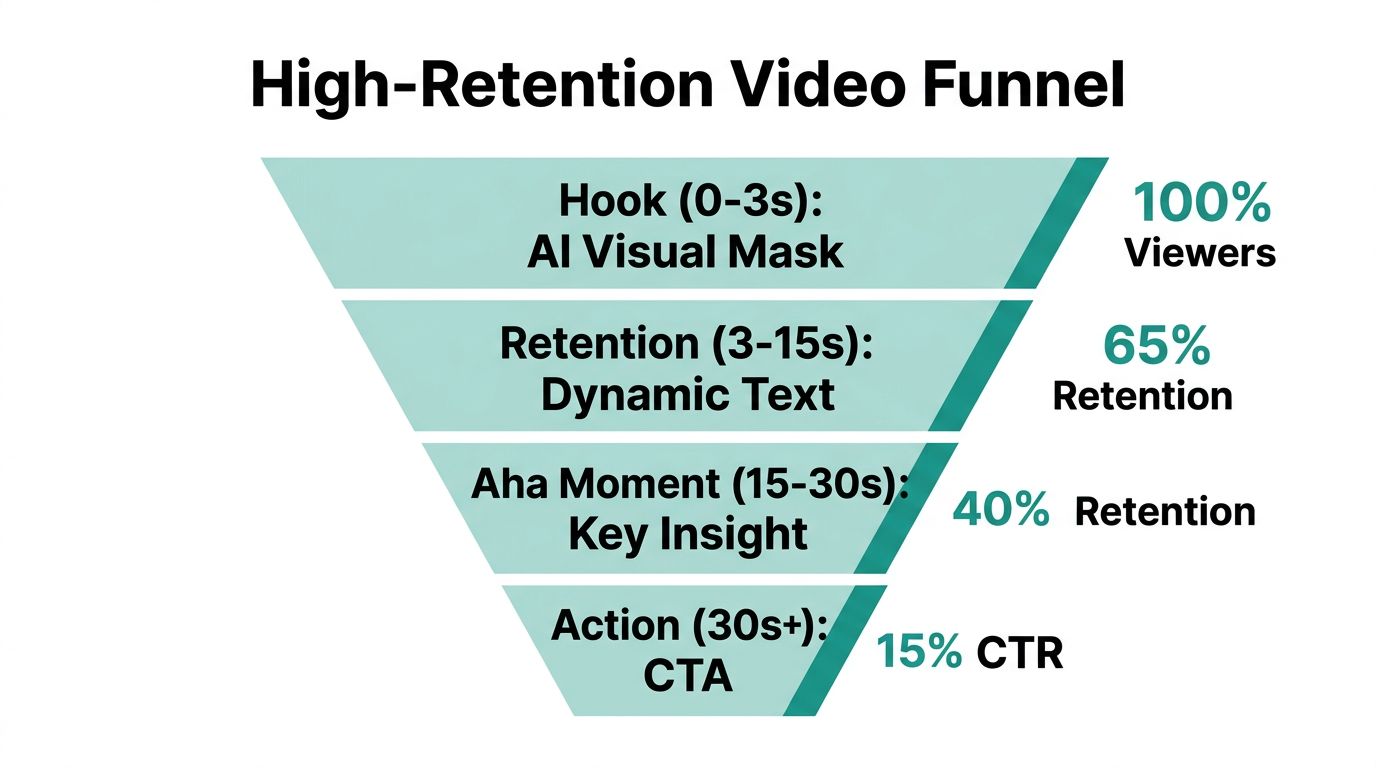
The first 15 seconds of your video determine its fate. To stop the scroll, you need an Aha Moment—a visual transition so unique that the viewer feels compelled to see what happens next. In 2026, this is achieved through AI video generation tools like SeaDance Pro.
Instead of a standard cut between scenes, create a bridge. For example, if you are moving from a talking head to a childhood story, use a starting frame of a physical photo on your desk and an ending frame of a video clip. Prompt the AI to "animate the photo coming to life" or "zoom into the writing on the page." This 3-second transition provides a cinematic bridge that standard editing tools simply cannot replicate.
Granular Control vs. Speed: Adobe Premiere vs. CapCut
Discover the differences between professional editing suites and simple mobile-friendly applications.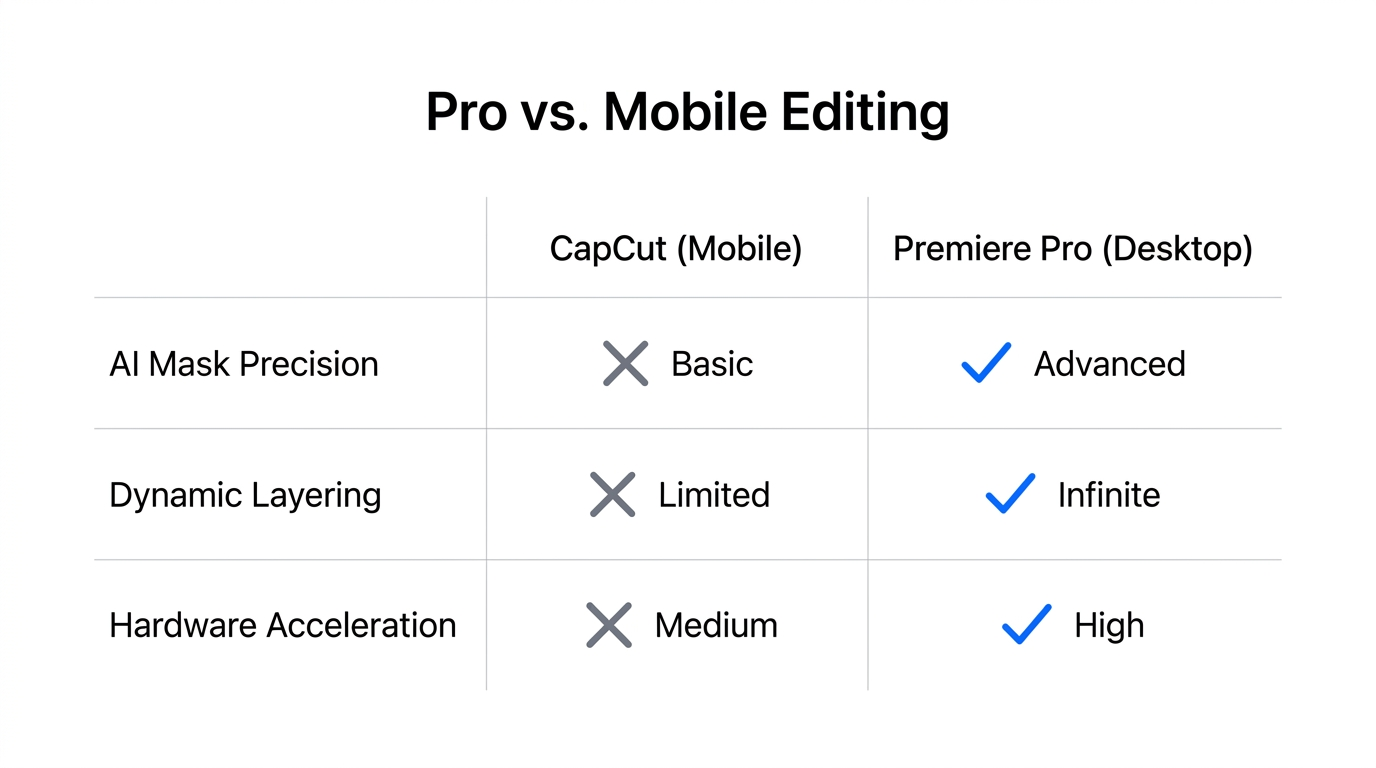
A common question for founders in 2026 is whether to use high-end tools or simplified apps. The choice depends on your growth stage and technical comfort.
Adobe Premiere Pro: The Power User's Choice
If you want full control over your "VFX physical" shots—where objects orbit your head or glow effects are frame-perfect—Premiere is essential. It offers granular control over VR effects, blurs, and advanced masking. For creators looking to build a truly unique "signature style," the learning curve of Adobe Premiere Pro is worth the investment.
CapCut: The Growth Marketer's Shortcut
For those who need to ship content daily, CapCut offers "nerfed" versions of these tools. You can still perform basic masking and apply neon or glow presets. While you lose the ability to create "impossible" shots that require frame-by-frame tracking, you gain significant speed. Most creators in 2026 use a hybrid approach: Premiere for the main "hero" videos and CapCut for quick social updates.
Systems for Scaling: Obsidian and Claude Code
You cannot scale high-quality art without a system. In 2026, the most efficient creators have moved away from manual storyboarding. Instead, they use Obsidian combined with Claude Code to automate the planning phase.
By maintaining a "Style Guide" in Obsidian, you can use AI to turn a raw script into a full storyboard table in seconds. You can index into your files and ask Claude to "ensure this script follows the Kova style guide," which might include rules for word-by-word captions, specific 8-bit audio textures, and a 75-second runtime limit. This automated planning allows you to spend more time on the creative "art" and less time on administrative friction.
Post-Production Checklist for 2026
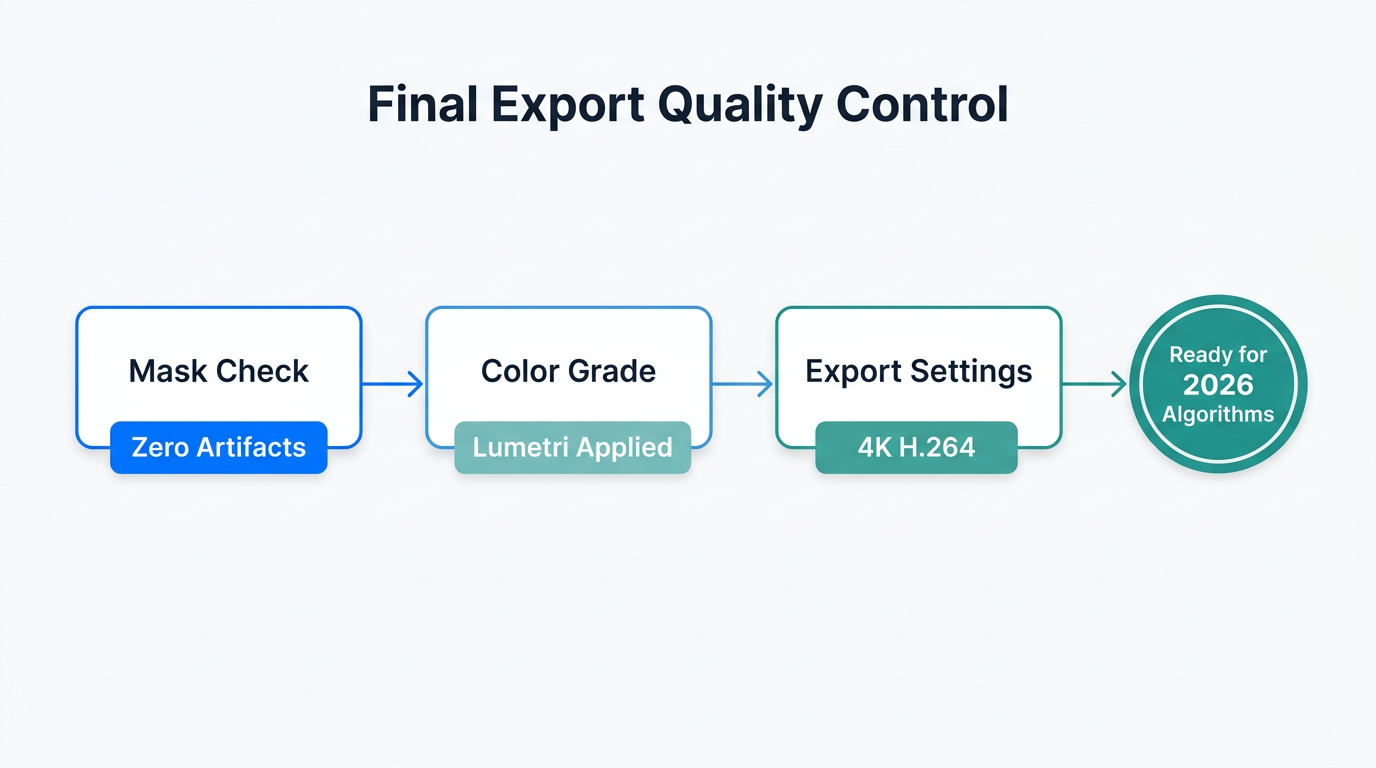
Before you hit publish on your AI-enhanced masterpiece, run through this final quality control checklist to ensure maximum retention:
- Typography Consistency: Do you have three distinct styles? A multi-gradient title card, clean section headers, and word-by-word captions.
- Audio Texture: Use lo-fi, slightly nostalgic background tracks (70-90 BPM) from libraries like Epidemic Sound. Avoid generic corporate music; aim for "warm and crunchy" textures.
- The 3-Second Rule: Does your opening 3 seconds show the finished product? If not, move the visual payoff to the front.
- Caption Tone: Ensure your post captions are casual and lowercase, ending with a "Series Hook" like "Part 1" or "Episode 1" to build recurring viewership.
Conclusion: From Content to Art
The era of "good enough" video is over. As we've seen throughout 2026, the winners in the creator economy are those who treat their videos like art rather than commodities. By mastering AI masking in Adobe Premiere Pro and leveraging discovery tools like Stormy AI to find the best-performing trends, you can build an audience that is actually invested in your brand.
Stop listening and start building. Use FreePik to generate your first virtual set extension today, and watch your retention metrics climb as you deliver the "impossible" visuals your audience is craving.