In 2026, the distance between a customer clicking an ad and completing a checkout has never been shorter, yet the competition for attention is at an all-time high. For ecommerce brands running on Shopify or scaling via TikTok Shop, the bottleneck isn't usually traffic—it is friction. Even the best products fail when the landing page doesn't build immediate trust. This is where modern tools like Google AI Studio come in. By leveraging real-time screen sharing and "Grounding with Google Search," you can now perform professional-grade CRO audits in minutes. While an AI ecommerce employee like Stormy AI handles the messy back-office inventory and supplier follow-ups, you can use Google AI Studio to ensure your front-of-house conversion engine is perfectly tuned.
Setting Up Your Command Center: Google AI Studio in 2026
 0:30
0:30To begin your shopify store audit 2026, you first need to navigate the updated layout of Google AI Studio. Unlike the basic chatbots of the past, this platform is divided into functional cards designed for specific ecommerce outcomes. You will find sections for Playground, Build, Dashboard, and Documentation. For most conversion tasks, the Playground is your home base.
Once you are in the Playground, you will see various modes: Code/Reasoning, Image Generation, Video Generation, and the game-changing Real-time mode. These tools allow you to analyze data, generate creative assets, and even talk to the AI while it views your live website. While you focus on these high-level design choices, Stormy AI can sit in the background, monitoring your Meta Ads performance and flagging any campaigns where the CPA spikes due to poor landing page performance.
"The limiting factor in 2026 ecommerce isn't the technology—it is whether you are willing to ask your AI the brutally honest questions about why your store is failing to convert."
Grounding with Google Search: Instant Competitor Benchmarking
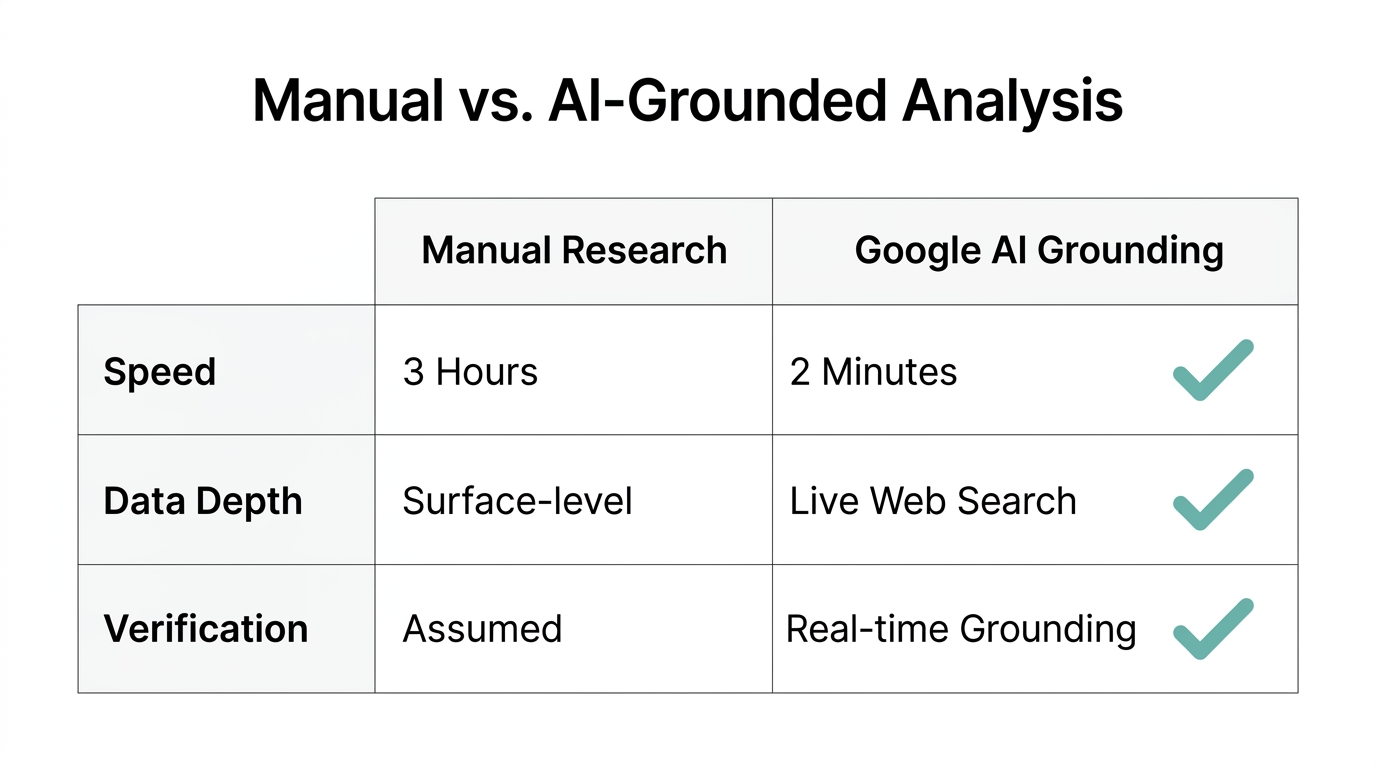
One of the most powerful features for ecommerce competitor analysis ai is the "Grounding with Google Search" tool. This allows the AI to pull real-time data from the live web rather than relying on stale training data. This is essential when trying to understand why a competitor's TikTok Shop listing is trending while yours remains stagnant.
How to Run a Grounded Audit:
- Open the "Code, reasoning, and chat" card in the Playground.
- In the bottom right, click "Tools" and toggle on Grounding with Google Search.
- Paste your competitor's product URL and use a prompt like: "Analyze this product page. Compare its value proposition to mine. Tell me what they are doing better from a conversion standpoint and give me 3 specific changes I should make."
By using this method, you aren't just getting generic advice; you are getting a data-backed comparison of the current market landscape. You can then ask Stormy AI to take those three specific changes, create a task list in your shared spreadsheet, and remind you to check the conversion rate delta seven days after the changes go live.
| Feature | Traditional Audit | Google AI Studio (2026) |
|---|---|---|
| Speed | 2-3 Days | Real-Time |
| Data Source | Manual Research | Grounding with Google Search |
| Feedback Type | Static Report | Live Interactive Video/Voice |
| Implementation | Manual Ticket | Automated via Stormy AI Tasks |
Real-Time 'Share Screen' for Brutally Honest Audits
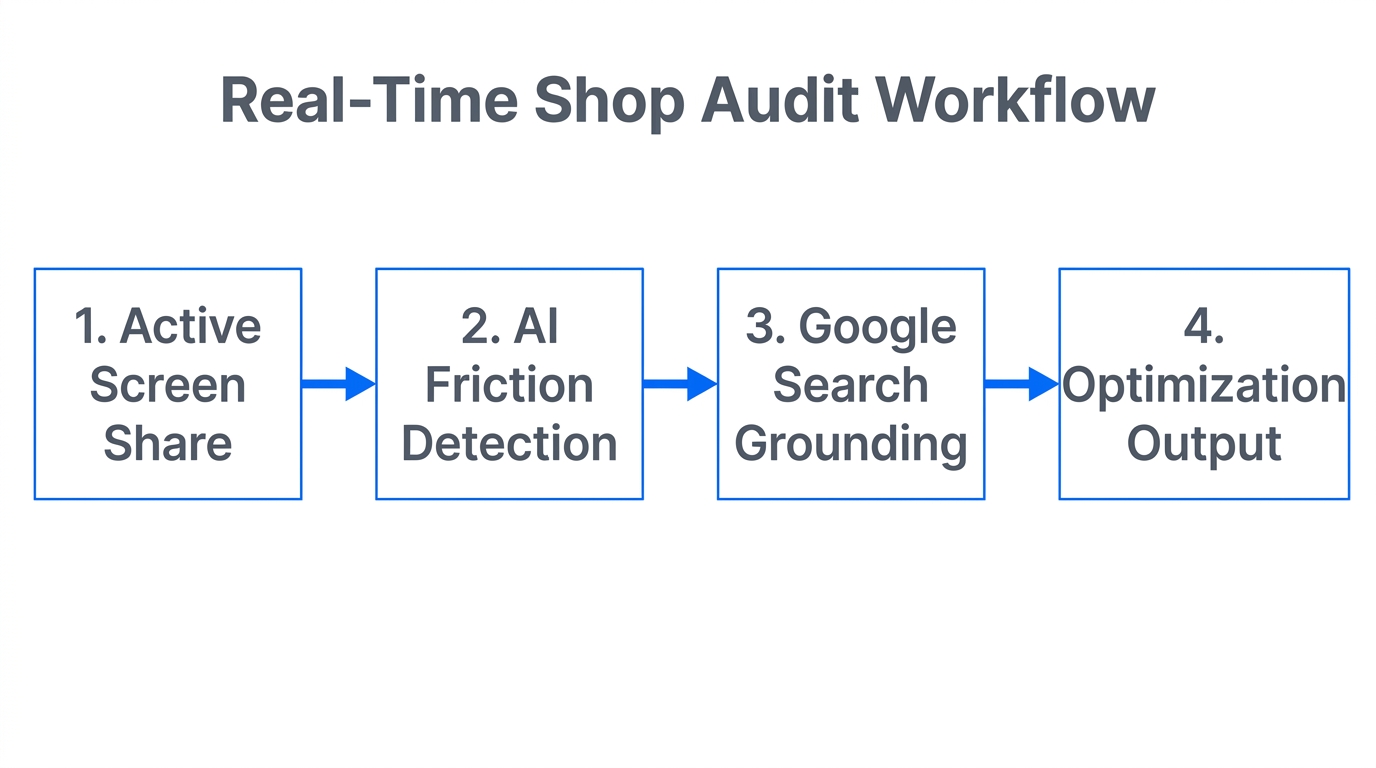
The most impressive feature of Google AI Studio is the Real-time mode. By selecting "Share Screen," you can allow the Gemini model to look directly at your Shopify store or TikTok Shop listing. This is the ultimate tiktok shop conversion optimization hack because it mimics how a real customer navigates your page on mobile.
To get the most out of this, you must prompt for brutal honesty. Use this specific script: "Look at this product page. You are a conversion rate expert who is brutally honest. Tell me the three biggest reasons a first-time visitor would hesitate to buy. Then, tell me which one to fix first and exactly how to change it."
The AI might point out things you've gone blind to: a confusing "Add to Cart" button color, a shipping policy that feels hidden, or a lack of social proof near the price point. Identifying sales friction becomes an interactive conversation rather than a guessing game. While you iterate on the UI, Stormy AI can manage the customer support side via Gorgias, ensuring that any feedback from actual customers regarding these friction points is summarized and added to your audit log.
Hardcoding Your Brand Voice with System Instructions
4:15AI-generated copy often feels generic, which is a conversion killer. To avoid this, use the System Instructions feature in Google AI Studio. This is a permanent briefing that runs before every prompt, ensuring the AI knows your brand's specific tone, target audience, and "forbidden" words.
For a premium brand, your instructions might include rules like: "Never use emojis. Use short, punchy sentences. Focus on the heritage of the leather rather than the discount." Once these rules are set, any revision the AI suggests for your high-stakes landing pages will naturally sound like your brand. This consistency is what builds the trust necessary to move customers through the Google Ads funnel into a successful purchase.
"Consistency is the silent engine of conversion. If your brand voice wavers, your customer's confidence wavers with it." [Source: Harvard Business Review]
Generating High-Converting Visuals with VO 3.1
7:15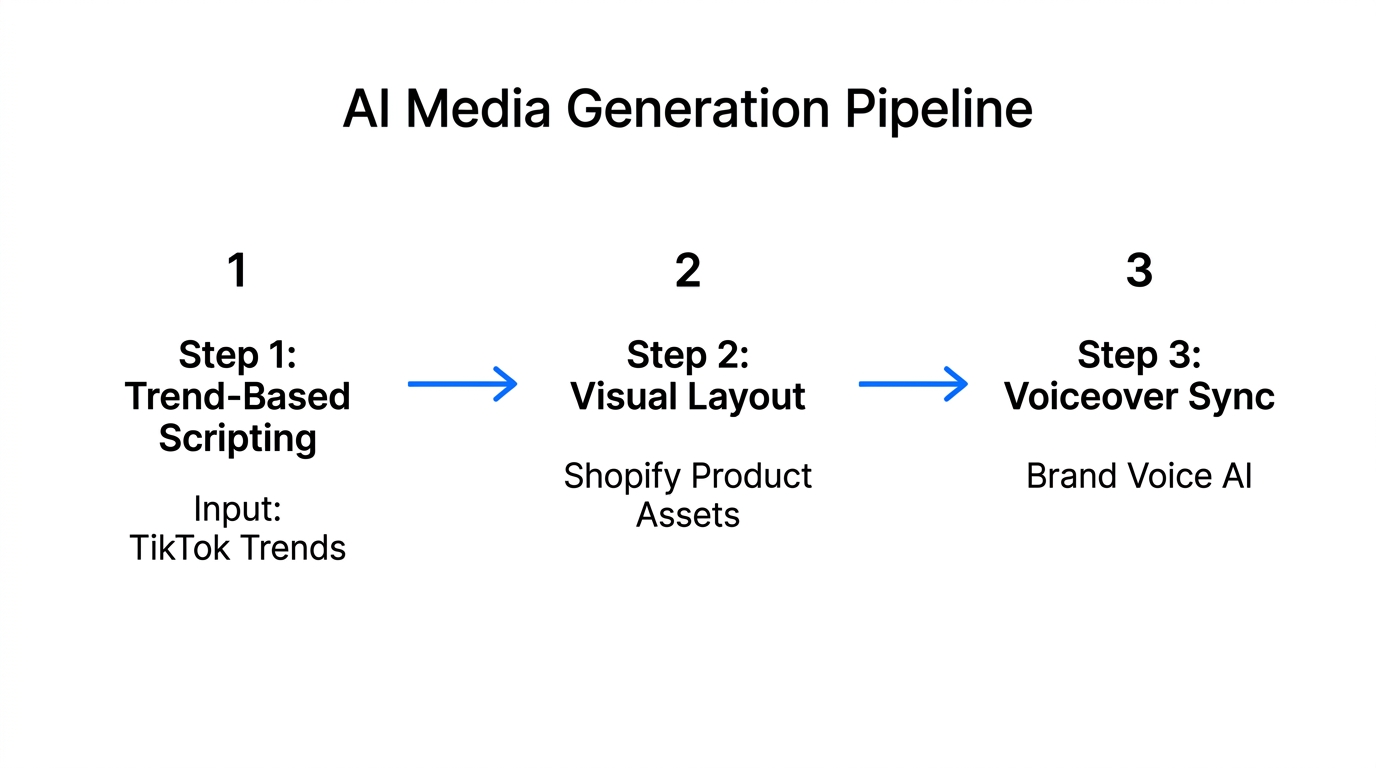
Conversion isn't just about text; it is about the visual story. In the Video Generation card, you can use models like VO 3.1 or VO 3.1 Fast to create product videos from a single prompt. For instance, if you are selling a futuristic Pilates kit, you can generate an editorial-style video with a professional voiceover in seconds using tools like CapCut or internal AI Studio video engines.
For images, use the Nano Banana 2 model for high-speed iterations. If you have a product photo with a messy background, upload it and prompt the AI: "Replace the background with a clean, warm-toned linen surface. Keep the product lighting and shadows exactly as they are." This allows you to produce high-end lifestyle assets without the cost of a full studio shoot.
From AI Feedback to a Prioritized Action List
The biggest mistake ecommerce founders make is collecting AI feedback but never implementing it. You need a bridge between the audit and the execution. Once Google AI Studio gives you a list of UI/UX improvements, you should immediately ask it to format those changes into a structured CSV.
This is where your AI ecommerce employee shines. You can feed that CSV directly into Stormy AI. Stormy will then:
- Update your internal product tracking spreadsheet.
- Set reminders to check if the developer or designer has updated the Shopify theme.
- Monitor your TikTok Ads to see if the new landing page version improves the ROAS.
- Draft follow-up emails to your creative team if tasks are overdue.
Building Custom Tools: The Vibe Space Example
6:45If you find that generic CRO tools aren't cutting it, the "Build" tab in Google AI Studio allows you to create your own tools using plain language. In the research, we saw the example of Vibe Space—an ecommerce feed that changes its curation based on a user's detected mood via voice biometrics. While this may sound like science fiction, the ability to build and iterate on these niche tools without a single line of code is available today. You describe the logic, the AI builds the V1, and you refine it through conversation. This level of personalization is the gold standard for conversion in 2026.
Conclusion: Your CRO Playbook for 2026
Optimizing for conversion in 2026 requires a mix of raw AI power and automated execution. By using Google AI Studio to audit your TikTok Shop and Shopify pages, you gain an objective, expert-level perspective on your store's friction points. But remember, an audit is only as good as its implementation. Using Stormy AI as your autonomous ecommerce teammate ensures that these insights actually turn into tasks, updates, and—ultimately—revenue. Start by running a "brutally honest" real-time audit today and see exactly what is standing between your visitor and the "Buy Now" button.