In 2026, the distinction between a "marketing manager" and a "marketing engineer" has effectively vanished. The industry has shifted from basic "Chat AI" to the Agentic Layer, where autonomous partners like Claude Code don't just suggest copy—they execute, debug, and optimize campaigns in real-time. Organizations implementing these systematic AI automations are reporting a 300% average ROI and a 40–60% reduction in content production time, according to research from Digital Applied.
For performance marketers, the most powerful combination in this new landscape is the integration of Google Ads with Anthropic’s Claude Code CLI via the Model Context Protocol (MCP). This setup allows you to move from manual CSV uploads to a workflow where a single slash command can audit a $1M account or generate 500 Responsive Search Ads (RSAs) in seconds. With 90.3% of marketing organizations now utilizing AI agents within their stacks, as reported by Averi.ai, mastering this environment is no longer optional—it is the baseline for 2026.
Step 1: Setting Up the Claude Code CLI for Marketing
Claude Code is a command-line interface that gives the AI agent access to your local file system, terminal, and development tools. Unlike the web-based Claude.ai, the CLI can interact with your marketing scripts and project files directly. To begin, you need to install the package via terminal.
Follow the official documentation at Anthropic Claude Code Docs to authenticate your account. Once installed, Claude can see the context of your entire project folder. This is crucial because it allows the agent to "understand" your brand voice guidelines, past campaign performance files, and target keyword lists stored locally.
Early adopters using Claude for automated bidding and creative optimization have already seen a 30% reduction in Cost Per Acquisition (CPA) on average, highlighting the efficiency of an agentic workflow compared to manual dashboard management, as noted by Stormy AI.
"The primary trend in 2026 is the Agentic Layer. Marketers no longer just ask Claude for advice; they use Claude Code to execute multi-step sequences."Step 2: Installing and Configuring the Google Ads MCP Server
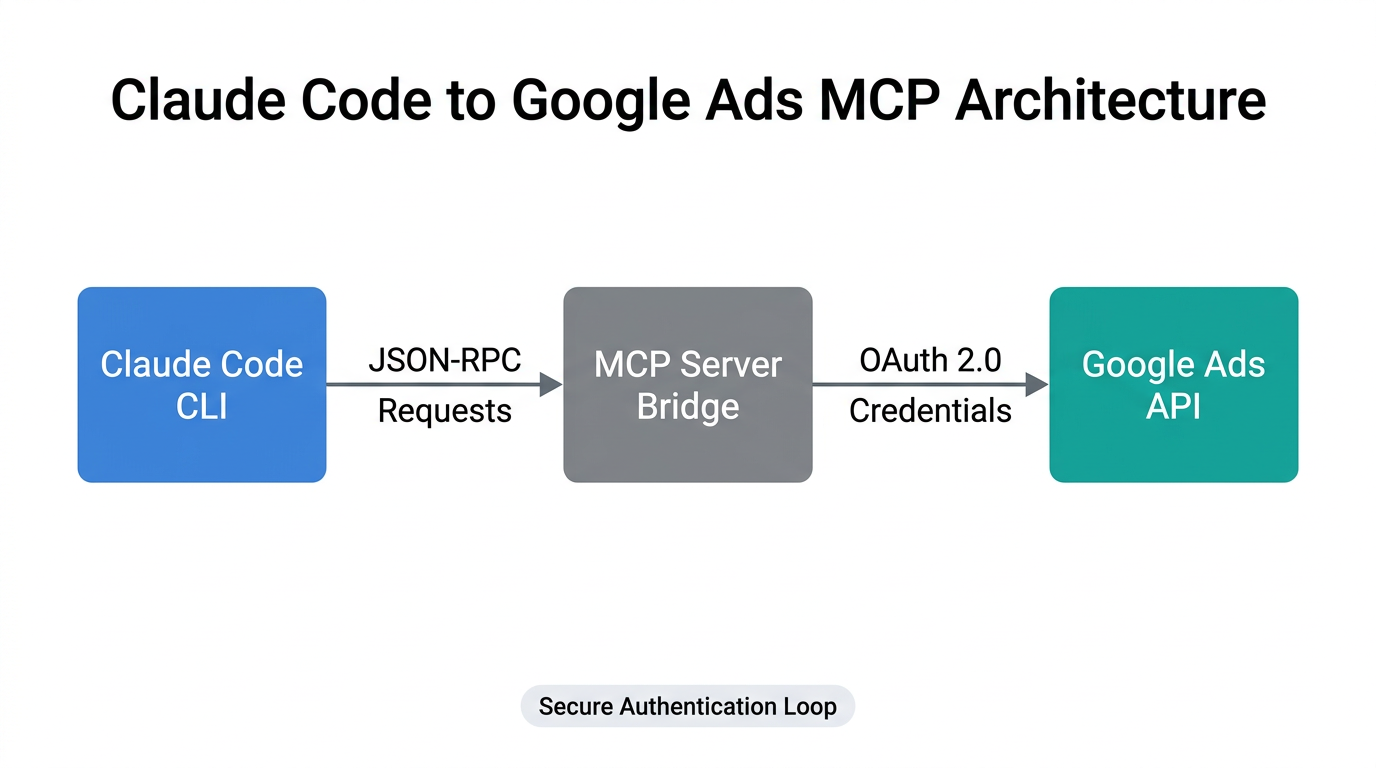
The Model Context Protocol (MCP) is the open-standard "plug" that allows Claude Code to securely communicate with external APIs like Google Ads. Without MCP, you would be stuck copying and pasting data. With it, Claude can read live account data directly.
Connecting the Server
To connect your environment, you must install the official Google Ads MCP Server. This server acts as the translator between Claude and the Google Ads API. You will need your Developer Token, Client ID, and Client Secret from the Google Ads Developer Portal.
- Secure Storage: Never hardcode your API keys. Use environment variables or a local
.envfile that Claude can reference. - Permissions: Ensure your Developer Token has at least "Basic Access" to perform read/write operations.
- Middleware Options: If the technical setup feels daunting, tools like Ryze AI or Adzviser provide a more streamlined "1-click" bridge for marketing data.
By standardizing on MCP, growth teams can avoid the tedious manual exports of 2024 and 2025, allowing the AI to query the account state in milliseconds.
Step 3: Building a CLAUDE.md File for Custom Marketing Skills
The secret to a high-performing agentic environment is the CLAUDE.md file. This is a local file where you define specific instructions and "slash commands" that Claude should follow. Think of it as a playbook that lives inside your project directory.
| Command | Function | Benefit |
|---|---|---|
| /audit | Pulls ROAS for last 30 days and flags high-CPA keywords. | Saves 5-10 hours of manual analysis per week. |
| /rsa [url] | Scrapes a URL and generates 15 headlines and 4 descriptions. | Reduces ad creation time from 30 minutes to 30 seconds. |
| /gaql [query] | Executes Google Ads Query Language commands directly. | Instant access to deep granular data without custom reports. |
By defining these skills, you enable what Anthropic calls "Agent-native content operations." For example, the Anthropic Growth Team uses a custom /rsa command to maintain brand consistency across thousands of variations. This shift ensures that strategy and execution are no longer separate silos, as noted by Martech.org.
"2026 is the year where the execution of a campaign is as automated as the bidding itself. The bottleneck is no longer production; it's the quality of the 'riffing' between human and AI."Step 4: Automating Responsive Search Ads (RSAs)
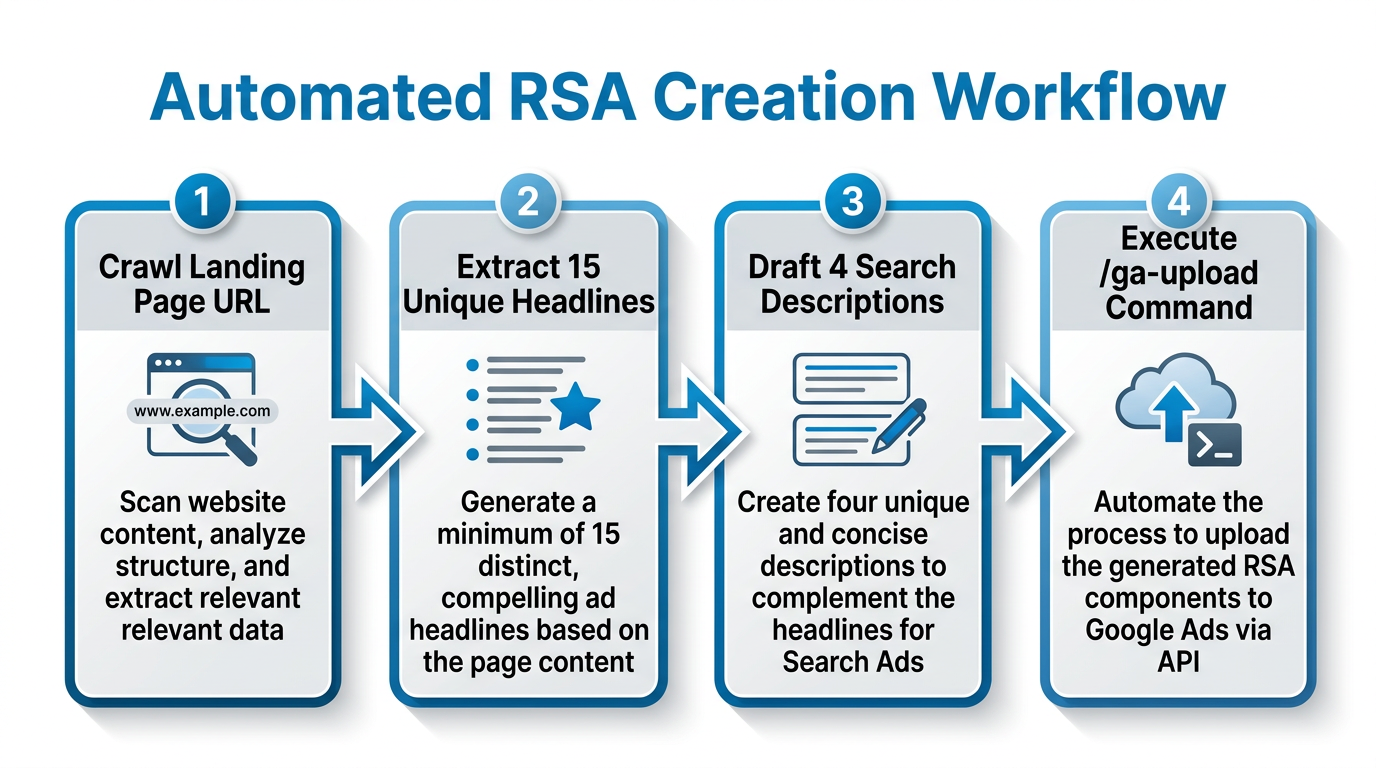
Responsive Search Ads are the backbone of search marketing, but writing 15 unique headlines and 4 descriptions that don't sound like repetitive mush is exhausting. Claude Code excels at this when provided with the right context.
Using your custom /rsa command, you can prompt Claude: "Analyze the product features at [URL] and generate a set of RSAs targeting 'enterprise CRM' keywords." Because Claude Code has access to your local files, it can cross-reference your brand voice guide and past high-performing headlines to ensure the new copy aligns with what has worked historically.
As documented by Gigazine, this approach has allowed teams to scale creative testing by 10x without increasing headcount. To take this further, marketers are now using Claude Code to build Figma plugins that take this generated copy and automatically produce on-brand banner variations for Display and Discovery campaigns.
Step 5: Utilizing GAQL for High-Intent Keyword Data
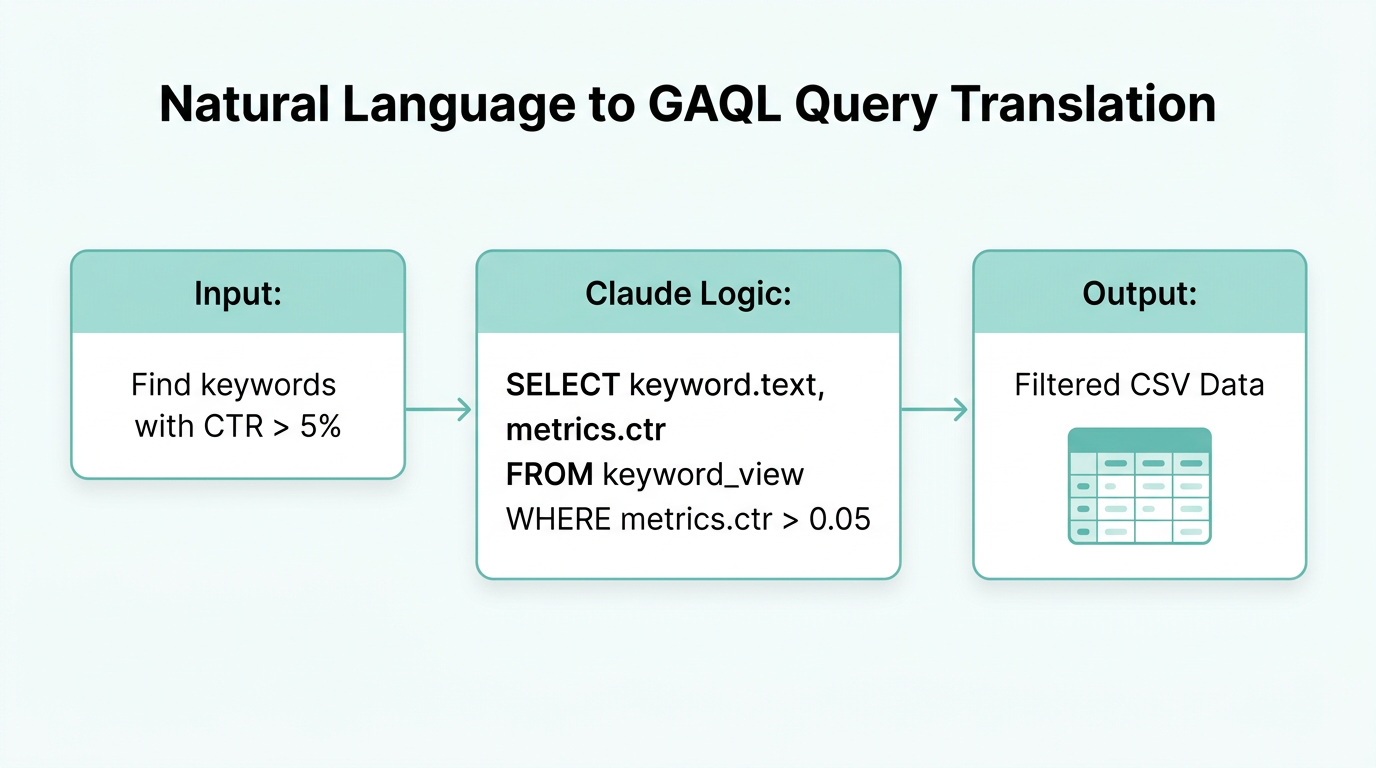
While the Google Ads UI is user-friendly, it often hides the most valuable data behind multiple layers of menus. Google Ads Query Language (GAQL) is the power-user way to extract data, and Claude Code is an expert at writing it.
Instead of asking for "better keywords," provide Claude with a GAQL schema via the MCP Playground. You can ask Claude Code to "find all exact match keywords with >1000 impressions and <1% CTR from the last 14 days." Claude will write the query, execute it via the MCP server, and return a clean table of results.
For teams managing high-volume campaigns, this level of automation is transformative. If you are looking to scale your creator-led campaigns alongside search, platforms like Stormy AI can help you discover high-intent UGC creators whose content can then be repurposed into the search ad descriptions generated by your Claude setup.
Step 6: Avoiding Common Automation Mistakes
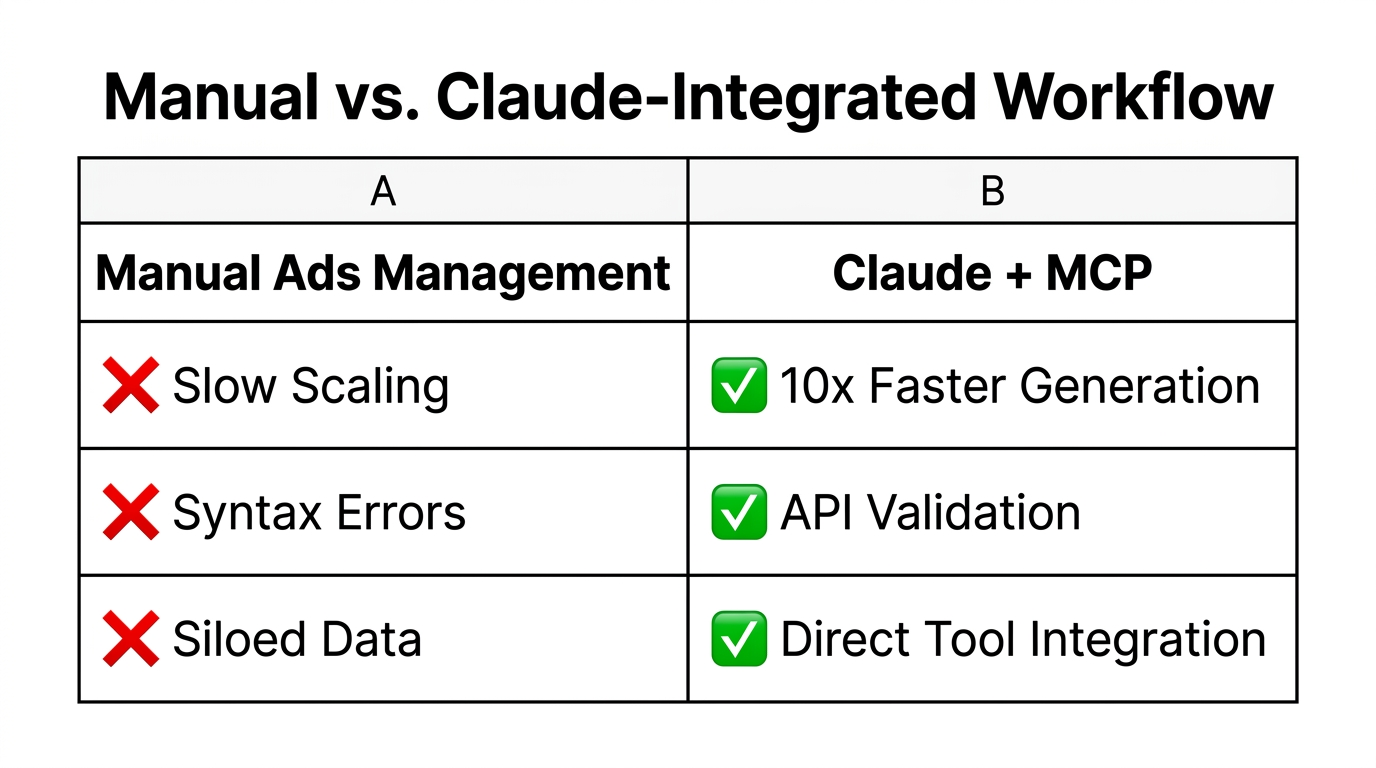
As you build your autonomous environment, there are three critical pitfalls to avoid in 2026:
- Credential Mismanagement: Never ask Claude to "remember" your API keys in its long-term memory. Always use local configuration files that are excluded from your git repository.
- Ignoring API Quotas: Google Ads APIs have strict execution limits. Use Claude Code to build "batch operation" patterns. Instead of updating 1000 keywords one-by-one, have Claude generate a single bulk upload script to avoid timeouts.
- Vague Prompting: As Austin Lau from Anthropic’s growth team suggests, the work is in the "riffing." If the first batch of ads is mediocre, don't stop. Use Claude to explain why certain headlines are better and ask for iterations based on those specific attributes.
Even for those without deep coding skills, experts like Nils Rooijmans emphasize that Claude can be used to explain existing JavaScript and document exactly what a script does before you ever hit "Run." This provides a layer of safety and understanding that was previously only available to developers.
The Future of Autonomous Growth Marketing
Integrating Google Ads with Claude Code represents the pinnacle of modern performance marketing. By moving your workflow into a local agentic environment, you reclaim hours of manual labor and shift your focus toward high-level strategy and creative direction. Whether you are using Zapier for simple triggers or building a full MCP-based setup, the goal is the same: to create a self-improving marketing engine.
As we move through 2026, the brands that win will be those that successfully combine the raw data-processing power of AI agents with human intuition. Start small—set up the CLI, build your first /audit command, and watch as your Google Ads management transforms from a chore into a high-speed technical advantage.