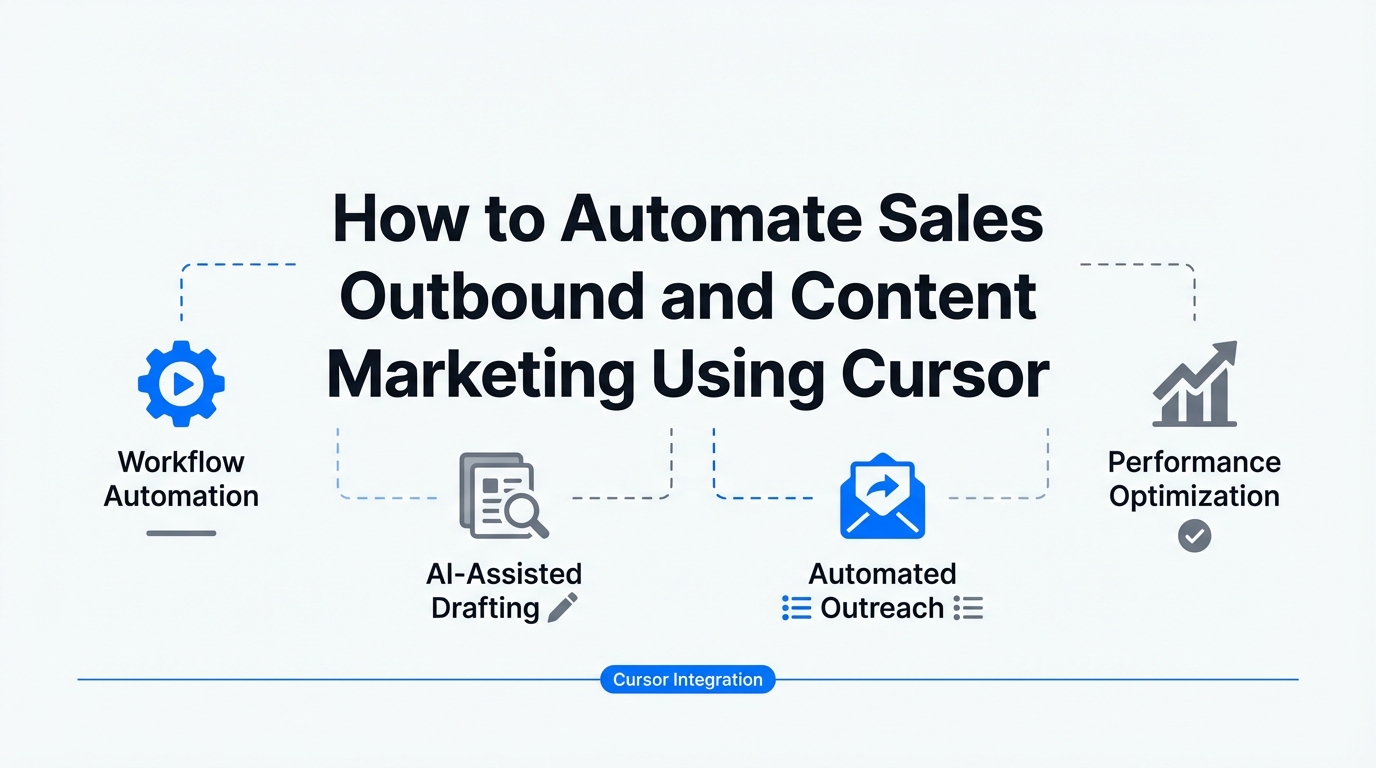
We are officially entering what Sam Altman calls the "era of the idea guy." In this new landscape, the barrier between having a vision and executing a complex business function is collapsing. While Cursor began its life as an Integrated Development Environment (IDE) for software engineers, it has evolved into something far more powerful: a command center for the programmable business. For founders and growth marketers, this means the same "vibe coding" techniques used to build apps can now be applied to sales outbound automation and automated lead research.
The secret lies in Model Context Protocols (MCPs). By connecting Cursor to real-time data sources like Perplexity and Firecrawl, you can transform your workspace into a hyper-intelligent marketing engine. This playbook will show you how to move away from manual spreadsheets and generic templates toward a sophisticated, AI-driven B2B growth hacking workflow that handles research, vetting, and copywriting while you sleep.
Understanding the MCP Ecosystem: Why Your Sales Stack is Now Programmable
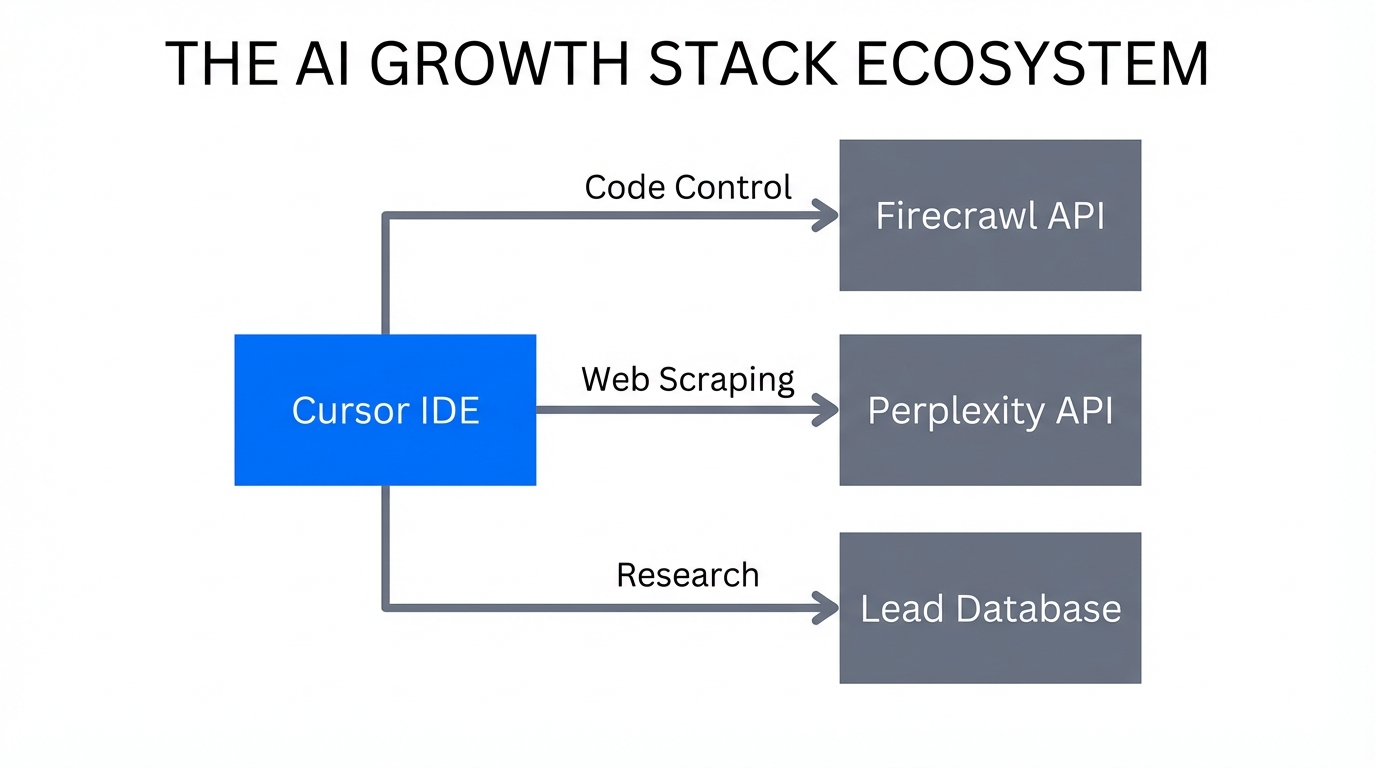
Before diving into the steps, it is critical to understand the technology making this possible. Historically, Large Language Models (LLMs) were siloed; they couldn't "see" your bank account, your CRM, or your competitors' latest blog posts without manual copy-pasting. Model Context Protocols (MCPs) act as the interface that allows your AI to interact with third-party apps seamlessly.
Think of MCPs as the APIs of the agentic era. When you use Cursor, you aren't just typing into a chat box; you are commanding a team of agents that can scrape websites, run deep research, and even check your accounting software. As Amir from Humbolytics notes, we are moving toward a world where "LMS are the new browser." Instead of clicking through tabs, you use text to perform actions across your entire tech stack.
"MCPs are a complete game changer. They turn SAS into something programmable, allowing you to scale a company with agentic workflows rather than just headcount."
Step 1: The Foundation — Creating Your Brand Context Files
The biggest mistake in AI marketing workflows is providing too little context. To generate high-conversion sales emails, the AI needs to know exactly who you are, what you sell, and who your Ideal Customer Profile (ICP) is. In Cursor, you should create a context/ folder containing .txt or .md files that serve as the "source of truth" for your brand.
Start by creating a file named brand-voice.md or product-context.txt. This file should include:
- Value Proposition: What specific pain points do you solve?
- Pricing Tiers: How much do your services cost?
- ICP Data: Who are the decision-makers (e.g., "Head of Growth at Series A startups")?
- Case Studies: Short summaries of successful past projects.
You can even use Firecrawl to generate this file automatically. Simply point the Firecrawl MCP at your own website and ask it to "scrape all content and summarize it into a comprehensive brand context file for an LLM." This ensures that every email and article generated by Cursor is grounded in your actual business data rather than hallucinations.
Step 2: Automated Lead Research with Perplexity and Firecrawl
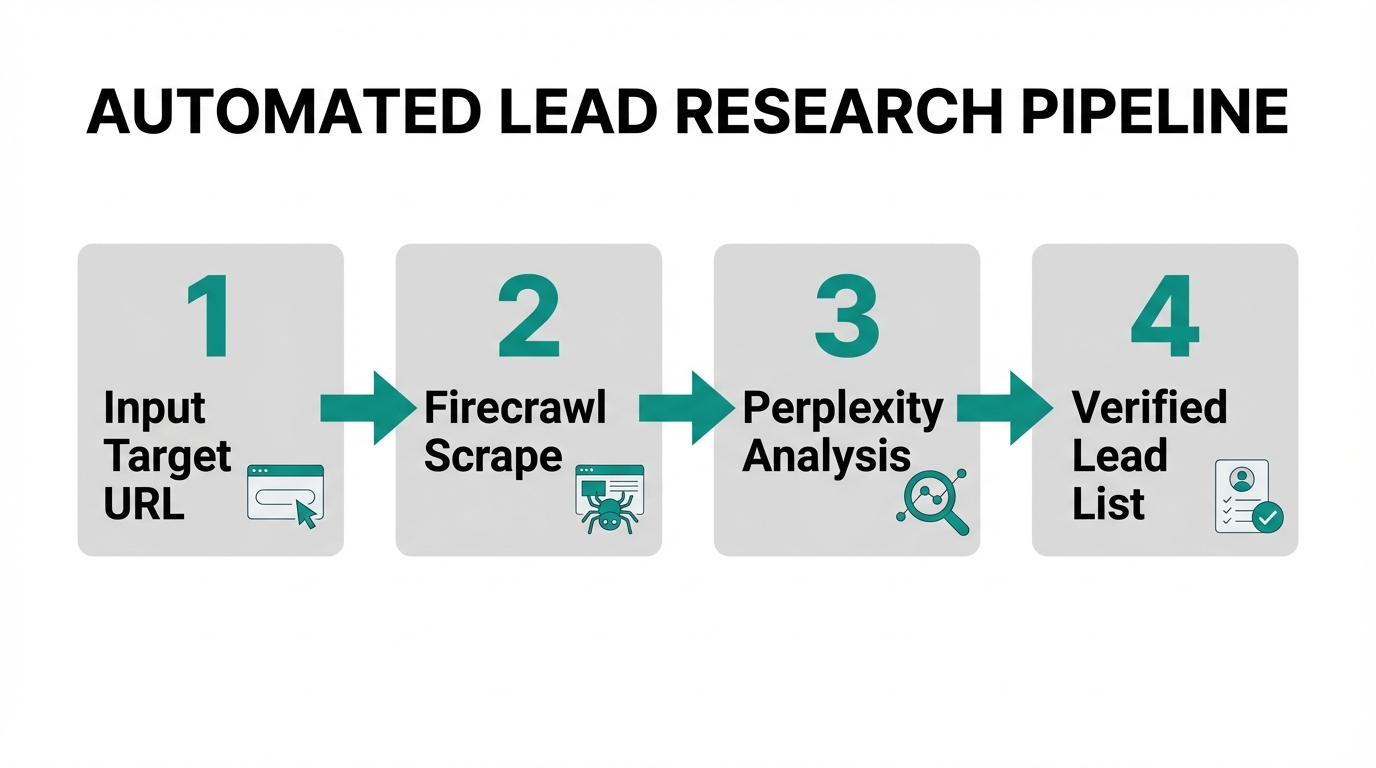
Traditional automated lead research often results in stale data. By using the Perplexity MCP within Cursor, you can perform deep, real-time market research. For example, you can prompt Cursor to: "Use Perplexity to find the top 10 fastest-growing fintech startups in Brazil and identify their primary challenges in conversion rate optimization."
Once you have a list of companies, use Firecrawl or Exa to scrape their specific landing pages. This allows the AI to see exactly what they are currently saying on their site, which it can then use to find gaps in their strategy.
| Tool | Primary Use Case in Sales | Best For |
|---|---|---|
| Firecrawl | Scraping specific URLs for content. | Competitor landing page analysis. |
| Perplexity | Real-time search and deep research. | Market trends and identifying "pains." |
| Exa | Accessing clean data sets by category. | Finding lists of companies by revenue/industry. |
By combining these tools, you move from "I found a company name" to "I found a company, read their blog, identified that their traffic from Brazil is spiking, and noticed their checkout page is missing social proof." That level of hyper-personalization is what drives outbound success.
Step 3: Setting Up a Custom 'Sales Mode' in Cursor
Cursor allows you to create "Custom Modes," which are essentially specialized agents with their own system prompts. To optimize for Cursor AI for sales, you should set up a mode specifically designed for growth and copywriting. In your Cursor settings, define a new mode with a prompt like this:
"You are a world-class growth marketer and sales copywriter. Your goal is to use the provided context files and scraped data to generate high-conversion outbound sequences. Focus on short, punchy, and value-first communication. Use mermaid diagrams to visualize the user funnel before writing copy."
This mode should have access to your context files and the MCPs mentioned above. When you are in "Sales Mode," Cursor knows not to help you with Python bugs, but to help you architect a B2B growth hacking strategy. You can even use Mermaid diagrams to map out the logic of your email sequences—defining exactly what happens if a lead clicks a link versus if they ignore the first three emails.
Step 4: Generating Programmatic Outbound Sequences
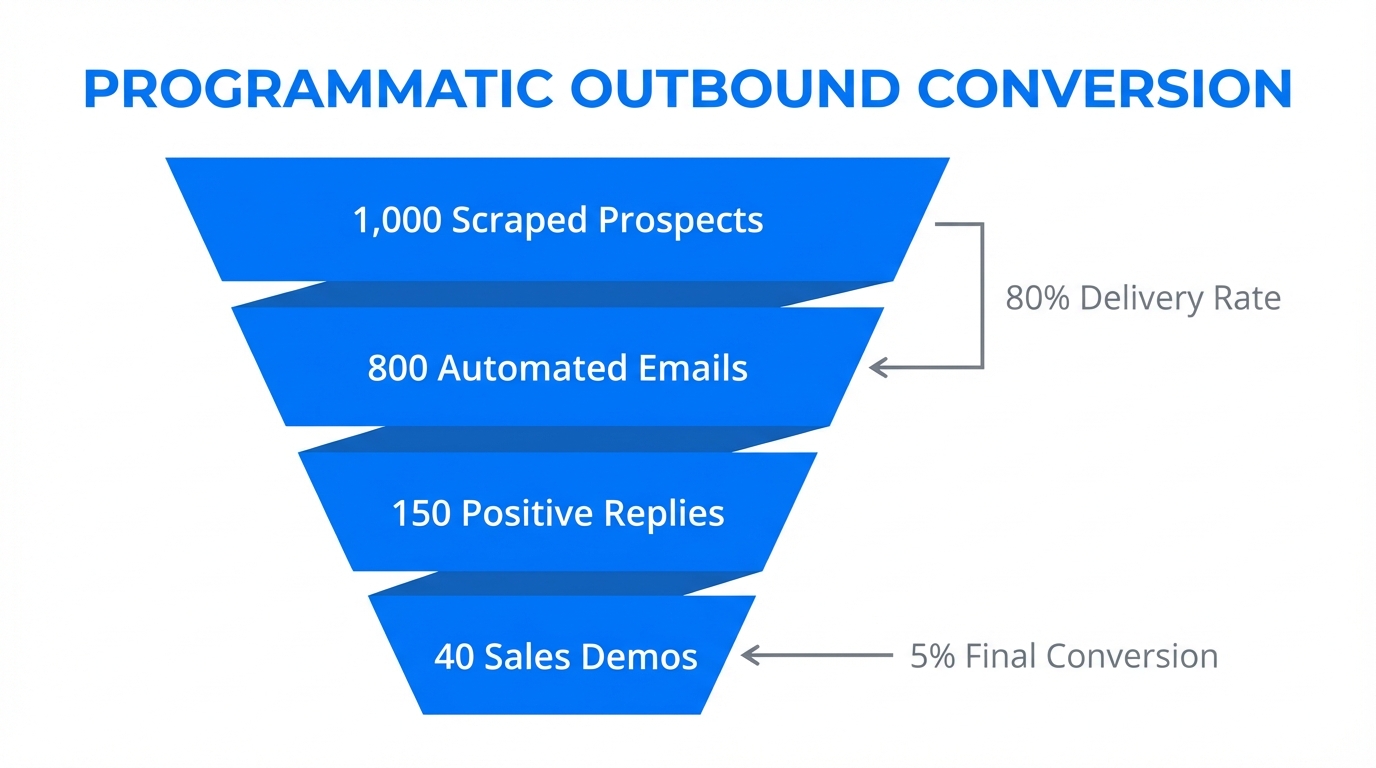
Now that your research is automated and your "Sales Mode" is active, you can generate an entire campaign in seconds. Instead of writing one email at a time, you use a programmatic approach. You can provide Cursor with a CSV of leads and ask: "Based on the research from Perplexity and our product-context.txt, generate a 3-step email sequence for each lead in this file. Reference a specific competitor they are likely using and explain how we differ."
For founders who rely on user-generated content or influencer marketing to drive growth, this is the point where you would vet potential partners. Platforms like Stormy AI streamline creator sourcing and outreach at scale, allowing you to feed those creator profiles back into your Cursor workflow to match the right content with the right lead segment.
Step 5: Closing the Loop — Integrating UX and Analytics
A true AI marketing workflow doesn't stop at the send button. You can use the Playwright MCP within Cursor to take screenshots of your own landing pages and compare them to the feedback you're getting from sales calls. If a lead mentions they were confused by your pricing, you can tell Cursor: "Use Playwright to take a screenshot of my pricing page, analyze it against our sales feedback, and propose three A/B tests to improve clarity."
This creates a closed-loop system where your sales outbound informs your product design, and your product design improves your sales conversion. By dog-fooding your own analytics—perhaps by connecting a custom MCP to your data warehouse or a tool like Mixpanel—you can see exactly which outbound angles are resulting in the highest lifetime value (LTV) customers.
The Future of the Growth Stack
The transition from manual marketing to automated lead research and programmable sales is not just a trend; it is a necessity for lean teams. By leveraging Cursor as a central hub, you eliminate the "context switching tax" that kills productivity. You no longer need a separate tool for research, another for drafting, and another for QA.
To recap your new AI growth stack:
- Cursor: The command center where all agents live.
- Firecrawl/Perplexity: The eyes and ears that gather real-time market intelligence.
- Context Files: The brain that ensures your brand voice remains consistent.
- Stormy AI: The discovery engine for sourcing and vetting creators to fuel your top-of-funnel content.
- Playwright: The QA agent that monitors your site and performs visual audits.
If you are feeling overwhelmed, start small. Don't try to automate your entire business on day one. Simply open Cursor, drop in a PDF of your latest marketing deck, and ask an AI agent to find three inconsistencies between your deck and your landing page. Once you experience that first "win," the path to a fully programmable sales engine becomes clear. The era of the co-pilot is here, and the driver's seat is yours for the taking.