For years, the life of a growth lead or PPC agency founder has been tethered to the blue-and-white flickering of the Google Ads dashboard. We have been conditioned to believe that clicking through seventeen sub-menus to find a search term report is just part of the job. But as we move into 2025, a fundamental shift is occurring. The traditional dashboard is becoming a secondary tool, replaced by what industry insiders call "vibe querying"—natural language conversations with live advertising data. This shift is powered by the Model Context Protocol (MCP), an open standard that allows Claude Desktop to plug directly into your marketing engine. In this guide, we will explore how implementing Claude MCP Google Ads workflows can save your team over 10 hours per week per account manager while significantly increasing your scaling potential.
The Efficiency Gap: Why Manual Data is Costing You Thousands
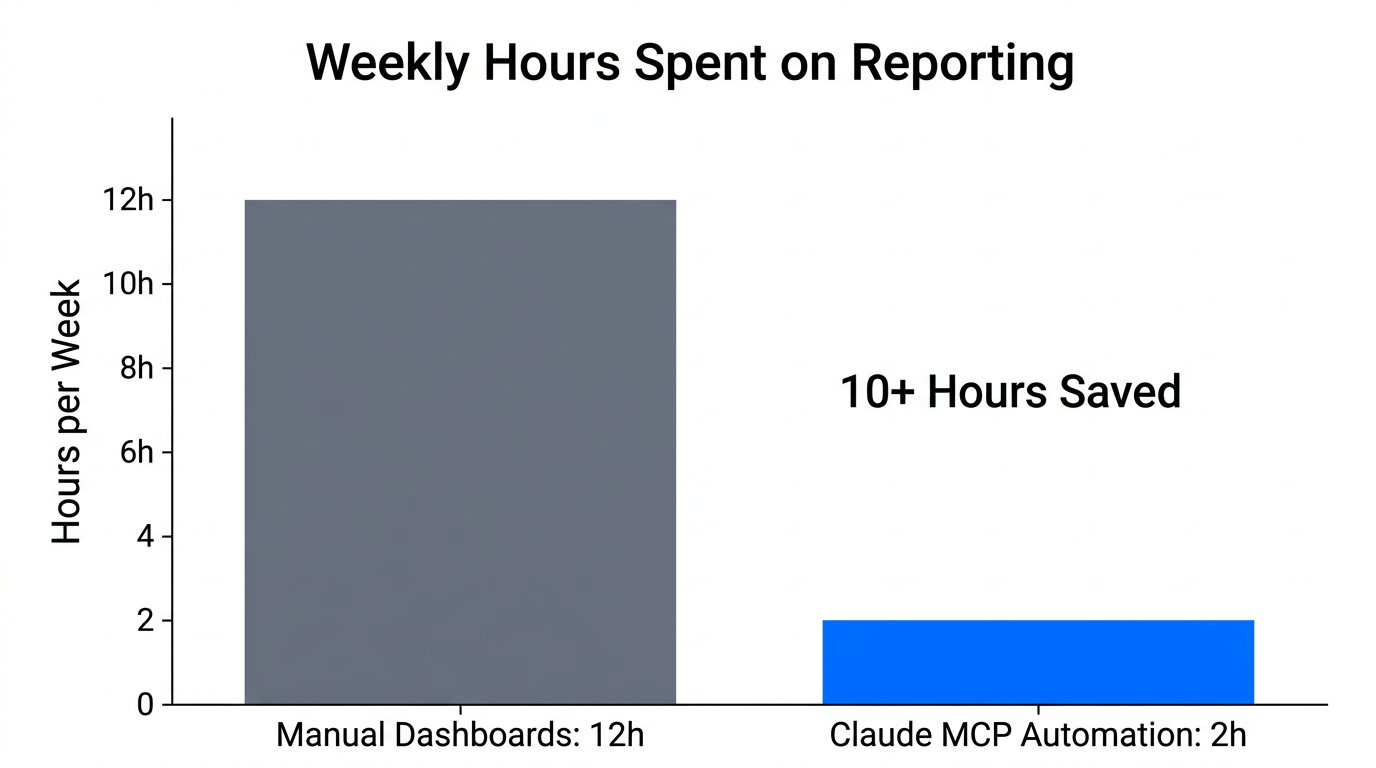
The math of a modern agency is often brutal. As you scale, the ratio of account managers to clients usually stays linear because the manual labor of data processing doesn't decrease with volume. According to recent data from WordStream, automated workflows and AI analysis are now saving PPC managers an average of 10 hours per week on manual tasks like data cleaning and basic reporting. When your team is stuck in spreadsheets, they aren't strategizing; they are just surviving.
Currently, over 80% of Google Ads advertisers have already adopted automated bidding. However, the analysis of *why* those bids are happening remains a manual bottleneck. Without an AI marketing stack, your team is likely missing the nuances of the 35% reduction in organic clicks caused by Google’s AI Overviews, which has driven up CPCs across the board. Claude MCP bridges this gap by allowing you to ask, "Why did my CPA spike in the Northeast?" and receiving a multi-factor analysis in seconds, rather than hours.
"Dashboards are where data goes to die; conversations are where insights come to life. The efficiency gap isn't about working harder; it's about the latency between data and decision."
Tool Roundup: Comparing Claude MCP Implementations
To implement Claude MCP for Google Ads, you have three primary paths: the official developer route, no-code connectors, or hosted endpoints. Each has distinct trade-offs for a growing team.
| Solution | Target User | Pros | Cons |
|---|---|---|---|
| Official Google Ads MCP | In-house Devs | Full control, most secure, zero monthly cost. | Requires Python knowledge and API token approval. |
| Adzviser | Growth Leads | No-code, fast setup, handles multiple platforms. | Monthly subscription fee per seat. |
| GAQL.app (TrueClicks) | PPC Experts | Focused on Google Ads Query Language, very reliable. | Narrower focus than general-purpose connectors. |
For teams that want to move fast without writing Python, Adzviser offers a seamless bridge that connects Google Ads to Claude in minutes. If you have a technical lead, the experimental official Google Ads MCP repository is the gold standard for security and deep integration. Meanwhile, GAQL.app provides a secure hosted endpoint that simplifies the process of querying complex datasets without needing to understand the underlying GAQL architecture.
Solving the Scalability Bottleneck: Managing Multiple Accounts
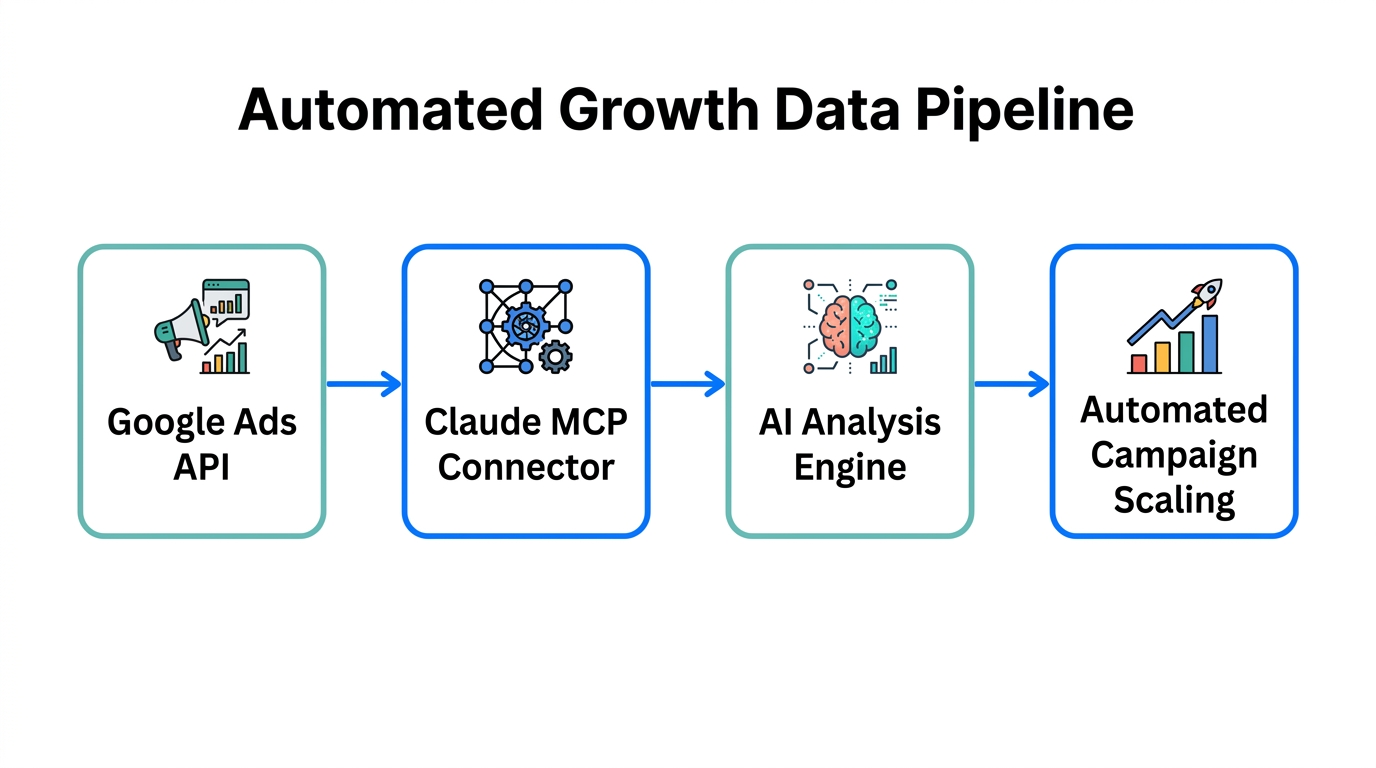
One of the biggest hurdles for agencies using AI is the "single-user silo." Most open-source MCP setups are tied to a specific user's authenticated email, which makes it difficult to switch between dozens of client accounts. To solve this, growth leads must move toward centralized AI interfaces.
By using n8n as an orchestration layer, you can build a custom MCP server that routes Claude’s requests to the correct Google Ads CID (Client ID) dynamically. This allows an account manager to say, "Check the performance for Client A, then compare it to the benchmark of Client B," without ever logging out or switching browser profiles. This architectural shift is what enables a PPC agency efficiency boost that actually scales with headcount.
"The goal is to move from 'read-only' analysis to 'agentic' execution where Claude suggests and then implements changes across your entire portfolio."
Security and Compliance: Protecting Your Developer Tokens
When you start playing with Google Ads API connectors, security cannot be an afterthought. Using unofficial third-party servers can expose your developer token and, by extension, your clients' financial data. Always prioritize official or well-vetted enterprise connectors over random scripts found on forums. Experts like Malcolm Gibb emphasize that the official MCP bridge ensures data remains local to your Claude Desktop instance, reducing the surface area for leaks.
Furthermore, ensure your Claude prompts don't inadvertently leak PII (Personally Identifiable Information). While the data fetched via MCP is generally performance-based (clicks, costs, conversions), avoid pulling raw lead lists into the LLM context unless you are using an enterprise-grade, SOC2-compliant interface. As noted by the Clicktrust Academy, the barrier to high-level data science is disappearing, but the responsibility for data governance has never been higher.
Building a Future-Proof Marketing Stack
To truly stay ahead, you need to integrate your PPC efforts with your broader content strategy. For instance, once Claude identifies that a specific "how-to" search term is converting at a high ROAS, your next step should be generating User-Generated Content (UGC) to match that intent. This is where tools like Stormy AI become invaluable for growth teams. While Claude manages the logic of your ads, you can use Stormy AI to discover and vet the perfect UGC creators to produce the actual creative assets that fuel those campaigns.
A truly modern stack looks like this:
- Discovery: Use Stormy AI to find influencers and UGC creators that resonate with your target demographics.
- Automation: Use n8n and Claude MCP to monitor campaign performance in real-time.
- Optimization: Ask Claude to identify creative fatigue by analyzing CTR trends over time.
- Execution: Use Meta Ads Manager or TikTok Ads Manager to push the new UGC assets found via Stormy into the winning campaigns.
The Playbook: Implementing Your First MCP Workflow
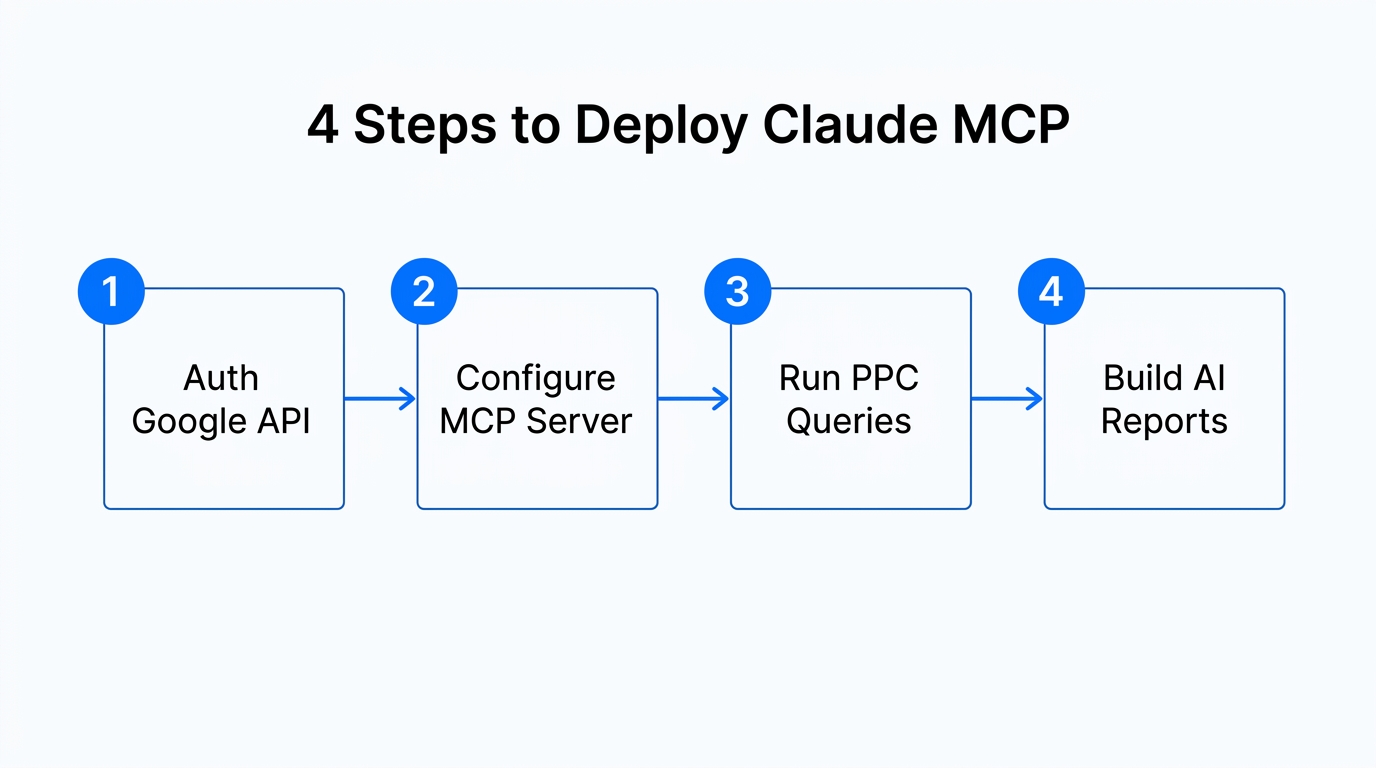
If you are ready to move away from manual dashboards, follow this three-step playbook to get your team started with Claude MCP Google Ads integration.
Step 1: Audit Your Current Latency
Identify the reports your team builds weekly. Are they spending 4 hours a week on "Negative Keyword Discovery"? This is your first candidate for automation. According to Marketing LTB, AI-driven optimization can lead to an average 25% increase in conversions simply by reducing the time it takes to react to market changes.
Step 2: Deploy a Read-Only Bridge
Start with a "read-only" setup using a tool like Adzviser or the official Python script. This allows your team to query data without the risk of the AI accidentally pausing a $10k/day campaign. Use prompts like: "Analyze my search terms from the last 30 days. Identify high-spend queries with zero conversions that don't match our brand intent."
Step 3: Move to Strategic Budgeting
Once the team is comfortable, use Claude as a fractional strategist. Ask it to compare ROAS across "Brand" vs. "Generic" campaigns and recommend where the next $2,000 of incremental spend should go. This shifts your account managers from being "button pushers" to growth architects.
Conclusion: The End of the Dashboard Era
The transition from manual dashboards to Claude MCP Google Ads management isn't just a technical upgrade; it's a competitive necessity. As search becomes more fragmented and CPCs rise, the agencies that survive will be those that can process data faster and more accurately than the competition. By integrating marketing automation tools and a robust AI marketing stack, you empower your team to focus on what humans do best: creative strategy and relationship building. Start by deploying a simple MCP bridge today, and reclaim those 10 hours a week for the high-level growth your clients deserve.