For years, the life of a media buyer has been defined by the "dashboard dance." You open sixteen tabs, navigate through nested menus in the Google Ads UI, export CSVs, and spend hours in Excel trying to find the one campaign that's bleeding budget. But the industry is shifting. We are moving from "generative AI" (where we chat with bots) to "agentic AI" (where bots execute work for us). According to Social Media Examiner, 88% of marketers now use AI tools daily, a massive jump from just 37% the previous year. The newest frontier in this evolution is Claude Code and a concept known as Vibe Querying.
Defining Vibe Querying: The End of the Dashboard
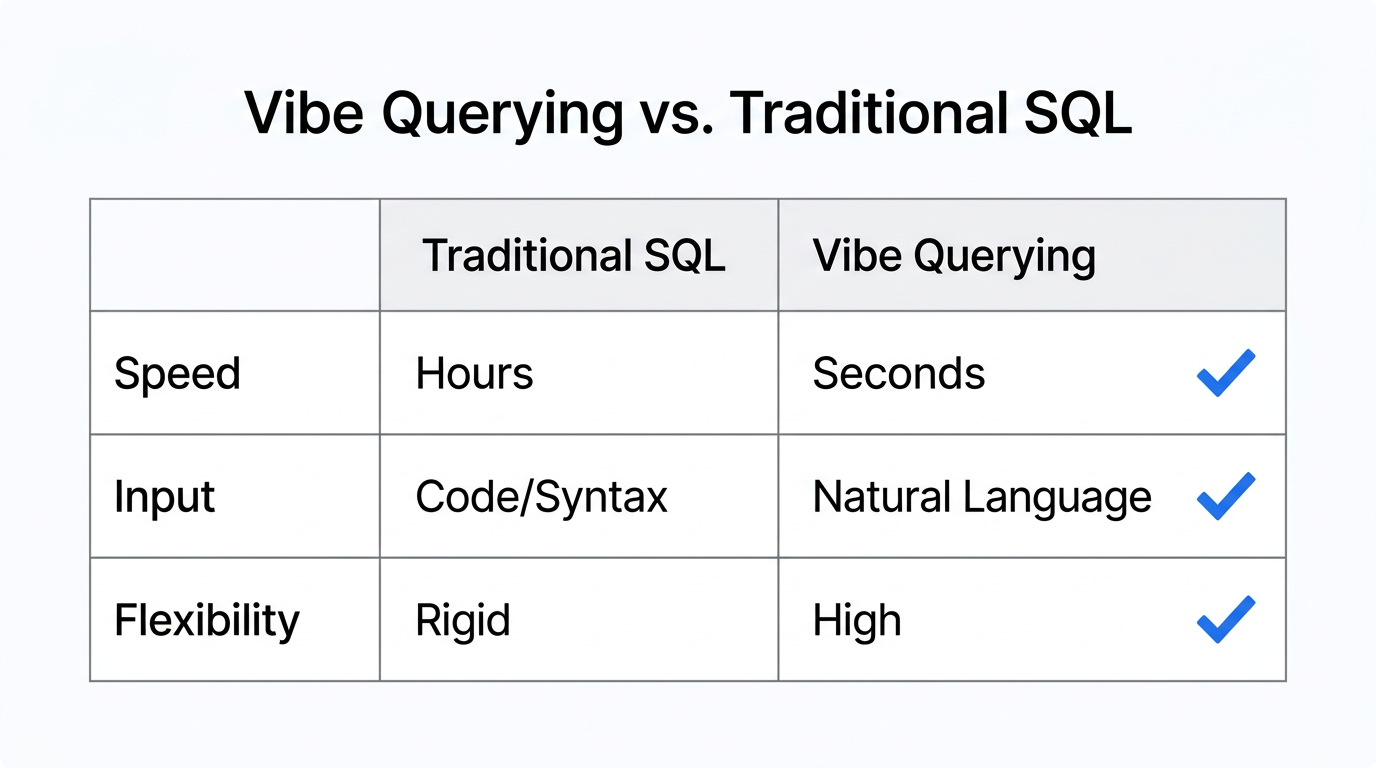
Vibe Querying is the ability to ask natural language questions directly to your raw advertising data via a Command-Line Interface (CLI), completely bypassing complex UI menus. Instead of clicking through Campaigns > Insights > Auction Insights, you simply type a prompt into your terminal. This approach allows for a deep Google Ads performance analysis that feels more like a conversation than a technical audit.
"2026 will be defined by 'Vibe Querying'—the death of the dashboard in favor of high-speed, natural language data interaction."
By using Claude Code, Anthropic’s agentic CLI tool, technical marketers can now interact with their accounts using the Model Context Protocol (MCP). This open standard allows Claude to "plug into" live data sources. For those managing high-spend accounts, this means moving from data retrieval to strategic architecture.
The Tech Stack: Connecting Claude to Your Ad Data
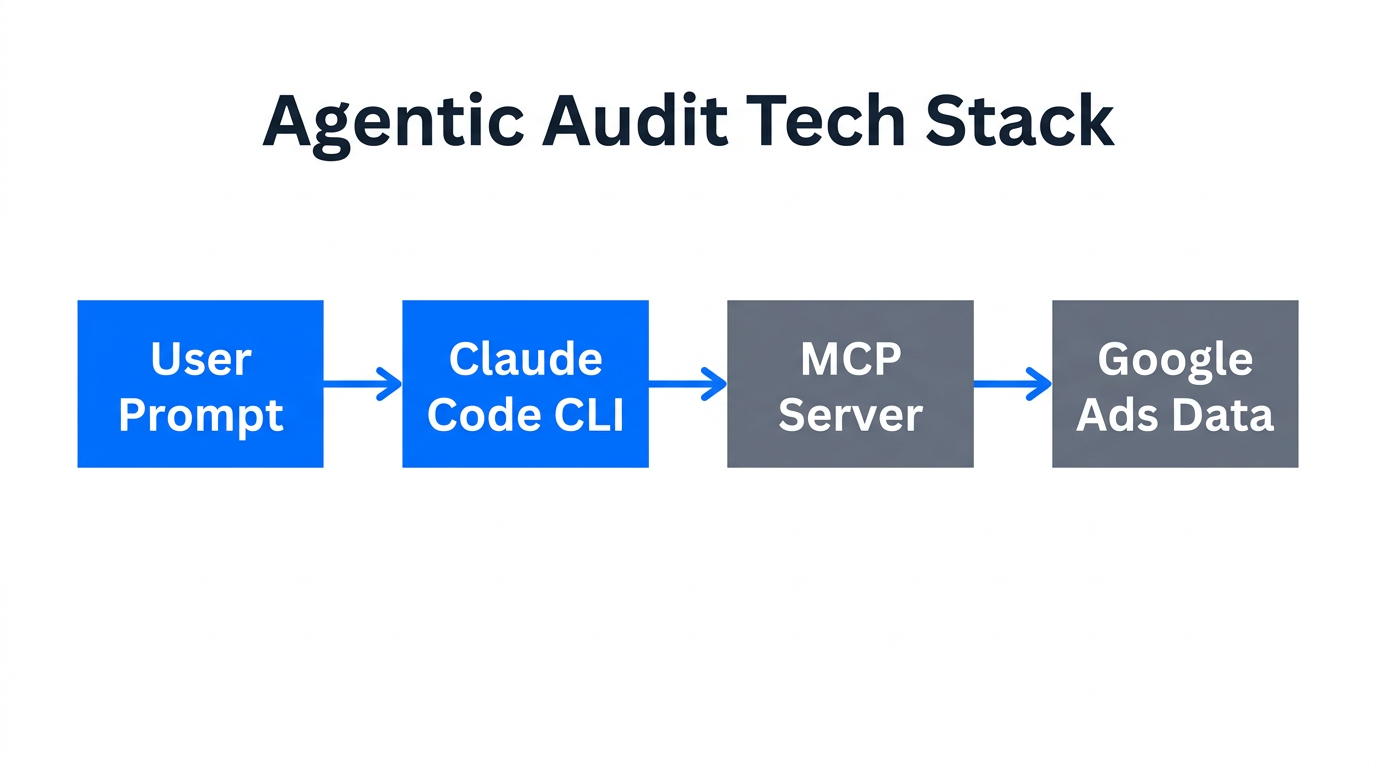
To perform an automated PPC audit using Claude, you need a bridge between the AI and the Google Ads API. The Model Context Protocol (MCP) is the secret sauce here. It creates a standardized way for Claude to read your account performance in real-time.
Essential Tools for Your AI Audit Stack
- Claude Code: The primary interface for running terminal-based commands.
- TrueClicks Google Ads MCP: A specialized server that allows Claude to query your Google Ads accounts directly. You can find the setup guide here.
- GAQL.app: A critical bridge that generates the necessary tokens to connect Claude to Google, Microsoft, and Meta Ads. GAQL.app simplifies the technical overhead of API management.
- n8n: For those who want custom logic, n8n.io can act as a self-hosted MCP server to trigger complex workflows based on ad performance.
| Feature | Traditional Dashboard | Claude Code + MCP |
|---|---|---|
| Data Access | Manual Menu Navigation | Natural Language (CLI) |
| Audit Speed | 4–8 Hours | 15–30 Minutes |
| Cross-Platform | Separate Logins | Unified Agentic View |
| Actionability | Static Reports | Autonomous Execution |
Strategy A: Instant Audits with TrueClicks MCP
Once your Claude Code MCP guide steps are complete and the server is running, the real magic happens. You no longer need to build a report; you just ask for it. A common starting point is requesting a real-time performance summary. Organizations using AI-driven campaign management are already seeing 20% to 30% higher ROI compared to traditional methods, largely because they catch errors faster.
Try this prompt in your terminal:
"Analyze our Google Ads spend for the last 7 days. Which 3 ad groups saw the biggest jump in CPA, and what was the likely cause based on Search Lost IS (budget)?"
Claude won't just give you a list of numbers. It will look at the Search Lost Impression Share (Budget) and correlate it with your CPA spikes. If your CPA jumped because your budget was capped during peak hours, Claude will flag it instantly. This level of AI marketing data analysis used to require a senior analyst and several Pivot Tables.
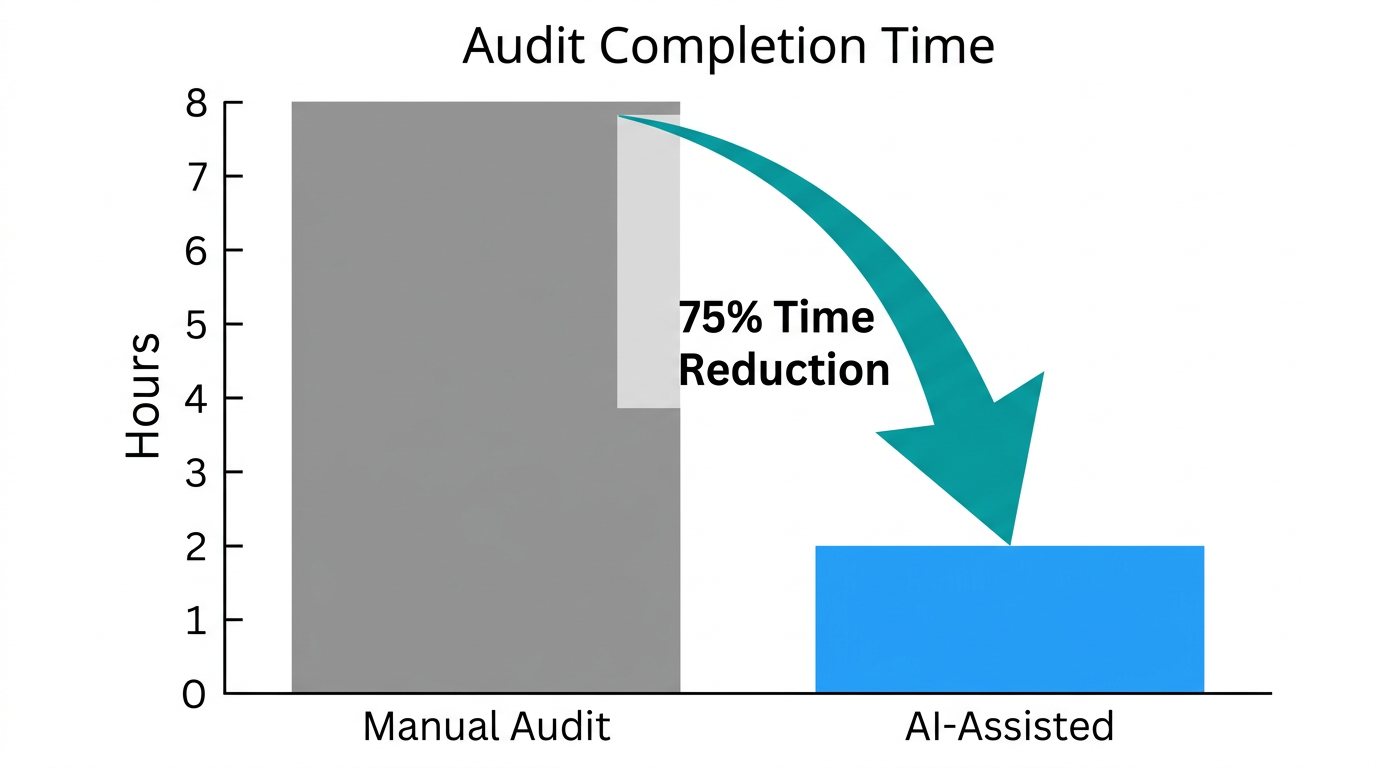
"Organizations are turning 8-hour manual audits into 2-hour AI-assisted reviews, a 75% increase in operational efficiency." — Digital Applied
Strategy B: Identifying CPA Jumps and Search Lost IS Triggers
One of the most frustrating parts of Google Ads management is "Silent Budget Death." This happens when your ads stop showing mid-day because your daily budget is too low, but your average CPA looks fine. Claude Code can perform a Google Ads performance analysis specifically looking for these friction points.
The 3-Step Budget Audit Playbook
- Query the Gap: Ask Claude to "List all campaigns where Search Lost IS (budget) is greater than 20% but ROAS is above 300%."
- Root Cause Analysis: Follow up with, "For these campaigns, did the CPA jump in the last 48 hours? If so, identify if it was due to increased CPCs or a drop in Conversion Rate."
- Strategic Reallocation: Instead of blindly raising budgets, ask: "I have an extra $5,000 this month. Analyze my current ROAS across 'Brand' and 'Generic' campaigns and identify where that budget will have the highest marginal return."
Unlike Google’s built-in recommendations—which often prioritize reach and spending more money—Claude can be instructed to prioritize profitability or specific Lifetime Value (LTV) metrics. This makes it a powerful "Fractional Strategist" for your brand.
Strategy C: Automated Multi-Platform Audits
While Google Ads is the focus for many, modern growth stacks are multi-channel. You can use specialized tools like the Claude Ads Skill by Daniel Agrici, which features over 190+ PPC checks. You can explore the repository on GitHub to see how parallel agents can check for wasted spend across Google, Meta, and LinkedIn simultaneously.
For Meta Ads specifically, marketers like Giorgio Liapakis have documented 30-day experiments letting Claude Code run accounts autonomously via the Meta Marketing API. The agent handles everything from audience research to pausing underperforming creative. When you combine this with a tool like Stormy AI for discovering high-performing UGC creators, you create a fully automated loop of content discovery and ad optimization.
Setting Up Executive-Ready Summaries
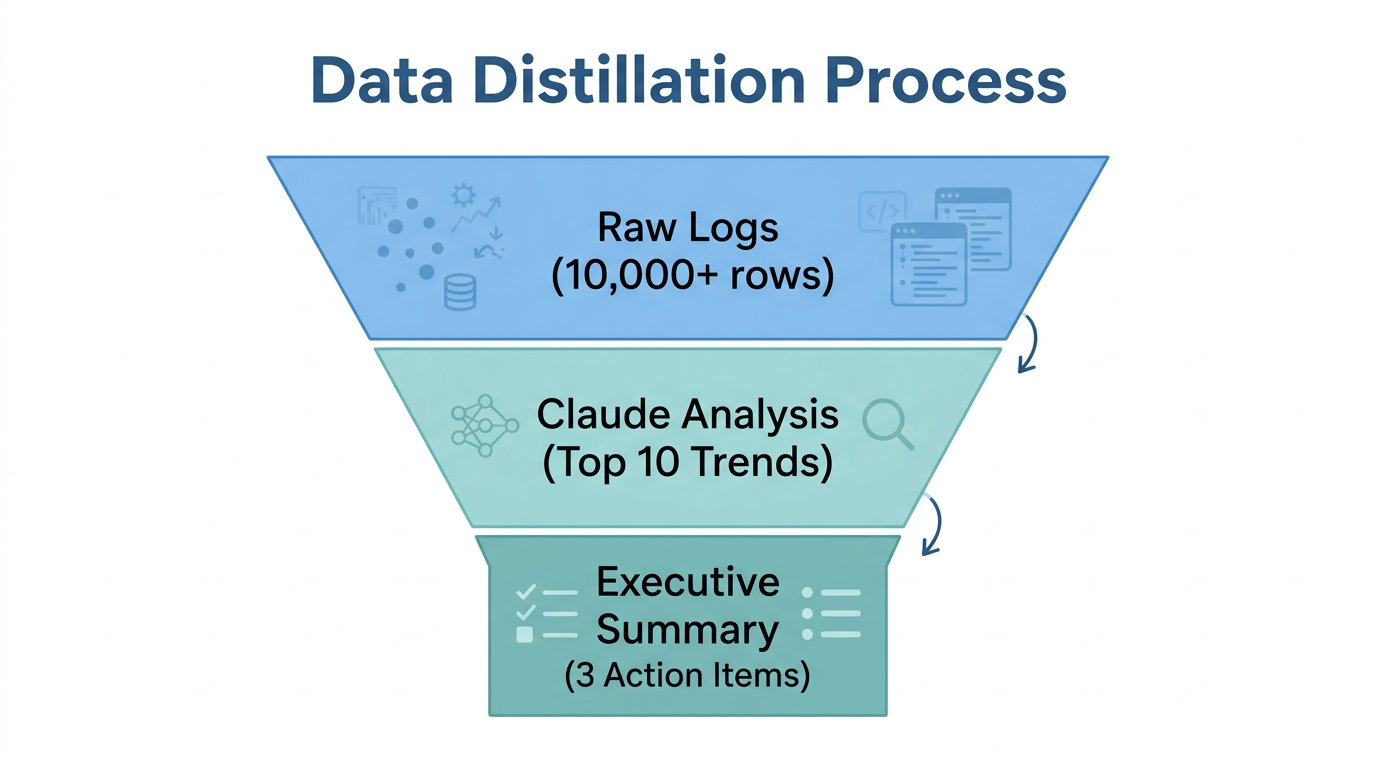
One of the best uses of Claude Code is its ability to format data for human consumption. After performing an audit, you can ask Claude to: "Summarize these findings into three bullet points for a Slack message to my CMO. Focus on spend efficiency and ROI."
By connecting Claude to Lemlist or Instantly via webhooks, you can even automate the process of reporting these wins to clients or stakeholders. This shifts the marketer's role from a "button pusher" to a "strategic architect." As noted by Writer.com, you aren't just playing an instrument; you are conducting the AI orchestra.
"The shift from simple generative AI to agentic AI is the single most important technology trend for agencies this year." — Cloud Campaign Team
Common Mistakes & Security Best Practices
While automated PPC audits are powerful, they are not without risk. You must treat Claude as an analytical partner, not a hands-off pilot. Here are the most common pitfalls to avoid:
- Garbage In, Garbage Out: AI analysis is only as good as your conversion tracking. If your Google Ads tracking is broken, Claude will provide "hallucinated" performance signals that look logical but are factually wrong.
- Read-Only Barriers: Most current MCP setups are read-only by default. Do not assume Claude can change your bids unless you have specifically configured a "Write" server.
- Developer Token Exposure: Avoid using unvetted 3rd-party MCP servers. Expert Malcolm Gibb recommends using official or well-vetted enterprise connectors to keep your tokens secure.
- Skipping Plan Mode: In Claude Code, always use Plan Mode (
Shift+Tab) before execution. This allows you to review what the AI intends to do before it spends a penny of your budget.
Conclusion: The Future of PPC is Agentic
The era of spending hours clicking through the Google Ads UI is coming to an end. By embracing Claude Code and Vibe Querying, you can perform deep AI marketing data analysis in seconds, identify CPA jumps before they ruin your month, and automate the tedious parts of your automated PPC audit workflow.
To get started, set up your first MCP server using GAQL.app or TrueClicks. Start small—ask for a summary of yesterday’s performance. As you get comfortable, move into strategic budget reallocation and automated reporting. The goal isn't just to work faster; it's to work smarter by letting AI handle the data while you handle the growth. If you are looking to scale your creative alongside your technical audits, platforms like Stormy AI can help you find the right influencers to fuel your newly optimized campaigns.