In the fast-paced digital landscape of 2026, the traditional bottleneck for growth marketing is no longer budget or strategy—it is creative velocity. While marketing teams used to spend hours manually resizing assets, drafting copy, and uploading Responsive Search Ads (RSAs), a new era of ad creative automation has arrived. By leveraging Claude Code, the agentic command-line tool from Anthropic, growth teams are now reducing ad creation time from 30 minutes to just 30 seconds—a staggering 98% reduction in manual labor.
This shift represents more than just a faster way to work; it is the transition from "chatting" with AI to "orchestrating" with AI. According to research from SurveyMonkey, 90% of marketing professionals report that AI helps them complete tasks significantly faster, yet the real winners are the 26% who have moved beyond basic prompts to build custom automation engines. This article explores how you can use Claude Code to bridge the gap between Figma designs and Google Ads deployment.
The Anthropic Case Study: From 30 Minutes to 30 Seconds
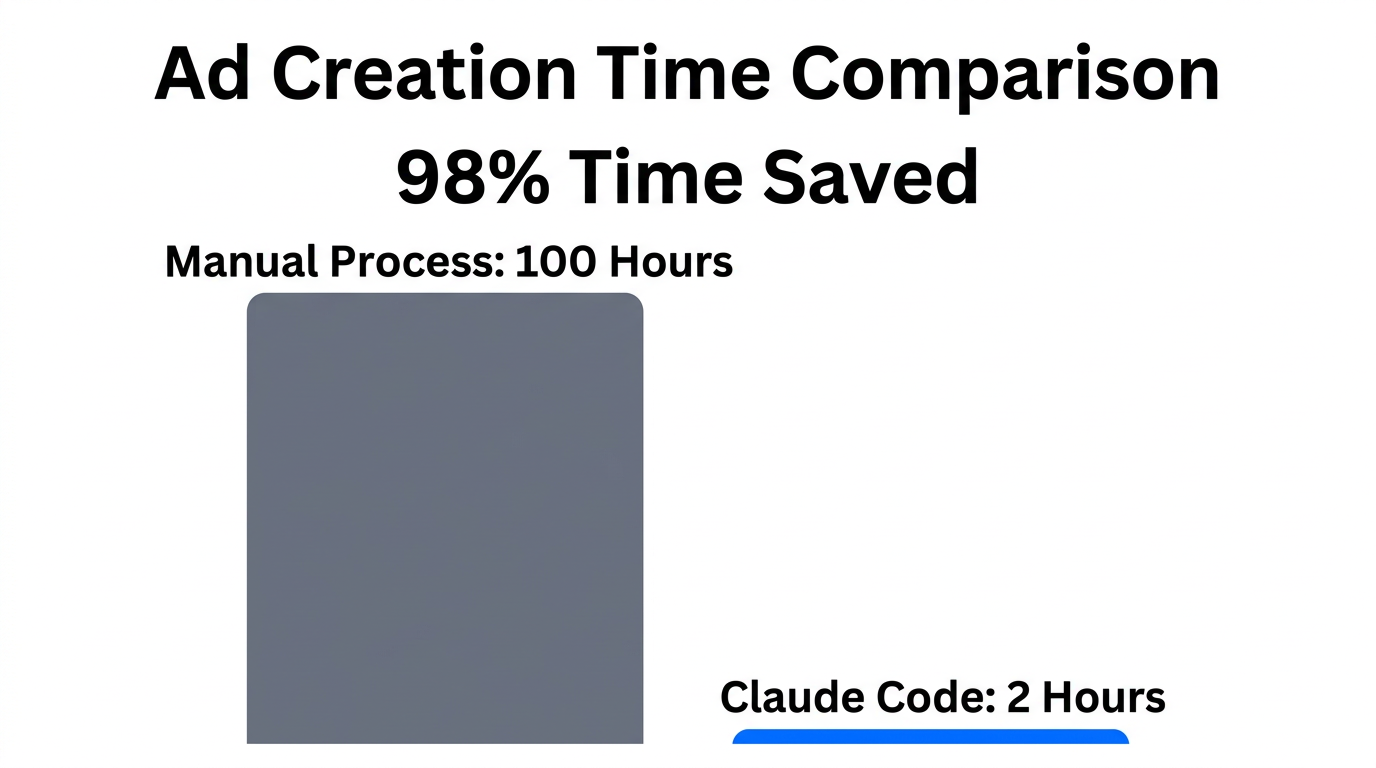
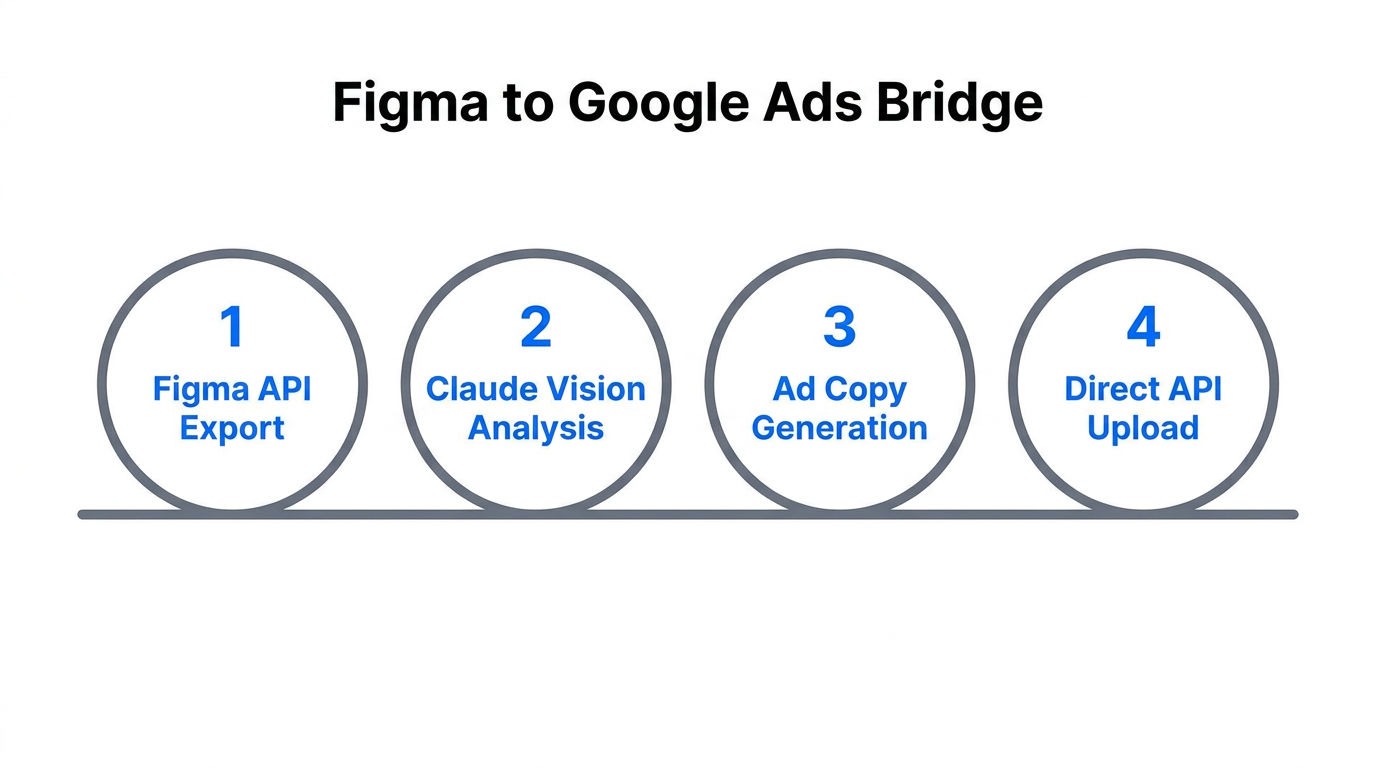
The catalyst for this movement was Anthropic’s own growth marketing team. Faced with the need to scale high-velocity marketing creative across multiple regions, they moved away from manual uploads and toward a CLI-based workflow. By using Claude Code for marketing, they built a system where a single command could pull design specs from Figma, generate optimized copy, and push the final assets directly into Google Ads Manager.
"Growth marketing is going the way of product management. We’re not just executing campaigns; we’re building the products that achieve our targets." — Austin Lau, Growth Marketer at Anthropic.
This approach eliminates the "copy-paste fatigue" that plagues most PPC specialists. Instead of manually inputting 15 headlines and 4 descriptions for a Google Responsive Search Ad, the team uses a custom skill that analyzes the landing page and competitor data to generate and deploy high-performing variations in seconds. This level of automation is why Isaac Rudansky calls Claude Code the "AI coding assistant every marketer needs."
Building a Custom Figma-to-Google Ads Bridge
The secret to 2026-level automation lies in the Model Context Protocol (MCP). Think of MCP as the "USB-C" for marketing technology. It allows Claude Code to connect directly to tools like Figma and Google Ads without the need for complex, brittle "glue code." By utilizing MCP servers, you can give Claude the ability to "see" your design files and "write" to your ad accounts.
The Role of Vibe Coding
In 2026, we are seeing the rise of "vibe coding," where marketers use natural language to describe the automation they want. For example, you can tell Claude Code: "Read the layers in this Figma file, extract the hex codes and CTA text, and then create a new Google Ads campaign using these assets." Claude then writes the necessary script, initializes the project context, and executes the bash commands required to make it happen.
| Feature | Traditional Workflow | Claude Code Agentic Workflow |
|---|---|---|
| Asset Extraction | Manual export/import | Automated via Figma API |
| Copywriting | Manual drafting | AI-generated via landing page context |
| Ad Creation | 30+ minutes per campaign | 30 seconds via CLI commands |
| Optimization | Reactive weekly audits | Proactive daily sub-agent adjustments |
To start building this bridge, marketers are increasingly using tools like Node.js and GitHub Desktop to manage their automation scripts. This ensures that every change to the ad creative logic is version-controlled and easily reversible.
Using the /rsa Skill to Scale Responsive Search Ads
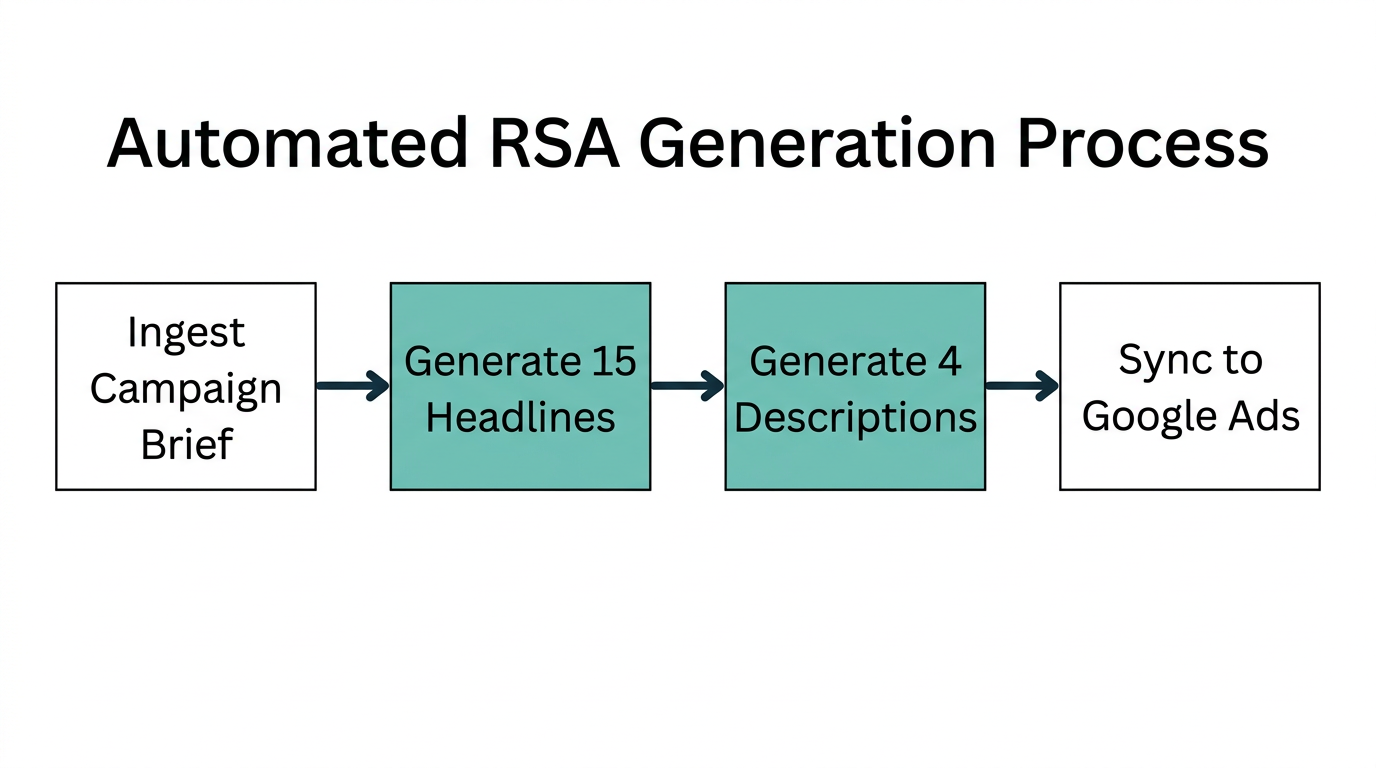
One of the most powerful features of Claude Code is the ability to define custom "skills." For PPC specialists, the /rsa skill is a game-changer. This command triggers a repeatable workflow that pulls data from multiple sources to create a complete Responsive Search Ad unit.
"AI-powered campaigns are delivering a 32% increase in conversions on average by iterating creative at speeds humans cannot match." — Data from Primal.co.th.
The /rsa skill typically follows these steps:
- Data Sourcing: Claude pulls historical performance data from your CRM or Ahrefs SEO data to see which keywords are currently driving high-intent traffic.
- Content Generation: It generates 15 headlines and 4 descriptions based on the Ideal Customer Profile (ICP) stored in your
CLAUDE.mdproject memory file. - Deployment: Through a Zapier MCP connection, it pushes the final ad unit to Google Ads for review.
This high-velocity approach allows for rapid A/B testing. Instead of testing one creative per month, brands can now test dozens of variations weekly. When combined with modern discovery tools like Stormy AI, which helps you find the right UGC creators to provide the raw video assets for these ads, the entire creative supply chain becomes a fully automated pipeline.
Security & Scaling: Managing API Credentials
As marketing teams move toward agentic automation, security becomes paramount. You are essentially giving an AI agent the keys to your ad spend. Following the Principle of Least Privilege is no longer optional; it is a requirement for PPC automation in 2026.
When setting up your Claude Code environment, you must use OAuth 2.1 to manage permissions. Rather than using a master API key that has access to your entire Google Cloud project, you should create scoped credentials that only allow the agent to "Create Ads" and "Read Analytics." This prevents a simple coding error from accidentally deleting an entire campaign. For more details on maintaining a secure agentic environment, refer to the MCP Security Guide.
The Playbook: Automating Your Ad Creative Workflow
Ready to implement this in your own team? Follow this clear, four-step playbook to move from manual work to agentic orchestration.
Step 1: Identify the "Boring" Tasks
Don't try to automate your entire strategy on day one. Start with tasks that take 2+ hours of copy-pasting every week. Common candidates include pulling GA4 data into a weekly report or formatting ad headlines for different platforms. As noted by Digital Applied, agencies have reduced 8-hour content audits to just 2 hours by automating these repetitive steps.
Step 2: Initialize Project Context
Create a CLAUDE.md file in your project directory. This acts as the "long-term memory" for Claude Code. Include your brand voice guidelines, target audience demographics, and preferred formatting for ad copy. This ensures the AI doesn't hallucinate "off-brand" content.
Step 3: Deploy Specialized Skills
Use the terminal to define specific slash commands like /generate-ads or /audit-seo. By using the Claude Code CLI, you can trigger these workflows with a single keystroke. This shifts your team from being "doers" to being "reviewers."
Step 4: Use Plan Mode First
Before letting the AI execute code, hit Shift + Tab to enter Plan Mode. Force Claude to write a technical specification of what it intends to do. This "human-in-the-loop" step is critical; according to industry research, 50% of marketers fear performance loss because they treat AI as a hands-off tool. Reviewing the plan ensures the automation logic matches your strategic intent.
"MCP enables marketers to shift from static dashboards toward conversational, question-driven access to data. It’s faster, more agile, and results in campaigns written for the individual." — Natalie Lynch, Principal PM at Mailjet.
The Future of High-Velocity Marketing
The goal of using Claude Code for ad creative automation isn't just to save time—it's to unlock a level of performance that was previously impossible. When you can iterate on creative 98% faster, you can respond to market trends in real-time, personalize ads for micro-segments via Think with Google insights, and achieve a scale that manual teams simply cannot touch.
By 2026, the gap between the "vibe coders" and the manual practitioners will be insurmountable. Start by automating your most tedious task today. Whether you are using Stormy AI to source your initial UGC content or Claude Code to deploy the final Responsive Search Ads, the tools for high-velocity growth are already at your fingertips. The question is: will you keep clicking buttons, or will you start building the engine?