For years, the barrier to entry for non-technical founders was the "technical wall." You either had to find a co-founder who could code, hire an expensive agency, or settle for the rigid constraints of no-code builders. But the landscape has shifted. With the release of ChatGPT Codex, the paradigm is moving from building with visual blocks to managing an AI-powered codebase. This isn't just about chatting with a bot; it’s about acting as a product manager for an autonomous engineering agent that writes, tests, and deploys real code directly to your infrastructure.
The Shift: Why AI-Managed Codebases Trump No-Code Builders
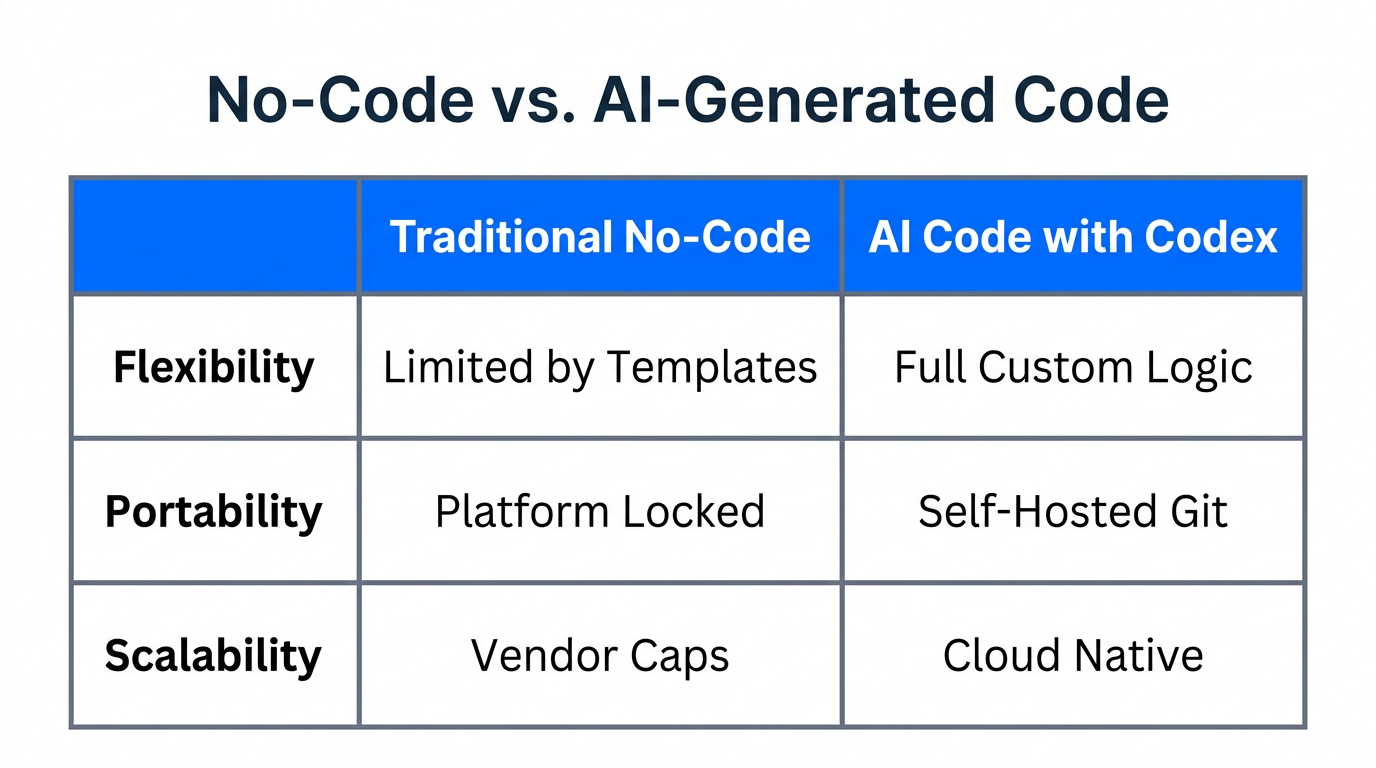
Traditional no-code platforms like Carrd or Wix are excellent for landing pages, but they often lack the extensibility needed for a true MVP. When you want to add a custom database, a unique API integration, or a specific user workflow, you often hit a wall. Using ChatGPT Codex for entrepreneurs allows you to own the actual code without needing to know how to write a single line of JavaScript or Python.
The core advantage is scalability. Instead of being locked into a proprietary platform, your project lives on GitHub, the industry standard for software development. This means that as your startup grows, you can easily transition to a human engineering team without rebuilding from scratch. You are essentially using an AI software engineer for startups to lay a professional foundation from day one.
| Feature | Traditional No-Code | AI-Managed Code (Codex) |
|---|---|---|
| Ownership | Platform-locked | Full Code Ownership (GitHub) |
| Flexibility | Limited by templates | Unlimited; if it can be coded, it can be built |
| Complexity | Easy but shallow | Steeper learning curve but deeper utility |
| Scalability | Low (hard to export) | High (professional standard) |
"The goal isn't to build a Spotify clone in one click; it's to iteratively delegate tasks to an agent that is significantly more advanced than you, effectively moving items off your plate and into production."
Step 1: Setting Up Your GitHub Environment
To build a startup MVP with AI, you must first understand the "filing cabinet" of the dev world: the repository. A repository (or "repo") is simply a folder that stores all your code files and tracking data. For a non-technical founder, GitHub acts as the bridge between your instructions and the live web.
- Create a GitHub Account: Sign up at GitHub.
- Initialize a Repository: Create a new project, name it (e.g., "my-startup-mvp"), and ensure you check the box to "Add a README file." This file tells Codex what your project is about.
- Connect to ChatGPT Codex: In the OpenAI Codex interface, you will link your GitHub account and select your specific repository. This creates a secure tunnel for the AI to read your files and suggest changes.
Step 2: Building Features via 'Tasks'
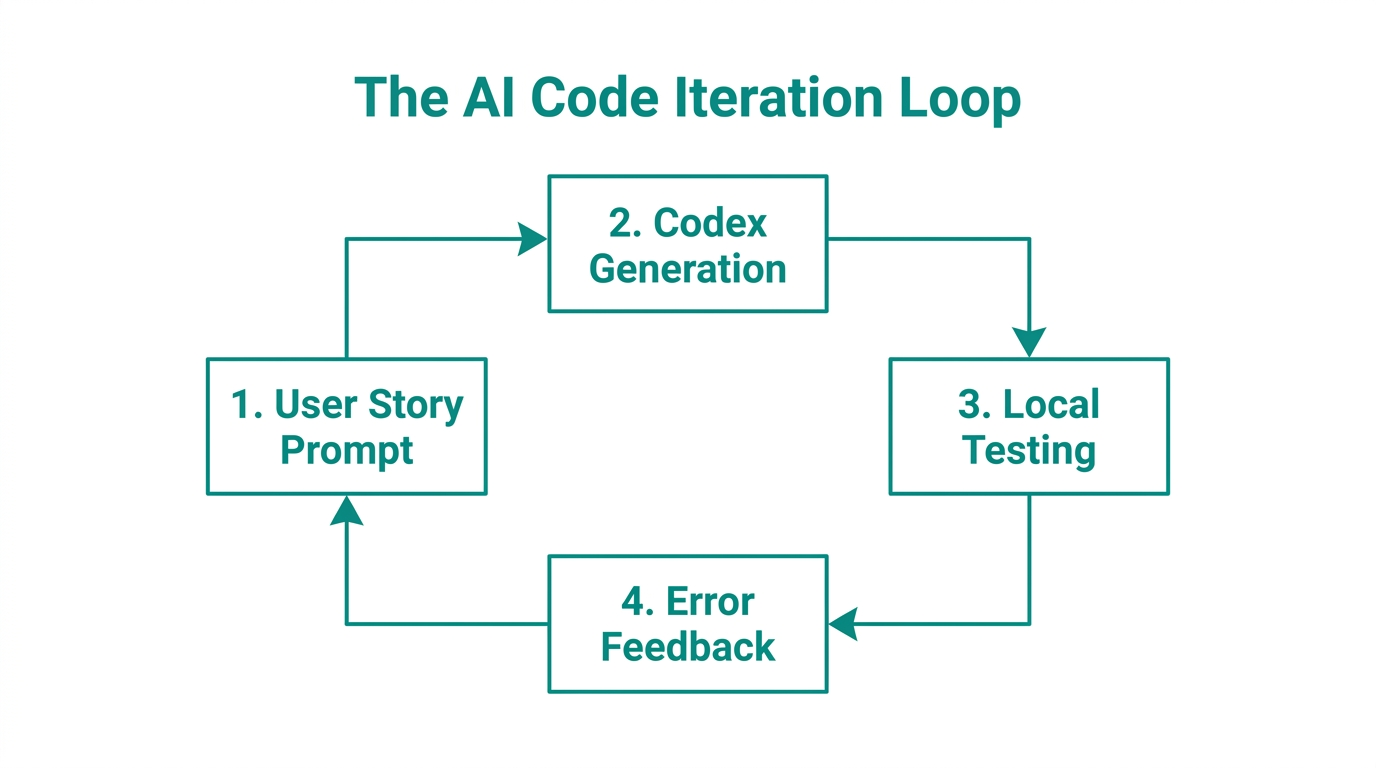
The mistake most non-technical founder product development efforts make is trying to prompt the entire app at once. This leads to "hallucinations" and broken logic. Instead, use the iterative approach seen in professional Agile development. In Codex, you don't just chat; you assign Tasks.
Start with a simple task: "Add a navigation bar with links for Home, About, and Contact." Codex will scan your files, identify where the navigation should go, and write the code. It uses a terminal-like environment to understand the context of your existing codebase before proposing a change.
The 'Ask' vs. 'Code' Distinction
Codex typically offers two modes. The "Ask" mode is for information—asking how a certain part of your site works or how to fix a bug. The "Code" mode is for execution—instructing the AI to actually modify files. For things like lead capture forms, you might prompt: "Create a contact form that sends data to my email and shows a success message after submission."
"You aren't just writing prompts; you are managing a pull request pipeline. It’s the closest a non-coder can get to being a CTO."
Step 3: The Deployment Pipeline (Merging to Live)
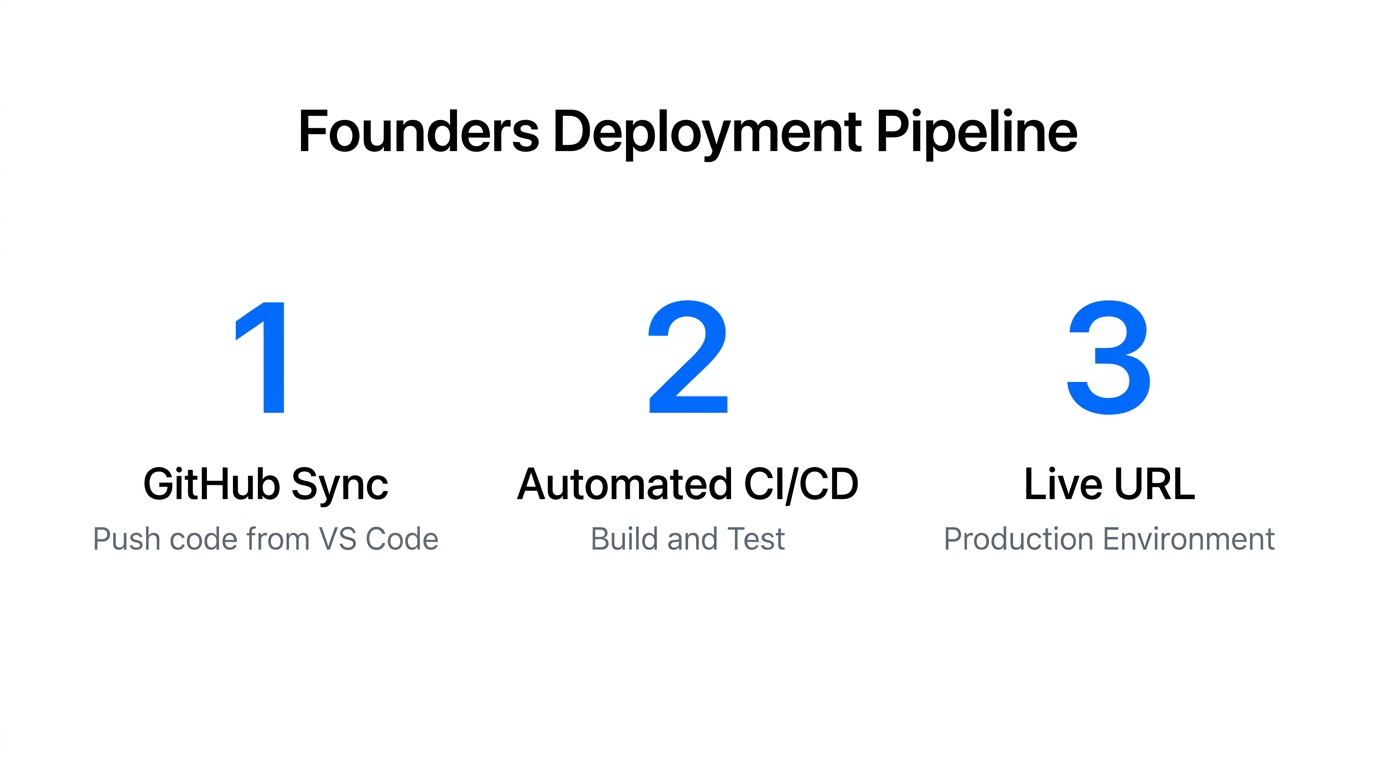
Once Codex finishes a task, the code doesn't just magically appear on your live site. It enters a Pull Request (PR) stage. This is a safety check. A PR is essentially the AI saying, "I've made these changes on a side branch; would you like to merge them into the main project?"
As a founder, you will see a summary of changes—for example, +12 lines / -0 lines. This indicates how much code was added or removed. If the "checks" pass (meaning the code isn't fundamentally broken), you hit Merge. To get this code live for the world to see, you can connect your GitHub repo to a deployment platform like Vercel or GitHub Pages. Every time you merge a PR in Codex, these platforms automatically update your live website.
Step 4: Moving Beyond the Landing Page
Once you have a functional site, the next level of non-technical founder product development involves integrations. You might want to track how users interact with your MVP using Mixpanel or manage creator relationships if you're building a marketplace. For instance, platforms like Stormy AI streamline creator sourcing and outreach, allowing you to focus on the product while the AI handles the influencer discovery.
You can also use Codex to add advanced functionality like:
- User Authentication: Integrating services like Clerk or Firebase so users can sign up.
- Database Management: Connecting to Supabase to store user-generated content.
- Keyboard Shortcuts: Adding "Power User" features like a Command+K modal for navigation, similar to tools like Cursor.
Best Practices for AI-Powered Development
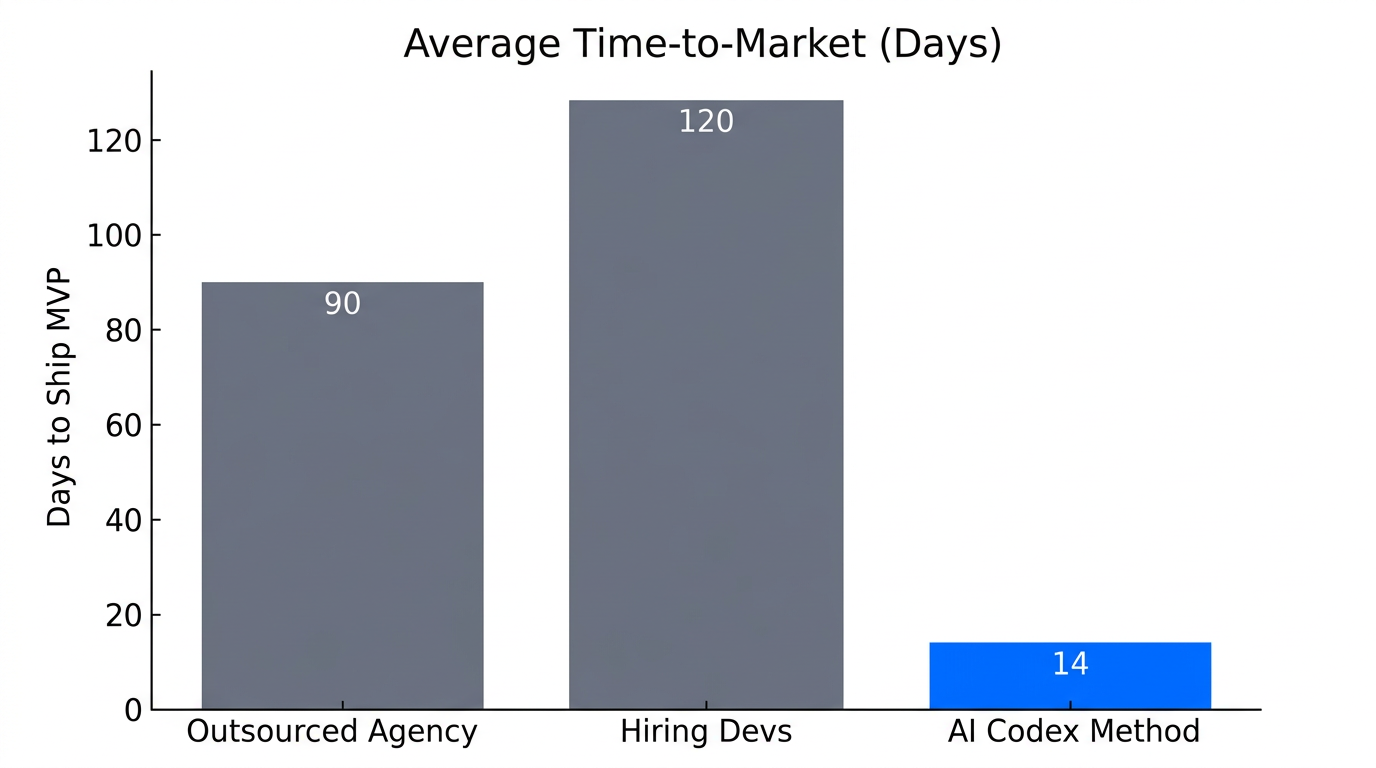
To succeed with ChatGPT Codex for entrepreneurs, you need to adopt a developer's mindset without necessarily learning the syntax. Here is your operational checklist:
- Start Small: Don't build the next Spotify on day one. Build a site with your name and a single button first.
- Iterate Smaller: Break every feature into the smallest possible task. "Add a button" is better than "Build a checkout system."
- Use the 'Source' Trick: If you see a feature you like on another site, use the "View Page Source" trick or tools like Claude to help explain the code, then feed that logic into Codex.
- Validate Externally: Use ChatGPT to explain error messages you don't understand. If Codex gets stuck, copy the error into a standard chat window and ask, "How do I fix this in my GitHub repo?"
"The most successful founders won't be the ones who write the best code, but the ones who manage the most efficient AI agents."
Conclusion: Your MVP is One Task Away
The era of waiting for a developer to "get to your ticket" is over. By leveraging ChatGPT Codex and a professional GitHub workflow, non-technical founders can now ship, test, and iterate at the speed of thought. Ownership of the codebase is the ultimate competitive advantage—it ensures you aren't just building a prototype, but a scalable asset.
Once your MVP is live and functional, your next challenge is growth. Platforms like Stormy AI streamline the process of finding and contacting the right creators to promote your new app, ensuring that your technical progress is matched by market traction. Start with one simple task today, merge your first PR, and realize that you are now a builder.