In 2026, the era of the static, one-size-fits-all marketing dashboard is officially over. For years, marketing teams spent countless hours clicking through tabs in GA4, traditional CRMs, and Meta Ads Manager, only to copy-paste data into a spreadsheet that was outdated by the time it was shared. Today, marketing data automation has shifted from rigid visualizations to "conversational data access." According to SurveyMonkey, 90% of marketers report that AI helps them complete tasks significantly faster, and the vanguard of this movement is using agentic tools like Claude Code.
Why Static Dashboards are Dying and Conversational Data is the Future
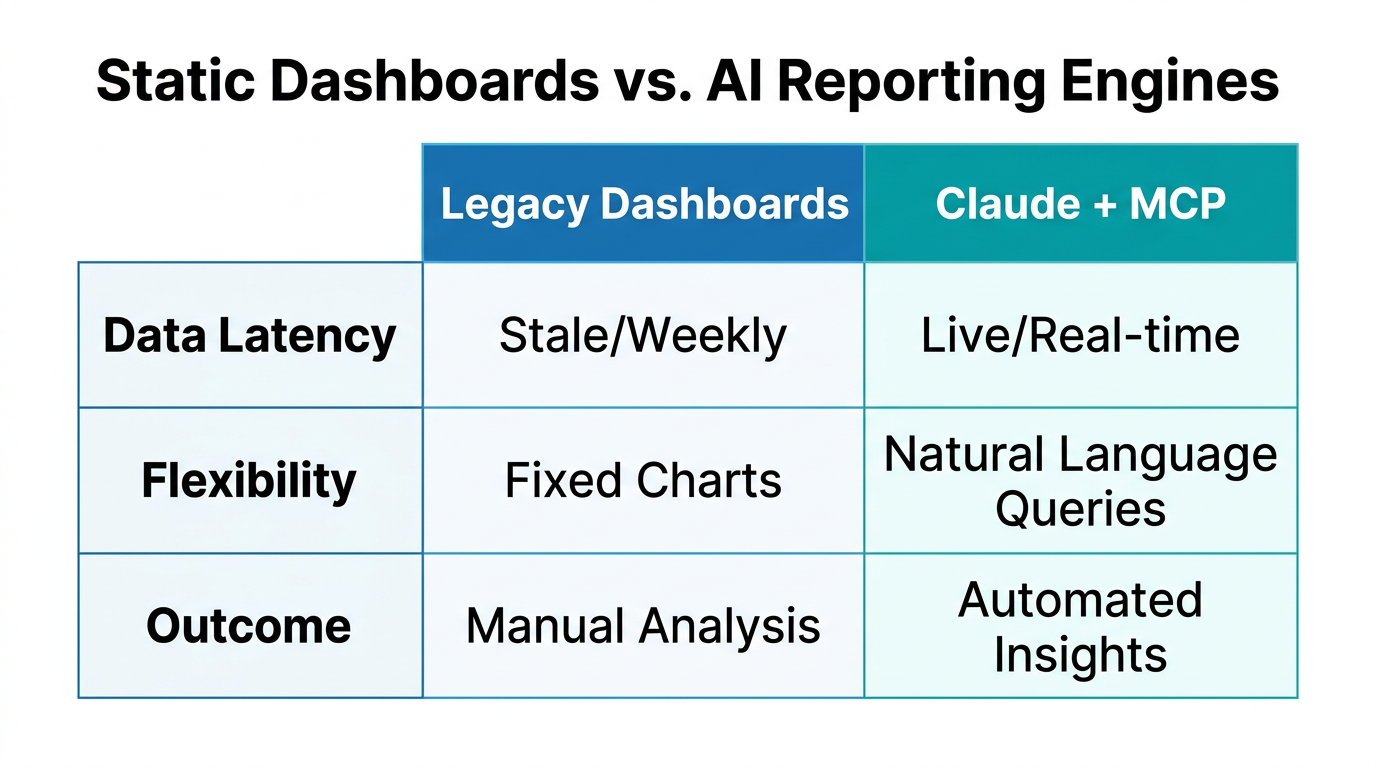
The problem with traditional dashboards isn't the data; it's the friction. By the time a data analyst builds a report, the growth team has new questions that the current view can't answer. We are seeing a massive shift toward what industry experts call agentic orchestration. Instead of looking at a graph, marketers are now asking their tools, "Which creative had the highest ROAS yesterday, and how does that compare to our average?"
As Natalie Lynch, Principal PM at Mailjet, points out, the Model Context Protocol (MCP) enables marketers to shift from static views toward agile, question-driven access to data. This creates a feedback loop that results in campaigns written for the individual, not just a broad segment. While 88% of marketers use AI daily, Averi.ai notes that only 26% have successfully generated tangible value—a gap that is being closed by moving beyond chat interfaces and into terminal-based automation.
"The key insight of 2026 is that growth marketing is becoming product management. We aren’t just executing campaigns; we’re building the automated products that achieve our targets."Setting Up the Zapier MCP to Connect Claude Code to 6,000+ Apps
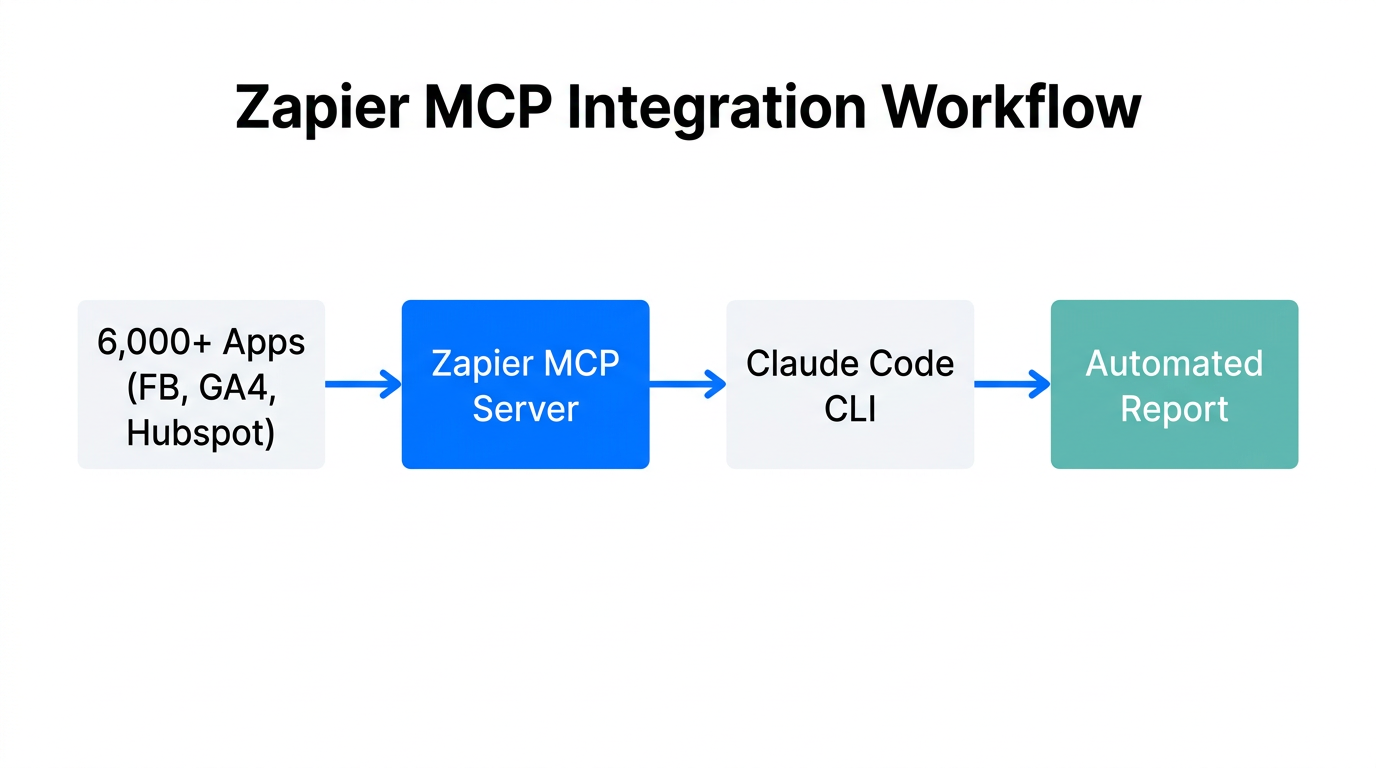
Claude Code is an agentic command-line interface (CLI) that lives in your terminal. Unlike a standard chatbot, it can read your files, execute scripts, and—most importantly—communicate with external tools via the Model Context Protocol (MCP). Think of MCP as the "USB-C" of marketing tech: a universal connector that links your AI agent to your entire stack without custom API "glue code."
To build a custom reporting engine, you must first connect the Zapier MCP. This single connection gives Claude Code the ability to reach into over 6,000 marketing apps, including Slack, Google Sheets, and your CRM. For brands scaling their reach, platforms like Stormy AI streamline creator sourcing and outreach, allowing campaign performance data to be funneled directly into their custom Claude reporting environment.
Step-by-Step MCP Configuration
- Install Node.js: Ensure you have the latest Node.js environment installed to run the Claude CLI.
- Initialize Claude Code: Run the install command via your terminal to bring Claude into your local development environment.
- Connect your CRM MCP: For deep data access, use a compatible MCP server to allow Claude to query contact records and deal stages directly.
- Authorize Zapier: Use OAuth 2.1 to securely link your accounts, following the principle of least privilege.
| Feature | Traditional Reporting | Claude Code + MCP |
|---|---|---|
| Setup Time | Weeks of API integration | Minutes via MCP |
| Data Freshness | Delayed (Sync cycles) | Real-time queries |
| Interface | Visual Charts | Natural Language / CSV |
| Automation | Manual Export | Autonomous Agent Actions |
Creating a CLAUDE.md File for Brand-Specific Reporting Memory
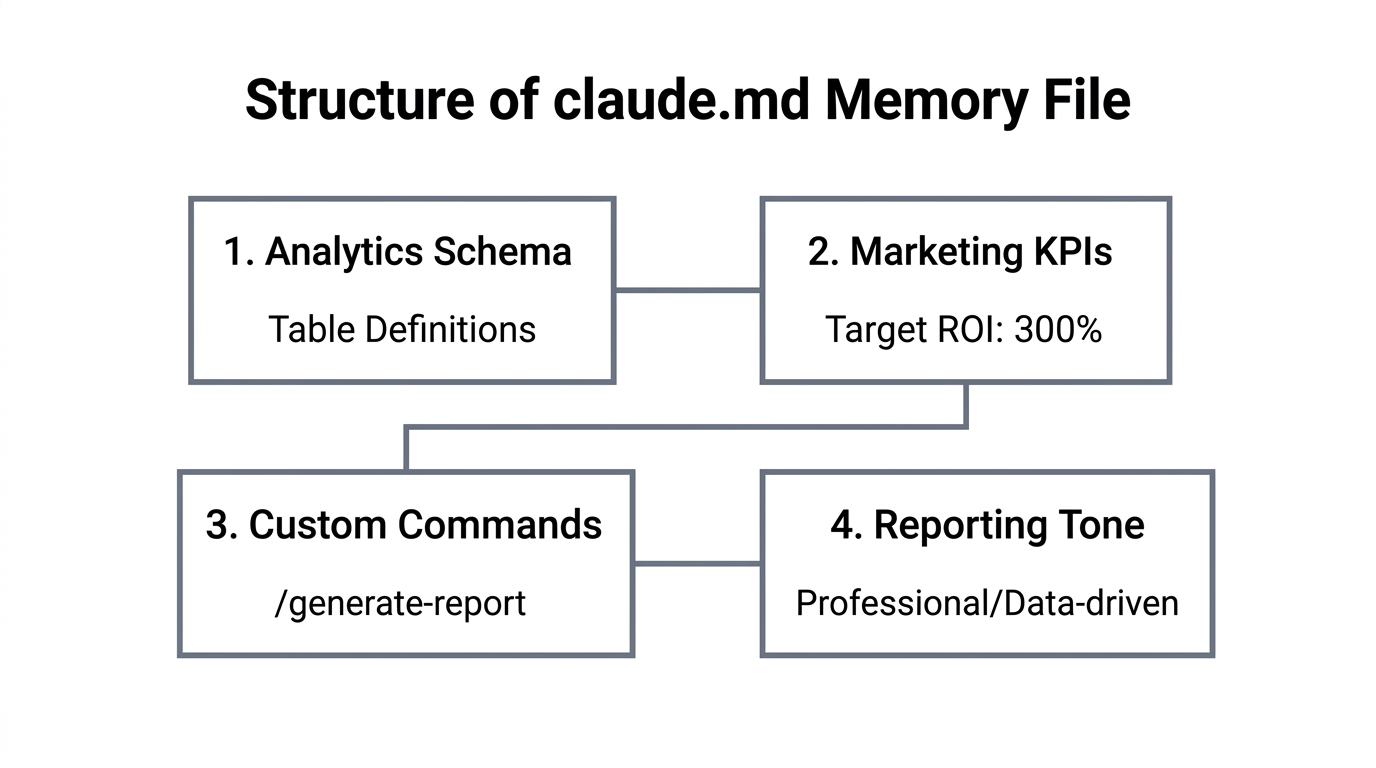
One of the most powerful features of Claude Code is the ability to maintain context via a CLAUDE.md file. This file acts as your project's "permanent memory." Without it, every time you start a new session, you have to re-explain your brand voice, your Ideal Customer Profile (ICP), and your specific reporting requirements. In 2026, top-tier marketing ops teams use this file to define their "North Star" metrics.
By initializing your project context in this way, you ensure that when Claude analyzes data from Digital Applied content audits or Primal conversion stats, it does so through the lens of your specific business goals. For example, you can instruct Claude to always prioritize app install campaigns and CAC (Customer Acquisition Cost) over vanity metrics like impressions.
"CLAUDE.md is the difference between an AI that gives generic advice and an AI that acts as your senior data analyst who has worked at your company for five years."Developing Custom Slash Commands for Instant CSV Generation
In the terminal, speed is king. Instead of typing long prompts, you can develop custom slash commands to trigger repeatable reporting workflows. A favorite among growth teams is a custom /best-content command. This script tells Claude to query your social platforms, identify the top 5 performing posts based on engagement rate, and generate a formatted CSV for the weekly stakeholder meeting.
This is more than just a shortcut; it’s a productivity multiplier. Anthropic’s own growth team used similar workflows to reduce ad creation time from 30 minutes to 30 seconds. By building these "skills" into your terminal, you dissolve the barrier between strategy and execution, as Isaac Rudansky notes, turning Claude Code into the essential coding assistant for every modern marketer.
Example Workflow: The "Boring Automation" Playbook
- Identify the Task: Find the manual job that takes 2 hours of copy-pasting (e.g., weekly SEO audits).
- Use Plan Mode: Hit
Shift + Tabto force Claude to write a technical spec before it writes any code. - Deploy the Skill: Save the logic as a reusable command like
/audit-seo. - Review: Always check the generated CSV or script before finalizing the report.
Human-in-the-loop: Best Practices for Reviewing Automated Logic
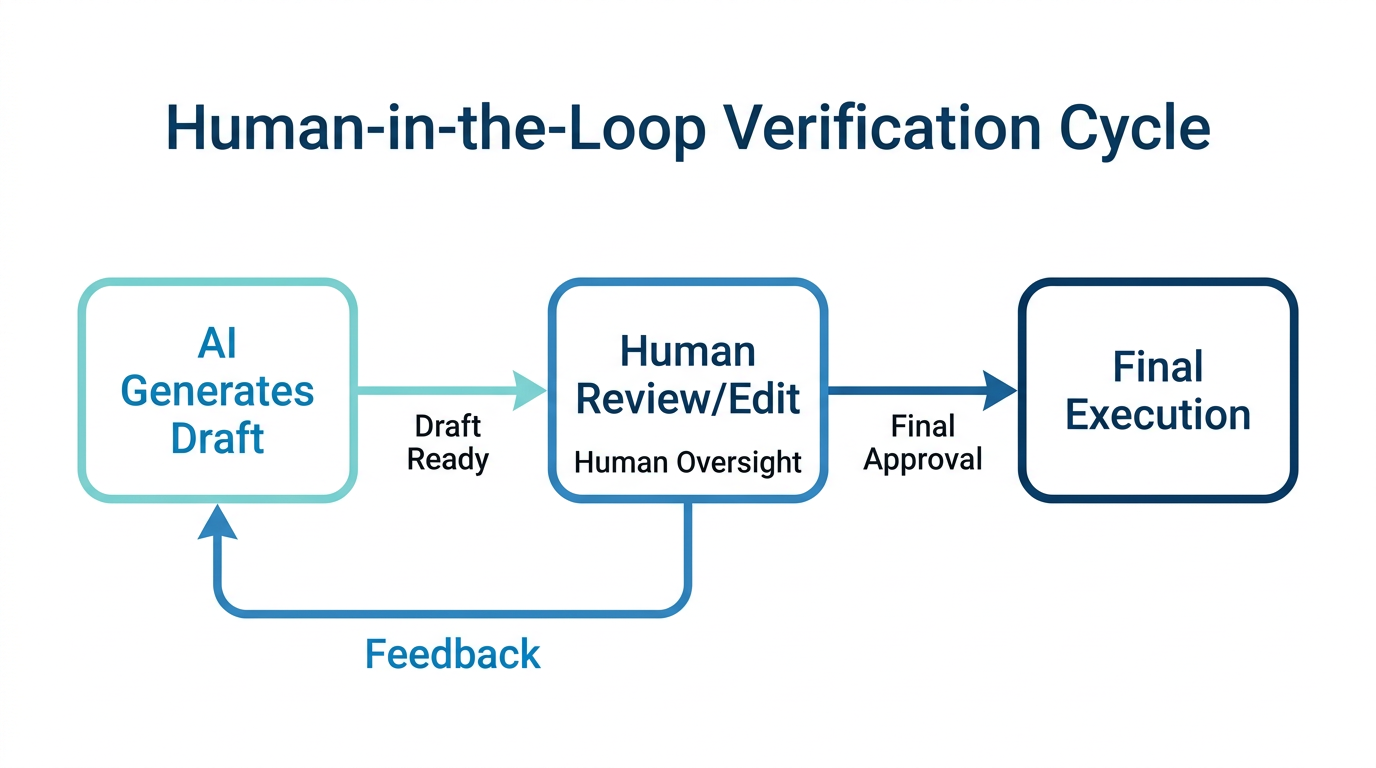
Despite the power of agentic AI, the "Set it and Forget it" trap is real. 50% of marketers still fear performance loss because they treat AI as a hands-off tool. To build a robust reporting engine in 2026, you must maintain a human-in-the-loop system. Claude Code is an assistant, not a replacement for professional judgment. Automated reporting is only as good as the underlying CRM data; "dirty data" leads to hallucinated insights.
Security is another critical pillar. When using MCP servers, ensure you are using scoped permissions. Modern marketing platforms prioritize secure API connections for creator data, and you should apply the same rigor to your custom reporting engines. Failing to follow the Principle of Least Privilege when connecting your CRM can expose sensitive business intelligence.
"AI-powered campaigns are delivering a 32% increase in conversions, but only when guided by human strategy and clean data structures."Conclusion: Your Reporting Engine as a Competitive Advantage
Building a custom marketing reporting engine with Claude Code and MCP is no longer a futuristic concept—it is the standard for high-performance teams in 2026. By moving your data stack into an agentic environment, you gain the agility to ask complex questions and receive actionable answers in seconds. Whether you are automating SEO data from Ahrefs or managing creator relationships through Stormy AI, the goal is the same: spend less time building dashboards and more time acting on the insights they provide. Start small, initialize your CLAUDE.md, and reclaim the hours lost to manual reporting.