In 2026, the mantra for every successful Shopify merchant has shifted: ‘The ad is the targeting.’ With Google Ads and Meta Ads moving almost entirely toward automated bidding and ‘agentic commerce,’ your ability to out-calculate the algorithm is gone. Instead, your success depends on your ability to out-create it. As Google Ads revenue is projected to hit $321.6 billion this year according to Statista, the competition for attention is at an all-time high. To win, you need a high-volume, high-fidelity creative engine.
This is where an AI ecommerce employee like Stormy AI becomes your secret weapon. While you focus on product strategy, Stormy can monitor your campaign performance and suggest creative swaps when your CTR dips. In this playbook, we’ll walk through the 2026 workflow for generating photo-realistic visuals, upscaling assets for Connected TV (CTV), and syncing viral YouTube Shorts directly from your Shopify feed.
The ‘Inspiration-to-Ad’ Workflow: From Concept to Campaign in 120 Seconds
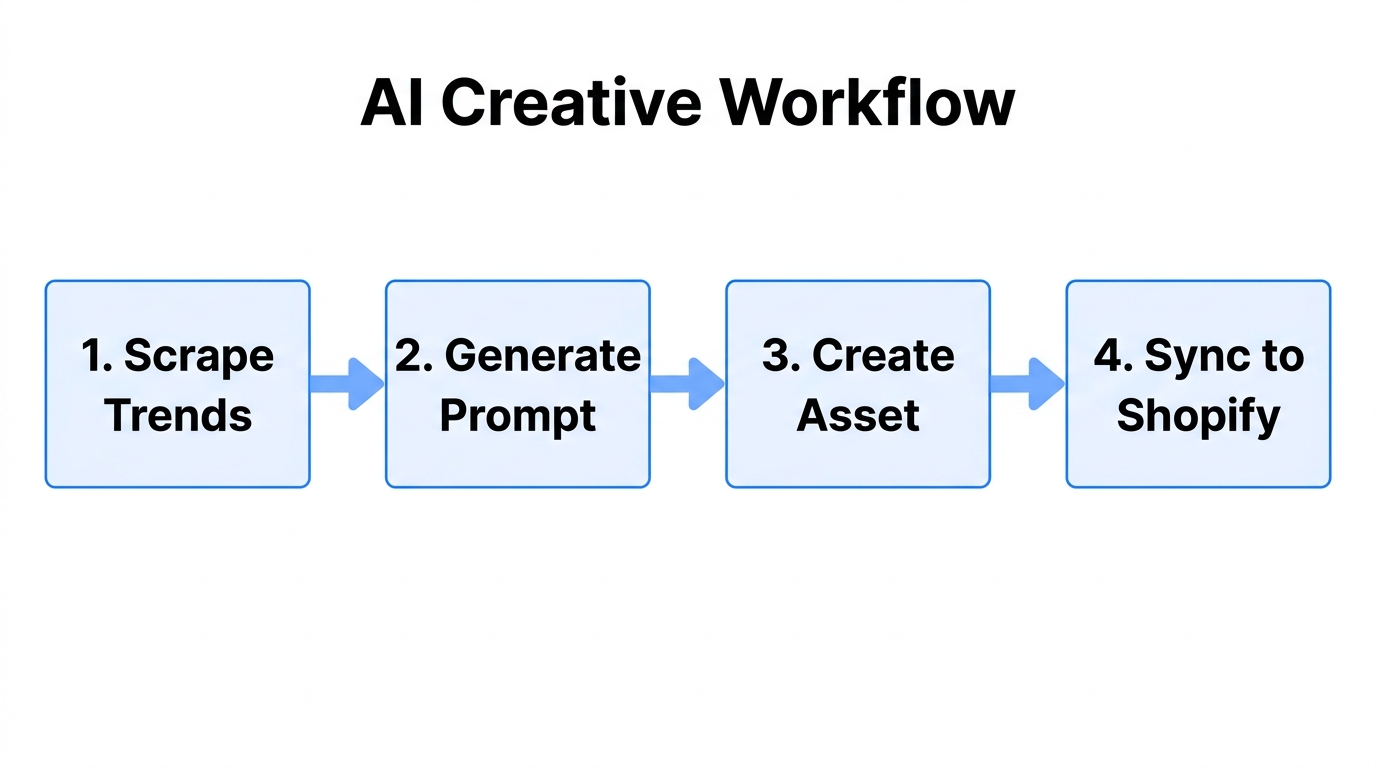
Gone are the days of three-week creative cycles. In 2026, the most agile brands use an Inspiration-to-Ad workflow. This involves taking a high-performing reference image—perhaps from a competitor or a viral post—and using multi-modal AI like ChatGPT-4o or Gemini to generate unique, high-converting variants for your own Shopify store.
When you provide an inspiration image to an AI model, it doesn't just copy the pixels; it analyzes the composition, the lighting, and the emotional hook. For a new Shopify brand without millions in historical data, providing these reference images is mandatory. It bridges the gap between a generic AI output and a brand-specific masterpiece. Once these assets are ready, Stormy AI can automatically upload them to your Performance Max (PMax) asset groups, ensuring your creative stays fresh without manual intervention.
"The game has changed from 'who can target better' to 'who can experiment faster.' AI creative is the only way to keep up with 2026's automation velocity."
Prompt Engineering for ‘Photo-Realism’ in 2026
One of the biggest hurdles for Shopify merchants is the ‘uncanny valley’ of AI images. To generate AI ad creative for Shopify that actually converts, you must master the art of the photo-realistic prompt. According to data from Digital Applied, PMax now accounts for 45% of all Google Ads conversions, but only if the assets meet high visual quality scores.
The Photo-Realism Checklist
- Use the 'Ultra-Realistic' Keyword: Always specify "photo-realistic" or "ultra-realistic" to prevent the model from defaulting to an illustrative or 'plastic' style.
- Define the Lighting: Use terms like "golden hour," "soft studio lighting," or "cinematic backlight" to give the image depth.
- Specify the Lens: Mentioning a "35mm lens" or "f/1.8 aperture" tells the AI to create a realistic depth of field, blurring the background and making your product pop.
- Prose Descriptions: Instead of comma-separated keywords, use a detailed prose description. For example: "A high-resolution photo of a minimalist ceramic vase on a white marble countertop, soft morning sunlight streaming through a window, 8k resolution, professional product photography."
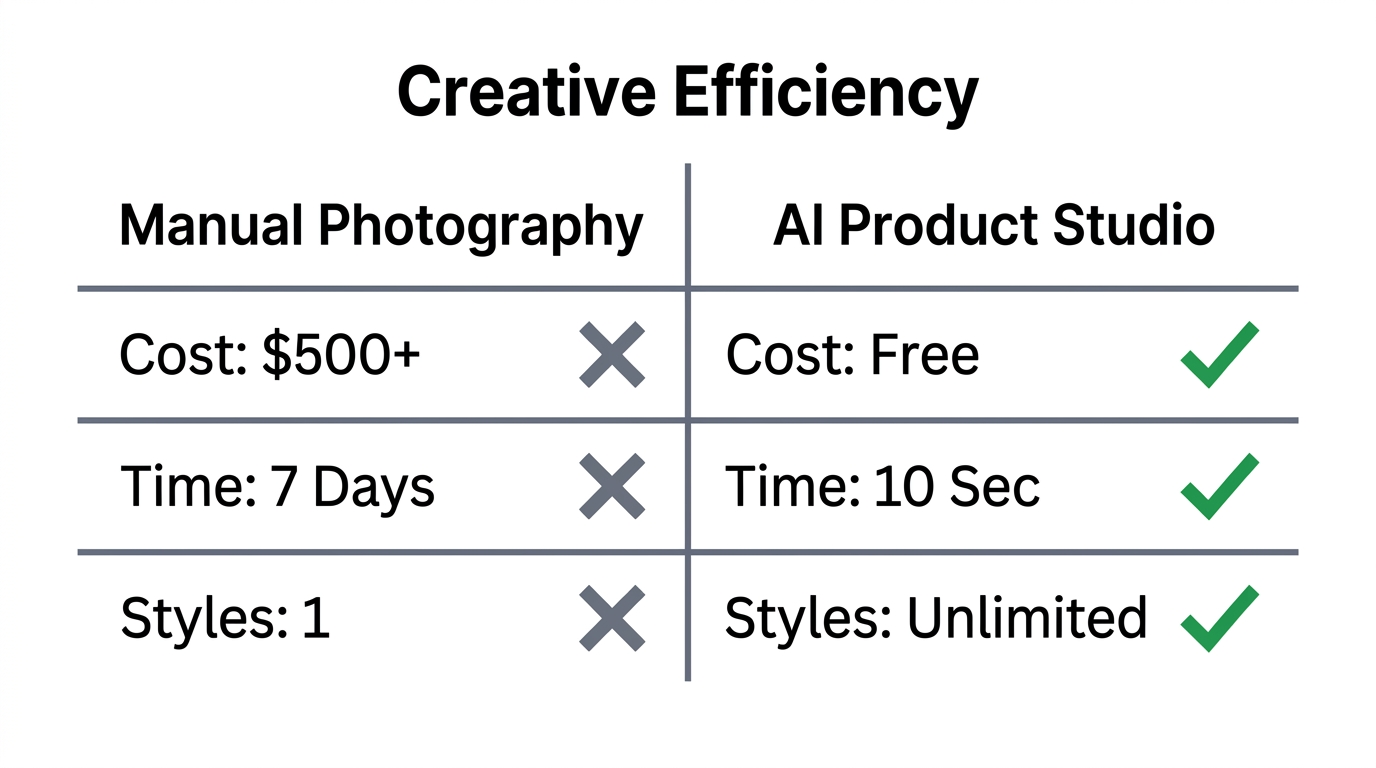
| Metric | AI-Generated Creative | Stock Photography | Professional Shoot |
|---|---|---|---|
| Cost per Asset | $0.01 | $15.00 | $500.00+ |
| Turnaround Time | 2 Minutes | 10 Minutes | 2-4 Weeks |
| Conversion Rate (CVR) | 3.1% | 1.8% | 3.4% |
| Scalability | Unlimited | Limited | Low |
Mastering Google Merchant Center 'Product Studio' for CTV
As of 2026, Shoppable CTV (Connected TV) has become a primary driver for high-ticket Shopify brands. Users can now buy products via their remote or smartphone-synced Google Lens while watching YouTube on their television. However, CTV requires ultra-high-definition assets that most standard Shopify product photos lack.
The new Google Merchant Center Product Studio is designed to solve this. It allows you to upscale low-resolution images from your Shopify feed automatically. Using the Google Merchant API, which replaced the old Content API in March 2026, Product Studio can take a 500x500 image and expand it into a 4K asset suitable for large-screen advertising. This ensures your brand looks premium even on an 85-inch television screen.
While Product Studio handles the visuals, Stormy AI monitors your Merchant Center for feed errors. If an image is flagged for resolution issues, Stormy can alert you or even trigger an upscaling task in the background, keeping your "Fast & Free" shipping badges active and your listings optimized according to ALM Corp's latest requirements.
"Product data is the new infrastructure. In 2026, your feed doesn't just power Shopping; it powers AI Overviews, Lens, and Business Agents." — Ginny Marvin, Google Ads Liaison.
The 'video_link' Attribute: Syncing YouTube Shorts Directly from Shopify
In April 2026, Google introduced the video_link attribute for product feeds. This is a game-changer for Shopify YouTube Shorts ads. Instead of manually creating video campaigns, you can now link a YouTube Shorts URL directly to a specific SKU in your feed. Google will then serve that video across viral discovery surfaces, YouTube TV, and the Shorts player whenever that product is relevant.
How to implement the video_link workflow:
- Create the Short: Use AI video tools or creator content to produce a 15-60 second vertical video.
- Upload to YouTube: Ensure the video is public or unlisted on your brand channel.
- Update the Feed: Add the URL to the
video_linkcolumn in your Shopify feed app, such as Simprosys. - Sync: Ensure your TikTok Shop or Shopify store is fully synced with Merchant Center.
By using this attribute, you allow Google's AI to match your video creative with high-intent searchers. If you're running a "Meta-to-Google Funnel," where Meta generates the initial demand and Google captures the search, this video integration can increase your overall ROAS by 25-35%, a benchmark noted by Digital Applied.
How Stormy AI Automates Creative Testing
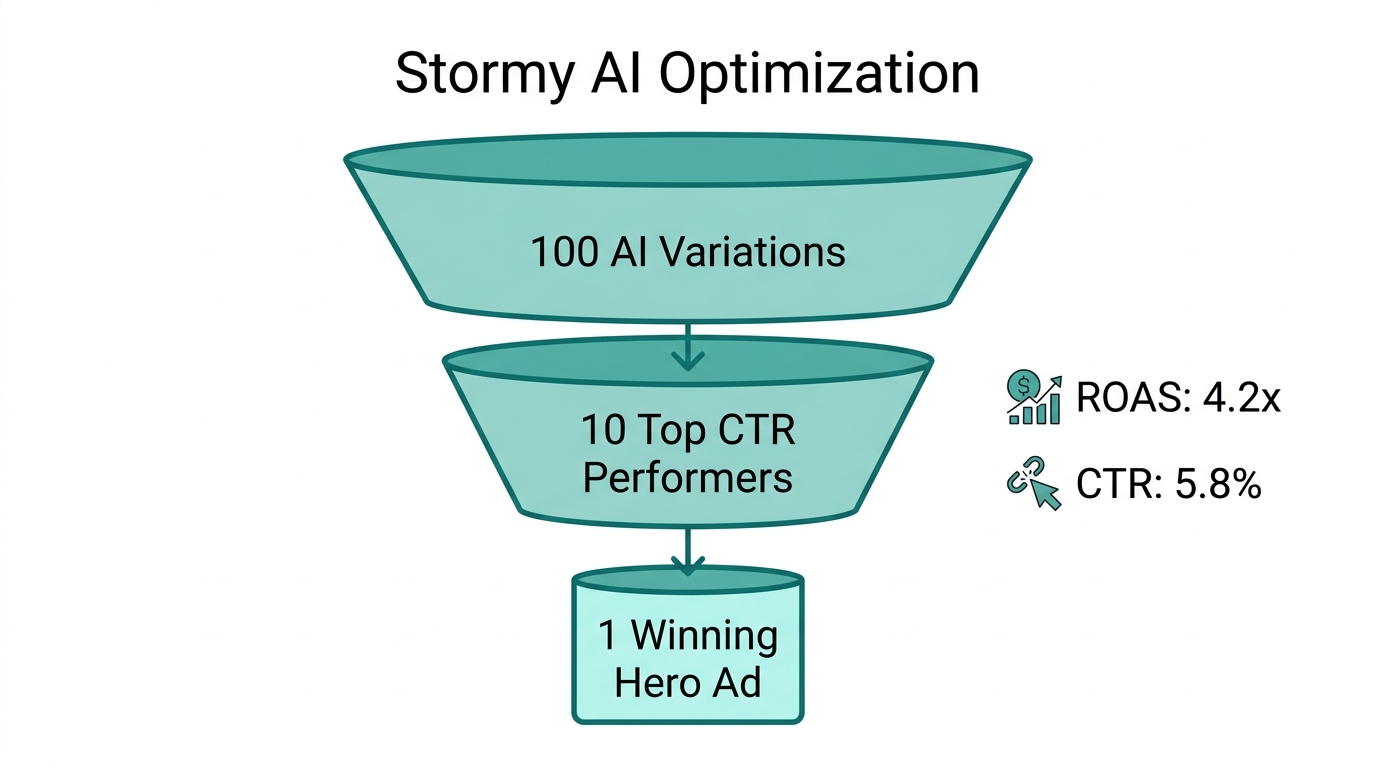
The biggest failure point for automated ecommerce ads in 2026 is the "Zombie Product" problem—items that get clicks but never convert, draining your budget. Research from Store Growers suggests that ecommerce search campaigns now average a $45.27 CPA, making efficiency critical.
Stormy AI acts as your 24/7 ads operator. It can pull campaign performance from Meta Ads and Google Ads, compare them in a shared workbook, and take action. For example:
- Performance-Based Swaps: If a PMax asset group has a ROAS below 2.0 for three consecutive days, Stormy can swap the low-performing AI images for a new set of variants based on your best-performing "Inspiration-to-Ad" templates.
- Budget Rebalancing: If Google's AI Mode is driving high-quality ‘agentic’ conversions at a lower cost than standard Search, Stormy can suggest a budget move with full reasoning.
- Feed Maintenance: Stormy follows the "7-day rule"—ensuring that product titles and prices aren't changed too frequently, which avoids resetting Google's learning phase, a common ROI killer identified by COREPPC.
Conclusion: The Creative-First Mandate
In 2026, you cannot afford to be a passive advertiser. The brands that win are those that treat their ad creative as a dynamic, AI-powered conversation with the consumer. By leveraging Google Merchant Center Product Studio for high-definition assets and the video_link attribute for viral Shorts, you position your Shopify store at the forefront of the ‘agentic commerce’ wave.
More importantly, you don't have to do it alone. By delegating the repetitive tasks of monitoring, upscaling, and testing to an AI ecommerce employee like Stormy AI, you free yourself to focus on what actually builds a brand: product innovation and customer experience. Start by auditing your current Google Ads asset groups today—if they aren't photo-realistic and CTV-ready, you're leaving revenue on the table.