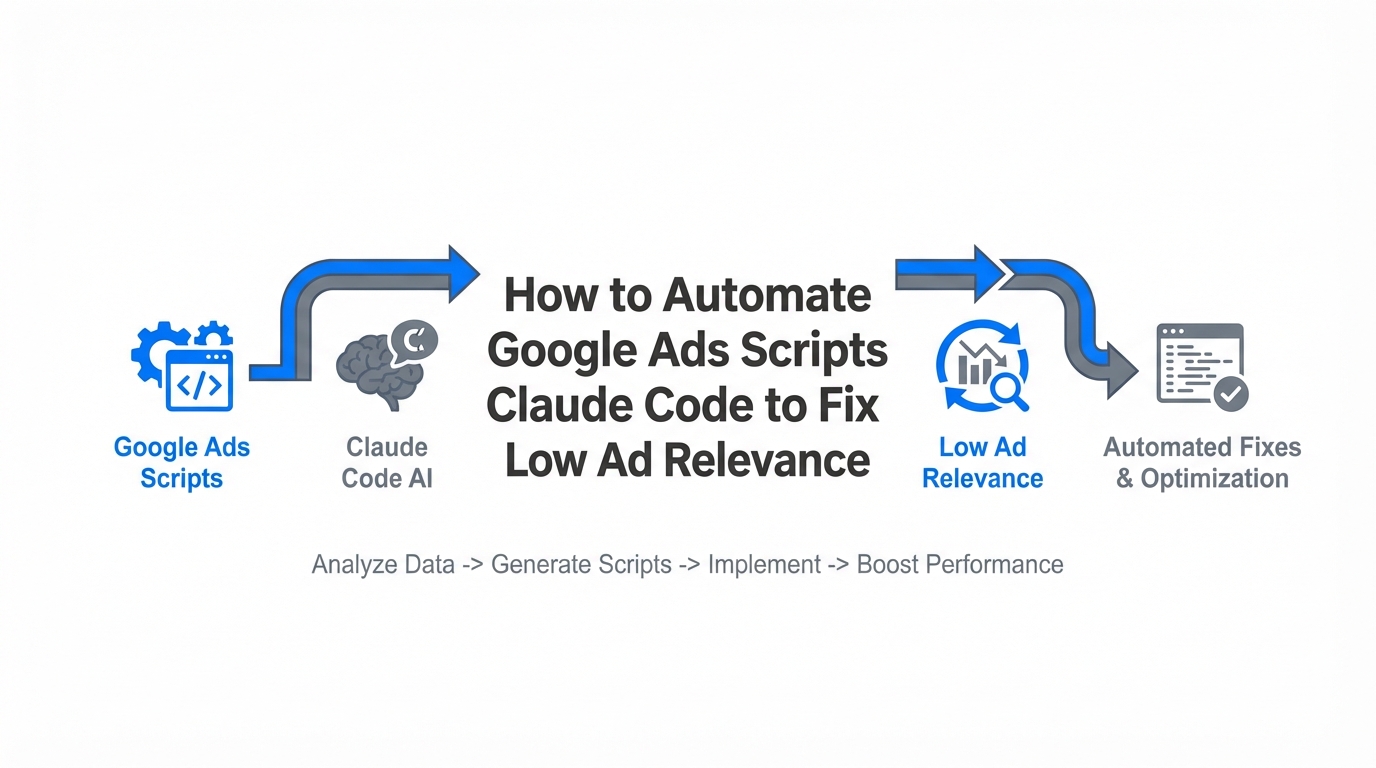
For years, PPC managers have operated in a reactive cycle: download a report, identify low-performing keywords, manually rewrite ad headlines, and hope the Quality Score improves. This manual approach is no longer sustainable. As we enter 2026, roughly 80–85% of developers and technical marketers have transitioned to using AI coding assistants to manage complex API workflows, according to recent industry adoption data. The arrival of Claude Code—Anthropic’s terminal-based AI agent—marks a shift from passive AI assistants to active AI engineers that can write, test, and deploy google ads scripts automation in real-time. By leveraging this technology, you can move beyond simple copy generation and enter the era of "high-stakes execution" where AI fixes your low ad relevance while you sleep.
The Financial Impact of Low Ad Relevance
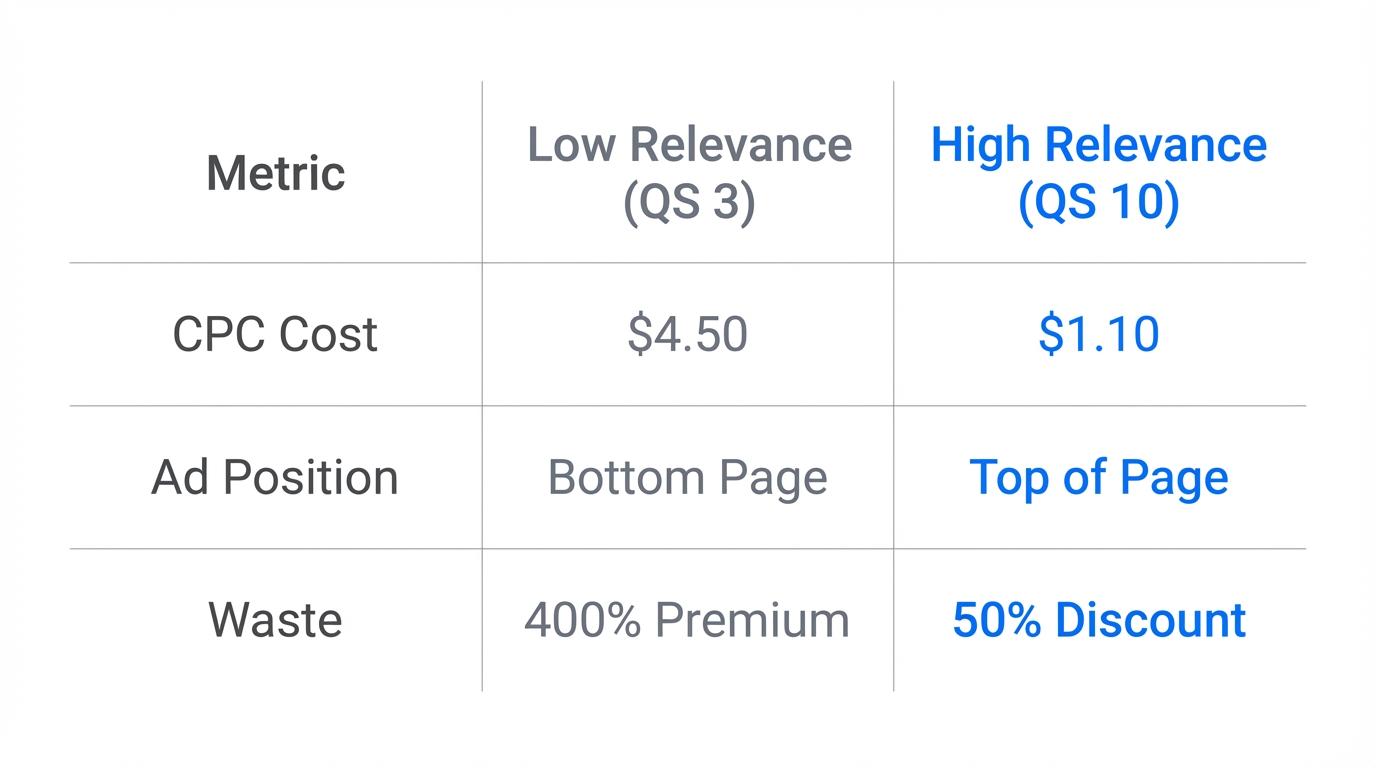
Ad relevance isn't just a vanity metric; it is a direct lever for your bottom line. Google Ads determines your Cost-Per-Click (CPC) largely through Quality Score (QS), and relevance is one of its three critical pillars. Improving a Quality Score from a mediocre 6/10 to an 8/10 can slash your CPC by as much as 33%. Even more striking, advertisers who achieve a perfect 10/10 Quality Score often pay 50% less per click than the industry average, as noted by optimization benchmarks from Groas.ai. When your ad relevance is marked as "Below Average," Google penalizes you with a "tax" that drains your budget without increasing your reach.
"Moving a Quality Score from 6/10 to 8/10 can reduce your Cost-Per-Click by 33%, essentially giving you a massive discount for simply being more relevant." [Source: WordStream]
Connecting Claude Code to Google Ads via GAQL
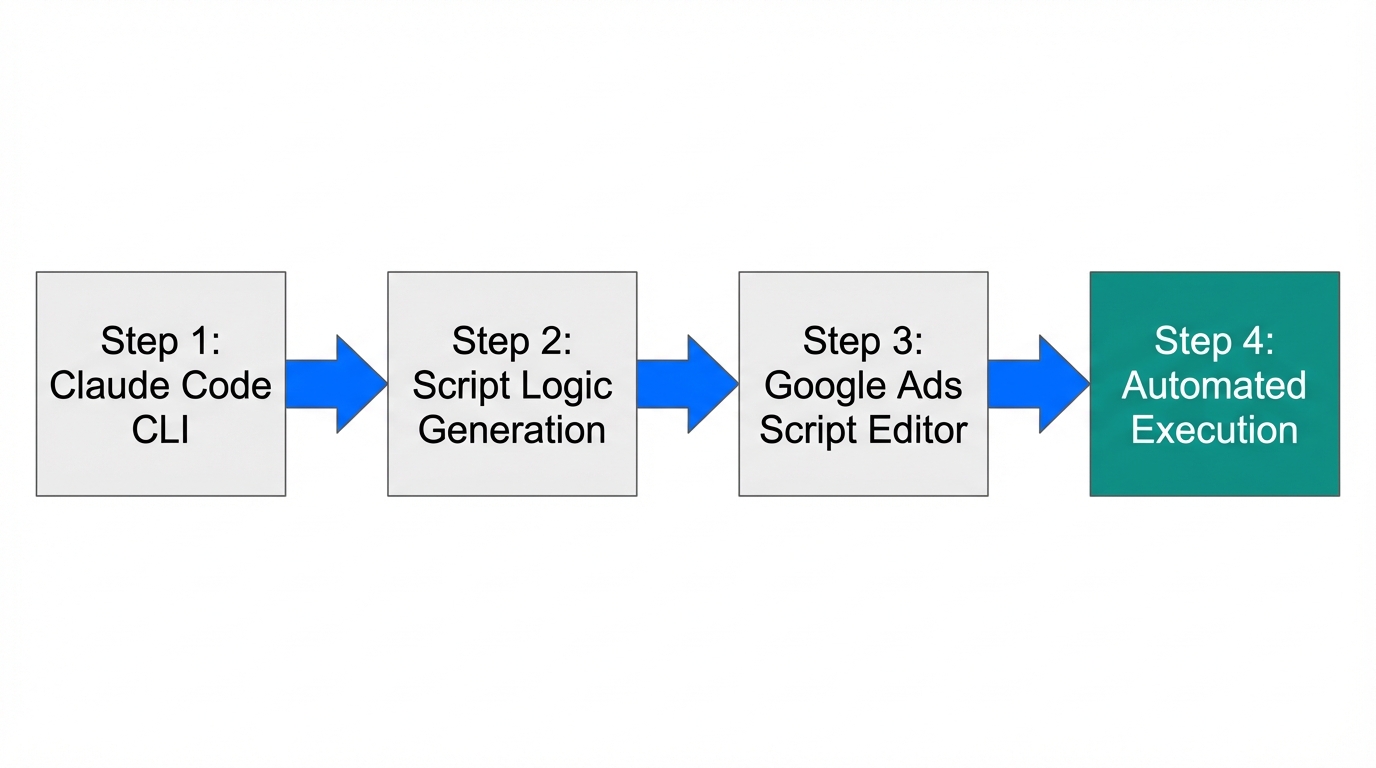
To automate responsive search ads and fix relevance issues, Claude Code needs access to your account data. You don't want to copy-paste thousands of rows into a chat window. Instead, you should use the Google Ads Query Language (GAQL) to feed Claude the exact data it needs. Tools like TrueClicks GAQL.app allow you to generate secure tokens and queries that Claude can execute via its terminal interface.
By connecting Claude to your live data, you transform it into a google ads api agent. You can run the claude command in your local environment and prompt it to analyze your keywords.csv and ads.csv files simultaneously. This allows the AI to see the exact disconnect between what the user searched for and what your ad promised.
| Workflow Component | Manual Method | Claude Code Automation |
|---|---|---|
| Data Collection | Manual CSV Export | Live GAQL Query |
| Issue Detection | Scanning Excel Filters | AI Pattern Recognition |
| Script Writing | Hours of Debugging | Instant JS Generation |
| Execution | Manual Copy-Paste | Direct CLI Deployment |
Fixing RSAs with Intent-Based Logic
The core of fixing "Below Average" relevance is ensuring your Responsive Search Ads (RSAs) contain the keywords being bid on. Claude Code can write a ppc script generator that identifies every keyword with a low relevance score and cross-references it with the existing 15 headlines in your RSA. If the keyword is missing, Claude generates a new set of headlines that prioritize that specific search intent.
Instead of the old-school Single Keyword Ad Groups (SKAGs), expert agencies are now moving toward Intent-Based Ad Groups (IBAGs). These are built and maintained by AI agents that can handle the sheer volume of variations. Agencies using this level of automation report a 300x increase in output velocity for tasks like multi-landing page audits and campaign deployments, according to reports from the Azarian Growth Agency.
"The industry is shifting from manual SKAGs to AI-maintained Intent-Based Ad Groups (IBAGs) that update dynamically based on real-time search terms."
Automating the Detection of Negative Keyword Conflicts
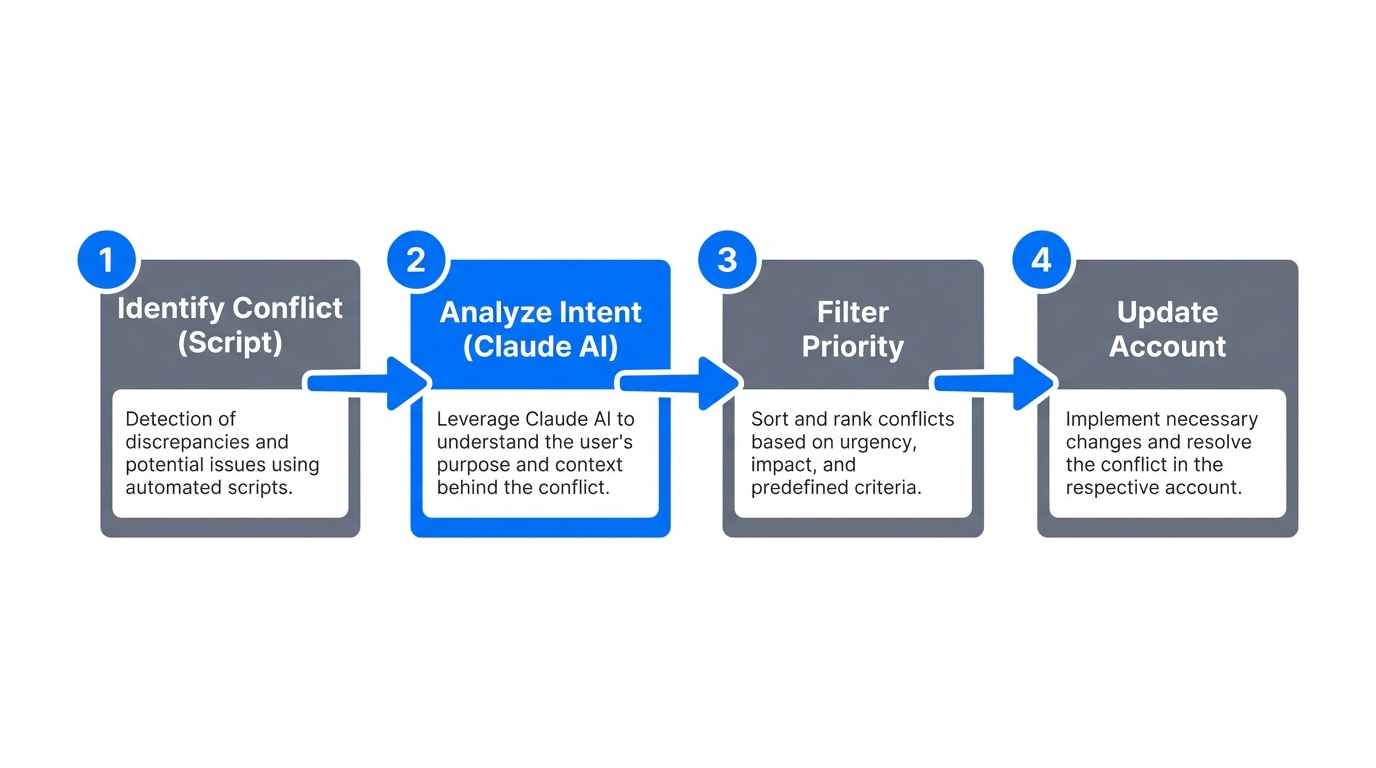
Sometimes, your ad relevance is fine, but your CTR is being stifled by "internal competition" or negative keyword conflicts. A negative keyword might accidentally be blocking a high-intent search term that you are actually bidding on. Claude Code can execute a script that cross-references your active keyword list against your negative keyword lists across the entire account.
For a sophisticated logic plan, you can use the principles found in the Shabba.io AI Search Terms vs. Ad Copy script. This logic allows Claude to score how relevant your search terms actually are to your current copy. If the AI detects a search term that is driving high impressions but has 0% relevance to the ad copy, it can automatically flag that term for a new, dedicated ad group or suggest a negative exclusion if the intent is mismatched.
When you reach the stage of sourcing specific creators for your UGC-style ads to boost that relevance even further, platforms like Stormy AI can help source and manage UGC creators at scale, ensuring your creative matches the high-intent keywords Claude has identified.
Advanced: Landing Page Experience Audits with Playwright MCP
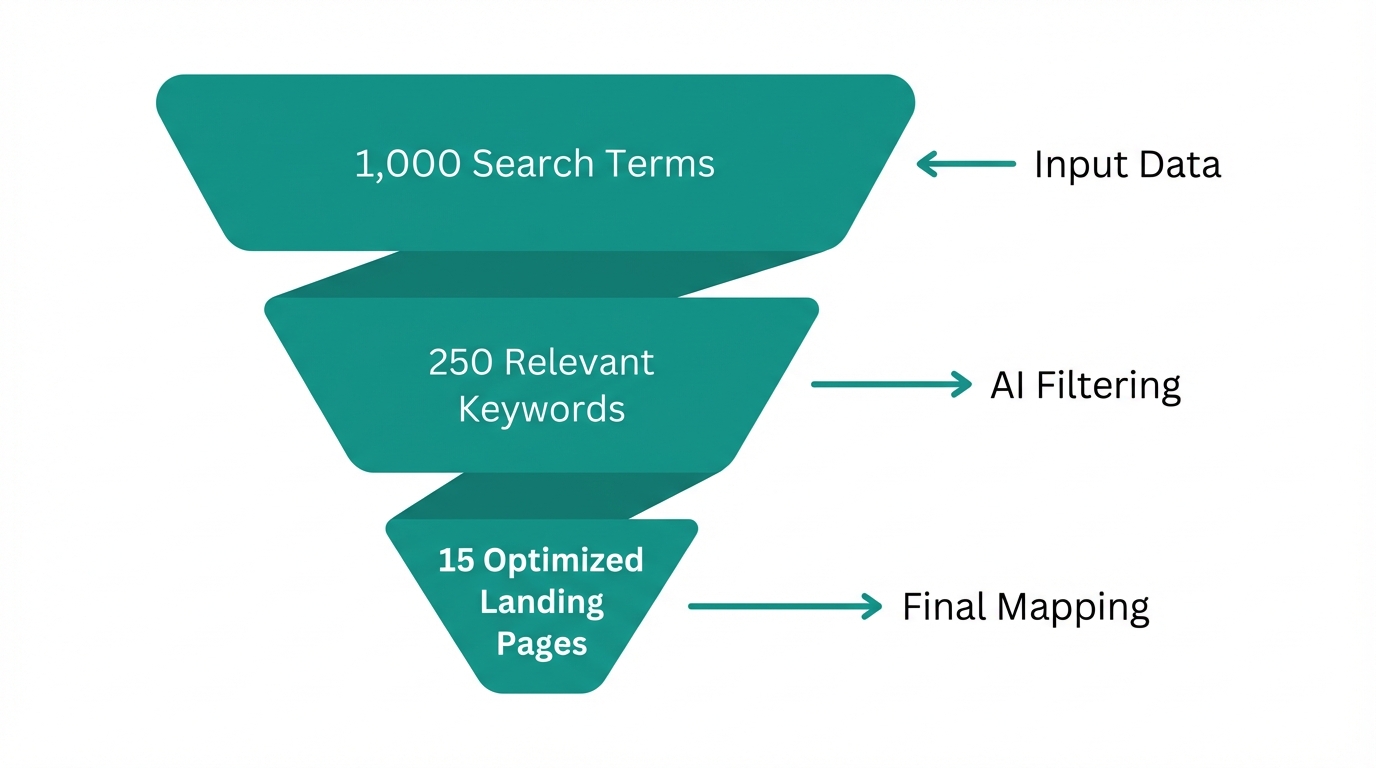
The final piece of the Quality Score puzzle is the Landing Page Experience. Even if your ad is perfectly relevant to the keyword, you will be penalized if the landing page doesn't follow through on the promise. Claude Code excels here by using the Model Context Protocol (MCP). By installing the Playwright MCP Server, Claude can literally "see" your landing page.
Step-by-Step Landing Page Audit:
- Install the Server: Run
claude mcp add playwright npx '@playwright/mcp@latest'in your terminal. - Execute the Audit: Ask Claude to "Open my URL, take a mobile screenshot, and check if the H1 matches the keyword 'high-performance running shoes'."
- Identify Friction: Claude will identify layout shifts (CLS) or mismatched messaging that hurts the user experience using Playwright automation.
This level of visual verification ensures that your automation isn't just matching text, but verifying the actual end-user experience. You can even find community-driven resources for these audits in the Claude Ads Audit Tool on GitHub, which runs over 190 automated checks across your accounts.
Common Pitfalls: Plan Mode vs. Edit Mode
One of the biggest mistakes marketers make when using claude code for ppc is jumping straight into Edit Mode. Claude Code is powerful enough to write and execute code directly, but without a predefined logic plan, it can create "hallucinated" Google Ads scripts that use deprecated API methods. Anthropic CEO Dario Amodei emphasizes that these tools are built for high-stakes execution, but they require the user to provide the intent clearly (Anthropic.com).
The Golden Rule: Always ask Claude to "Plan" the logic first using its internal Thinking Mode. Once the logic is sound, then move to execution. Furthermore, failure to use a .claude/rules file can lead to Claude forgetting your specific brand voice or account constraints. For those looking for industry-standard script templates to feed into Claude, Nils Rooijmans provides the benchmark for reliable Google Ads automation scripts.
Conclusion: The Future of Automation Layering
As Frederick Vallaeys of Optmyzr suggests, the future of PPC isn't just about using Google's built-in automation; it’s about "automation layering." This means using AI agents like Claude to monitor and optimize the native automations Google provides. By utilizing google ads scripts automation, you aren't just saving time—you are ensuring a level of precision that manual management can't match.
Whether you are using a Google Ads MCP Server to link your desktop directly to the API or sourcing creators through Stormy AI to refresh your creative assets, the goal is the same: higher relevance, lower costs, and better performance. Stop fighting the Google Ads algorithm and start engineering it with Claude Code.