For most founders and marketing leaders, the email inbox is where productivity goes to die. As your business scales, your inbox transforms from a communication tool into a chaotic mountain of out-of-office replies, newsletters, and low-quality spam. Yet, buried within that noise are the "gold" opportunities: genuine customer feedback, high-ticket sales leads, and potential enterprise partnerships. Missing a single one of these can cost your business thousands in lost revenue. AI lead filtering is no longer a luxury; it is a necessity for anyone operating at scale.
Rowan Cheung, founder of The Rundown AI, has mastered the art of the "lean" team by using autonomous agents to manage massive inbound volume. While his media company generates millions in revenue, his team remains remarkably small because AI handles the tedious labor of sorting, routing, and drafting. In this guide, we will walk through the exact steps to build a sales automation AI agent that doesn't just clear your inbox, but actively works to grow your business while you sleep.
The Noise Problem: Why Traditional Filters Fail

The primary issue with standard email filters is that they are binary and rigid. You can filter by keyword or sender, but you can't filter by intent. When The Rundown sends out a newsletter to hundreds of thousands of readers, the resulting replies are a mix of automated "I'm on vacation" messages and deeply insightful feedback from CEOs of Fortune 500 companies.
Standard filters often dump the feedback into the same bucket as the spam. This "noise" makes it impossible for a human to keep up without spending hours every day on manual triage. To solve this, you need a system capable of AI inbox management—a tool that can read the content of an email, understand the context, and determine if the sender is a high-value prospect or a bot. By using large language models like Claude or GPT-4, you can move beyond keyword matching and start filtering based on the actual value of the conversation.
Playbook: Building Your AI Inbox Filter with Zapier


Building an automated system used to require complex API integrations and custom Python scripts. Today, tools like Zapier Central and their AI Co-pilot allow you to build these workflows using natural language. This Zapier AI agents tutorial will show you how to set up a system that monitors your inbox, categorizes every incoming message, and takes action.
Step 1: Define the Agent's Role with Zapier Co-pilot
Start by opening Zapier and navigating to their AI agent or Co-pilot section. Instead of manually dragging and dropping nodes, you will provide a prompt that defines your agent’s logic. For instance: "Monitor my Gmail inbox. Filter out all automated out-of-office replies. For all other emails, categorize them into 'Sponsorships', 'Product Feedback', or 'General Support'."
Step 2: Connecting Your Data Sources
An AI agent is only as smart as the data it has access to. You must connect your Gmail (or Outlook) account and provide the agent with context about your business. If you use Lindy or similar tools for scheduling, ensure the agent understands your availability. The goal is to create a seamless flow where the AI knows which inquiries are urgent and which can wait for a weekly digest.
Step 3: Setting Logical Triggers
Once the agent identifies an email as high-priority, you need a trigger. For sales automation AI agents, this usually involves a Slack integration. If an email is categorized as a 'Sponsorship' or 'Partnership' opportunity, the agent should immediately ping the relevant team member with a summary of the request. This ensures that enterprise-level leads are handled with the human touch they deserve, while the AI manages the initial vetting.
Routing for Speed: Slack and Team Visibility
The true power of AI lead filtering lies in how it distributes information. In Rowan Cheung’s workflow, the AI doesn't just store feedback in a database; it routes specific categories to different Slack channels. This creates a transparent environment where the right people see the right information instantly.
- Sponsorship Channel: Directs potential advertisers or high-ticket sales leads to the revenue team.
- Feedback Channel: Routes user suggestions and bugs to the product team.
- Support Channel: Sends common technical questions to a support agent or a secondary AI bot.
By automating email responses with AI, you also reduce the "mental load" on your staff. They no longer have to check the general inbox; they simply wait for their specific Slack channel to notify them of a validated opportunity. This level of AI inbox management can save a 15-person team the equivalent of 100+ hours of manual labor per month, allowing them to focus on high-leverage tasks like closing deals or developing new products.
Automate Email Responses: Drafting the 90% Solution

One of the most effective ways to use AI is for auto-drafting. Rather than having the AI send the email directly (which can be risky for high-ticket clients), set it up to draft a response in your Gmail "Drafts" folder. The AI can use past business data, HR docs, or The Rundown’s SOPs to craft a reply that sounds exactly like you.
When you sit down at your computer, you aren't starting from a blank page. You are simply reviewing and clicking "Send." This approach combines the speed of sales automation AI agents with the safety of human oversight. Using a tool like Claude, you can train the model on your specific writing style by uploading your 10 best-performing emails or tweets. This ensures that the AI lead filtering system remains authentic and on-brand.
Real-World ROI: Landing Enterprise Sponsors with AI
The ROI of these systems isn't just theoretical. Rowan Cheung revealed that The Rundown actually landed two major enterprise sponsors purely because their AI lead filter surfaced a message buried in their support inbox. These were legitimate, high-value leads that didn't go through the official sponsor form but instead sent a cold email that would have likely been lost in a sea of spam without an AI lead filtering agent.
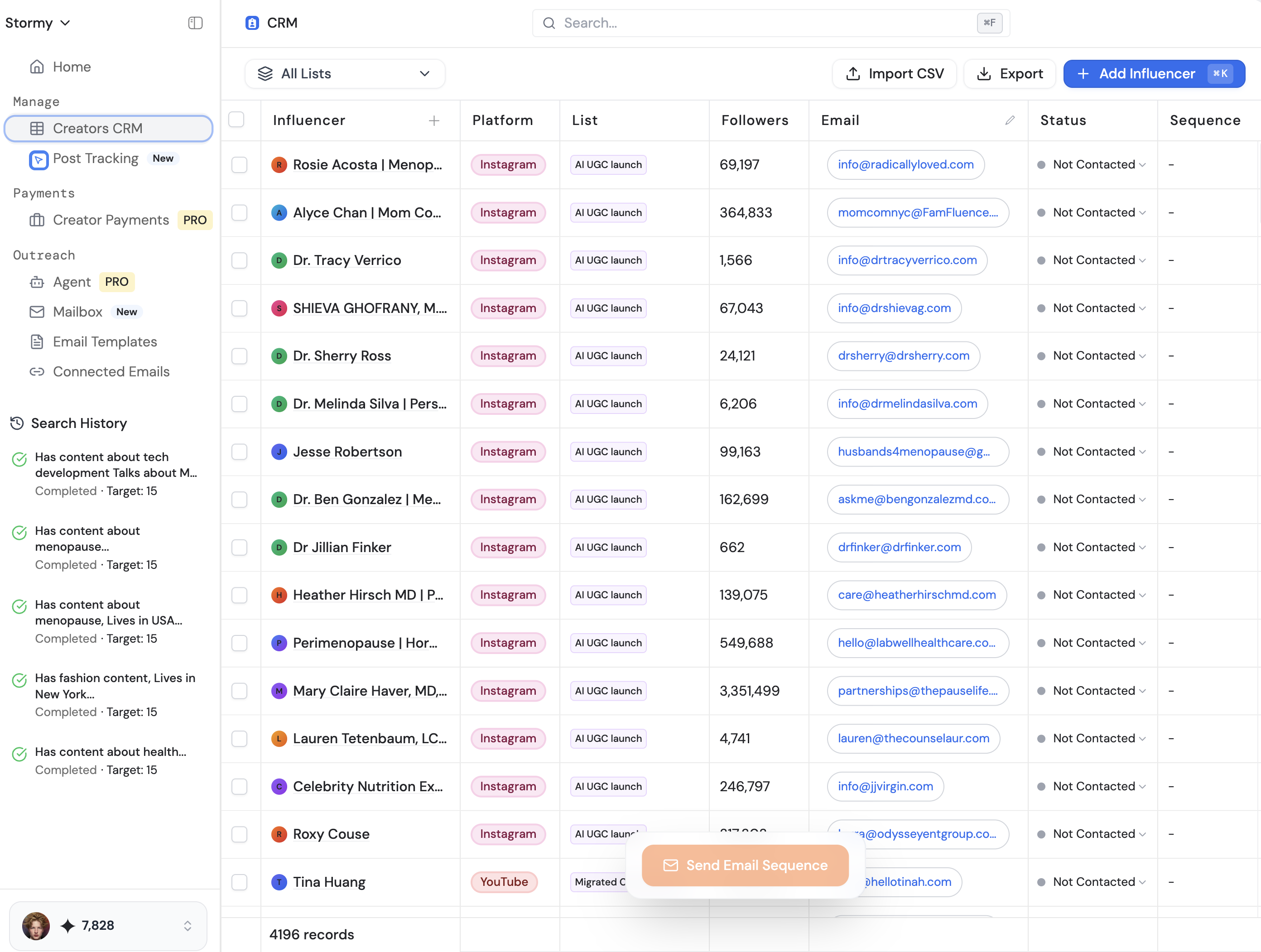
For brands and app developers, this is a critical lesson. If you are running campaigns or managing creator relationships at scale, you cannot afford to have a manual bottleneck in your communication. Tools like Stormy AI are designed to solve this specifically for the influencer marketing niche. While a general Zapier agent can filter your email, Stormy AI helps you discover and manage creator leads through an AI-powered CRM, even handling the personalized outreach and follow-ups automatically.
When you combine AI inbox management with specialized platforms for creator discovery, you create a marketing engine that operates 24/7. This is how small teams compete with massive agencies—they use sales automation AI agents to act as a force multiplier for their output.
Maintaining the Human Element in an AI World
While the goal is to automate email responses with AI, the most successful implementations always leave room for human intervention. As AI-generated content becomes more prevalent, the "human layer" of your business becomes your primary moat. Rowan Cheung notes that while his AI avatar gets millions of views on social media, the insights and storytelling are still driven by a human editor.
The same logic applies to your inbox. Use AI to filter the noise and draft the basics, but ensure your high-value responses are reviewed. AI is excellent at summarizing data and following logic, but it occasionally misses the nuance of a complex negotiation. A robust AI lead filtering system should empower your human team, not replace them. By using Stormy AI to vet creators and handle initial reach-outs, for example, your team can spend more time on the creative strategy that drives app installs and brand growth.
Conclusion: Building Your Future-Proof Inbox
The transition to an AI-managed inbox is a journey from reactive to proactive marketing. By implementing an AI lead filtering system, you stop being a slave to your notifications and start becoming a curator of high-value opportunities. Whether you are using Zapier to route sponsorship leads to Slack or using specialized AI tools to manage your influencer outreach, the objective remains the same: automate the mundane to focus on the monumental.
Start small. Set up a simple filter to route out-of-office replies. Once that works, add a categorization layer. Before you know it, you will have a fully autonomous sales automation AI agent that acts as your most efficient employee, surfacing the gold from your inbox every single day. The age of the manual inbox is over; the age of the AI agent is here.