In the crowded digital marketplace of the App Store, visibility is the currency of success. For mobile marketers and founders, understanding how users find new tools is the first step toward sustainable growth. Research from Apple Search Ads reveals a staggering reality: approximately 65% of all App Store downloads occur immediately after a search. This means that while paid social ads and influencer campaigns drive awareness, the vast majority of user acquisition happens when someone types a specific intent into the search bar. Mastering app store keyword volume is not just a technical task; it is the fundamental driver of organic discovery.
Decoding the Apple Volume Score: The 5-100 Scale

Unlike web SEO, where tools like Ahrefs or Semrush provide estimated monthly search volumes in raw numbers, Apple utilizes a proprietary, relative scale known as the Search Popularity score. This score ranges from 5 to 100. Understanding this scale is critical for any aso keyword research strategy. A score of 5 indicates a term with negligible traffic—essentially a dead end for your marketing efforts. On the other end of the spectrum, a score of 100 represents the absolute peak of search traffic, typically reserved for global giants like "Instagram," "YouTube," or "TikTok."
When conducting mobile keyword analytics, it is important to realize that most high-intent, convertible keywords live in the middle of this scale. While the allure of a 90+ volume term is high, the competition for those spots is often insurmountable for new or mid-market apps. According to data from AppTweak, keywords with a volume score above 40 are considered "high volume," but they also carry significantly higher difficulty scores.
"The secret to ASO isn't just finding the highest volume keywords; it's finding the highest volume you can actually rank for today."
Branded vs. Generic Keywords: The Battle for Intent
In the world of app store search popularity, keywords are generally split into two camps: branded and generic. In 2024, branded keywords continued to dominate the top 20 most searched terms in the United States. Users often use the App Store search bar as a navigational tool, typing in "Netflix" or "Gmail" to find a specific service they already know. However, for growth-stage apps, the goldmine lies in generic terms. Terms like "AI photo editor," "fitness tracker," or "budget manager" represent users who have a specific problem but haven't yet committed to a solution.
While generic terms usually have lower individual volume than top-tier brands, they represent a much higher intent to explore and download something new. For instance, someone searching for "Photo Editor" is in a state of active discovery, making them a prime target for a well-optimized App Store page. Strategic ASO involves balancing these categories; you might never outrank Spotify for its own name, but you can certainly dominate the search results for "offline music player" or "podcast discovery."
The 65% Rule: Why Organic Search Still Wins
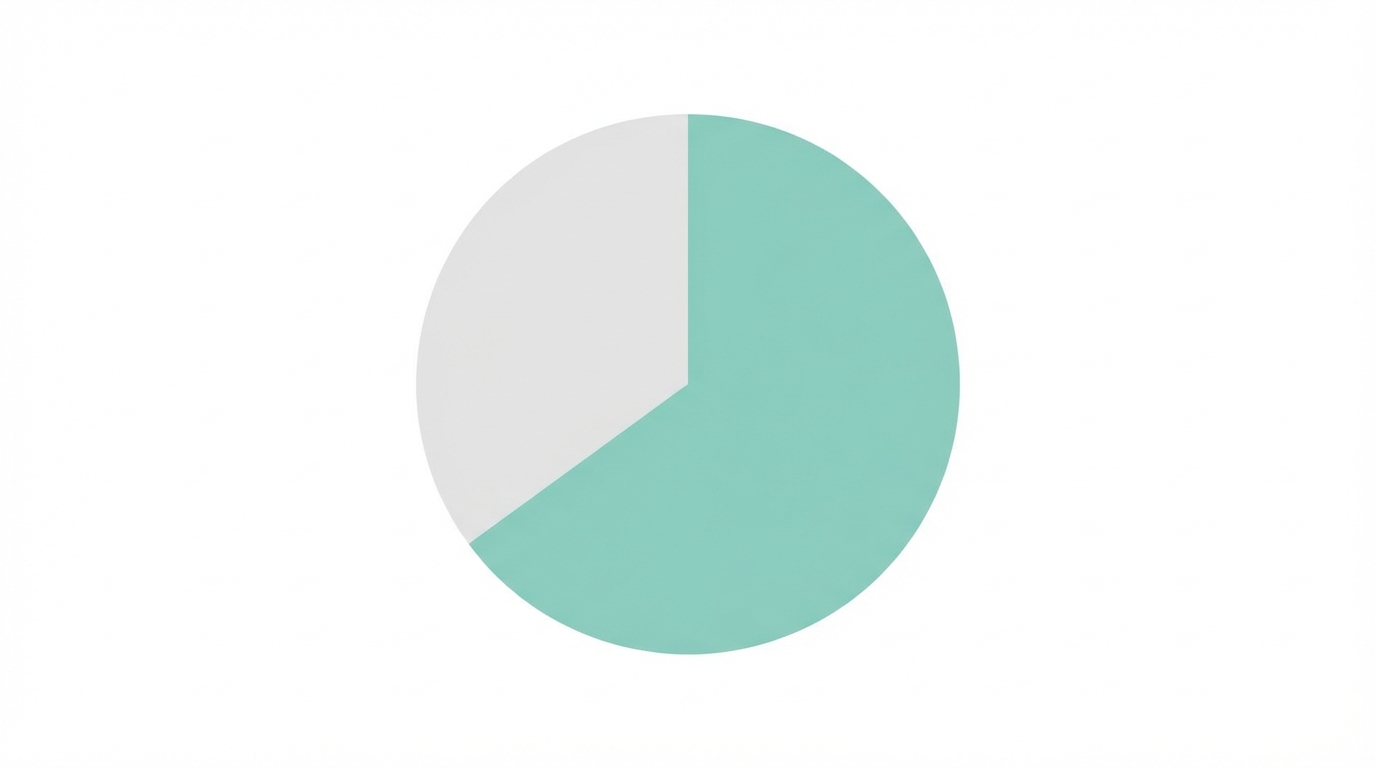
Many founders fall into the trap of over-relying on paid acquisition. While Google Ads and Meta Ads are effective, they are also increasingly expensive. The "65% Rule"—the fact that nearly two-thirds of downloads come from search—proves that organic search remains the primary driver of app discovery. This is why aso keyword research is often the highest-ROI activity a mobile marketing team can perform. Every organic install is a user acquired with zero marginal cost, improving your overall LTV-to-CAC ratio.
Furthermore, search users are high-intent users. A user who finds your app through a search for "daily meditation" is far more likely to retain and convert than a user who clicked a random ad while scrolling through their social feed. To capture this traffic, you must ensure your metadata is aligned with the specific vocabulary your audience uses. Tools like Sensor Tower show that apps that consistently update their keyword sets based on shifting trends see far more stable organic growth than those that treat ASO as a one-time task.
Search-to-Install Benchmarks: The Reality of Ranking
Ranking on the first page isn't enough; you need to be at the very top. The click-through rate (CTR) on the App Store is heavily skewed toward the first few results. According to research by SplitMetrics, the app ranking in the #1 position for a high-volume keyword typically captures over 30% of the total clicks. By the time you reach the #5 position, the install rate drops significantly, often falling into the low single digits.
This reality necessitates a targeted approach. If your app is new, targeting keywords with a Volume Score of 20–40 and high "Chance" or low difficulty scores is the most effective way to increase app store downloads. As you build "ranking authority" through downloads and positive reviews, you can gradually pivot your metadata toward more competitive, high-traffic terms. Once you've secured a top spot, the social proof provided by UGC can be the final nudge a user needs. Platforms like Stormy AI can help brands find the right creators to generate authentic content that boosts your store page's conversion rate, ensuring that those hard-earned search impressions actually turn into installs.
Semantic Indexing and the AI Surge
The App Store algorithm has become significantly more sophisticated in recent years. We have moved beyond simple keyword matching and into the era of semantic indexing. As noted by ConsultMyApp, Apple’s algorithm now recognizes "semantic clusters." This means that if you use words like "learn," "practice," and "speak" in your metadata, the algorithm may rank you for "language learning" even if that exact phrase isn't explicitly listed. This shift allows for more natural, user-friendly copywriting in your title and subtitle.
One of the most notable trends in 2024 was the AI surge. "AI" became one of the fastest-growing search terms across all categories. Apps that integrated "AI" into their titles or subtitles saw immediate spikes in organic impressions. However, this has also led to massive saturation. To stand out, developers are now moving away from broad terms like "AI" toward specific high-volume clusters such as "math solver" or "homework helper," a strategy that helped one educational app increase monthly impressions by 217% according to Moburst.
"Semantic clusters are the future of ASO. It's no longer about repeating a word five times; it's about surrounding your core keyword with relevant synonyms."
The ASO Keyword Playbook: Step-by-Step Workflow
To systematically identify and rank for high-traffic terms, follow this tiered metadata approach. This ensures you are maximizing every available character while respecting the algorithm's hierarchy.
Step 1: Identify Your Core Keywords
Start by brainstorming terms that describe your app’s primary function. Use tools like App Radar to get AI-driven suggestions and analyze what your competitors are ranking for. Look for terms with a Search Popularity score between 20 and 50 if you are a smaller app.
Step 2: Optimize the App Title (30 Characters)
The App Title carries the most weight in Apple’s algorithm. You must place your highest-volume and highest-relevance keyword here. For example, instead of just "FitTrack," use "FitTrack: Fitness Tracker & Gym." This tells both the user and the algorithm exactly what the app does.
Step 3: Craft the Subtitle (30 Characters)
The Subtitle is the second most important field. Use this space for secondary keywords that explain the "how" or "why" of your app. Avoid repeating keywords from the title; Apple does not give extra credit for repetition, and you are simply wasting valuable space.
Step 4: Maximize the Keyword Field (100 Characters)
The hidden keyword field is your place for synonyms, long-tail variations, and localized terms. Separate words with commas and do not use spaces to save characters. For example: "workout,yoga,pilates,exercise,health,weightloss."
Common Pitfalls in Keyword Research
Even experienced marketers make mistakes that can stall their organic growth. One of the most frequent errors is Broad Targeting. Attempting to rank for ultra-competitive terms like "Games" or "Free" is almost impossible for new apps. These terms have a Volume of 90+ but nearly zero "Chance" for developers without millions of existing downloads.
Another major error is Ignoring Localization. Search volume and user behavior vary drastically by territory. Using US keyword volume data to launch in Brazil or Japan will lead to poor results. You must research local slang and specific regional terms to succeed. For example, the app iSharing saw a 20% increase in organic ranking simply by updating its keyword sets every 2–3 weeks based on localized volume shifts, according to a report by Business of Apps.
Finally, avoid Static Metadata. The App Store is a living ecosystem. Trends change, competitors update their strategies, and seasonality—such as the 40% surge in "fitness tracker" searches in January—can shift the landscape overnight. ASO requires constant iteration and monitoring using platforms like Appfigures or ASOdesk.
Conclusion: Building Your Organic Engine
Ranking for high-traffic terms on the App Store is a marathon, not a sprint. By understanding the 5-100 volume scale, prioritizing high-intent generic keywords, and following a disciplined metadata hierarchy, you can tap into the 65% of users who rely on search to find their next favorite app. Remember to focus on the "Sweet Spot" of volume and difficulty, and never let your metadata go stale. As you drive more traffic to your page through search, ensure your conversion rate remains high by leveraging social proof and UGC content. With a data-driven approach to app store keyword volume, you can turn the search bar into your most powerful acquisition channel.