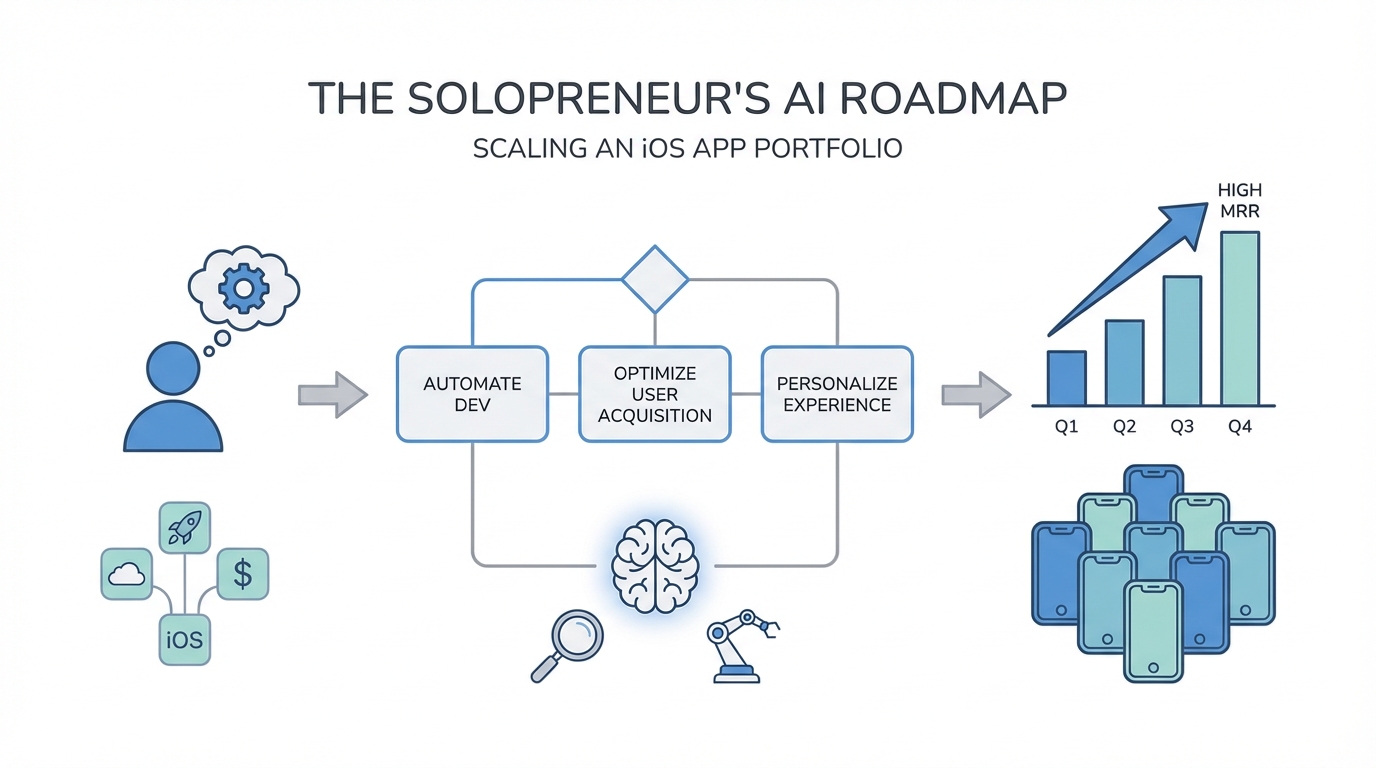
For decades, the path to building a successful mobile software business was paved with venture capital, massive engineering teams, and months of development cycles. If you weren't a Stanford-educated engineer or a Google veteran, the barriers to entry in the App Store were nearly insurmountable. But a fundamental shift is happening. The barrier isn't disappearing—it's being automated. We are entering the era of the solopreneur portfolio, where a single individual can build, launch, and manage a suite of native iOS apps that generate significant Monthly Recurring Revenue (MRR) by leveraging AI-powered development.
The Rise of the 'Vibe Coder': Architecture Over Syntax
The transition from a traditional developer to a 'Vibe Coder' is the most significant change in the AI app development business. In the past, 90% of a developer's time was spent on syntax, debugging semicolons, and navigating boilerplate code. Today, AI handles the implementation, while the founder focuses on architectural oversight and product vision. As developer Chris Horak demonstrated, you no longer need to be a coding virtuoso to ship native iOS apps that compete with big tech companies. You just need to know how to 'vibe' with the AI—directing it toward the right UX patterns and technical structures.
Vibe coding isn't about being lazy; it's about being an orchestrator. Instead of writing every line of Swift, you are managing a fleet of AI models to do the heavy lifting. This shift allows you to maintain high MRR mobile apps without the overhead of a full-time staff. By focusing on the 'vibe'—the user experience, the flow, and the overarching logic—a solo founder can manage a robust AI startup roadmap that spans multiple niches simultaneously. When you stop worrying about the syntax of a network request, you start worrying about the value proposition of your app, which is what actually drives revenue.
Managing a Multi-App Portfolio: The Solopreneur Strategy
One of the biggest advantages of the solopreneur app development model is the ability to diversify. Instead of betting your entire career on one 'unicorn' app, you can build a portfolio of utility and productivity tools that each contribute to your total MRR. Chris Horak’s portfolio—including apps like Ellie (daily planning), Luna (budgeting), and a personal CRM—proves that a single person can maintain multiple high-quality products if they use the right tools.
Building a portfolio allows you to cross-pollinate features. If you build a high-performance chat interface for a CRM app, you can port that logic into a budgeting app with minimal friction using tools like Cursor. This efficiency is how solo founders are managing thousands of paid users across different apps. The goal is to create a systematic approach to app creation: identify a niche, prototype rapidly, and iterate based on real user data. This is the core of a sustainable AI startup roadmap.
Step-by-Step: Moving from Idea to MVP in a Weekend

The speed at which you can move from a brainstormed idea to a functional, native iOS app is the modern solopreneur's competitive advantage. You no longer need weeks of planning; you can build app portfolio solo assets in a matter of hours. Here is the playbook for rapid prototyping:
Step 1: The Manual Xcode Setup
While AI is powerful, it still struggles with the initial project configuration in Apple's ecosystem. You must manually set up your Xcode project. Define your frameworks, set your permissions (like network requests or camera access), and establish your folder structure (UI, Models, Services). Trying to let an AI handle the .xcodeproj settings often leads to critical errors that waste hours of development time. Once the shell is built, you can then open the project in an Xcode environment optimized for Apple development.
Step 2: Leveraging Cursor for Native Development
The 'secret sauce' for many top solo founders is opening the Xcode project directory in Cursor. This allows you to use Claude 3.7 or GPT-4o to write native Swift code while Xcode handles the actual building and deployment. The workflow is a constant loop: prompt in Cursor, save the file, switch to Xcode to compile, and check for errors. If an error occurs, screenshot it and feed it back into Cursor. This loop is significantly faster than any traditional coding method.
Step 3: UI-First Development
When prompting AI, always build the UI first with dummy data. AI models perform better when they have a single focus. Instruct the AI to follow the existing design system of your app by tagging your entire codebase for context. Once the visual components are polished, you can move on to 'hooking up' the backend logic and real-world data.
Advanced Prompting: XML Formatting and AI Constraints
To get professional-grade results from AI, you must move beyond simple one-line prompts. The most effective solopreneur app development strategy involves using XML-formatted prompts. This structured approach helps models like Claude understand the difference between instructions, personas, and data. By wrapping your instructions in XML tags like <persona>, <style>, and <guidelines>, you reduce hallucinations and ensure the AI responds like a human assistant rather than a robotic chatbot.
Another high-level technique is using AI to prompt AI. If you need a complex feature, go to a standalone chat (like Claude), describe your app, and ask it to generate a highly specific, constraint-heavy prompt for you to use inside your code editor. This 'meta-prompting' ensures that the code generated in your IDE is optimized for your specific use case. For example, telling an AI to 'be concise like a friend' rather than 'provide a detailed explanation' can transform the entire UX of an AI-powered chat feature.
Implementing Agents: Tool Calling and OpenRouter
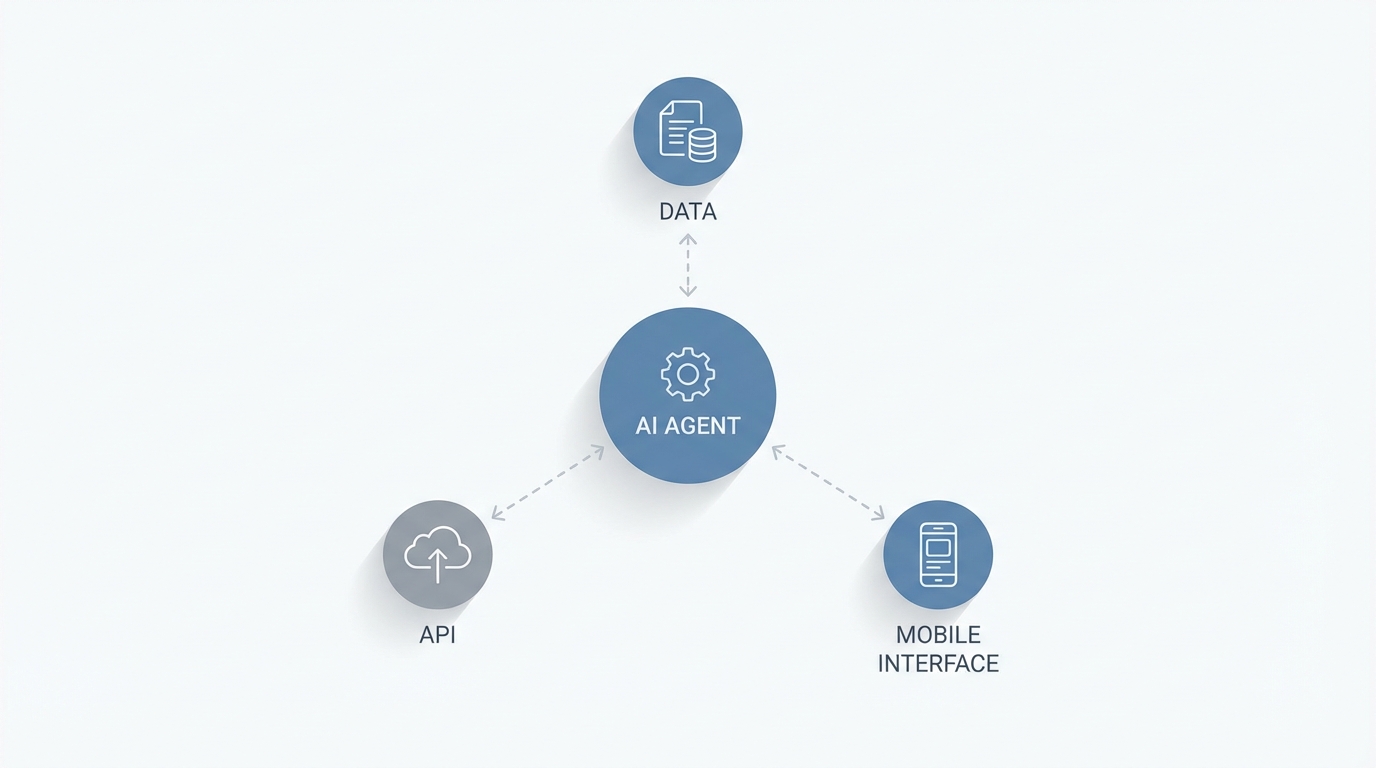
To scale an AI app development business, your apps need to be more than just wrappers; they need agentic capabilities. This means giving the AI the ability to use tools within your app. Using a service like OpenRouter is a game-changer here. It allows you to switch between 300+ different LLMs with a single line of code, enabling you to test which model handles function calling best for your specific app logic.
Imagine a budgeting app where the AI doesn't just answer questions about spending, but actually calls a local function to fetch transaction data for a specific date range. This is tool calling. Instead of feeding the AI thousands of transactions (which is expensive and slow), the AI 'decides' it needs more data and uses a tool to get it. This creates a much more responsive and intelligent agent within your mobile app, making it far more valuable to users and increasing your potential for high MRR.
The $300 Security Lesson: Hardening Your Infrastructure
A major pitfall for those beginning their AI startup roadmap is security. Many AI coding tools, in their quest for speed, will default to hardcoding API keys into the frontend of your application. This is a massive security risk. Bots constantly scan platforms like Vercel and GitHub for exposed keys. As Chris Horak noted, a single exposed key can lead to hundreds of dollars in unauthorized charges in less than 24 hours.
To protect your high MRR mobile apps, you must move all sensitive logic and API keys to a secure backend. Your mobile app should make a request to your server, which then interacts with the LLM. This prevents users (or bots) from sniffing your keys out of the frontend code. While building the entire stack in the frontend is tempting for rapid prototyping, moving keys to the backend is a non-negotiable step before shipping to the App Store.
Scaling Your Portfolio: Marketing and UGC Discovery

Once you have a portfolio of high MRR mobile apps, the challenge shifts from development to distribution. In the modern App Store economy, traditional advertising can be prohibitively expensive for a solo founder. This is where User-Generated Content (UGC) becomes your greatest lever. Apps that show 'real' people using the product tend to convert at a much higher rate on platforms like TikTok and Instagram.
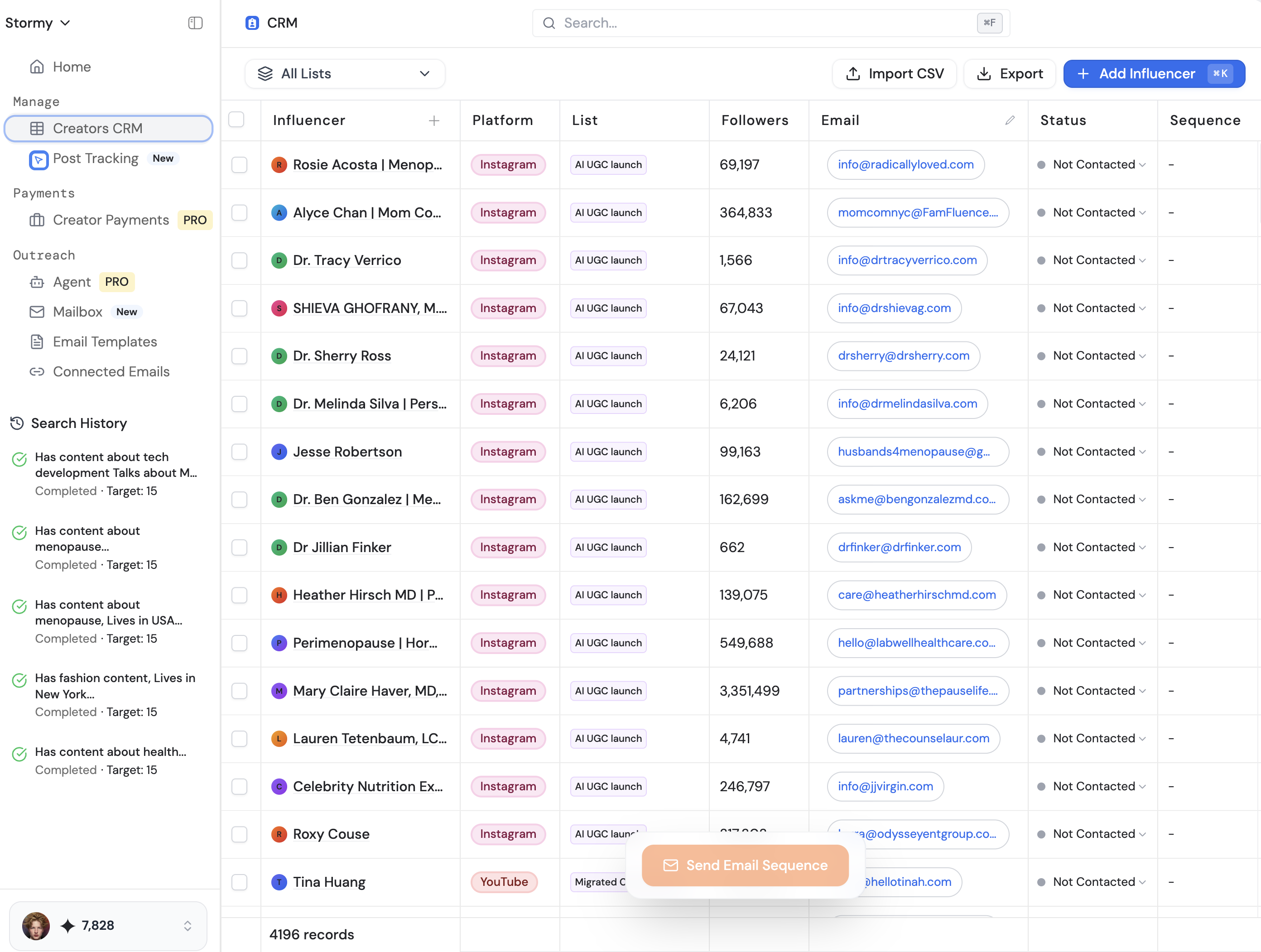
Finding the right creators to promote your apps can be a full-time job in itself, which is why AI-powered tools are essential for the marketing phase. Platforms like Stormy AI streamline creator sourcing and outreach, allowing you to find influencers who match your app's specific niche (like 'productivity' or 'finances') without spending weeks on manual outreach. By automating the discovery and vetting process, you can maintain your solo founder status while running marketing campaigns that look like they were produced by a 50-person agency.
Conclusion: The New Era of the Solo Founder
The roadmap to building an app portfolio solo has never been clearer. By embracing the vibe coder mindset, utilizing tools like Cursor and OpenRouter, and strictly adhering to security best practices, you can compete with the largest development teams in the world. The competitive advantage no longer belongs to those with the most resources, but to those who can iterate the fastest and leverage AI to its full potential.
Whether you are building a personal CRM or a complex AI-driven budgeting tool, the strategy remains the same: prototype in a weekend, polish with AI, and scale with strategic marketing. Start by opening Xcode, move your keys to the backend, and use Stormy AI to discover and collaborate with the right creators. The million-dollar portfolio is no longer a dream—it's a series of well-orchestrated prompts away.