The landscape of App Store Optimization (ASO) is undergoing its most radical transformation since the introduction of the 100-character keyword field. In 2025, the apple search algorithm has evolved from a simple text-matching engine into a sophisticated neural network capable of understanding human intent, visual context, and the relationship between diverse functional terms. For developers and marketers, this shift means that traditional tactics—like keyword stuffing and literal translations—are not only obsolete but potentially damaging. Today, winning the search game requires a technical deep dive into semantic ASO and the proprietary algorithms Apple uses to "read" your app's visual assets.
The OCR Revolution: Why Your Screenshots Are Now Searchable
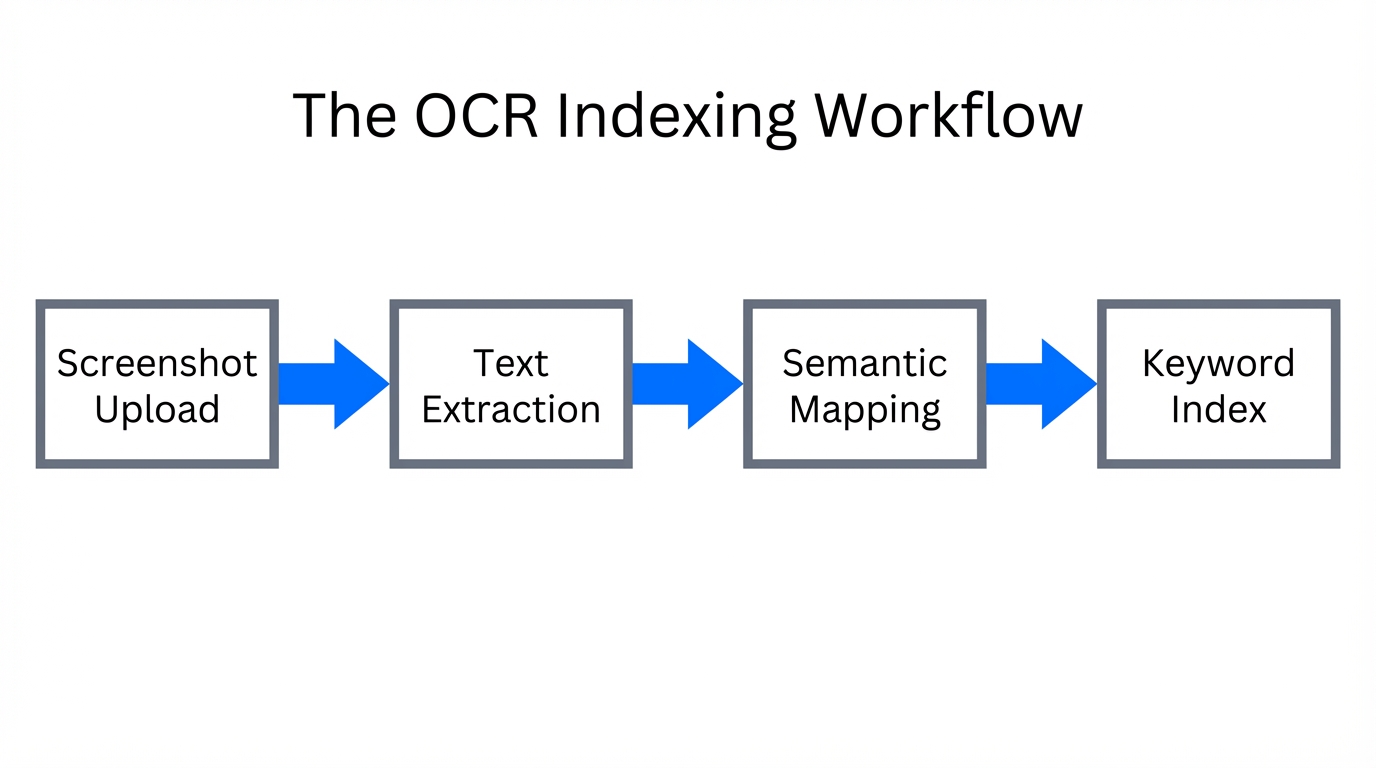
One of the most significant shifts in the apple search algorithm is the full integration of Optical Character Recognition (OCR) into the indexing process. Apple now actively scans the text contained within your screenshots to help determine your app's relevance to specific queries. According to data from AppTweak, this visual indexing allows the algorithm to understand features that may not be explicitly listed in your 100-character keyword field or subtitle.
However, this technical advancement comes with a catch: the "relevancy penalty." If your screenshots are cluttered with keyword-dense captions that do not align with your metadata or user behavior, the algorithm may flag the app for over-optimization. Historical case studies, such as the Shadow Work Journal, demonstrate how over-optimizing by placing the same keyword in the Title, Subtitle, and Screenshots simultaneously can lead to a sudden visibility drop. To avoid this, focus on using screenshots to highlight high-intent, long-tail keywords that provide context to your primary functions.
"OCR indexing has turned visual assets into a secondary keyword field, but relevance remains the ultimate filter for ranking success."
Maximizing the 100-Character iOS Keyword Field
While the visual elements are crucial, the backend ios keyword field strategy remains the bedrock of your metadata. Research from ASOMobile indicates that roughly 70% of total search volume on the App Store is for branded terms, yet the remaining 30% of generic/functional terms are where new apps find their growth. To capture this 30%, you must be ruthless with your character count.
Top-performing apps are 4x less likely to use filler words such as "the," "and," "with," or "for" in their metadata. These words waste valuable space without contributing to your ranking weight. Instead, use a comma-separated list of high-intent keywords. In 2025, the weight of these terms is also affected by their placement. Keywords in the first 25 characters of the App Title carry significantly more weight, potentially increasing organic visibility by up to 20% for new apps, according to studies by MobileAction.
| Metadata Element | Character Limit | Priority Level | Strategy |
|---|---|---|---|
| App Title | 30 Characters | Critical | Lead with primary functional keyword. |
| Subtitle | 30 Characters | High | Supportive long-tail keywords. |
| Keyword Field | 100 Characters | High | No spaces, no filler words, comma-separated. |
| Screenshot Text | Visual | Medium | OCR-friendly, high-intent phrasing. |
Semantic ASO and the Shift to Thematic Clusters
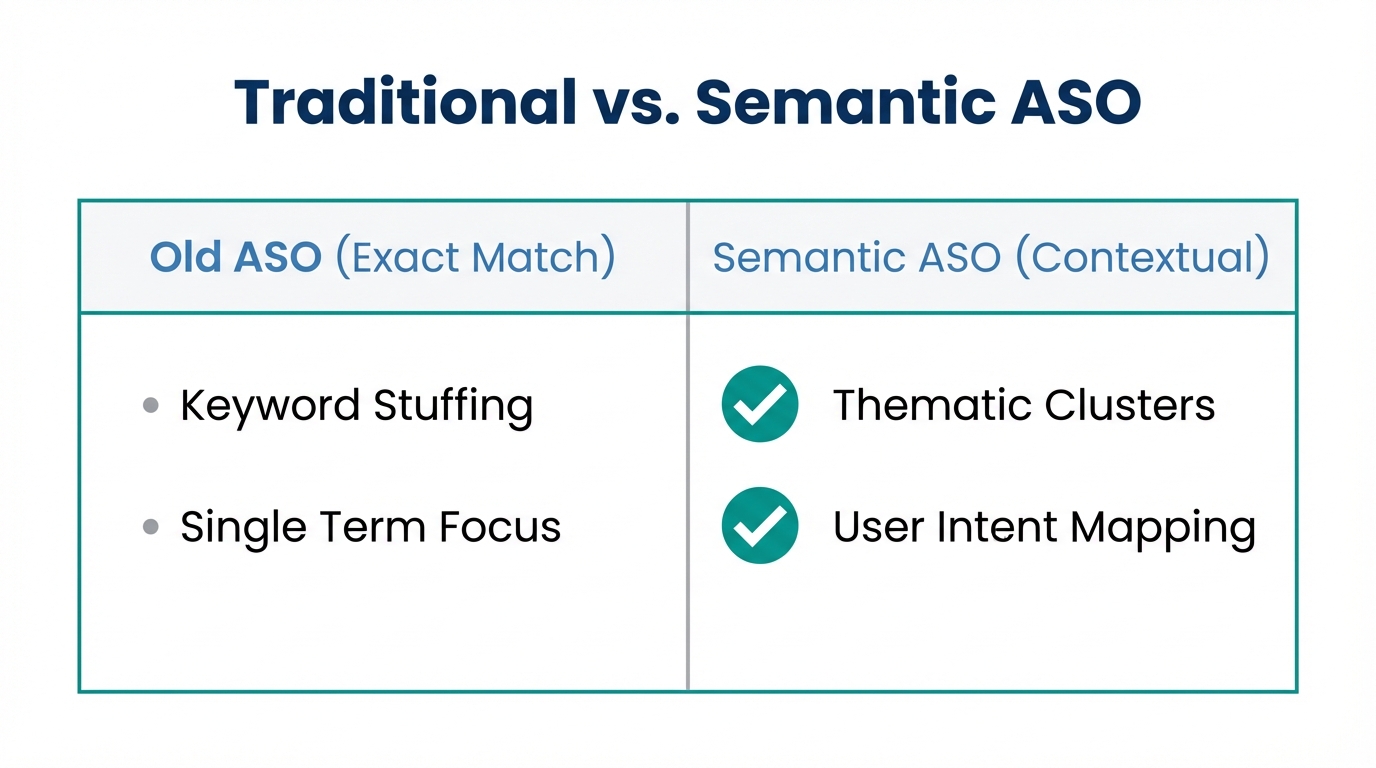
Apple's algorithm has moved toward semantic indexing, meaning it no longer just looks for exact keyword matches. It now understands the *thematic intent* of an app. Industry experts like Thomas Petit suggest that practitioners must focus on "Thematic Clusters" rather than chasing individual high-volume terms. For example, if your app is indexed for "meditation," Apple automatically understands its relationship to "sleep sounds," "mindfulness," and "stress relief."
This thematic understanding allows the algorithm to serve your app for searches it hasn't explicitly targeted, provided your app metadata optimization is consistent across all fields. Using tools like ASOTools to analyze the keyword gaps of competitors ranked #10–#50 can reveal these clusters. These mid-tier competitors are often more aggressively optimized than category leaders like Instagram or TikTok, who rely primarily on brand power rather than pure ASO strategies.
The '2025 SAP Crash': Interpreting Volatile Keyword Scores
Late 2024 and early 2025 saw what many ASO practitioners called the "SAP Crash." Apple shifted its reporting API from daily search volume scores to a Monthly Search Term Rank Report. This change caused a perceived 77% drop in keywords showing high popularity scores. According to ASO.dev, any keyword with a popularity score below 35 is now frequently hidden or marked as a "5" in various third-party tools.
This does not mean search volume has disappeared; rather, the way the apple search algorithm reports data has become more aggregated. To navigate this, marketers should rely on the Apple Search Ads (ASA) Popularity Index for real-time trends rather than stagnant monthly reports. Using platforms like SplitMetrics to time metadata updates during seasonal spikes—such as "travel planner" in June—remains a critical strategy for capturing high-volume traffic despite reporting changes.
"The SAP Crash didn't kill low-volume keywords; it just made them a secret weapon for those who know how to find them using ASA data."
Connecting Keyword Intent to Revenue with Adapty
High rankings are a vanity metric if they don't translate into dollars. In 2025, the most sophisticated developers are using tools like Adapty to bridge the gap between search terms and subscription revenue. By tracking which specific keywords drive the highest Life Time Value (LTV), you can double down on app metadata optimization for terms that actually convert.
For instance, while a broad term like "fitness" may have massive volume, a long-tail term like "affordable fitness tracker for beginners" often shows up to a 32% growth in organic installs due to higher conversion relevance, as noted by Dot Com Infoway. When you find these high-conversion clusters, tools like Stormy AI can help source and manage UGC creators to produce high-impact video content that matches that specific search intent, further boosting your conversion rates.
Why Conversion Rate (CVR) is the Guardian of Your Rankings
As Gabe Kwakyi of Incipia famously noted, ASO is a "system, not a checklist." The apple search algorithm uses Conversion Rate (CVR) as the ultimate validator of relevance. If your app ranks #1 for a high-volume keyword but users consistently click on the #2 result or download a competitor after viewing your page, Apple will demote you rapidly. This makes A/B testing your visual assets—including your OCR-indexed screenshots—essential.
Furthermore, the relevancy of your content matters. If you are targeting "AI"—which Sensor Tower reports has become a top-100 keyword in 15 different categories—but your app doesn't deliver a meaningful AI experience, your CVR will plummet, taking your rankings with it. To maintain visibility, you must ensure that your metadata promises only what the app can deliver. Platforms like Stormy AI can assist in this by analyzing creator content to see which features are actually resonating with real users, allowing you to align your ASO strategy with authentic audience sentiment.
The 2025 ASO Playbook: Step-by-Step Optimization
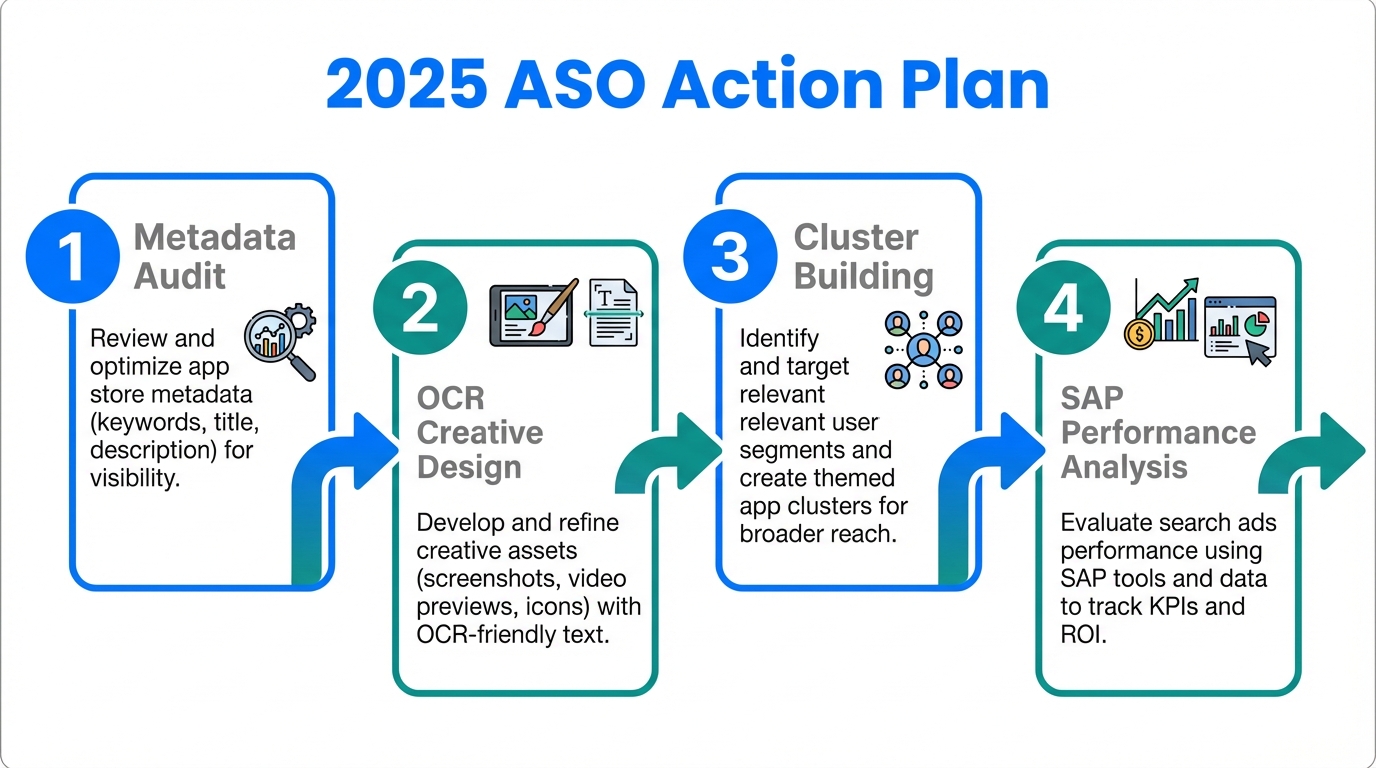
- Audit Your Metadata: Remove all filler words ("the", "and") from your 100-character field. Use ConsultMyApp's research to identify unnecessary terms.
- Optimize for OCR: Update screenshots with clear, high-intent captions. Avoid repeating the same keywords across every field to prevent a relevancy penalty.
- Identify Thematic Clusters: Use ASOTools to find keywords used by apps ranked #10–#50 in your category.
- Link Search to Subscriptions: Integrate Adapty to determine which search terms actually lead to paid users.
- Monitor and Iterate: Perform a full metadata audit every 4 weeks. Use the ASA Popularity Index to stay ahead of seasonal shifts and reporting changes.
Conclusion: The Future of Semantic Discovery
Succeeding in the App Store in 2025 requires a shift from "hacking the system" to "aligning with the algorithm." By understanding the technical nuances of app store screenshot OCR and the power of semantic ASO, developers can build a sustainable organic growth engine. Remember that while keywords get you discovered, it is your Conversion Rate (CVR) that keeps you at the top. Focus on intent, eliminate the fluff, and let the data guide your next metadata update for long-term success in the ever-evolving Apple ecosystem.