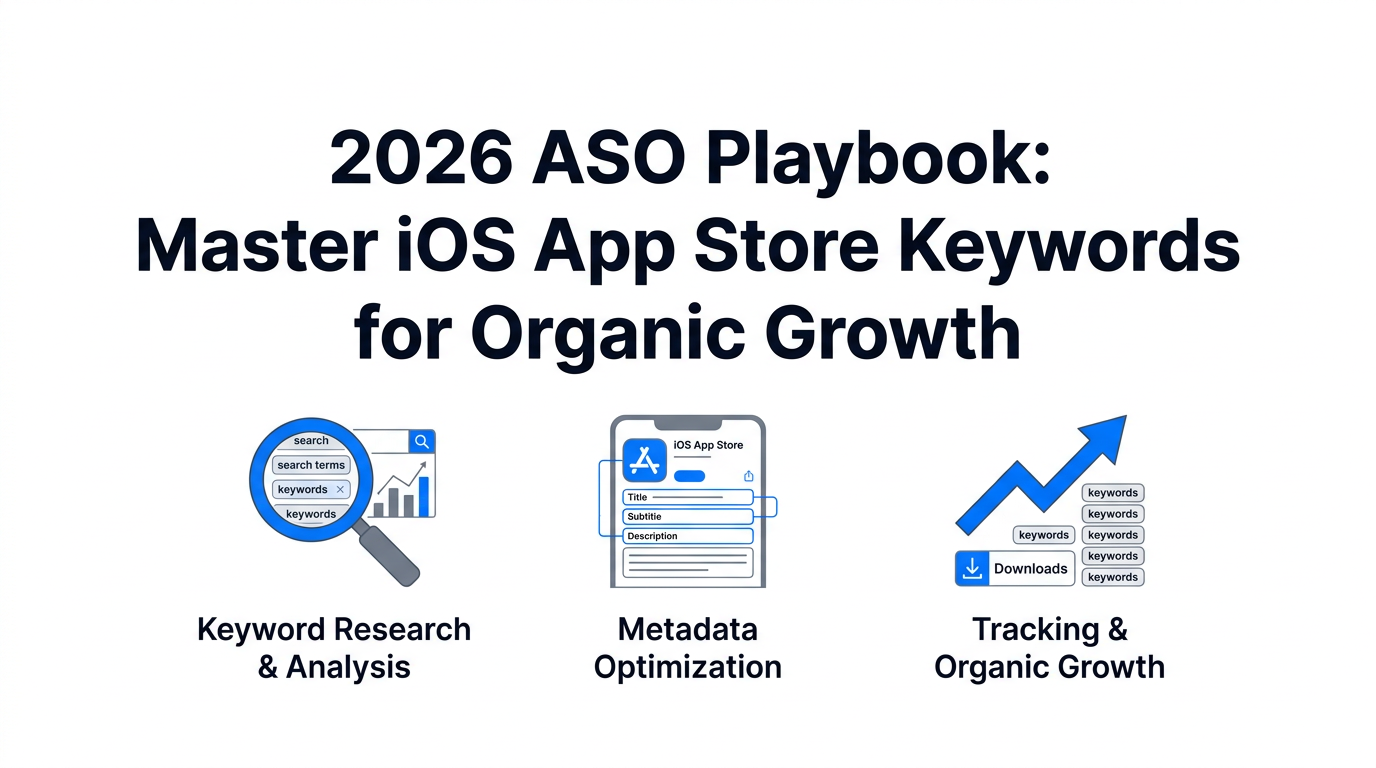
In 2026, the App Store is more crowded than ever, with roughly 2.0 million apps vying for user attention. Despite the rise of social discovery and paid acquisition, the fundamentals of search remain the lifeblood of sustainable growth. Statistics show that 65% to 70% of all downloads originate from organic search queries. If your app isn't appearing in the top results for high-intent keywords, you are effectively invisible to the majority of your potential audience.
App Store Optimization (ASO) in 2026 has evolved beyond simple keyword matching. Apple's algorithm has become increasingly sophisticated, incorporating semantic clusters, screenshot text indexing, and rigorous Search Ads Popularity (SAP) thresholds. This playbook provides a step-by-step masterclass on optimizing your metadata hierarchy to dominate organic search this year.
The 2026 Three-Tier Metadata Hierarchy
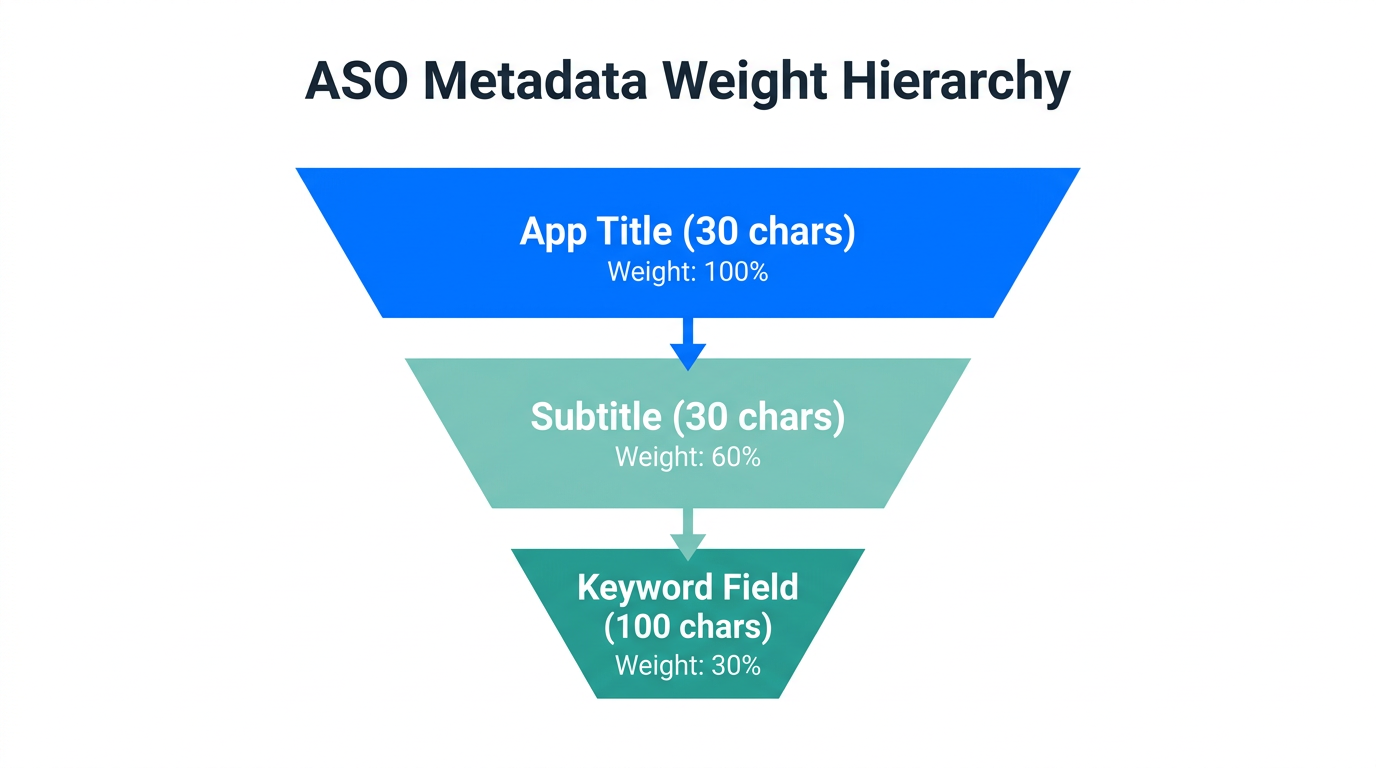
Success in ASO starts with understanding the hierarchical weight of your metadata. Not all fields are created equal. Apple prioritizes information based on where it is placed within your App Store Connect profile. To maximize your ranking potential, you must treat your Title, Subtitle, and Keyword Field as a unified ecosystem.
| Metadata Field | Character Limit | Ranking Weight | Primary Purpose |
|---|---|---|---|
| App Title | 30 Characters | Highest (100%) | Core Keyword & Branding |
| App Subtitle | 30 Characters | High (approx. 90%) | Secondary Keywords & Value Prop |
| Keyword Field | 100 Characters | Moderate (approx. 60%) | Broad reach & Long-tail variations |
1. App Title: The Ranking King
The App Title remains the most influential factor in your organic visibility. According to latest 2026 industry benchmarks from MobileAction, incorporating a primary keyword in your title can increase rankings by up to 10.3% compared to using a branded name alone. Take the example of Calm; by using the title "Calm: Meditation & Sleep," they capture two high-volume terms immediately. Never waste title space on filler words like "the" or "app."
"The App Title is your most valuable ASO real estate. In 2026, failing to include your core functional keyword here is leaving organic installs on the table."
2. App Subtitle: The Value Driver
The Subtitle serves a dual purpose: it acts as a secondary ranking signal and a conversion hook. You have 30 characters to explain why a user should download your app while weaving in secondary keywords. For a fitness app, a subtitle like "Workout, Yoga & Health Tracker" provides both keyword density and clarity of purpose. Leading growth teams often supplement these keywords with external traffic from creators discovered via Stormy AI, which helps increase "keyword velocity" and organic ranking.
Technical Formatting: Maximizing the 100-Character Field
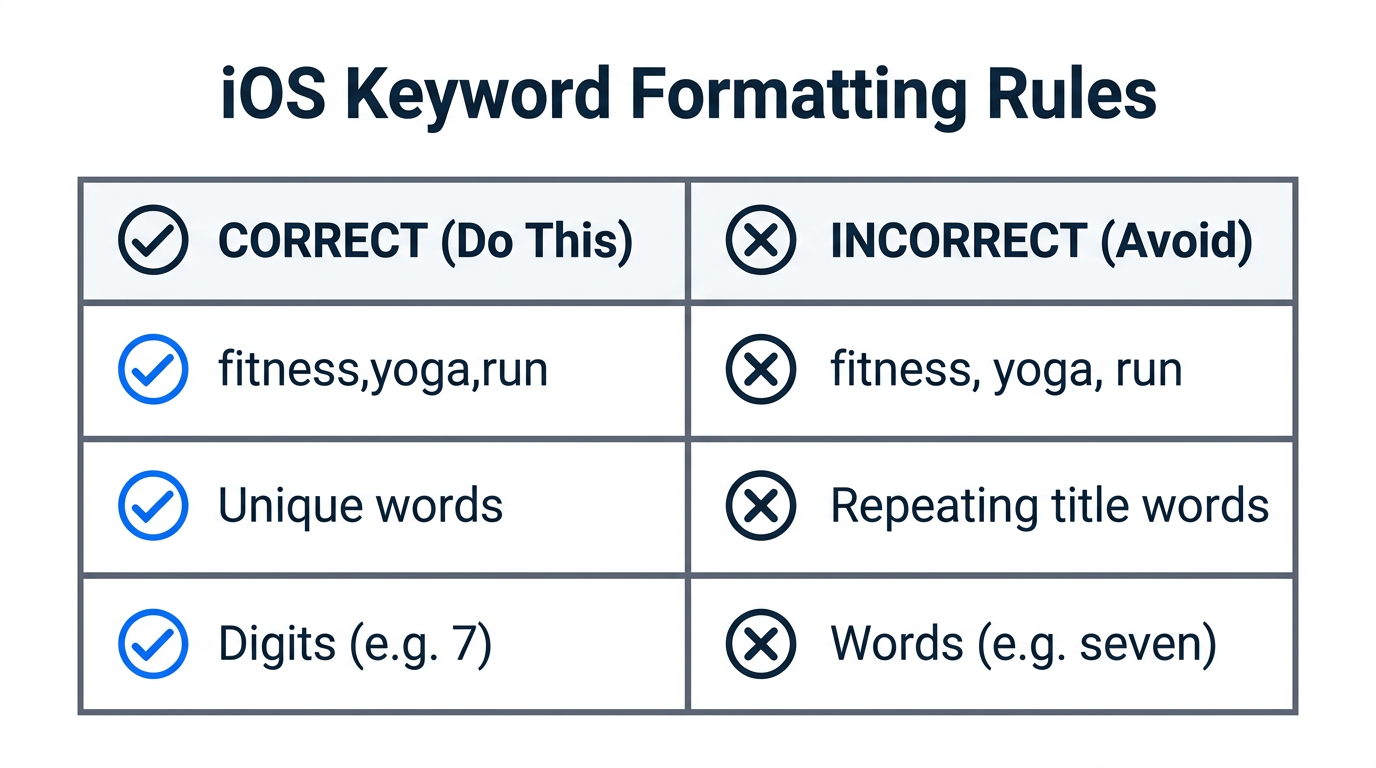
The hidden keyword field is your playground for long-tail discovery. While it is invisible to users, it is the cornerstone of your ASO metadata strategy. Because space is limited to exactly 100 characters, technical efficiency is mandatory. Follow these strict 2026 formatting rules to avoid wasting space:
- Use Commas, No Spaces: Format your list as
fitness,yoga,workout,health. Removing spaces between commas saves roughly 15-20% of your character count, allowing for 2-3 extra keywords. - Prioritize Digits: Always use "7" instead of "seven." Apple's algorithm treats them identically, and digits save valuable character room.
- Eliminate Repetition: If a word is already in your Title or Subtitle, do not repeat it in the keyword field. Apple’s indexing engine automatically combines terms across all three tiers.
- Avoid Banned Fillers: Top-performing apps avoid filler words in 96.8% of their metadata. This includes words like "a," "the," "and," or "app."
The 2026 SAP Threshold: Understanding Traffic Shifts
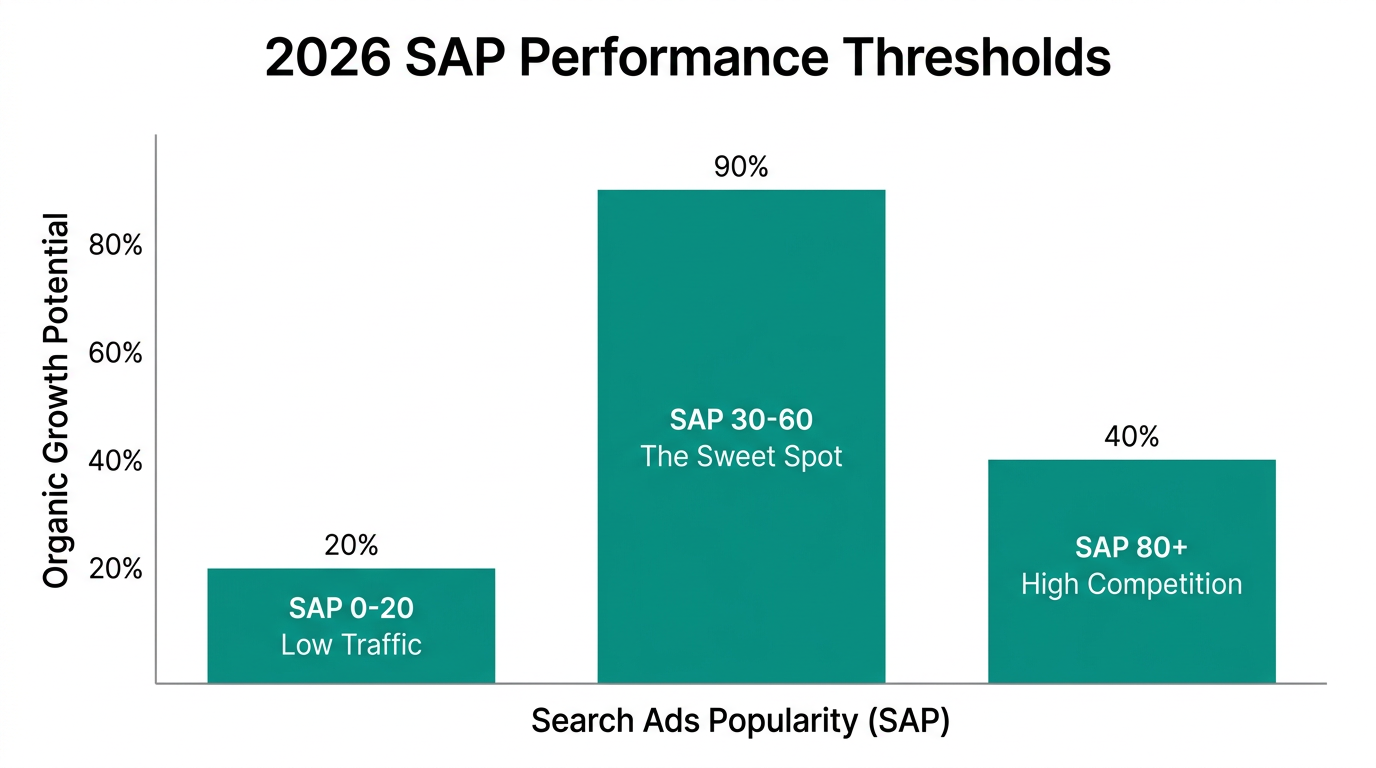
One of the most significant shifts in App Store Optimization 2026 is the way Apple reports Search Ads Popularity (SAP). SAP scores range from 5 to 100, indicating the relative search volume of a term. Historically, keywords with an SAP of 20-25 were considered viable for niche apps. However, recent industry data has shown that benchmark thresholds have shifted.
Keywords with an SAP below 35 are increasingly being re-indexed as "low-traffic" or showing a default score of "5" unless they meet a higher consistent threshold. This means that targeting ultra-niche keywords may no longer yield the organic